










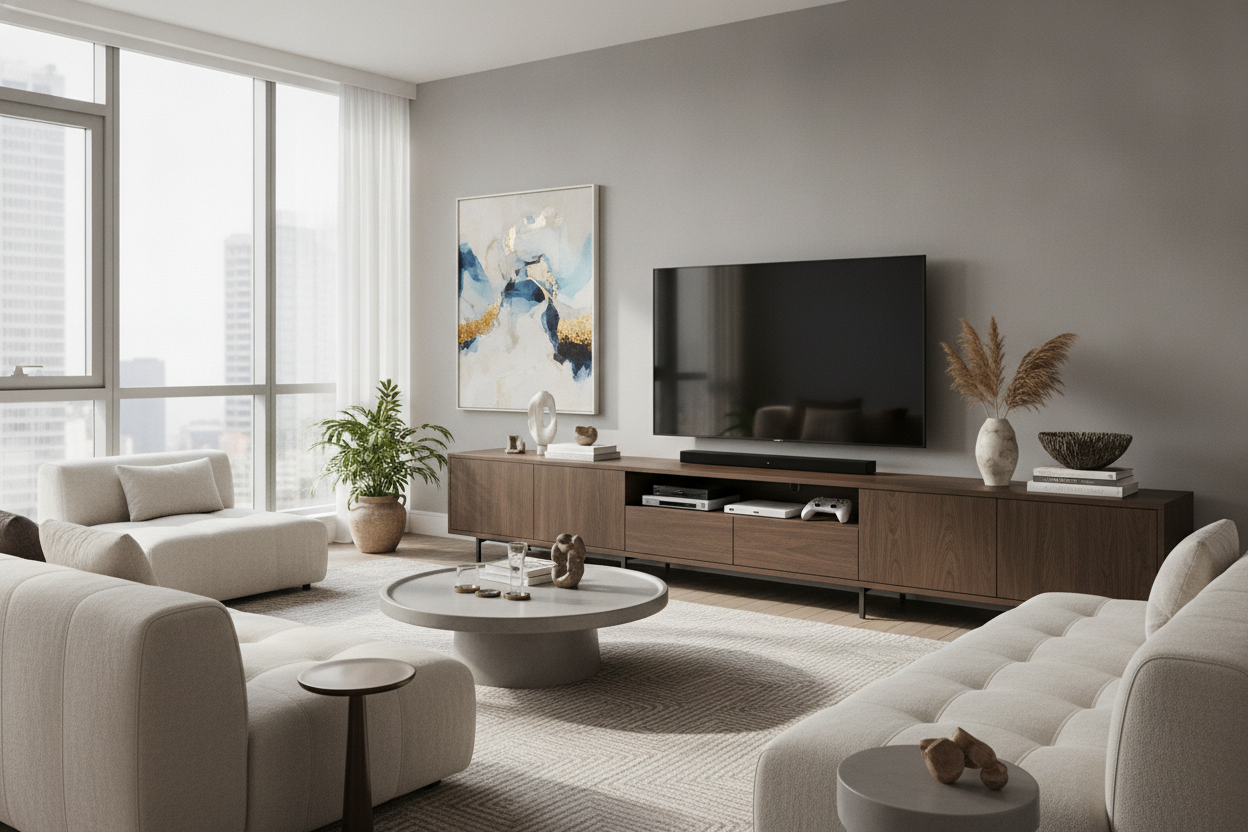
I spent three hours last Saturday patching holes in my living room wall because I’m a serial renter who refuses to learn. Every time I move, I convince myself a floating TV is the move, only to realize the studs are in the wrong place or the cable management looks like a literal spider web. I finally caved and bought a media console 70 inch tv setup, and I’m never going back to a wall mount.
There is a specific kind of stress that comes with drilling into drywall when you know you’re going to have to hide it from a landlord in 12 months. Beyond the holes, a huge TV just hanging there looks unfinished. It lacks a foundation. Giving up the mount wasn't about laziness; it was about finally making my living room look like an adult lives there.
Quick Takeaways
- Wall mounts are a nightmare for renters and cable management.
- A 70-inch TV needs at least 70 inches of furniture to look balanced.
- Solid wood adds warmth to the 'big black rectangle' of a TV.
- Closed cabinets hide the blinking lights of routers and consoles.
The Wall-Mounting Nightmare (And Why I Gave Up)
I’ve lost more rental deposits to 'wall damage' than I’d like to admit. Every time I tried to mount a massive screen, I’d hit a metal stud or realize the power outlet was three feet too far to the left. Then there’s the cable management—those plastic tracks you stick to the wall always look like an afterthought. I spent weeks trying to browse standard TV stands that didn't look like they belonged in a college dorm, but the search for 70 in media console options felt impossible at first.
The breaking point was when my last 70-inch screen started to lean forward. I hadn't hit the studs perfectly, and the anxiety of watching my $800 investment slowly tilt toward the floor was enough to make me swear off mounts forever. Finding high-quality tv consoles 70 inch or larger became my new obsession. I wanted something that felt anchored, not just a temporary shelf.
Finding the Right Media Console 70 Inch TV Setup
When you have a massive screen, you can't just put it on any old table. If the furniture is too small, the TV looks like a lollipop—top-heavy and ridiculous. A 70 in wide tv stand is the absolute bare minimum you should consider. Ideally, you want a few inches of breathing room on either side so the screen doesn't overhang the edges.
I spent hours measuring my wall and realized that a tv console 70 inches wide is the sweet spot. It grounds the room. I eventually found the only 70-inch console I'll recommend, which taught me that depth matters just as much as width. If the stand is too shallow, it feels flimsy. You want something with enough weight to stay put when your dog bumps into it.
The Magic of a Heavy Wood 70 Inch TV Stand
Let’s be honest: a giant TV is just a big, black, sterile rectangle. It’s not exactly 'cozy.' To offset all that plastic and glass, you need organic materials. This is where a wood 70 inch tv stand comes in. The grain of the wood and the natural texture provide a much-needed contrast to the tech.
I used to have one of those cheap metal and glass units, and it felt like I was living in a Best Buy showroom. When I finally upgraded to a wood console, the whole energy of the room changed. It felt warmer. A 70 tv console made of solid oak or walnut doesn't just hold your TV; it becomes a piece of furniture you actually like looking at when the screen is off.
Why a True TV Console Cabinet 70 Inch Saves Your Sanity
My biggest pet peeve? Blinking lights. Between the router, the PlayStation, the Nintendo Switch, and the soundbar, my living room used to look like a cockpit at night. You need a cabinet for 70 inch tv that actually has doors. Open shelving is a trap—it’s just a place for dust to collect and for cables to tangle.
I opted for a media console with drop-down doors, and it was a revelation. I can shove all the ugly tech inside, close the doors, and the room instantly looks clean. A tv console cabinet 70 inch wide gives you enough internal volume to store your physical media, extra controllers, and those 47 HDMI cables you’re 'saving for later.'
My Favorite 70 Entertainment Console for Awkward Layouts
Not everyone has a perfectly flat, long wall. My current place has this weird corner bump-out that makes a standard media console 70 setup difficult. I had to get creative. A 70 entertainment console doesn't have to be a boring rectangle if your space doesn't allow for it.
If you're dealing with a tricky floor plan, I highly suggest the 70 W Symmetric L Shaped TV Stand. It’s versatile enough to fit into corners or wrap around a slight wall protrusion without looking like a mistake. It proves that even a massive 70 in media console can work in a 'challenging' apartment. Stop fighting your walls and just give your TV the furniture it deserves.
FAQ
Will a 70-inch TV fit on a 60-inch stand?
Technically, the legs might fit, but it will look terrible. The screen will overhang the sides, making the whole setup look unstable and cheap. Always go for a stand at least as wide as the TV.
Is solid wood better than MDF for a large TV?
Yes. A 70-inch TV is heavy. MDF can sag over time, especially in the middle. Solid wood or high-quality plywood with a veneer will hold the weight without bowing.
How do I hide cables in a 70-inch console?
Look for units with pre-drilled cable management holes in the back panel. If it doesn't have them, you can easily drill your own with a hole saw bit. Use velcro ties inside to keep things organized.



Dejar un comentario
Este sitio está protegido por hCaptcha y se aplican la Política de privacidad de hCaptcha y los Términos del servicio.