










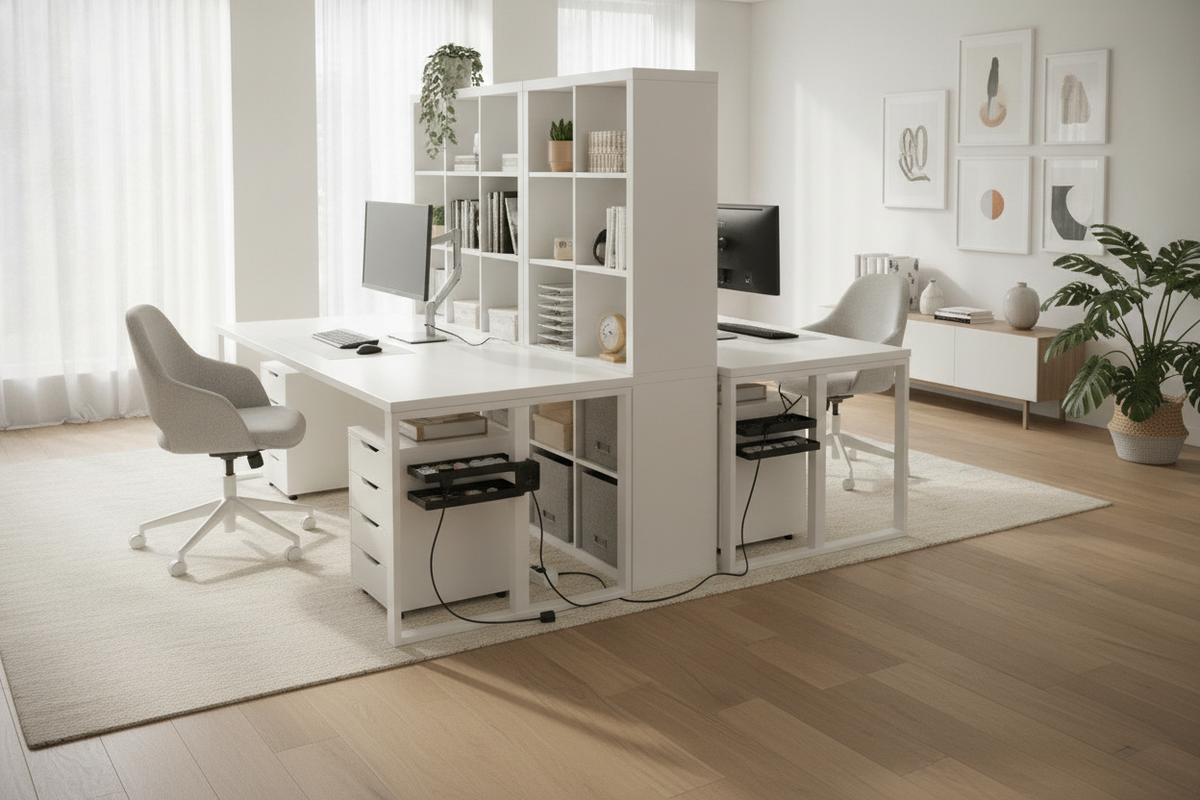
Designing a shared home office requires balancing individual workflow needs with collective room flow. When two individuals share a single footprint, standard single-desk solutions often lead to spatial friction, tangled wiring, and insufficient storage. Configuring an ikea.double desk framework provides a modular, adaptable approach to building a unified two-person workspace tailored to specific room dimensions and daily operational routines.
Two-Person Workstation Archetypes and Layout Geometry
The first stage of planning a dual workstation involves selecting the structural layout that matches your floor plan and workflow privacy requirements. Shared office spaces generally follow three core layout archetypes:
- Linear Side-by-Side: Work surfaces run along a single perimeter wall. This arrangement works best in elongated rooms, preserving central floor space for walkways and shared room circulation.
- Face-to-Face Island: Desks are placed back-to-back in the center of the room. This configuration provides deep sightlines and collaborative interaction, making it suitable for squarer rooms with ample peripheral space.
- Corner and Perimeter Split: An L-shaped corner layout places users perpendicular to one another. This orientation helps reduce screen glare crossover and gives each person a distinct corner zone.
When selecting your layout, consult an ikea double desk guide to evaluate how different modular table lengths and support pedestals match your available wall dimensions.
Structural Support Audits and Long-Span Tabletop Integrity
A primary mechanical consideration in continuous multi-person desk designs is long-span deflection. When expansive tabletops span across two individual seating zones without sufficient intermediate bracing, the center of the surface can sag over time under the weight of desktop hardware, monitor arms, and daily arm pressure.
To maintain structural integrity across wide spans, integrate dedicated midpoint reinforcement:
- Central Support Units: Placing a drawer pedestal or dedicated support column directly at the center seam or midpoint distributes vertical load evenly across the floor.
- Under-Desk Stiffener Channels: Mounting metal stiffener rails, angle braces, or longitudinal support battens underneath the tabletop provides longitudinal rigidity, resisting downward deflection.
- Hardware Load Distribution: Distribute heavy desktop items, such as multi-display monitor mounts and desktop computer towers, closer to reinforced support pillars rather than the center of unsupported spans.
Reviewing an office ikea double guide helps clarify how to pair stiffening hardware with modular tops to preserve a flat, stable work surface over years of use.
Storage Architecture: Centralized Dividers vs. Perimeter Organization
Shared workstations demand clear boundaries for office supplies, tech peripherals, and personal documents to prevent clutter from migrating between work zones.
A popular approach is the central storage tower. Placing a shared drawer unit between the two seating envelopes creates a natural physical and visual boundary, providing equal access to utility items while marking individual workspace territories. Alternatively, outer pedestal placement—installing storage units at the far left and right edges—leaves the entire central zone open, maximizing legroom and allowing freedom of movement for swivel chairs.
When deep archives or larger peripherals exceed under-desk capacity, pairing your layout with an auxiliary office desk product or multi-door credenza keeps primary worktops clear without sacrificing accessible storage.
Dual-Zone Ergonomics, Spatial Clearances, and Seating Envelopes
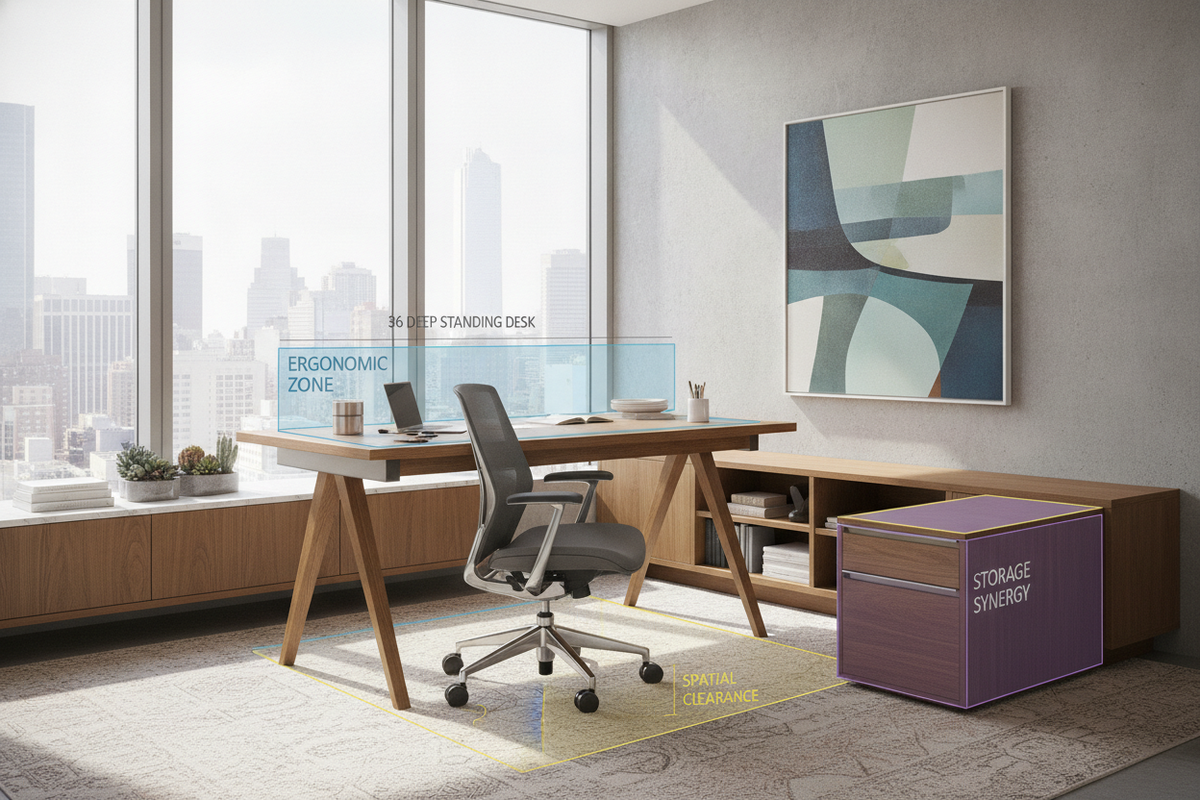
Ergonomics in a two-person office extends beyond individual chair height to encompass shared spatial clearances. Each user requires a comfortable personal envelope that prevents accidental elbow bumps and chair collisions during daily tasks.
- Elbow Room and Perimeter Margins: Ensure adequate lateral separation between active keyboard positions so both individuals can type, write, and gesture freely.
- Chair Roll-Out Clearance: Account for the full depth needed to slide office chairs back comfortably without hitting walls, perimeter credenzas, or the other occupant's chair.
- Visual and Acoustic Partitioning: Integrating desktop felt privacy screens, desktop plant dividers, or angled monitor setups can soften acoustic reverberation and reduce visual distractions during simultaneous video calls.
Power Distribution, Cable Trays, and Dual Wire Separation
Two full computer setups on a single continuous work surface generate a substantial number of power cords, display cables, charging leads, and peripheral connections. Managing these lines through dedicated cable raceways prevents tangled cords and simplifies hardware reconfigurations.
Mount wire management baskets or horizontal cable channels beneath the underside of the tabletop. Dedicate separate channels or tie paths for AC power cords and low-voltage peripheral data lines to keep runs orderly. Installing a dedicated surge protector directly underneath each user's seating zone isolates power distribution, allowing one person to adjust equipment without disturbing the other user's power supply. Pass-through desktop grommets positioned behind monitor stands ensure that peripheral cables drop cleanly into under-desk raceways without draping across the back edge.
Assembly Protocols, Wall Anchoring, and Long-Term Stability
Achieving a wobble-free workstation requires secure anchoring and precise assembly alignment across modular components.
- Component Joining: Fasten modular tabletops to supporting pedestals using non-slip silicone buffer pads or direct mechanical brackets to prevent surface shifting during use.
- Wall Anchoring: Securing the rear edge of long-span desk frames to wall studs using perimeter wall cleats or angle brackets eliminates horizontal wobble and provides superior stability.
- Periodic Maintenance: Regularly inspect and tighten adjustable leg leveling feet, connector brackets, and monitor clamp fittings to keep the workstation level and secure.
For additional installation techniques on integrating semi-permanent worktops into your space, refer to an office ikea desk guide to explore built-in mounting strategies that maximize durability.

Dejar un comentario
Este sitio está protegido por hCaptcha y se aplican la Política de privacidad de hCaptcha y los Términos del servicio.