










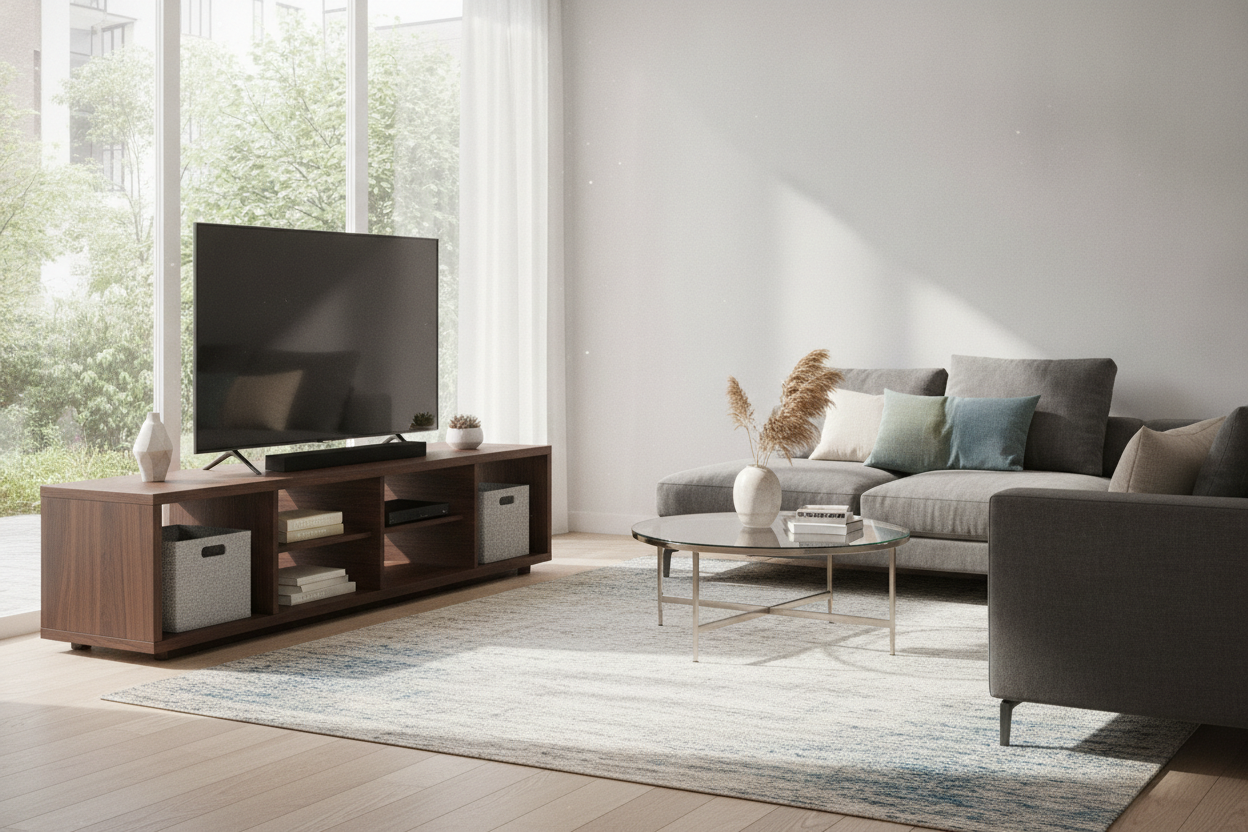
You just dropped a grand on a 4K behemoth that basically turns your living room into a Cineplex. Then reality hits: you have exactly $150 left in your furniture budget, and that massive screen is currently perched precariously on a coffee table that is screaming for mercy. Naturally, you start browsing for a 70 inch tv stand at walmart because the prices are actually palatable.
I have been there. I have spent three hours on a Saturday afternoon surrounded by Allen wrenches and cryptic diagrams, wondering if my new TV was about to meet a tragic end. Walmart is the land of the budget console, but when you are dealing with a screen that weighs as much as a medium-sized dog, you have to be picky about what you buy.
- Check the weight capacity—70-inch TVs often need a stand rated for at least 80-100 lbs.
- Look for a center support leg; without it, the middle will sag within six months.
- Avoid 100% hollow-core particle board if you plan on moving the stand frequently.
- Measure the actual width of your TV feet, not just the screen size.
The Giant Screen vs. The Tiny Budget Dilemma
The math of buying a 70-inch TV is simple: the bigger the screen, the smaller your remaining bank balance. By the time you get the thing home, you realize that most high-end media consoles cost more than the TV itself. This leads most of us to walmart 70 inch tv stands, where the prices look like a typo in the best way possible.
But there is a psychological toll. You are putting a heavy, expensive piece of glass on top of what is essentially compressed sawdust and glue. I once bought a 70in tv stand walmart sold under a generic brand, and every time someone walked past it, the TV wobbled like a bobblehead. It is a terrifying way to live. The trick is finding the units that use thicker MDF or metal frames rather than the thin stuff that feels like cardboard.
The Dreaded 'Bow Effect' in Cheap Particle Board
Physics is a cruel mistress. When you place a 70-inch screen on a console that lacks structural integrity, gravity goes to work on the center. Within weeks, you will notice the 'bow effect'—a slight dip in the middle of the top shelf. Once that particle board starts to smile, there is no going back. It is structurally compromised.
When hunting for a 70 in tv stand walmart carries, I always look for a fifth or sixth leg right in the dead center. If the stand only has four legs at the corners, keep scrolling. You want something like a heavy-duty 70 media console tv stand that distributes the weight across the floor rather than just the ends. If the middle is floating, your TV is basically a slow-motion wrecking ball for your furniture.
3 Walmart TV Stands for 70 Inch TVs That Won't Collapse
I have assembled more walmart tv stands 70 inch models than I care to admit. If you want to avoid a total disaster, look at the Better Homes & Gardens or the Whalen lines. They tend to use better hardware—think actual cam-locks that bite into the wood rather than stripping the hole the second you tighten them.
One of my favorites is a modern tv stand with cabinets and drawers because it solves the 'messy cable' problem. If you have a PS5, an Xbox, and a cable box, you need hidden storage. A 70-inch screen attracts enough attention; you do not need a nest of black wires hanging out underneath it. Look for units with a 15-inch depth at minimum; anything shallower and your TV feet might actually hang off the edge.
Wait, Do You Actually Need a Corner Unit Instead?
A 70-inch console is usually about 65 to 70 inches wide. In a standard apartment, that takes up an entire wall. I have seen people try to cram these into small rooms, and it ends up looking like the TV is eating the space. If you are tight on square footage, you might be better off fitting a 70 inch corner tv stand into the layout instead of a massive rectangle.
Walmart carries a few of these, but be warned: the geometry of fitting a 70 inch corner tv stand is tricky. The back of the unit is cut at an angle, which means you lose a lot of that precious shelf depth for your electronics. Always check if your receiver or console will actually fit in the cubby before you commit to the corner life.
What to Do If You Simply Don't Trust the Legs
If you have kids or a cat that thinks your TV is a jungle gym, a budget tv stand walmart 70 inch unit might give you anxiety. Even the sturdiest walmart tv stands for 70 inch tvs can be top-heavy. My pro tip? Use the wall anchor kit that comes in the box. Do not throw it away. It takes five minutes to drill into a stud, and it prevents a $1,000 disaster.
If you are still nervous, consider upgrading to a 70 inch tv stand mount. These are hybrid units where the TV actually bolts to a metal spine attached to the back of the stand. It takes the weight off the top shelf entirely and gives you that 'floating' look without having to drill massive holes in your rental's drywall. It is the best way to get the Walmart price point without the 'will it collapse?' nightmares.
FAQ
Will a 70-inch TV fit on a 60-inch stand?
Technically, the screen might overhang the sides, but the real question is the distance between the TV's feet. If the feet are 55 inches apart, it will sit on a 60-inch stand, but it will look visually unbalanced and top-heavy. I do not recommend it.
Is Walmart furniture hard to assemble?
It is mostly a test of patience. The instructions are usually okay, but the hardware is cheap. If you over-tighten a screw, you will strip the wood. Use a manual screwdriver, not a power drill, to avoid cracking the finish.
How do I stop the middle of the stand from sagging?
If you already bought a stand that is bowing, you can buy adjustable furniture legs online for about ten bucks. Screw one into the center of the base to provide that missing support. It is a cheap fix that saves your TV.

Dejar un comentario
Este sitio está protegido por hCaptcha y se aplican la Política de privacidad de hCaptcha y los Términos del servicio.