










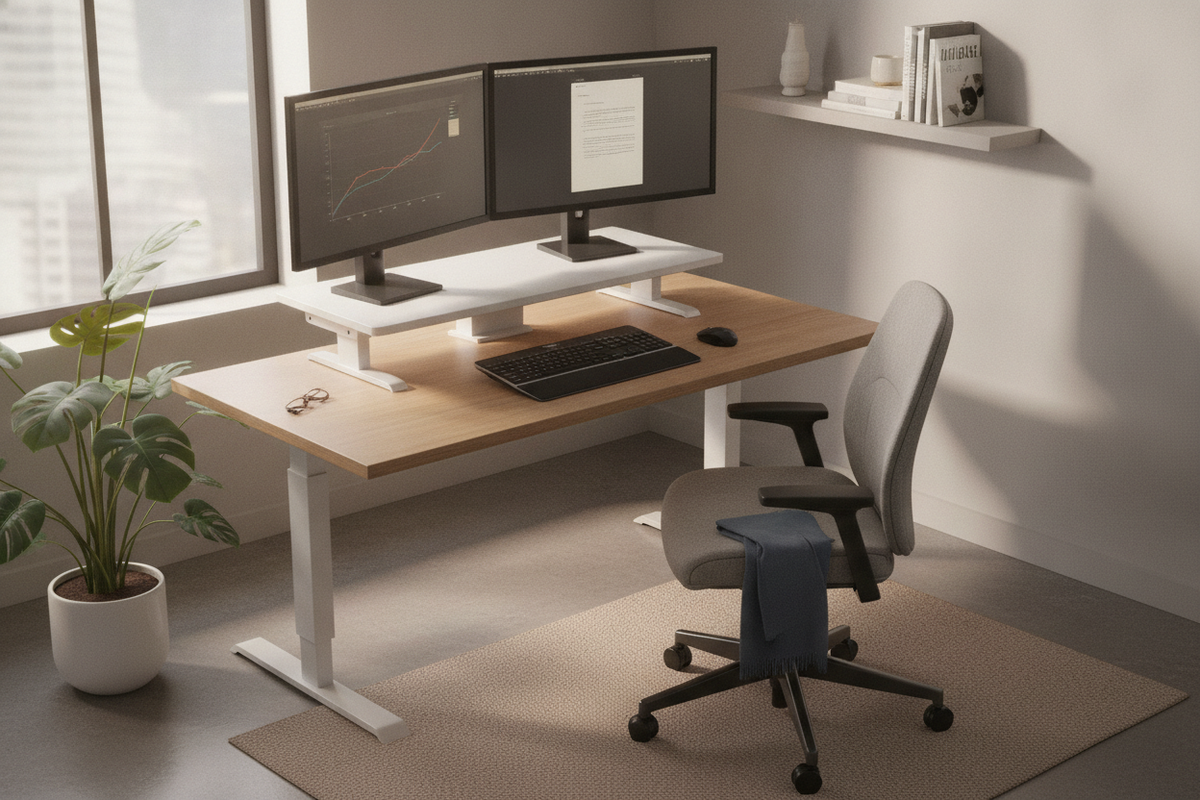
I spent three months typing on a stack of coffee table books before I admitted my neck was screaming for help. We’ve all been there—trying to DIY an ergonomic miracle out of household objects because we’re too cheap or too skeptical to buy a real converter. When I finally decided to test the lorell desk riser, I had one specific fear: the wobble.
There is nothing more distracting than a monitor that vibrates every time you hit the 'backspace' key during a heated email exchange. Most mid-tier risers feel like plastic toys, but this one promised a heavy-duty steel frame that wouldn't turn my dual-monitor setup into a bobblehead display.
- Stability: Solid steel construction means zero bounce while typing.
- Capacity: Easily holds two 24-inch monitors (and pushes it with 27s).
- Assembly: Almost non-existent; it’s basically ready out of the box.
- Footprint: It’s a beast—make sure your desk is at least 24 inches deep.
The Dreaded 'Bouncy Keyboard' Test
Before I landed on the lorell sit-to-stand desk riser, I went through a phase where I thought a minimalist desk with laptop stand would be enough. I was wrong. If you’re a heavy typer like me, those lightweight stands act like a springboard. Every keystroke sends a tremor up to your screen, which is a fast track to a headache.
The Lorell uses a gas spring mechanism that feels remarkably dampened. It doesn't snap upward like a mousetrap, and it doesn't sag when you lean your forearms on the keyboard tray. That tray, by the way, is fixed—so you aren't constantly adjusting the tilt. It just stays put, which is exactly what you want when you're mid-deadline.
Unboxing the Beast (And What It Means for Your Desk)
When the box arrived, I genuinely thought they’d accidentally shipped me a small engine. It weighs nearly 40 pounds. While my lower back wasn't thrilled during the lift, my brain was relieved. In the world of office furniture, weight usually equals stability. If you want a simple desk riser for a single tablet, this is overkill. But for a real workstation, that heft is your best friend.
The assembly is refreshingly minimal. You basically just attach the keyboard tray and you’re in business. I’ve spent four hours crying over Swedish hex keys before, so having this thing upright and functional in fifteen minutes felt like a personal victory. Just a heads up: do not try to unbox this on top of a glass desk unless you're feeling incredibly brave.
Does It Actually Fit Two Large Screens?
I’ve read plenty of lorell sit to stand monitor riser reviews that claim you can fit two 27-inch monitors. Technically, you can, but it’s a tight squeeze. I tested it with two 24-inch Dell Ultrasharps, and they fit perfectly with room to angle them toward my face. When I swapped in my 27-inch gaming monitors, the outer edges hung off the sides of the top platform.
It didn't feel unsafe—the base is wide enough that it won't tip—but it does look a bit crowded. If you’re running a dual-monitor setup, the 37-inch wide version is the absolute minimum you should consider. Anything smaller and you’ll be overlapping your bezels like a collage project. The height adjustment is smooth, though you’ll need to put a little muscle into the initial lift if you’ve got two heavy screens on top.
Final Thoughts: Who Should Actually Buy This?
The lorell adjustable monitor riser is for the person who already has a desk they love but needs to stop sitting for eight hours straight. It’s a utilitarian workhorse. It isn't the prettiest thing in the world—it looks like 'Office Depot chic'—but it works. It’s sturdy, it’s reliable, and it won't break the bank compared to the high-end boutique brands.
However, if you find that this riser eats up too much of your desk's surface area, you might be better off skipping the converter and getting a full sit stand up desk. The Lorell takes up a lot of real estate, and if your desk is shallow, you might feel like the monitors are right in your eyelashes. But for a solid, no-nonsense upgrade to your existing setup? It’s a win.
Is it hard to raise with heavy monitors?
Not really. The gas springs do most of the heavy lifting. You just squeeze the handles on the sides and give it a slight nudge. It’s more of a guided lift than a manual haul.
Will it scratch my desk?
The base has padded feet, but because it’s so heavy, I’d suggest making sure your desk surface is clean before you plop it down. Any trapped grit could leave a mark if you slide the unit around.
Can I use a monitor arm with it?
Yes, but be careful. The grommet hole is there, but adding the weight of a dual-arm mount plus the monitors might exceed the weight limit. Stick to the stands if you can.


Dejar un comentario
Este sitio está protegido por hCaptcha y se aplican la Política de privacidad de hCaptcha y los Términos del servicio.