










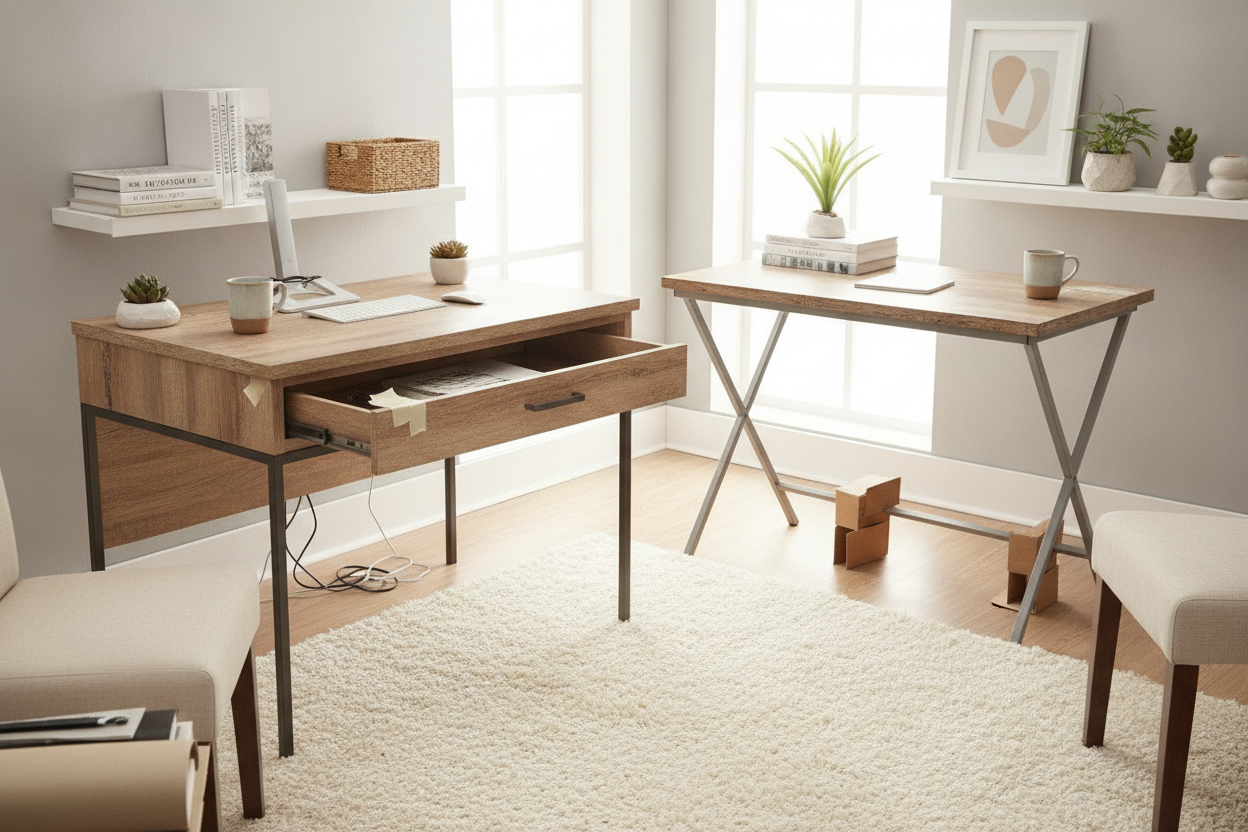
I remember my first real apartment. I spent sixty bucks on a desk that looked like a mid-century dream in the photos, but it arrived in a box that weighed less than my cat. Two weeks later, the whole thing was leaning five degrees to the left like a sinking ship. Finding desks under $100 is a rite of passage, but most people end up buying what I call 'disposable furniture'—pieces that won't survive a single move.
Quick Takeaways
- Avoid plastic cam-locks; they are the number one cause of the 'budget wobble.'
- Check the weight capacity—if it is under 50 lbs, it is likely a hollow-core top.
- Look for 'X' cross-bracing on the back for lateral stability.
- A-frame legs are almost always sturdier than four thin vertical poles.
Why I'm Skeptical of Ultra-Budget Furniture (But Still Buy It)
I spent years working in furniture retail, and I have seen the good, the bad, and the literally-falling-apart. When you are looking for a desk under 100.00, you have to accept that corners were cut. The manufacturer didn't use solid oak; they used MDF or particle board. They didn't use hand-welded steel; they used thin-walled aluminum or even plastic.
But here is the thing: a desk for 100 dollars doesn't have to be trash. If you know how to read a spec sheet, you can find a computer desk under 100 that actually holds up. I still buy budget pieces for my guest room and secondary workspaces, but I never buy them blindly. You have to look past the pretty lifestyle photos and check the actual structural engineering—or lack thereof.
Red Flag 1: The Dreaded Cam-Lock Overload
If you open the assembly manual for a desk for sale under $100 and see forty silver 'cam-locks' (those little circular locking nuts), be careful. These are designed for ease of assembly, not long-term structural integrity. In the world of office desks under $100, these are often made of cheap zinc alloy that snaps if you tighten them too much, or worse, they slowly chew through the soft particle board holes every time you lean on the desk.
I once assembled a computer desk with drawers under $100 that relied entirely on these locks. Every time I typed, the monitor would shake. If you see a desk that uses actual long-threaded screws or bolts that go into metal inserts, buy that one instead. It will actually stay tight for more than a month.
Red Flag 2: Hollow-Core Laminate Tops
This is the sneakiest trick in the book. Some brands make a writing desk under 100.00 look thick and substantial, but the top is actually a honeycomb of cardboard sandwiched between two thin sheets of veneer. If you try to use a clamp-on monitor arm on a hollow-core top, you will literally punch a hole through your desk.
When shopping for a writing computer desk, check the product weight. If a 48-inch desk weighs less than 20 pounds, the top is hollow. You want high-density MDF or at least a solid particle board. It’s heavier, sure, but it won't warp under the weight of your iMac. I learned this the hard way when I tried to mount a dual-monitor setup on a desk under $80 and heard a sickening 'crack' the moment I tightened the clamp.
Red Flag 3: Zero Cross-Bracing
Basic physics doesn't care about your aesthetic. If a desk has four thin metal legs and no horizontal support bar or 'X' brace on the back, it is going to sway. This is the hallmark of the worst computer desks under 100 dollars. Without that lateral support, the legs act like four independent straws trying to hold up a brick.
If you need something rock-solid, look for a corner desk with large storage. The L-shape naturally provides geometric stability because the two wings of the desk act as braces for each other. If you are stuck with a standard rectangular desk, make sure it has a 'modesty panel' or a metal cross-bar connecting the legs near the floor. Your coffee cup will thank you when it isn't sloshing around every time you hit the backspace key.
How to Actually Spot the Good Ones
The best desk for under 100 usually looks a bit 'industrial.' Why? Because industrial designs use steel square-tube frames. Look for desks where the metal frame goes all the way around the perimeter of the wood top. This supports the board and prevents it from sagging in the middle. Also, pay attention to the feet. Adjustable leveling feet are a godsend if your floors are even slightly uneven—which they are, trust me.
I’ve found that a home office desk under $100 with an A-frame or 'K' leg design is significantly more stable than the standard four-post leg. The wider base distributes the weight better and resists that annoying front-to-back wobble that plagues cheap office desk under $100 options.
Making Your Budget Buy Look Expensive
Once you’ve secured a desk under 100 that won't collapse, you can make it look like a thousand-dollar piece with about twenty bucks of effort. Swap out the generic plastic drawer pulls for matte black or brass hardware. Add a large felt desk mat to cover the laminate texture. Lighting is also your best friend; a warm LED strip behind the desk hides a multitude of manufacturing sins.
If you can style a desk under 30 to look chic, doing it with a $100 budget is basically cheating. Focus on the structure first, then use styling to hide the price tag. A solid, ugly desk can be fixed with a tablecloth or contact paper; a beautiful, wobbly desk is just a headache waiting to happen.
FAQ
Is a desk with storage under $100 worth it?
Usually, no. Cheap drawers have plastic slides that jump the tracks. You are almost always better off buying a simple, sturdy writing desk and adding a separate rolling metal cart for your stuff.
Can I put a heavy gaming PC on a desk under 100?
Only if the frame is metal and the top is solid MDF. If you see 'honeycomb' or 'hollow core' in the description, keep your PC on the floor or a separate stand.
What is the most durable material for a cheap desk?
Look for 'melamine' coating. It is much more scratch and water-resistant than the paper-thin 'wood grain' stickers used on the absolute cheapest home office desks under $100.


Dejar un comentario
Este sitio está protegido por hCaptcha y se aplican la Política de privacidad de hCaptcha y los Términos del servicio.