










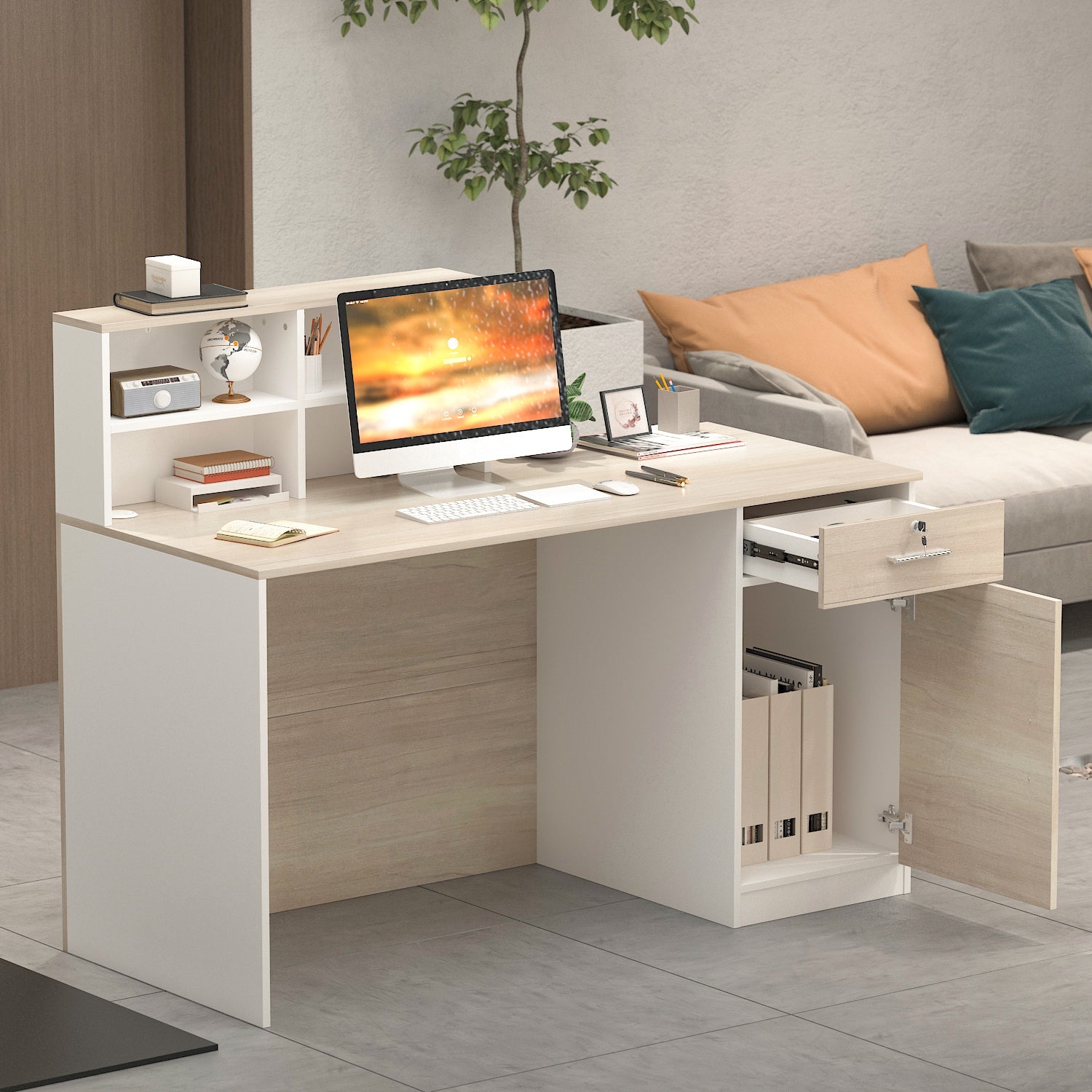

Optimizing desktop surface area often begins with reallocating peripherals beneath the primary work plane. Integrating keyboard trays into home office setups creates designated typing zones, repositions monitors, and opens valuable surface real estate for paperwork, task lighting, and organizing accessories. Selecting the appropriate model requires evaluating mounting mechanics, spatial clearances below the desktop, and structural interactions with table frames and modular storage.
Understanding Keyboard Tray Architecture and Mechanical Formats
Modern keyboard platforms vary significantly in how they anchor to furniture surfaces and the degree of motion they permit. Choosing the right mechanism depends on desk construction, willingness to use fasteners, and daily movement requirements.
C-Clamp Attachments vs. Track-Mounted Glides
Clamp-on systems use heavy-duty C-clamps that tighten directly onto the front edge of the desktop. They provide an accessible, non-destructive installation method that does not require drilling pilot holes into the underside of the table. This makes them practical for rented spaces, temporary workstations, or desktops made of composite materials where screw anchors might degrade. If you are refining an entry-level workstation setup, our computer desk under guide outlines how add-on accessories can maximize affordable desktop layouts.
In contrast, track-mounted glide mechanisms attach directly beneath the tabletop using mounting screws and steel runner tracks. These systems allow the platform to slide entirely out of sight when not in use. Track mounts eliminate top-surface clamp footprints, preserving a completely flush working surface along the front perimeter of the desk.
Articulating Arms and Dynamic Tilt Adjustments
Articulating keyboard arms feature central pivot points that provide dynamic height adjustment, 360-degree horizontal swivel, and positive or negative tilt angles. Positioning a keyboard at a subtle negative tilt—where the top row of keys sits slightly lower than the bottom row—encourages a neutral wrist posture during extended typing sessions. Articulating mechanisms require robust under-desk clearance to house the central track and counterbalance arm assembly.
Dimensional Sizing Categories: Platform Widths and Spatial Clearances
Proper sizing prevents operational friction between your peripherals, seating, and desk framework. Assessing both horizontal width and vertical drop depth ensures an ergonomic fit.
Compact Keyboards vs. Full-Width Keyboard and Mouse Platforms
Tray widths generally fall into two primary configurations:
- Compact Single-Device Trays: Designed specifically for tenkeyless or compact keyboards. These narrow units fit desks with limited open width between support legs or side drawers, though they often require placing the mouse on the upper desk surface or using an offset mouse pod.
- Extended Full-Width Platforms: Wide trays accommodate a full-sized keyboard with a numeric keypad alongside an expansive mouse mousing area on a continuous horizontal plane. This keeps both hands at an even working elevation, minimizing asymmetrical shoulder reach.
Vertical Drop Depth and Knee Clearance Safety Margins
Adding an under-desk platform lowers the effective hand height, but it also consumes vertical legroom. Before selecting a unit, measure the vertical distance between the top of your thighs and the bottom edge of the tabletop while seated at your preferred height. Ensure that the tray bracket drop depth leaves adequate space above your knees, allowing free movement and preventing chair armrests from colliding with the underside of the sliding track.
Under-Desk Structural Obstacles: Crossbars, Motors, and Tabletop Materials
Many contemporary desks feature reinforced underpinnings that complicate the installation of standard sliding brackets. Mapping the underside of the work surface prevents installation issues.
Navigating Standing Desk Crossbars and Frame Brackets
Height-adjustable standing desks typically feature structural crossbars, motor housings, and lifting column brackets directly beneath the center span. Standard screw-in tracks may not sit flat across these frame components. To resolve this, choose low-profile clamp designs that clear front frame rails, or install wooden spacer blocks that lower the mounting track beneath the level of the central crossbar.
Tabletop Substrates, Thickness Considerations, and Load Distribution
The structural composition of the desk determines the type of keyboard tray it can support:
- Solid Wood and Thick Plywood: Excellent screw-holding capacity, making them suitable for heavy articulating arm assemblies and long track glides.
- MDF and Particleboard: Suitable for standard track mounts and clamp units, provided pilot holes are drilled carefully and screws are not over-torqued.
- Honeycomb or Hollow-Core Tops: Unsuitable for screw-mounted tracks due to lack of internal support; wide-span clamp mounts that distribute clamping pressure over a larger surface area are recommended.
- Glass Desks: Require specialized clamp mounts with protective rubber dampening pads, and cannot accommodate screw-mounted hardware.
Workstation Storage Integration and Surface Zoning
An under-desk keyboard slider functions best when integrated thoughtfully with surrounding home office furniture and cable pathways.
Balancing Keyboard Trays with Modular Drawers and Overhead Shelving
When planning your workstation layout, consider how sliding trays interact with nearby storage towers, filing pedestals, and desktop organizers. When configuring multi-tier storage around your typing zone, consult our comprehensive desk drawer shelf guide to ensure under-desk trays do not collide with built-in storage pedestals. Furthermore, pairing your under-desk tray with versatile shelving units from our adjustable shelf collection helps keep peripheral devices, paper trays, and accessories organized within arm's reach while keeping the primary desktop uncluttered.
Cable Slack Travel and Peripheral Wire Management
Sliding keyboard shelves introduce dynamic movement to wired connections. If using wired keyboards and mice, calculate sufficient cable slack to allow full extension and retraction without pinching cords in the track runners. Utilizing adhesive cable clips or flexible split-tubing beneath the tray platform directs wires smoothly along the underside of the desk to power hubs.
Selection Checklist: Matching Keyboard Trays to Your Work Routine
Before finalizing your choice, evaluate your workstation setup against these practical operational criteria:
- Under-Desk Depth: Verify that the underside of the tabletop has sufficient flat depth to accommodate the entire length of the slide track.
- Edge Bevels: Ensure desk front edges are flat and square if using clamp-on mounts, as rounded or beveled edges can reduce clamp grip stability.
- Platform Rigidity: Look for sturdy steel hardware and rigid composite or solid platforms that minimize bounce during rapid typing.
- Hardware Maintenance: Periodic inspection and tightening of clamp bolts or mounting screws ensures ongoing stability and smooth sliding action over time.


Dejar un comentario
Este sitio está protegido por hCaptcha y se aplican la Política de privacidad de hCaptcha y los Términos del servicio.