










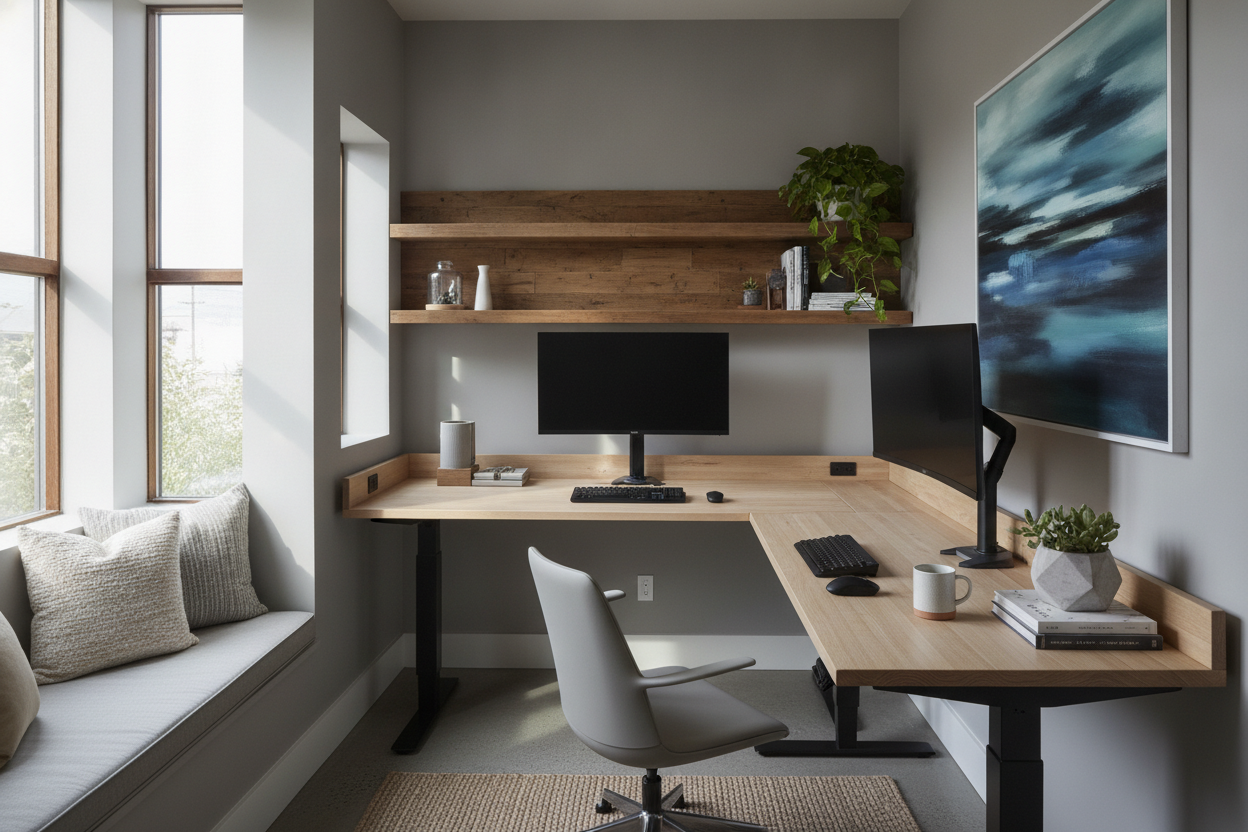
My home office isn't really an office. It is a 54.5-inch alcove carved out of a hallway that feels more like a repurposed closet than a workspace. For months, I stared at that gap with a tape measure and a growing sense of despair. I spent hours scrolling through every major retailer, but the math never worked. You can buy a 48-inch desk and live with a 'dust canyon' on either side, or you can buy a 60-inch desk and realize it won't fit unless you take a chainsaw to your drywall. This is exactly why custom standing desks are the only real solution for anyone living in a home built before the era of open-concept floor plans.
Quick Takeaways
- Standard desk sizes (48, 60, 72 inches) rarely fit awkward alcoves or small apartments perfectly.
- Building a custom setup by sourcing the frame and top separately is often cheaper than buying a 'luxury' pre-built desk.
- A motorized frame with a high weight capacity is essential if you are using a solid hardwood top.
- Local lumber yards can cut a desktop to the exact millimeter, maximizing every inch of your available floor space.
Standard sizes just don't work in weird rooms
I tried to do it the easy way first. I really did. I found a mid-century style writing computer desk that looked incredible in the studio photos. I almost hit 'buy' until I realized that at 48 inches wide, it would leave a awkward three-inch gap on both sides. In a small room, three inches is a lot of wasted real estate. It's enough space for your phone charger to fall into the abyss, but not enough to actually store anything useful.
The problem with off-the-shelf furniture is that it's designed for the 'average' room, which doesn't exist in my 1940s bungalow. Most mass-market desks are built to be standalone pieces that float in the middle of a room. When you are trying to 'built-in' a desk into a nook, those standard dimensions become your enemy. Sacrificing six inches of desk surface just to fit a pre-made size is a compromise that will annoy you every single day you sit down to work. I wanted a desk that looked like it was born in that alcove, not just shoved into it.
What exactly makes an adaptable desk 'custom'?
When most people hear 'custom,' they think of a carpenter spending three weeks in a workshop charging four figures. But in the world of modern ergonomics, an adaptable desk is basically just a modular kit. You are essentially choosing two distinct components: the motorized 'legs' and the 'lid.' By decoupling these two things, you can create a custom adjustable desk that fits your specific body and your specific room.
The beauty of this approach is that the frames are usually telescopic. They can expand or contract to support tops ranging from 40 inches to over 80 inches. This means you aren't locked into a specific width. If I move to a bigger house next year, I can keep the same high-quality motorized frame and just swap out the wooden top for a larger one. It turns a piece of furniture into a long-term investment rather than a disposable item that only works in one specific corner of one specific house.
Sourcing a custom wood standing desk top without getting ripped off
Here is the secret the big furniture brands don't want you to know: you don't have to buy the desktop from them. In fact, you probably shouldn't. Most 'standard' tops are made of particle board with a thin veneer that chips if you look at it too hard. For my custom wood standing desk, I went straight to a local hardwood supplier. I asked for a slab of white oak cut to exactly 54.25 inches. That quarter-inch of clearance on each side is the 'sweet spot'—it looks like a perfect fit, but gives the wood enough room to breathe without scraping my paint.
If you go this route, ask for 'S4S' lumber, which means it’s been surfaced on all four sides and is ready for finishing. I spent a Saturday afternoon applying a hardwax oil finish. It cost me about $180 for the wood and the oil. Compare that to the $500+ premium many standing desk companies charge for a 'real wood' upgrade, and you’ll see why DIY is the way to go. Plus, I got to choose a depth of 26 inches instead of the standard 30, which kept the desk from protruding too far into my hallway. That level of precision is impossible with off-the-shelf options.
Pairing your custom slab with the right motorized frame
Once you have a heavy, solid wood top, you can't just slap it on the cheapest frame you find on a clearance site. You need a custom sit stand desk base that can actually handle the weight. A solid oak or walnut top can easily weigh 60 to 80 pounds on its own. Add two monitors, a laptop, and a heavy mechanical keyboard, and you are pushing the limits of single-motor frames. They will groan, wobble, and eventually burn out.
I recommend looking for a heavy-duty dual-motor sit stand up desk with memory preset controller. The memory presets are the most important part. When you are dealing with a non-standard weight, you don't want to be manually toggling the height every time you stand up. You want to hit one button and have the desk glide to your exact ergonomic height. I made the mistake once of buying a frame without a memory controller, and I spent half my day 'micro-adjusting' the height because it never felt quite right. Spend the extra $40 for the preset buttons; your neck will thank you.
Was building a custom stand up desk actually worth the hassle?
I’ll be honest: there was a moment when I was covered in sawdust and wood stain, wondering why I didn't just buy a cheap folding table and call it a day. Building a custom stand up desk requires a drill, a bit of patience, and the willingness to measure things three times before making a hole. But the first time I hit that 'up' button and watched my perfectly-fitted oak slab rise to meet me, the frustration evaporated. I had maximized every single millimeter of my weird alcove.
The total cost was significantly lower than buying a high-end bespoke desk, and the quality is five times better than the laminate junk you find at big-box stores. I even spent some time reading about how a colleague hacked a custom standing desk setup to avoid massive shipping fees, which gave me the confidence to source my own parts locally. The bottom line? If you have a room that makes you say 'nothing fits here,' stop looking at catalogs and start looking at custom components. It is the only way to turn a frustrating layout into a functional workspace.
FAQ
Is it hard to attach the top to the frame?
Not really. Most frames come with a universal mounting bracket. You just flip the desktop upside down, center the frame, and drill pilot holes. Just make sure your screws aren't longer than the thickness of your wood, or you'll have a very unpleasant surprise poking through the top.
What is the best wood for a custom desktop?
White oak and Walnut are the gold standards because they are dense and stable. Avoid softwoods like Pine or Cedar if you can; they are too soft and will end up covered in 'dents' from your pens and coffee mugs within a month.
How much clearance should I leave for an alcove desk?
Leave at least 1/8 to 1/4 of an inch on each side. Walls are rarely perfectly straight, and wood expands and contracts with humidity. If you cut it to the exact measurement of the wall, you'll likely get it stuck or damage the drywall when the desk moves up and down.

Dejar un comentario
Este sitio está protegido por hCaptcha y se aplican la Política de privacidad de hCaptcha y los Términos del servicio.