










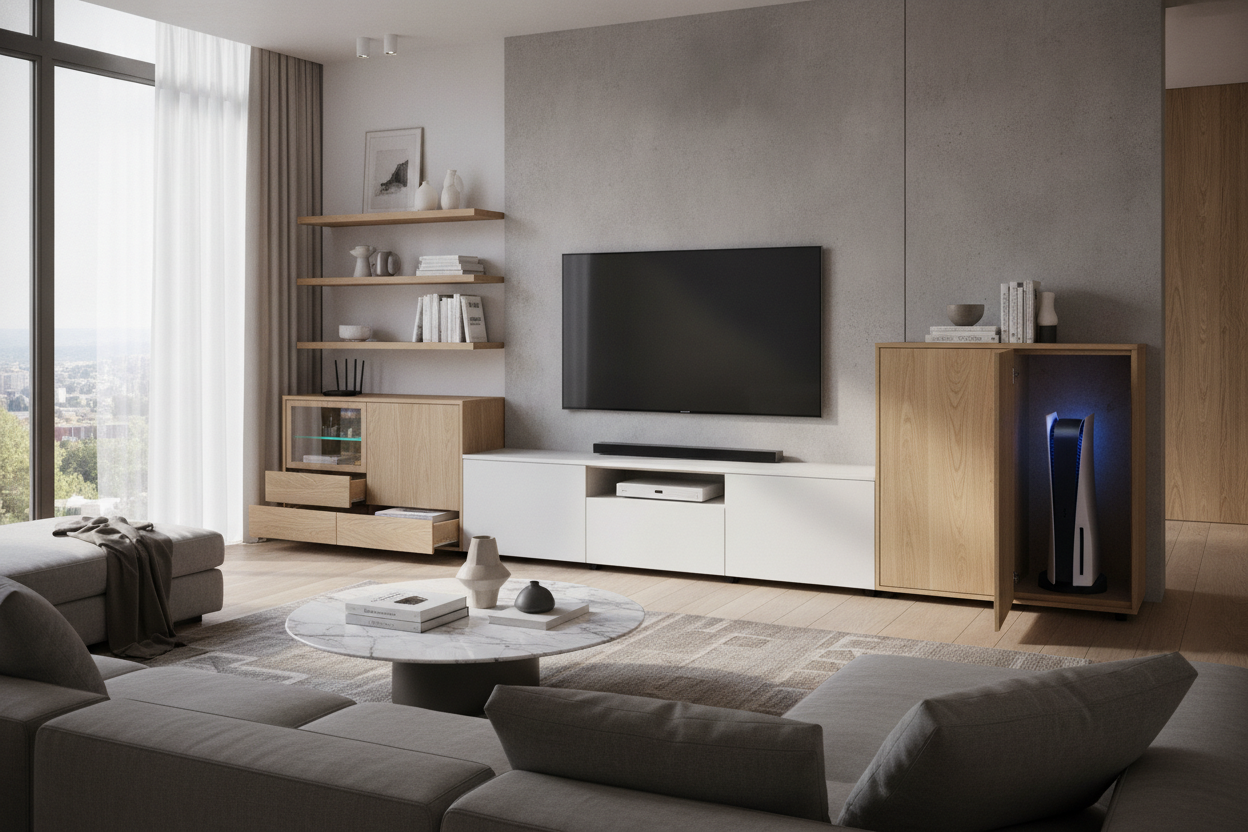
I spent three hours last Saturday wrestling with a set of Allen keys and a pile of particle board, all to build a media console that ended up being a total paperweight. It looked stunning on the website—one of those low-profile, walnut-veneer contemporary entertainment units that makes your living room look like a boutique hotel. But as soon as I tried to slide my AV receiver and my PS5 into the cabinet, reality hit. The door wouldn't close. Not even close. The cables sticking out the back added two inches I hadn't accounted for, and the 'modern' depth was a joke.
We have entered an era where furniture designers seem to think we all live in a wireless utopia. They design television console cabinets for people who only own a remote and a candle. If you actually own a gaming console, a cable box, or a decent sound system, most of the media furniture you see on Instagram is going to fail you. I’ve learned the hard way that a pretty tv console cabinet is useless if your gear is sitting on the floor next to it because the shelves are too shallow.
- Check Internal Depth: Always subtract at least 2 inches from the advertised depth to account for cable heads and air circulation.
- Heat Kills: If your media cabinet with storage doesn't have ventilation, your Xbox will sound like a jet engine within twenty minutes.
- Cable Management is King: Look for units with pre-drilled holes or removable back panels; otherwise, you’ll be taking a hole saw to your new furniture.
- Leg Height Matters: A console for under tv that sits flush to the floor hides dust, but one on legs allows for much easier wire routing and cleaning.
The 'Slim Furniture' Trend is Lying to You
The current obsession with 'minimalism' has ruined the functional media unit. Designers are stripping away depth to make pieces look sleeker against the wall, but they are ignoring the physical reality of a standard HDMI cable. I’ve seen so many contemporary media cabinets that are only 14 inches deep. That is fine for a stack of coasters, but it’s a disaster for an entertainment console. I eventually got so frustrated that I swapped my minimalist console for a piece with actual heft. I was tired of the 'cable sprawl'—that mess of black wires that spills out the side because there's nowhere for them to go inside the cabinet.
When you shop media console options today, you’re often looking at pieces designed for 'digital nomads' who stream everything. But for the rest of us, a modern media cabinet needs to be a workhorse. I once bought a gorgeous media console table with storage that had these tiny, elegant circular cutouts for wires. I couldn't even fit a standard power plug through them. I had to spend my Sunday morning widening the holes with a wood rasp, which felt ridiculous for a piece of furniture that cost six hundred dollars. Don't be fooled by the staged photos with zero wires; those photos are a lie.
Why Does Everything Overhang the Back?
Here is the math no one tells you: a PlayStation 5 is 15.4 inches deep. A standard home theater receiver is usually 13 to 15 inches deep. Now, add the HDMI cables. A high-quality 4K cable doesn't just bend at a 90-degree angle the second it leaves the port; it needs about 2 to 3 inches of 'turn radius' so you don't snap the internal wiring. If your tv stand and media console is only 15 inches deep, your console is going to hang off the front like a diving board, or you’re going to have to leave the back panel off entirely, exposing all that ugly wall clutter.
I’ve tested dozens of media stands, and the 'overhang' is the number one reason people return them. Even a large media console often fails this test because the manufacturers use thick front doors that eat up an inch of internal space. If you are looking at a media tv console, you need to look for a minimum external depth of 18 inches. Anything less and you are inviting a headache. I’ve seen people try to solve this by cutting huge rectangles out of the back of their tv media cabinet, but at that point, you’ve compromised the structural integrity of the piece just to make it work.
The 3 Measurements You Actually Need
When you’re looking at a modern av cabinet, ignore the 'overall dimensions' for a second and look for the internal shelf specs. First, you need the 'clearance depth.' This is the distance from the back panel to the inside of the closed door. If it’s under 16 inches, walk away. Second, check the 'vertical pitch.' Most tv console shelves are adjustable, but if the pre-drilled holes are too far apart, you’ll end up with six inches of wasted space above a flat Blu-ray player and not enough room for a vertical gaming system. You want a media console with shelves that can be moved in one-inch increments.
Third, and most importantly, measure the cable cutouts. A cool media console will have wide, rectangular slots rather than small circles. This allows you to pass multiple cables through without them getting jammed. I prefer a media center cabinet that has a 'floating' back panel—one that sits about an inch forward from the wall—so you can run wires behind the unit itself without them getting pinched against the baseboard. This is the difference between a furniture media console that looks professional and one that looks like a DIY project gone wrong.
Closed Doors vs. Open Heat Traps
We all want a closed media console to hide the clutter. It looks cleaner, and it keeps the dust off the gear. But electronics generate an incredible amount of heat. I once put my receiver inside a solid-wood media cabinet living room unit and within an hour, the top of the wood was hot to the touch. That’s a fire hazard and a death sentence for your tech. If you must have doors, look for a contemporary media stand with slatted or 'louvred' fronts. These allow infrared signals from your remote to pass through and, more importantly, let the hot air escape.
If you’re looking at a media stand with storage that is completely sealed, you better be prepared to install some USB-powered fans in the back. I’ve seen some high-end designer media console units that include mesh metal doors, which is a great compromise. They look solid from a distance, but they breathe like an open shelf. A media center modern setup should prioritize airflow over aesthetics every single time. Your $500 console shouldn't be sweating inside a $200 box.
Don't Forget About the Floor Clearance
The bottom of your media furniture matters just as much as the top. If you have thick, traditional baseboards, a flat-bottomed media console unit won't sit flush against the wall. This leaves a gap where things fall and wires get tangled. This is why I always recommend a tv cabinet on legs. It clears the baseboard, and it gives you a place to tuck a power strip if you don't want it inside the cabinet. Plus, if you have a robot vacuum, it won't constantly be slamming into the base of your tv console sideboard.
Lifting the unit off the ground also changes the visual weight of the room. A large tv media console that sits directly on the floor can look like a heavy, dark block that eats up your floor plan. A media unit furniture piece on tapered legs feels lighter and airier, even if it’s the same size. Just make sure the legs are sturdy—solid oak or steel, not that hollow plastic stuff. You’re putting a heavy TV and expensive electronics on top; you don't want a media console dresser that wobbles every time someone walks past it.
FAQ
Will a PS5 fit in a 15-inch deep console?
Technically yes, but the cables will be crushed against the back panel. You really need an internal depth of 17-18 inches to house a PS5 comfortably with the doors closed.
How do I keep my electronics cool in a closed cabinet?
Look for slatted doors or mesh fronts. If you already have a solid cabinet, you can buy quiet USB fans that plug into your console and pull hot air out through the back panel.
Is a floating media console better than one with legs?
Floating units look amazing and make cleaning easy, but they require serious wall mounting into studs. If you have heavy AV gear, a media bench with legs is much safer and easier to install.

Dejar un comentario
Este sitio está protegido por hCaptcha y se aplican la Política de privacidad de hCaptcha y los Términos del servicio.