










We've all been there: buying a beautiful mid-century writing desk online, only to realize it leaves absolutely no room for your dual monitors, keyboard, and an inevitable tangle of cords. Designing the best office setup at home isn't just about recreating a corporate cubicle; it is about crafting a space that respects your home's aesthetic while actually supporting your posture and focus.
Whether you are dealing with a dedicated spare bedroom or carving out a corner in your living area, I am going to walk you through how to balance heavy tech requirements with thoughtful interior design.
Quick Decision Guide
- Prioritize ergonomics over aesthetics for your chair; your spine will thank you.
- Maintain at least 36 inches of clearance behind your desk to push your chair back comfortably.
- Position your monitor so the top third of the screen is at eye level to prevent neck strain.
- Use cable management trays to reduce visual clutter, which directly impacts mental fatigue.
- Choose a desk depth of at least 28 inches if you use multiple monitors.
Space Planning for Your Workstation
When plotting out a nice home office setup, proportion is everything. A massive executive desk in a 10x10 room will instantly swallow the negative space, making the room feel cramped and heavy.
Making a Best Small Office Setup Work
If you are tight on square footage, a floating desk or a leaning ladder desk minimizes visual weight. For the best small office setup, take advantage of vertical space. Wall-mounted shelving above the desk draws the eye upward and keeps your work surface clear for your actual tasks.
Handling Multiple Screens and Devices
When tackling a home office design multiple computers are involved in, an L-shaped desk is usually the smartest move. It allows you to create distinct zones—one side for your home desktop setup and the other for reviewing physical documents or using a laptop.
Comfort, Ergonomics, and Tech Integration
A good home office setup seamlessly blends your physical comfort with your hardware needs. You should never have to contort your body to fit your furniture.
The Home Office Desktop Setup Rules
Your home office desktop setup requires careful attention to monitor placement. A proper home office screen setup keeps your primary monitor directly in front of you, an arm's length away. If you use dual monitors equally, center the bezel between them to avoid constantly twisting your neck to one side.
Taming the Cable Mess
Nothing ruins a meticulously designed space faster than a rat's nest of black cords. A wired work from home reality requires under-desk cable management trays, velcro ties, and strategically placed grommets to keep the chaos out of sight.
Style and Coordination
You want a work office at home that feels like an extension of your house, not a corporate afterthought. Cohesion is key.
Blending Tech with Texture
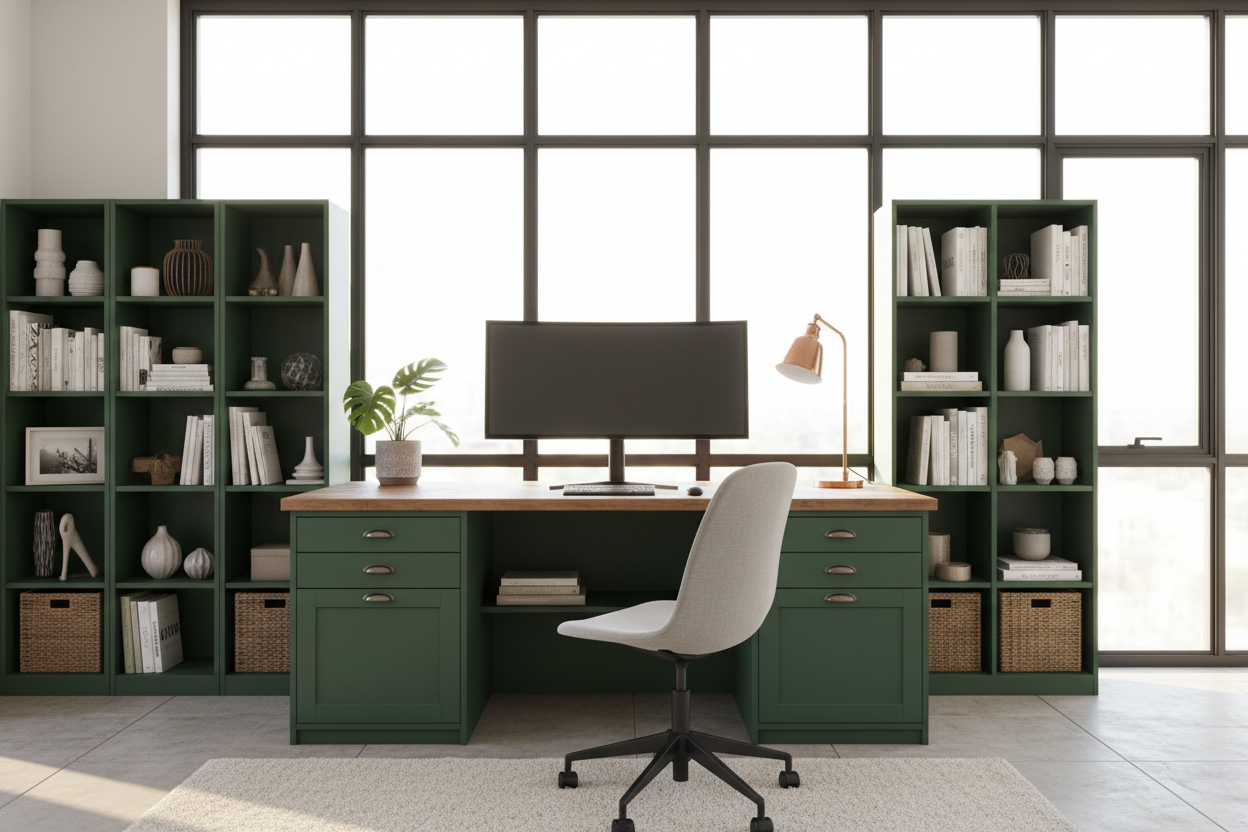
To warm up your home office computer setup ideas, introduce natural textures. A solid walnut desk top, a woven wool rug underfoot, or a leather desk pad can soften the harsh lines of plastic monitors and metal stands. Finding the best home workstation setup means striking a balance between the organic and the engineered.
Designer's Honest Take
I have designed dozens of remote workspaces, and I will admit my own early mistakes. Years ago, I bought a stunning, vintage Pierre Jeanneret-style cane chair for my personal study. It looked incredible in photos. But after two weeks of sitting in it for eight hours a day, my lower back was in agony.
I learned the hard way that the best home office set up demands a true ergonomic chair, even if it looks a bit more "tech" than "chic." Now, I compromise by specifying high-end ergonomic chairs in warm, neutral fabrics rather than standard black mesh, so they blend better with residential decor without sacrificing lumbar support.
Frequently Asked Questions
What desk depth is required for a home desktop setup?
If you use a monitor stand or multiple screens, aim for a minimum depth of 28 to 30 inches. Anything shallower will push the screens too close to your face, causing eye strain and leaving no room for your keyboard.
How do I make my equipment look less cluttered?
Invest in a monitor arm. Getting the screens off the desk surface instantly frees up space and reduces the heavy visual footprint of standard plastic monitor bases.
Where should I place my desk in the room?
Ideally, position your desk perpendicular to a window. This gives you natural light without the harsh glare on your screen or the severe backlighting that ruins video calls.

Dejar un comentario
Este sitio está protegido por hCaptcha y se aplican la Política de privacidad de hCaptcha y los Términos del servicio.