










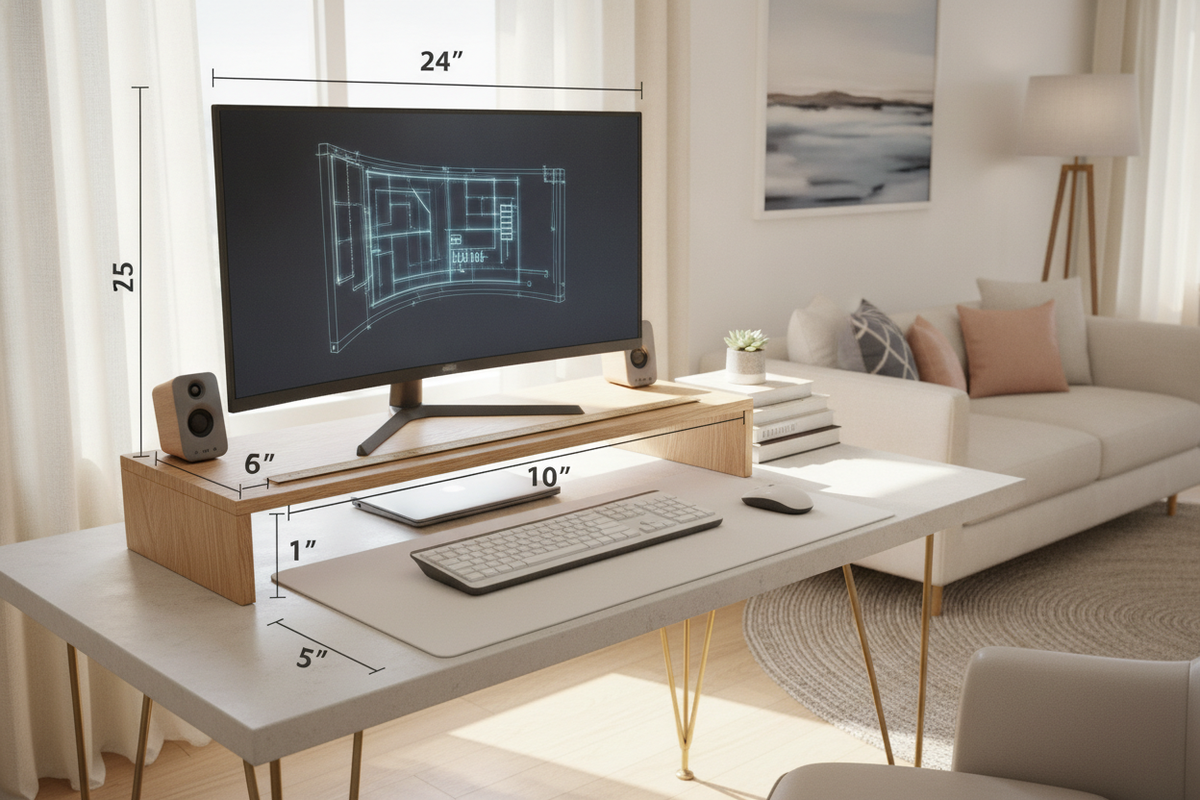
A well-planned desk layout depends on how efficiently vertical and horizontal space interact. While flat desktop surfaces offer immediate room for writing pads and input devices, adding a screen often consumes valuable central real estate. Introducing a computer monitor riser elevates the display to eye level while establishing an organized, multi-tier layout that reclaims usable desk area.
The Functional Role of a Computer Monitor Riser in Modern Workstations
Standard monitor stands included with office displays frequently feature wide bases that dominate desktop space without offering storage utility. Placing a dedicated screen riser for desk setups transforms that static footprint into active architecture. Rather than losing the surface beneath the screen, users gain an elevated shelf that creates a secondary staging zone directly beneath the display.
Beyond physical layout, vertical positioning strongly influences viewing comfort. When a screen rests too low on a flat tabletop, users often lean forward or tilt their heads downward, leading to awkward seated postures over long workdays. Positioning a monitor riser stand beneath the screen helps managing oversized displays on compact desks by lifting the viewing plane closer to natural sightlines, encouraging a more balanced head and neck posture.
Dimensional Decision Framework: Elevation, Span, and Under-Shelf Clearance
Choosing an effective desktop monitor riser requires assessing three core dimensional measurements: elevation height, horizontal span, and vertical under-shelf clearance.
- Elevation Height: The ideal elevation places the upper third of the active screen area near eye level when sitting upright. Fixed platforms offer a clean, stable lift, while multi-level options let users fine-tune the height to fit specific chair and desk pairings.
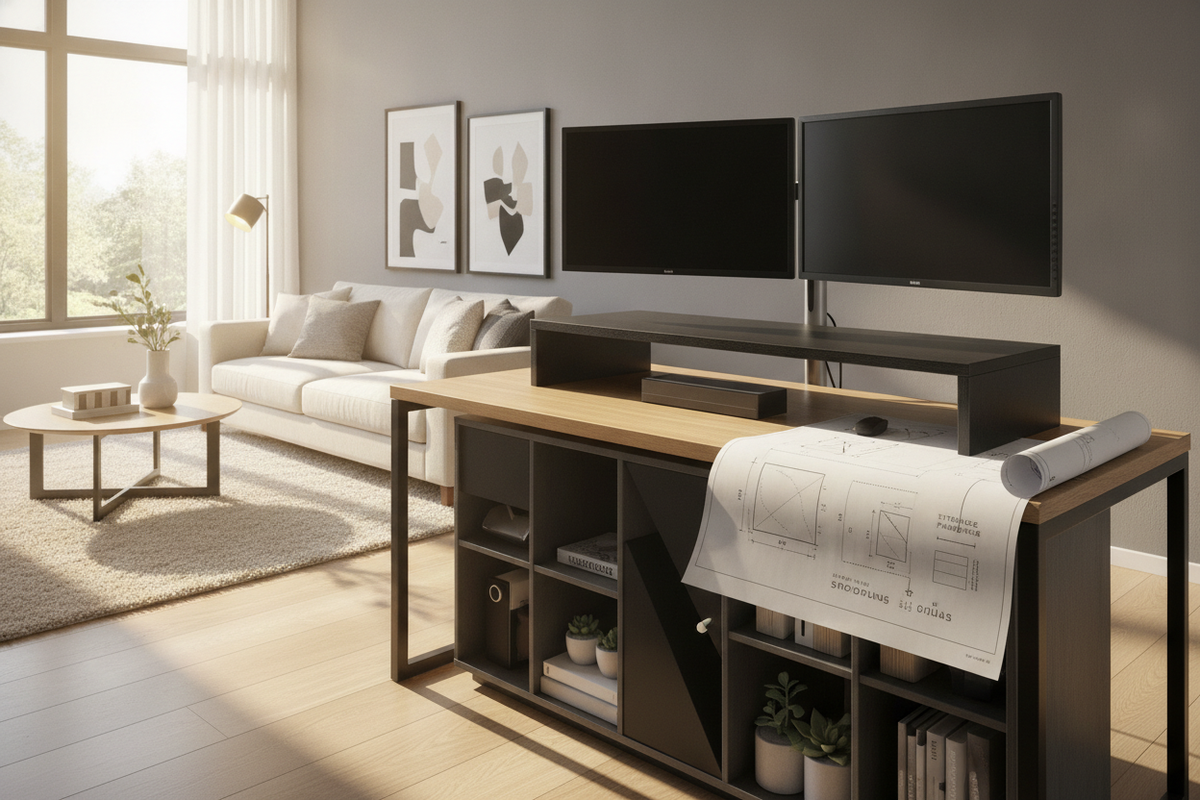
- Platform Span: Single-screen setups require a compact shelf that comfortably accommodates the monitor base without overhang. For dual-monitor arrangements or wide ultrawide screens, an extended bridge or a modular three-piece platform ensures both displays sit level without crowding desk edges.
- Under-Shelf Clearance: The vertical space below the shelf determines what items can be stored out of sight. A slim gap easily conceals compact notebooks, drawing tablets, or charging accessories, whereas deeper clearance allows a standard keyboard and mouse to slide underneath at the end of the workday.
When measuring your workstation, consider overall desk depth as well. Pairing a wide shelf with shallow surfaces can push the display uncomfortably close to your seating position. In contrast, incorporating a riser with versatile writing computer desk designs balances viewing distance with ample front-of-desk writing space.
Riser Formats: Fixed Height Platforms vs. Adjustable Monitor Risers
Selecting the right platform format depends on whether your workstation layout remains static or frequently adapts to different tasks and users.
Fixed-height platforms prioritize visual simplicity and absolute rigidity. Crafted from materials like solid wood, engineered wood composite, or folded metal, these risers feature single-piece or rigid bolt-together frames. Because they lack moving joints, fixed models offer reliable stability for heavier displays and provide uniform clearance underneath.
An adjustable monitor riser introduces flexibility through stackable leg segments, telescoping risers, or notched side supports. These designs are well suited for shared home offices where different family members require distinct viewing angles, or for workstations that transition between sitting and standing routines. When selecting an adjustable model, look for stable locking joints and level footings to avoid wobbling during keyboard typing or mouse movement.
Material Selection and Weight Distribution Stability
A monitor platform must bear concentrated downward weight without bowing across its span. Evaluating construction materials helps ensure lasting performance and surface protection:
- Engineered Wood and Solid Wood: Wood finishes add warmth and pair easily with traditional or modern home furniture. Thicker board profiles prevent mid-span sagging when supporting heavy displays, while smooth laminate surfaces resist everyday moisture and scuffs.
- Metal and Steel Mesh: Metal risers provide high tensile strength in slim profiles. Perforated or mesh platforms also improve airflow around electronics, making them great choices for resting docking stations or laptop bases alongside a display.
- Tempered Glass and Clear Acrylic: Transparent platforms maintain visual lightness on compact desks. However, they require frequent wiping to prevent visible dust and finger marks and must be matched with non-abrasive desk mats to avoid surface scratches.
Regardless of material, ensure the contact feet include non-slip silicone, felt, or rubber pads. These pads keep the desktop monitor stand riser steady during minor desktop bumps while protecting wood and veneer desktop finishes from scratches.
Integrating Risers with Desk Types and Storage Solutions
A computer monitor desk riser serves as an organizational anchor, making it easier to arrange secondary office accessories. In compact study areas, a riser equipped with small cubbies or sliding stationery drawers keeps pens, sticky notes, and paper clips organized, leaving the main desk surface clear for active paperwork.
For specialized gaming or productivity stations, pairing a separate riser or selecting a computer desk with integrated monitor stand creates dedicated cable routing avenues. Power cables, video lines, and peripheral cords can be directed behind the riser platform rather than trailing across open work surfaces. Magnetic cable clips or adhesive channels attached to the rear edge of the riser help maintain neat pathways for charging cords and monitor connections.
Daily Maintenance and Setup Considerations
To keep your setup balanced and stable over time, follow a few straightforward setup and maintenance practices:
- Center the Display Base: Position the monitor base squarely over the riser's primary support points to distribute downward pressure evenly and prevent tipping.
- Confirm Level Footing: Place the riser on a flat desk surface before setting down hardware. Check that all supporting legs touch the desktop uniformly without rocking.
- Periodically Check Fasteners: On models assembled with screws or modular leg pegs, check the fittings occasionally to ensure daily desk vibrations have not loosened the connection joints.
- Routine Surface Cleaning: Wipe down wood or laminate surfaces with a dry or lightly damp microfiber cloth, avoiding harsh cleaners that could strip protective finishes.
Thoughtful selection of a desk monitor riser brings vertical structure, refined sightlines, and reclaimed surface area to your workspace, creating a clean, comfortable, and productive office setting.


Dejar un comentario
Este sitio está protegido por hCaptcha y se aplican la Política de privacidad de hCaptcha y los Términos del servicio.