










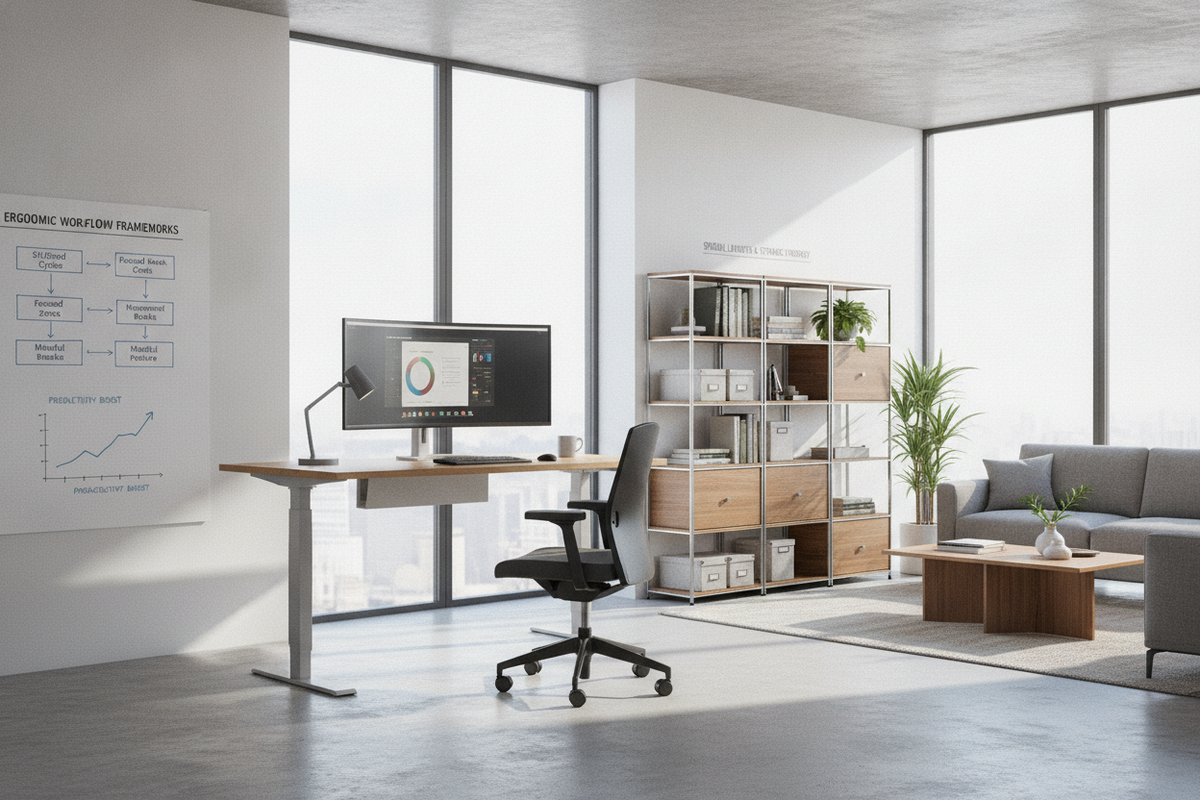
A well-planned workstation relies on the balance between physical comfort, surface utility, and architectural proportion. Adding a display desk mount transforms a static office desk into an adaptable work hub. By elevating screens above the main surface, users regain substantial real estate for writing instruments, reference books, and auxiliary tech devices while tuning visual focal points to their personal line of sight.
Workstation Ergonomics and Display Mounting Dynamics
Standard monitor bases often occupy disproportionate surface area directly in the center of the desk, forcing keyboards, notebooks, and documents into awkward forward placements. A monitor mounting stand lifts the display off the desktop entirely or stabilizes it on a minimal footprint, allowing unobstructed movement across the entire tabletop plane.
Beyond freeing up primary work zones, an elevated display facilitates flexible focal depth adjustments. Depending on task requirements—whether reviewing large architectural drawings, editing multi-column spreadsheets, or writing long-form text—a user can reposition the screen forward, upward, or tilt it slightly back to mitigate neck extension and glare. For workstations requiring floor-supported screen positioning alongside primary desks, reviewing a desk stand monitor guide offers valuable insights into alternative spatial strategies.
Mounting Archetypes: Clamp, Grommet, Freestanding, and Single Mount Systems
Choosing the right mounting format requires evaluating how your desk is constructed, where it sits relative to nearby walls, and how frequently you intend to reorient the screen.
- C-Clamp Edge Mounts: These systems clamp over the rear or side overhang of a desktop. They provide firm leverage without requiring structural alteration, making them ideal for standard work desks with sufficient rear lip depth.
- Grommet and Through-Hole Mounts: Grommet configurations secure the arm through a dedicated cable routing port or a drilled hole in the desktop core. This archetype offers exceptional stability and anchors the mount further inward on deep desks.
- Freestanding Base Units: A freestanding monitor standing mount utilizes a weighted flat plate resting on the tabletop. It requires no clamping space or drilled openings, offering an ideal solution for desks with flush rear panels or delicate edge trims.
- Single Mount Articulating Arms: A dedicated single mount monitor stand utilizes pneumatic or mechanical spring mechanisms to provide smooth tilt, swivel, height, and depth adjustments on a single articulating arm, making it suited for focused single-screen workflows.
For individuals looking for comprehensive workstations that incorporate built-in elevation platforms alongside modern power routing, exploring a dedicated desk monitor stand product can provide a fully integrated solution.
Desktop Material and Edge Compatibility Audits
Before clamping any heavy display hardware, conducting a structural audit of your desktop material is essential. Monitor arms concentrate the total downward force and leverage weight of the display onto a small contact footprint.
Solid wood, thick birch ply, and high-density fiberboard (HDF) offer robust load-bearing characteristics that distribute mounting pressure effectively. Conversely, hollow-core honeycomb composite desks or lightweight particleboards with low density can suffer surface crushing or warping under heavy clamp pressure. In such cases, wide metal reinforcement plates can be placed between the clamp and the underside of the desktop to spread the load over a broader surface area.
Edge profiles also influence clamp stability. Square-edge and gently rounded bullnose profiles provide maximum surface contact for clamp pads. Beveled, sharply chamfered, or deep undercut desktop perimeters may prevent the clamp jaws from seating flush, necessitating either a grommet install or a freestanding base.
Spatial Clearances, Arm Articulation, and Wall Buffers
When positioning an articulated display arm, rear wall clearance plays a pivotal role in maintaining full adjustability. Articulating dual-link arms naturally fold backward as the monitor is pushed away from the user. If the desk is placed flush against a wall, the elbow joint may strike the drywall, restricting how far back the screen can sit.
To overcome tight wall clearances, consider these spatial adjustments:
- Offset the mounting clamp slightly to the left or right of the primary seating position, allowing the arm segments to fold parallel to the wall.
- Choose a tall post-mount system with shorter articulating links to keep the display closer to the main vertical axis.
- Ensure sufficient vertical clearance above the desktop if rotating the display into a vertical portrait orientation for document editing or coding workflows.
Concealed Cable Management and Multi-Module Desk Coordination
An articulating arm brings power, display, and peripheral cables directly into open visual space. Most modern display desk mounts integrate hollow channels, routing clips, and underside raceways along the articulated joints to conceal these lines from view.
Leaving calculated slack at each hinge joint prevents cables from pinching or disconnecting during tilt, swivel, and height adjustments. For broader cable containment strategies that extend from the screen down to wall outlets and floor raceways, reviewing a stand mount single guide can help you design clean, snag-free pathways. Coordinating desk cord flow with nearby storage units from a matching display collection ensures visual continuity throughout the entire room layout.
Complementary Workstation Furniture and Commercial Desk Integration
Display mounting principles apply equally well to specialized executive desks, dual-user collaborative pods, and commercial greeting counters. In reception and retail settings, keeping front counter surfaces tidy is vital for client interactions.
When planning commercial furniture layouts, pairing articulated mounts with functional architectural pieces like a desk display product allows staff to maintain ergonomic screen angles behind elevated customer ledges while highlighting decorative or archival items within built-in display vitrines below.
By auditing desktop materials, selecting the right mounting archetype, factoring in wall clearances, and incorporating organized cable channels, you can create an ergonomic, visually cohesive workstation built for productive daily use.


Dejar un comentario
Este sitio está protegido por hCaptcha y se aplican la Política de privacidad de hCaptcha y los Términos del servicio.