










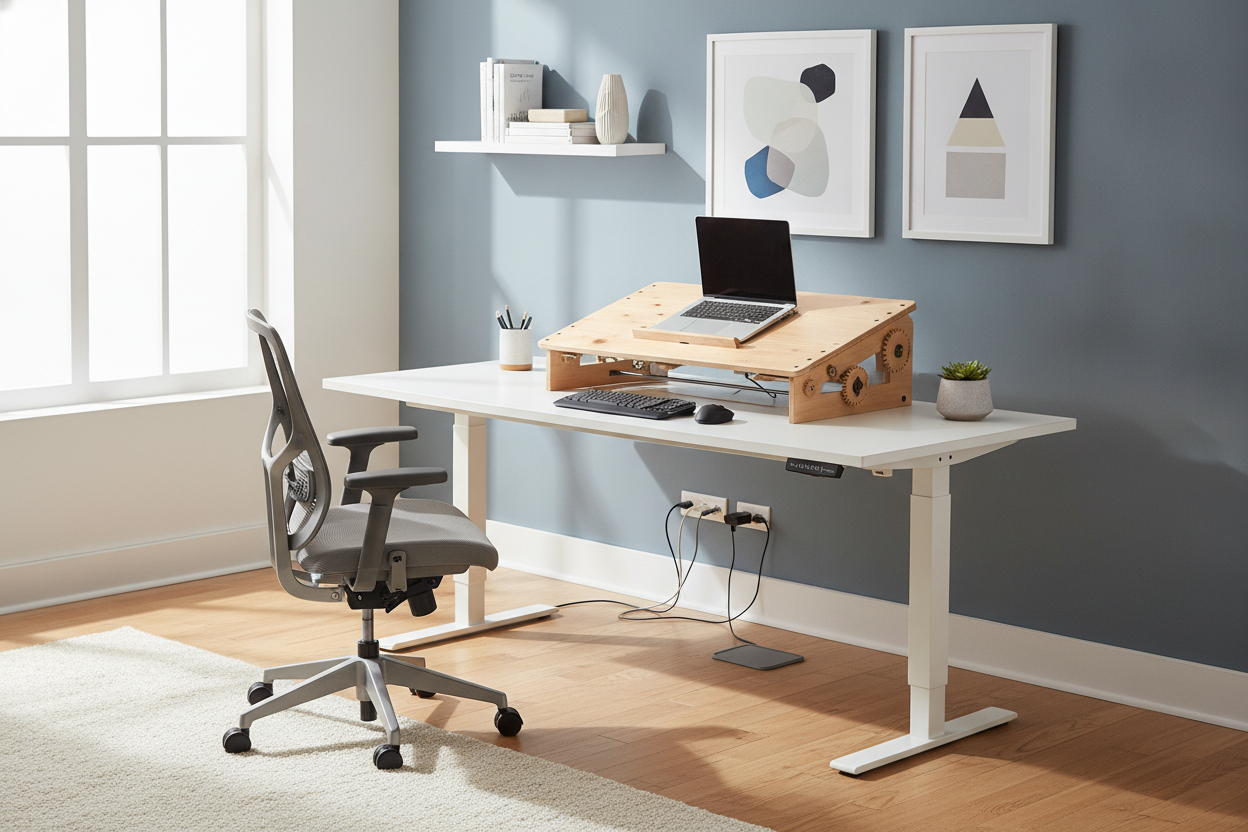
I spent three weeks staring at a $600 motorized desk in my digital shopping cart. My lower back was screaming, but I also knew my own track record: I am the person who buys a high-end treadmill only to use it as a very expensive laundry rack for hoodies. Dropping half a grand on a piece of furniture I might hate using after twenty minutes felt like a recipe for buyer's remorse.
That is when I decided to pivot. Instead of the overhaul, I opted for a manual desk riser. It was a low-stakes experiment that taught me more about my work habits than any 'ultimate office guide' ever could.
Quick Takeaways
- Zero Assembly: Most models are ready to go straight out of the box.
- Portability: You can move it to the dining table or a different room if you get bored.
- Cost-Effective: Usually 1/3 the price of a decent motorized frame.
- No Outlets Needed: You are not tethered to a wall plug just to change positions.
The $500 Standing Desk Dilemma
The pressure to buy a high-end electric standing desk with memory presets is real. Every tech influencer has one, and they make the transition look effortless. But here is the truth: standing while working is a physical skill you have to build. If you have spent a decade sitting, your calves and lower back will stage a mutiny by 10:00 AM on day one.
I was terrified of the 'sunk cost.' I didn't want a massive motorized monolith taking up space in my spare bedroom if I eventually just kept it in the 'sit' position forever. Spending hundreds of dollars on a motor that might eventually burn out felt risky when I wasn't even sure if I had the stamina to stand for four hours a day, let alone eight.
Why a Manual Desk Riser Was My Low-Stakes Solution
I actually really liked my current setup. I had a solid standard writing computer desk that fit my room's aesthetic perfectly. It was sturdy, it had the right drawer space, and it didn't look like a piece of lab equipment. A manual standing desk converter allowed me to keep the furniture I already loved while adding the ergonomic height I desperately needed.
By choosing a manual lift, I avoided the 'all-or-nothing' trap. I could test-drive the standing life without hiring a friend to help me haul a 100-pound motorized frame up the stairs. It sits right on top of your existing surface, giving you the exact same eye-level monitor height as the expensive stuff without the permanent commitment.
Wait, Setup Actually Takes Two Minutes?
I have built enough flat-pack furniture to know that 'some assembly required' is usually a lie. Most motorized desks arrive in two heavy boxes with forty different screws and a manual that looks like a logic puzzle. My manual riser? I pulled it out of the box, set it on the desk, and clipped on the keyboard tray. I was standing and typing in less time than it takes to brew a pot of coffee.
The Unexpected Perks of Skipping the Motor
One thing nobody tells you about motorized desks is the cable chaos. You have to worry about the desk's power cord, plus enough slack for your monitors and laptop so nothing gets yanked out of the socket when the desk rises. With a manual riser, the base stays put. Only the top platform moves, which makes cable management significantly less of a headache.
Then there is the noise. If you share a home office or work early in the morning, the robotic whirring of a motor can be surprisingly loud in a quiet house. The manual version uses gas springs—similar to the ones that hold up a car's trunk—to do the heavy lifting. People often ask if it is worth the arm workout, but honestly, it takes almost zero effort. You just squeeze a handle and the springs do 90% of the work for you.
The Final Verdict: Did I End Up Upgrading?
After six months of the 'trial run,' I realized something surprising: I don't want the motorized desk. This manual setup works so flawlessly that I don't feel the need to replace it. I stand for about three hours a day—usually during afternoon slumps or long Zoom calls where I need to stay energized. The riser gives me that flexibility without the footprint of a whole new piece of furniture.
If you are on the fence, start small. Buy the riser, see if your legs can handle it, and keep your $500 in the bank for now. You might find that the simple, non-motorized version is all you actually needed.
FAQ
Is a manual riser stable enough for a large monitor?
Yes, as long as you check the weight capacity. Most handle up to 30-35 lbs easily. If you have a massive 49-inch ultrawide, you might see a little wobble, but for a standard dual-monitor setup, it is rock solid.
Will it scratch my existing desk?
Most risers come with thick rubber or foam pads on the bottom. I’ve moved mine three times and haven't seen a single scuff on my wood desk. If you're worried, you can always stick some extra felt furniture pads on the base.
Is it hard to lower back down?
Not at all. You just squeeze the levers and use a tiny bit of downward pressure. The gas springs control the descent so it doesn't just slam down on your fingers.

Dejar un comentario
Este sitio está protegido por hCaptcha y se aplican la Política de privacidad de hCaptcha y los Términos del servicio.