










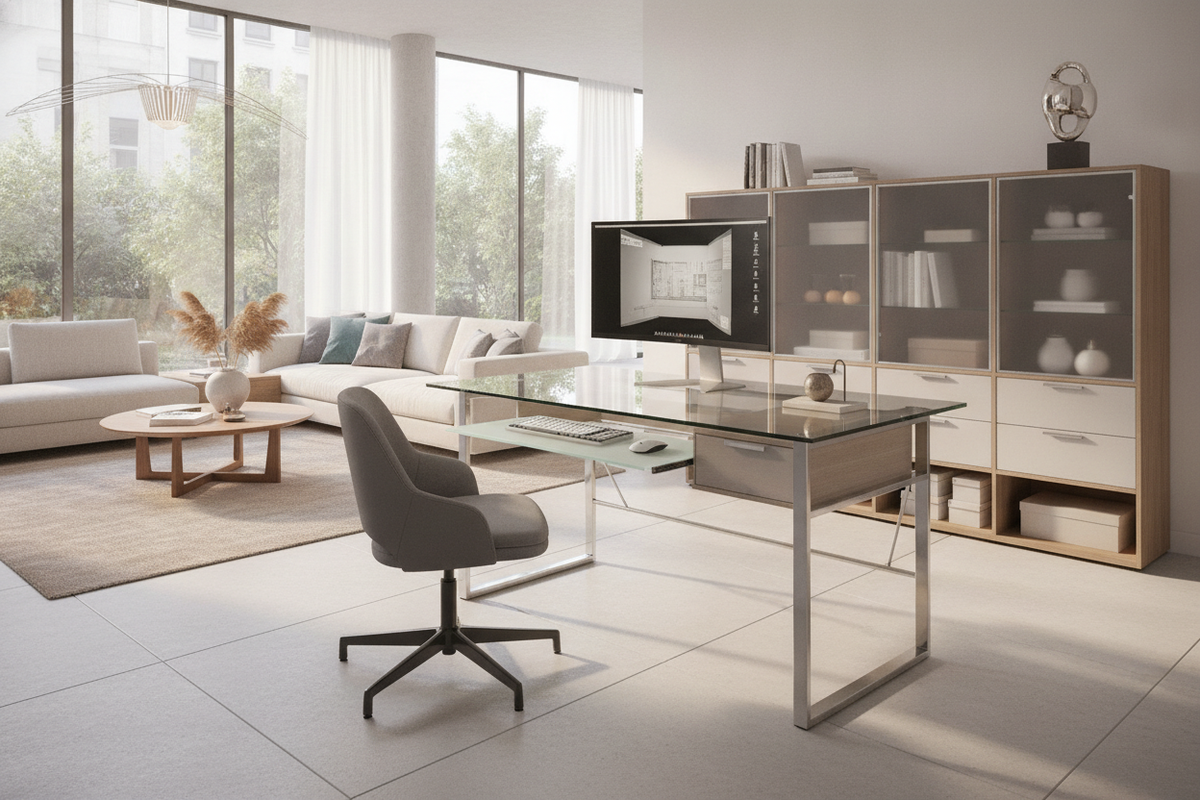
Contemporary home offices often grapple with the balance between visual weight and day-to-day utility. A glass computer desk with keyboard tray addresses this challenge by combining a light-filtering, translucent work surface with a dedicated sub-surface typing platform. Unlike heavy wooden desks that can visually crowd smaller dens or modern open-plan lofts, glass architecture maintains sightlines across the room while keeping peripherals systematically organized.
Visual Clarity Meets Typing Ergonomics: The Glass Desk Architecture
The primary spatial advantage of a glass desk with keyboard tray lies in its transparent surface plane. Glass surfaces allow ambient light to pass through unobstructed, making compact rooms and modern living areas feel substantially larger. When evaluating options across a broader computer desk collection, glass workstations stand out for their minimalist visual signature and clean lines.
Integrating a secondary lower tier directly beneath the main glass top addresses a fundamental ergonomic priority: maintaining neutral wrist posture without sacrificing primary desktop real estate. Placing the keyboard and pointing device on a retractable shelf leaves the top surface clear for notebooks, reference materials, ambient task lighting, and display monitors.
Dimensional Tiers and Footprint Planning for Glass Workstations
Careful footprint planning ensures that a glass top desk with keyboard tray integrates harmoniously into your room layout. Because the keyboard platform extends outward during active work sessions, planning must account for both retracted and extended dimensions:
- Compact Alcoves and Nooks: Narrower profiles fit neatly into multi-purpose guest rooms or bedroom corners while providing a dedicated station for laptops and basic accessories.
- Standard Executive Footprints: Deeper surfaces accommodate desktop monitor risers, audio interfaces, and secondary documents alongside an expansive glass top computer desk with keyboard tray configuration.
- Knee Clearance and Chair Pairing: Ensure the height between the floor and the bottom of the sliding track provides comfortable clearance for task chair armrests and natural leg positioning.
For additional layout strategies regarding multi-tier sliding mechanisms in tight spaces, reviewing a dedicated pull out desk guide helps streamline placement decisions.
Keyboard Tray Mechanics: Integrated Track Slides vs. Clamping Dynamics on Glass
Mounting mechanics for a keyboard tray for glass desk configurations require specialized structural consideration. Glass panels cannot be directly drilled with standard wood screws, making the integration method vital to long-term stability:
- Chassis-Mounted Steel Slides: High-performance glass desks utilize steel sub-frames where the sliding tracks mount directly to welded metal crossbars. This directs mechanical load into the steel frame rather than stressing the glass panel.
- Smooth-Glide Ball Bearing Runners: Precision steel runners ensure smooth extension and retraction, minimizing vibration when typing rapidly.
- Clamp-On Solutions: If adding an aftermarket keyboard holder for glass desk setups, padded pressure clamps must distribute clamping force evenly over broad surface brackets to protect the edge of the glass.
- Translucent and Solid Shelves: While some platforms feature a matching glass keyboard tray, many designs employ durable composite or powder-coated metal shelves to reduce operational weight on the slide tracks.
Furniture solutions featuring robust integrated tracks, such as a specialized desk keyboard tray product, demonstrate how dedicated metal guides support consistent daily use.
Glass Top Properties, Frame Load Distribution, and Cable Concealment
A high-quality glass computer desk with pull-out keyboard tray relies on structural symbiosis between tempered glass and structural metal framing. Tempered glass provides resilience against daily contact, while protective silicone cushions or mechanical suction dampeners isolate the glass from the metal frame to absorb vibration.
Because transparent surfaces leave the underside of the desk visible, managing connectivity cables requires deliberate routing:
- Run power cords and peripheral leads down the interior face of steel legs using adhesive channeling clips.
- Group monitor and peripheral cables inside braided split sleeves that align with the rear structural crossbeams.
- Mount low-profile power strips directly to the metal undercarriage to keep wire runs invisible from standard standing angles.
For further perspectives on incorporating secondary sliding surfaces into balanced office layouts, our desk pull out guide offers useful spatial comparisons.
Room Placement Scenarios and Interior Flow
The translucent character of a glass desk with keyboard tray allows for versatile positioning across various interior layouts:
- Window-Adjacent Placements: Positioning the workstation perpendicular to natural light sources maximizes brightness while avoiding direct glare across transparent surfaces.
- Floating Center-Room Layouts: Because the desk lacks a heavy solid back panel, it functions attractively as a floating workstation in executive offices without interrupting sightlines.
- Corner Configurations: Aligning an L-shaped glass frame into a room corner creates an efficient productivity zone while keeping the surrounding room visually airy.
Storage Synergy: Pairing Glass Desks with Cabinets and Organizers
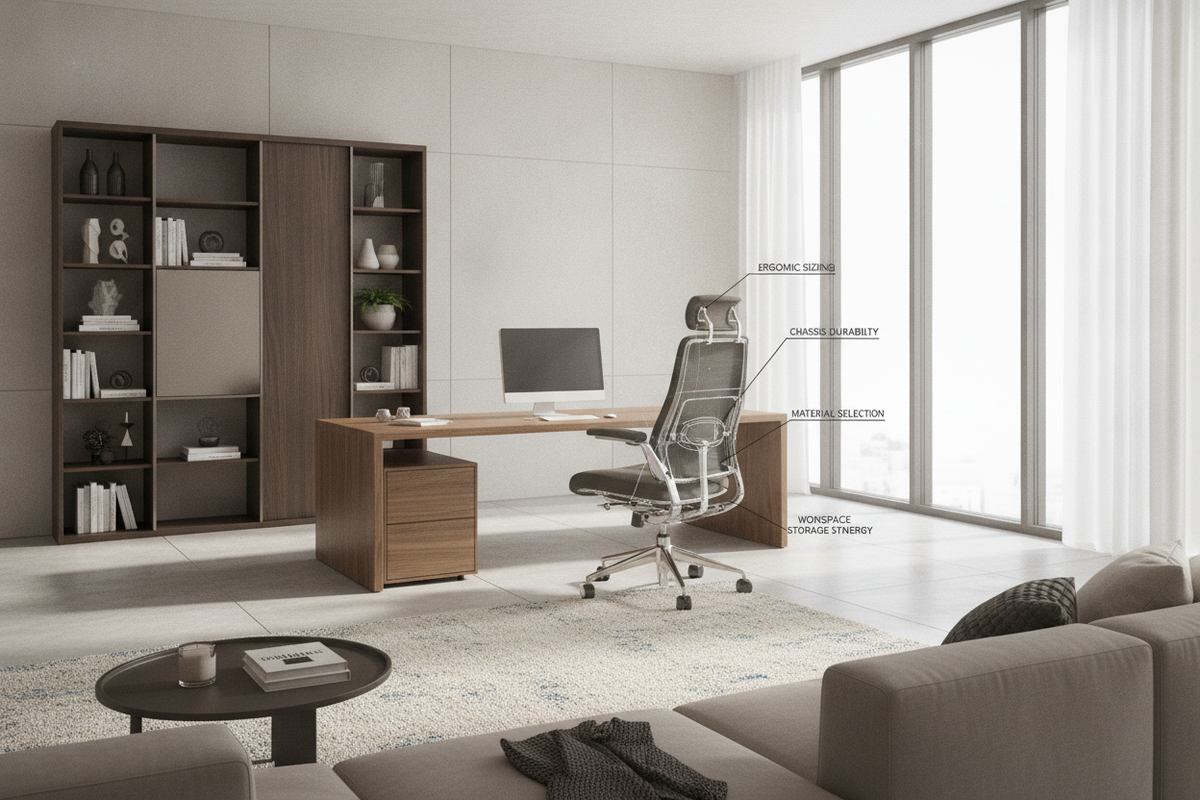
While a glass desk provides clean desktop aesthetics, active home offices still require storage for paperwork, office supplies, and hardware peripherals. Pairing an open glass workstation with complementary modular storage units preserves desktop minimalism while ensuring complete utility.
Positioning a low mobile file pedestal beneath or adjacent to the desk frame offers enclosed drawer space without crowding knee clearance. For larger suites, pairing the workstation with matching wall units, such as a computer desk glass product, creates cohesive visual continuity through complementary glass-doored cabinetry and balanced storage compartments.
Selection Framework and Assembly Best Practices
When selecting and assembling your glass workstation, keep this practical rubric in mind:
- Inspect the Chassis Gauge: Choose robust steel or reinforced aluminum framing to ensure zero lateral sway during typing.
- Verify Buffer Placements: Ensure all rubber or silicone isolating pads are positioned precisely between the frame tabs and the glass panel before tightening fasteners.
- Level the Slide Tracks: During assembly, check that both keyboard slide rails are aligned parallel and level to avoid friction or uneven drawer travel.
- Routine Care: Clean glass surfaces with microfiber cloths and non-abrasive cleaners, and occasionally clear track glides of dust to maintain effortless sliding action.

Dejar un comentario
Este sitio está protegido por hCaptcha y se aplican la Política de privacidad de hCaptcha y los Términos del servicio.