










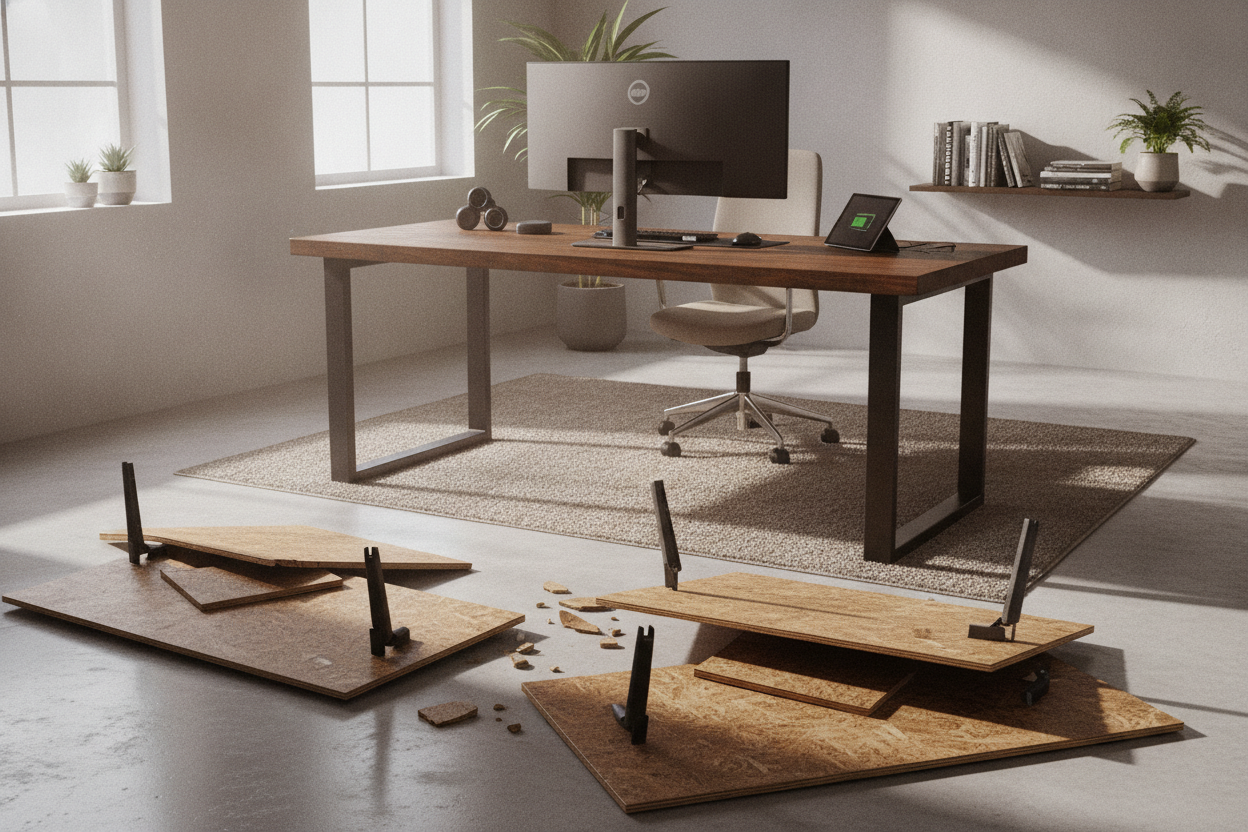
I remember the sound vividly. It wasn't a sudden snap; it was more like a slow, agonizing crunch. I was sitting there, mid-email, when my dual 27-inch monitors started leaning toward me like they were trying to whisper a secret. The clamp-on monitor arm had finally won its battle against the hollow-core table I’d bought on a whim.
That table was essentially two thin sheets of veneer held together by cardboard honeycomb. It looked great in the catalog, but under the concentrated pressure of a heavy mounting bracket, it failed spectacularly. If you are running multiple screens, a heavy PC tower, or just have a habit of leaning on your workspace, heavy duty desks are the only way to avoid a $1,000 disaster.
- Hollow-core and thin particle board will bow or crack under monitor clamps.
- Look for a tabletop thickness of at least 1 inch (25mm).
- Steel frames with a gauge of 14 or lower provide the best lateral stability.
- Weight capacity should be at least double the actual weight of your gear.
The Day My Dual Monitors Cracked My Hollow-Core Table
I learned the hard way that 'looks like wood' doesn't mean 'holds like wood.' Most budget furniture is designed for a laptop and a lamp. When I added a dual-monitor mount, I created a fulcrum that put hundreds of pounds of pressure on a single square inch of the desk edge. Within three months, the top was sagging. By month six, the clamp had literally punched a hole through the surface.
A heavy desk isn't just about the weight of the furniture itself; it's about the density of the materials. When you move to actual heavy duty computer desks, you're usually switching from air-filled cardboard to solid wood, high-density MDF, or industrial-grade plywood. My current setup doesn't even flinch when I lean my full body weight on it, which is exactly the peace of mind you need when you're surrounded by expensive glass and silicon.
What Makes a Desk Actually 'Heavy Duty'?
The term 'heavy duty' gets thrown around by marketers way too often. To me, a real heavy duty office table needs two things: a dense top and a steel skeleton. If you can pick the desk up with one hand, it’s not heavy duty. A solid 60-inch desktop should weigh at least 50 to 80 pounds on its own before you even attach the legs.
When you compare these to a standard writing computer desk, the difference is in the frame. Cheap desks use thin, hollow aluminum or 'mystery metal' legs that use tiny screws. A heavy duty computer desk uses powder-coated steel frames with thick mounting plates. You want to see bolts, not wood screws, connecting the frame to the top. If the frame doesn't have a support bar running the length of the underside, that top is going to bow over time—guaranteed.
The 'Wobble Test' You Need to Do Before Buying
There is nothing more annoying than a monitor that shakes every time you type. This 'monitor dance' is usually caused by poor lateral stability. When shopping for heavy duty office desks, I always perform the wobble test: grab the desk by the front corners and try to shake it side-to-side and front-to-back. If it moves more than a fraction of an inch, the leg design is flawed.
Leg shape matters. C-leg frames look sleek and offer more legroom, but they are prone to more vibration than T-leg or four-leg designs. This becomes even more critical if you are buying an adjustable wooden standing desk. At sitting height, most desks are stable, but once you raise that surface to 45 inches, the physics change. A heavy duty desk needs a wide foot base to keep that center of gravity low and steady.
Storing the Beast: Handling Massive PC Towers
If you’re a gamer or a video editor, your PC tower is likely a 40-pound beast of metal and tempered glass. Keeping that on the floor is a dust nightmare, but putting it on a flimsy desk is a structural risk. I’ve seen cheap desks literally tilt because all the weight was concentrated on one side. This is where a heavy duty office table with an L-shape becomes a lifesaver.
Upgrading to a large corner desk with storage allows you to tuck the tower over a structural support leg or a storage cabinet. This distributes the load directly down to the floor rather than stressing the middle of a long span. Plus, it gives you enough surface area to actually move your mouse without hitting your tower every five seconds. A duty desk should work for you, not force you to cram your gear into the corners.
Should You Just Build One Yourself?
I get asked this a lot. I built the viral Reddit DIY standing desk a few years back using a kitchen countertop and some industrial legs. It was incredibly sturdy and weighed a ton. However, DIY isn't always the 'cheap' route once you factor in the cost of a solid butcher block and high-quality fasteners. It's also a massive pain to move if you ever change apartments.
For most people, buying a pre-engineered heavy duty computer desk is the smarter move. You get cable management channels, pre-drilled holes that actually line up, and a warranty. Just make sure you check the 'static load' rating. If a manufacturer won't tell you the weight limit, it's because they don't want you to know how low it is. A real workstation should be rated for at least 200–300 pounds.
How much weight can a heavy duty desk hold?
Most commercial-grade heavy duty desks are rated for 200 to 500 pounds. Always check if the rating is 'static' (weight sitting still) or 'dynamic' (weight while the desk is moving, if it's a sit-stand model).
Does tabletop thickness really matter?
Yes. A thicker top (1 inch or more) resists bowing and provides a much more stable surface for monitor clamps. Thin tops will eventually warp or crack under the pressure of heavy arms.
Are L-shaped desks more stable?
Generally, yes. Because they have at least five or six legs and a corner joint, they have much better lateral stability than a simple two-leg or four-leg rectangular desk.


Dejar un comentario
Este sitio está protegido por hCaptcha y se aplican la Política de privacidad de hCaptcha y los Términos del servicio.