










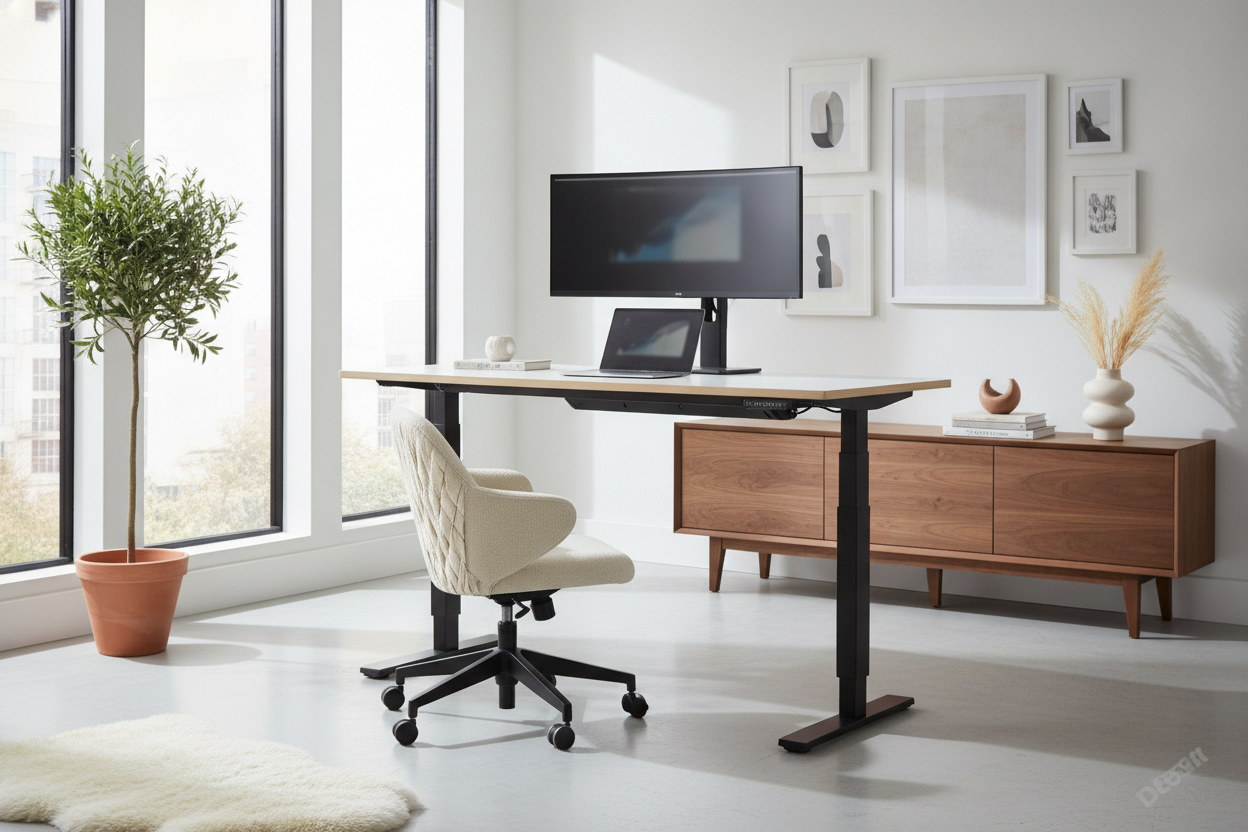
There I was, mid-sentence during a high-stakes Zoom presentation, when a simple 'aggressive' keystroke sent a physical wave through my morning latte. The culprit wasn't a clumsy hand; it was my budget standing desk. At 44 inches high, that thing had the structural integrity of a wet noodle, vibrating every time I typed more than 40 words per minute.
I finally hit my breaking point and upgraded to the flexispot pro 3 stages dual motor electric standing desk. I needed to know if spending a few hundred dollars more actually buys you stability, or if we're all just paying for fancy control panels and marketing fluff. After a month of leaning, typing, and caffeinating at this frame, I have some thoughts.
- Stability: Rock solid up to 42 inches; minimal side-to-side sway at max height.
- Motors: Dual-motor system is whisper-quiet and handles heavy loads without that 'dying cat' sound.
- Assembly: Heavy as lead. You will want a friend, or at least a very sturdy back.
- Range: The 3-stage legs go lower and higher than standard 2-stage frames, making it great for short and tall users alike.
Why My Coffee Kept Spilling During Zoom Calls
If you've ever used a cheap, entry-level standing desk, you know the 'earthquake effect.' Most of those budget frames use two-stage legs. When you extend them to standing height, there is very little overlap between the metal segments. It’s basic physics: the higher you go, the more the desk acts like a giant tuning fork.
I’m 6'2", which means my ideal standing height is right in the 'danger zone' for most desks. My monitors would shake so much during typing sessions that I’d actually get a mild headache just trying to focus on the text. The flexispot pro 3 was my attempt to fix that without spending $1,000 on a commercial-grade Herman Miller setup.
Enter the Flexispot Pro 3 Stages Dual Motor Electric Standing Desk
So, what does '3 stages' actually mean? Imagine a telescope. A 2-stage leg has two segments; a 3-stage leg has three. This design allows for a much wider range of motion—it can go lower for petite users and higher for the tall crowd. More importantly, at standing heights, you have more overlapping steel inside those legs, which is the secret sauce for stability.
The flexispot pro 3 also flips the traditional leg orientation. The thickest part of the leg is at the bottom, providing a heavy, planted base. It feels like a piece of furniture rather than a science fair project. When I unboxed it, the weight of the steel alone told me this wasn't the flimsy aluminum I was used to.
Putting the Motors to the Ultimate Weight Test
I don't travel light. My setup includes two 27-inch monitors on a heavy gas-spring arm, a thick wood tabletop, a heavy audio interface, and a mid-tower PC hanging off the side. Most single-motor desks would groan under that lopsided weight distribution. If your workstation looks anything like mine, it basically demands a dual motor desk.
The dual motors on this Flexispot model are rated for 275 lbs. In my testing, the transition from sitting to standing was seamless. There’s no jerky start or 'thunk' when it stops. It just glides. Even with my heavy PC hanging off one side, the desk stayed perfectly level, which is where those dual motors really earn their keep.
The Real-World 'Aggressive Typing' Test
Here is the moment of truth: the standing typing test. I’m a heavy typer—I bottom out my mechanical keyboard switches like I’m trying to punch through the desk. On my old frame, this would cause my monitor to dance. On the flexispot pro 3, the movement is negligible. You have to really put your weight into it to get any noticeable sway.
I also noticed that the feet of the desk are significantly longer and heavier than budget alternatives. This prevents that front-to-back rocking that happens when you lean your forearms on the edge of the desk. It feels planted to the floor, even on my medium-pile carpet.
The Verdict: Is It Actually Worth the Upgrade?
If you spend eight hours a day at your desk and you’re tired of your monitors wobbling like bobbleheads, yes, it’s worth it. You’re paying for the gauge of the steel and the reliability of the electronics. It’s the kind of build quality that makes a standing desk worth the price tag because you won't be looking to replace it in two years when the motor burns out.
My only real gripe? The cable management tray is a bit of a tight squeeze if you have a massive power strip. I ended up using some third-party Velcro straps to keep things tidy. But in terms of the actual lifting mechanism and stability, it’s a night-and-day difference from the sub-$200 options flooding the market.
Who Should Probably Save Their Money Instead
Look, not everyone needs a heavy-duty 3-stage beast. If you’re a casual laptop user who only stands for twenty minutes a day, this is overkill. You don't need 275 lbs of lift capacity for a MacBook Air and a latte. In that case, you'd be perfectly happy with a standard standing desk with electric lift that uses a simpler frame.
FAQ
How loud is the motor?
It's a low hum, around 50 decibels. It’s quiet enough that I’ve adjusted the height while on a call and nobody noticed the sound.
Is it hard to put together?
The instructions are clear, but the parts are heavy. It took me about 45 minutes. Pro tip: Assemble it on a rug or the cardboard box to avoid scratching your floor.
Does it have collision detection?
Yes. If it hits your chair or a filing cabinet on the way down, it stops and reverses automatically. It’s saved my armrest more than once.

Dejar un comentario
Este sitio está protegido por hCaptcha y se aplican la Política de privacidad de hCaptcha y los Términos del servicio.