










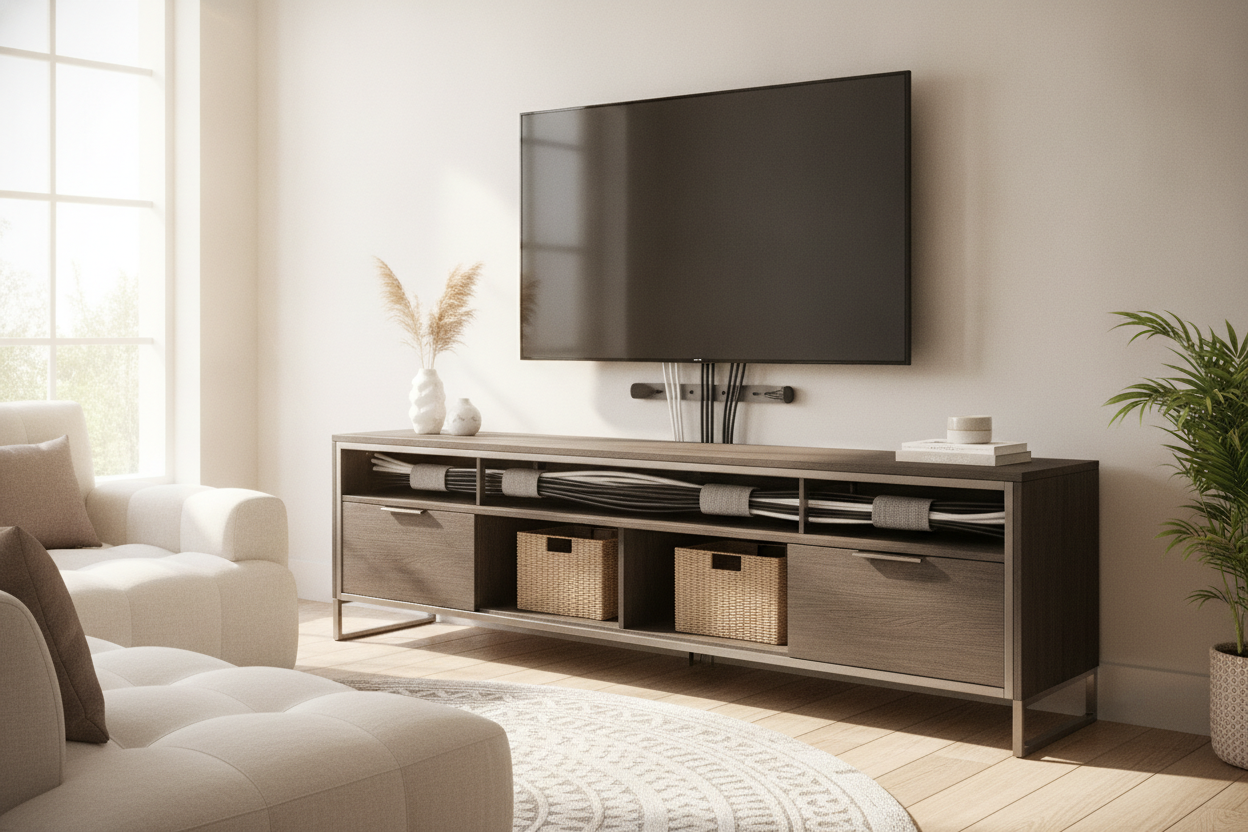
I recently sat on my living room floor, surrounded by three different remotes and a half-empty roll of electrical tape, wondering where my life went wrong. I had just spent a weekend painting my walls a perfect, moody charcoal, only to realize the focal point of the room was a chaotic waterfall of black rubberized cords. No matter how many expensive candles I lit, the 'spaghetti monster' living under my television was winning.
I finally realized I didn't need more Velcro straps or strategically placed potted plants to hide the shame; I needed a proper tv stand with cable management. It turns out that hacking a piece of furniture that wasn't meant to hold tech is a recipe for high blood pressure.
- Look for 'False Backs': These allow you to hide the bulk of the cords behind a secondary panel.
- Check Hole Placement: Holes should be at the level of your shelves, not just one random circle at the bottom.
- Ventilation Matters: Hiding cables shouldn't mean suffocating your hot Xbox or receiver.
- Depth is King: Ensure the unit is deep enough to accommodate the bend radius of thick HDMI cables.
The Tangled Spaghetti Monster Under My Screen
I used to think cable management was for people with too much time on their hands. Then I bought a high-end soundbar and a gaming console, and suddenly my 'minimalist' setup looked like the back of a server room in 1998. It’s a classic decor trap: you spend thousands on the screen and the seating, but the connective tissue—the wires—is treated as an afterthought.
The problem is that most 'stylish' consoles are just boxes. When you shove four power bricks and six HDMI cables into a box without a plan, they spill out the sides like an overflowing suitcase. It ruins the lines of the room and, honestly, it’s a dust magnet. I spent six months trying to use black twist-ties to wrangle the mess, but every time I added a new device, the whole system collapsed into a knotted nightmare.
Why Zip Ties and Tape Are a Fool's Errand
I’ve tried every DIY hack in the book. I’ve taped cords to the back of thin metal legs using duct tape—which eventually melted and left a sticky residue that I still can't get off. I’ve used zip ties that were so tight I nearly sliced through the insulation when I tried to move the DVD player. These aren't solutions; they're temporary bandages on a structural problem.
You eventually reach a point where you need a t v stand that hides cables natively. I learned this the hard way after trying to make a popular TV stand with mount work in a room with zero floor-level outlets. Even with a mounted screen, if your console below doesn't have a way to swallow the vertical drop of wires, you’re still staring at a black stripe of plastic conduit on your wall.
What to Look for in a TV Stand That Hides Wires
Not all cable management is created equal. A cheap tv stand with holes for wires usually just has one sad, jagged circle cut into a piece of flimsy 3mm cardboard stapled to the back. That’s not a feature; that’s an insult. You want a unit where the 'holes' are actually reinforced grommets or, better yet, full-width slots that let you slide cables between shelves without unplugging everything.
Proper wire management is especially crucial when you start adding bulky audio equipment. I learned this when I was hunting for a TV stand with space for speakers. If you have a center-channel speaker or a heavy receiver, the sheer volume of copper wire involved is staggering. You need routing channels that run horizontally and vertically so you can keep the power cables away from the audio cables to prevent that annoying hum.
The Magic of the False Back
The 'False Back' is the holy grail of media furniture. It’s a recessed panel that sits about two or three inches forward from the actual back of the unit. This creates a hidden 'spine' or cavity. You can stuff three feet of excess power cord into that cavity, zip-tie the slack inside where nobody will ever see it, and then push the entire piece flush against the wall. No more 4-inch gap because of a bulky surge protector.
The Furniture Upgrades That Saved My Sanity
If you’re ready to stop pretending that a pile of wires is 'industrial chic,' there are a few pieces that actually do the work for you. If you’re a fan of the mid-century look but hate the lack of functionality in vintage pieces, this beautiful mid century modern TV stand is a winner. The slatted doors are the key—they allow your remote's IR signal to pass through and keep the gear cool while hiding the blinking LEDs and cord nests.
For those with massive setups—think 75-inch screens, multiple consoles, and a physical media collection—you need something more robust. A modern TV stand with cabinets and drawers offers the structural integrity to hold the weight while providing dedicated internal 'alleys' for wire travel. I’ve seen people try to put a 70-inch TV on a flimsy flat-pack unit, and the bowing in the middle makes the cable holes useless because the back panel pops right out.
One Last Tip About Wall Clearance
Before you pull the trigger on a new tv stand that hides wires, check your power strips. A standard grounded plug sticks out about two inches from the wall. If your new stand doesn't have a 'baseboard notch' at the bottom or a recessed back, you’ll never get it to sit flush. I spent an hour measuring my new console only to realize my chunky surge protector was keeping it two inches away from the wall, defeating the whole 'clean look' purpose.
Take the time to map out where your wires are coming from before you buy. If you're ready to end the chaos, you can browse our collection of TV stands to find one that actually fits your hardware. Your living room—and your sanity—will thank you.
FAQ
Do I need a stand with a fan for my consoles?
Only if the cabinet is completely sealed. If you have a tv stand that hides wires but has an open back or slatted doors, natural convection is usually enough. If it's solid wood with a closed door, consider a small USB-powered cabinet fan.
Can I drill my own cable holes?
You can, but use a hole saw bit, not a standard drill bit. Also, be careful with cheap particle board; it tends to crumble. Real wood or high-quality MDF handles aftermarket holes much better.
How do I hide the wires going up to a wall-mounted TV?
If you can't run them behind the drywall, use a paintable cable raceway. The trick is to buy a tv stand that hides cables at the base so the raceway has a clean 'entry point' into the furniture.



Dejar un comentario
Este sitio está protegido por hCaptcha y se aplican la Política de privacidad de hCaptcha y los Términos del servicio.