










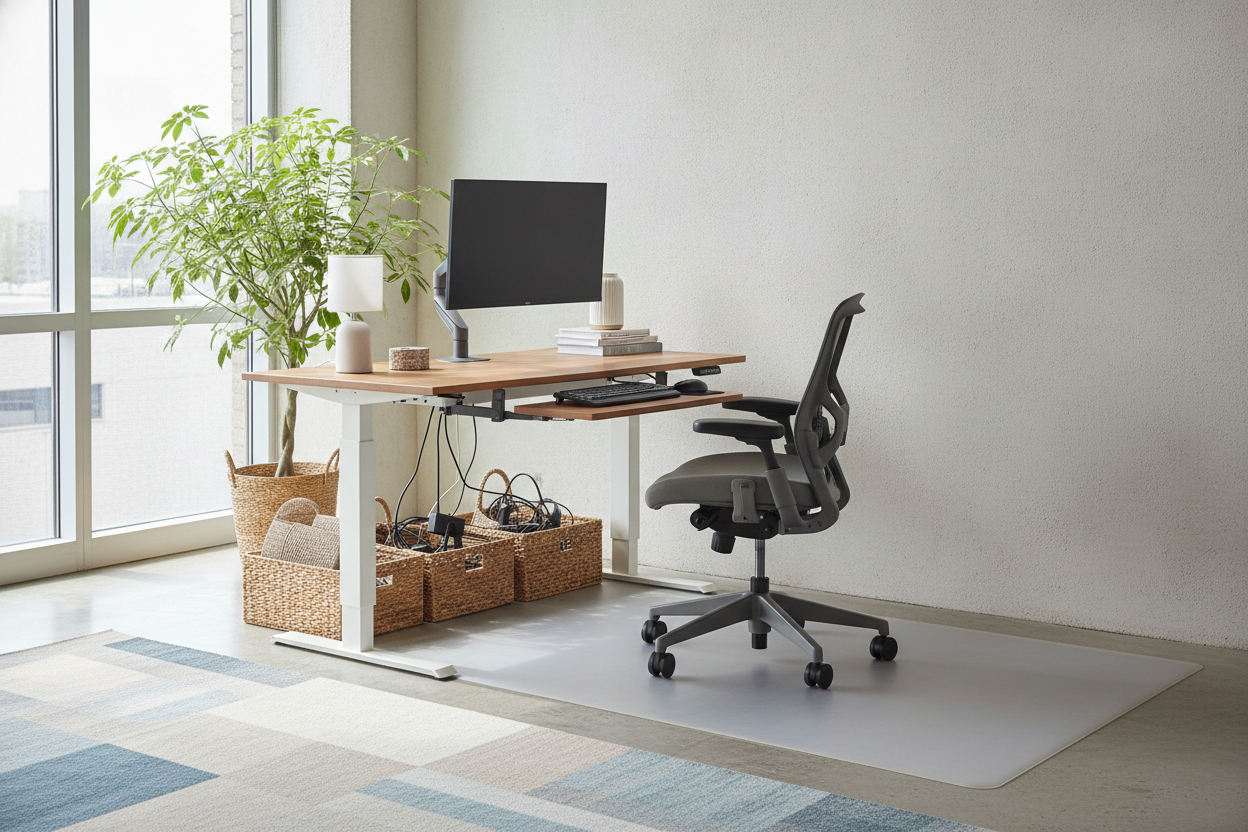
I spent three hours assembling my first auto computer desk, meticulously hiding every cable with velcro ties, only to ruin my paint job in exactly four seconds. I wanted that clean, built-in look, so I shoved the desk flush against the drywall. I hit the 'up' button, the motor hummed with that satisfying expensive sound, and then came the screech. My monitor arm had caught the wall, acting like a chisel as the desk rose.
We all want to save space, especially in a cramped spare bedroom or a studio apartment. But treating a motorized lift desk like a static piece of furniture is a recipe for property damage and expensive equipment failure. If you don't give your desk room to breathe, the wall is going to win every single time.
- Leave at least a 2-inch gap to account for 'desk drift' and monitor arm clearance.
- Never plug floor-based devices directly into the desk without a cable management snake.
- Float the desk in the room if you have the space; it looks more professional and saves your walls.
- If your space is too tight for a buffer zone, stick to a traditional static desk.
The Day I Gouged My Drywall
I remember the specific sound of the 1/2-inch drywall giving way. It wasn't a loud bang; it was a slow, rhythmic grinding. I was so focused on the novelty of standing while working that I didn't notice the 'elbow' of my dual-monitor mount was pressed firmly against the eggshell-finish paint. As the auto lift desk ascended, that metal joint carved a six-inch vertical trench right down to the chalky white core of the wall.
It wasn't just the wall that suffered. The motor on the left side of the desk started straining, making a high-pitched whine because it was fighting the friction of the mount against the wall. I had to pay for a professional patch and paint job when I moved out of that rental, all because I thought a 'flush' look was more important than physics. Most of these desks have a tiny bit of horizontal sway—maybe only a fraction of an inch—but when you're moving 150 pounds of gear upward, that fraction is enough to cause a disaster.
The 2-Inch Buffer Rule for Any Desk Auto Lift
Here is the reality: a desk auto lift needs a buffer zone. I call it the 'Two-Inch Rule.' Even if your desk surface looks like it clears the wall, the accessories rarely do. Most people use monitor arms to reclaim desk real estate, and those arms have joints that protrude behind the back edge of the desktop. If you push the desk against the wall, those joints are the first things to make contact.
You also have to consider the baseboards. Most modern desks have T-style or C-style legs with long feet for stability. If your feet are hitting the baseboard but the desktop is overhanging them, you might think you're safe. But the moment that desk starts to wobble—and every standing desk wobbles slightly at full height—it's going to knock against the wall. Give it two inches of clearance, and you'll never have to worry about that 'thud' every time you type too aggressively.
Beware the Cord Guillotine
The most dangerous part of a motorized lift desk isn't the motor; it's the cables. I once saw a coworker snap the head off a DisplayPort cable because the slack got caught between the rising desk and the wall. The desk acted like a slow-motion guillotine, pinching the wire until it simply gave way. If your desk is flush, there is no place for those cables to go as they move. They get trapped, stretched, and eventually destroyed. Always ensure your cables have a 'service loop'—extra slack that allows the desk to reach its maximum height without tension.
How to Float Your Auto Office Desk in the Room
If you have the floor space, stop trying to hide your auto office desk in a corner. Pull it out. Centering a desk in the room, or at least 'floating' it so the back faces the door, makes your home office feel like a real workspace rather than a closet. It also gives you 360-degree access to your cable management, which is a blessing when you inevitably need to swap out a peripheral.
Worried about the back of the monitors looking messy? You can find plenty of tips on styling a computer desk under 150 that focus on modesty panels or simple cable sleeves to keep things tidy. A few well-placed cable clips and a mesh tray under the desk can make the 'exposed' side of your workstation look just as sharp as the front. Plus, you’ll never have to worry about drywall repairs again.
When You Might Need an L-Shaped Model Instead
If you’re a power user with three monitors and a heavy tower, a standard rectangular desk might feel a bit flimsy at standing height. This is where an L-shaped setup saves the day. I’ve found that the 63W L Shaped 3 Drawer Lift Computer Desk offers much better stability because it has a wider footprint. The 'L' shape naturally creates a corner that you sit inside, which inherently keeps the back edges of the desk away from the walls.
L-shaped desks are also harder to 'over-shove' into a wall because they usually require a bit more intentional placement. The three-leg motor systems are often smoother and can handle the off-center weight of multiple monitors better than a standard two-leg frame. If you have the room for it, the extra surface area is a luxury you won't regret, especially when you realize you have a dedicated spot for your coffee that won't vibrate off the edge during the transition from sitting to standing.
Measure Twice, Lift Once
Before you commit to the motorized life, take a tape measure to your room. If you find that leaving a two-inch gap makes the room feel too tight or blocks a walkway, you might be better off with a standard writing computer desk. There is no shame in a static desk; it’s certainly better than a motorized one that you’re afraid to actually move because of the wall clearance.
Check your cable lengths, too. If your PC sits on the floor, you need 6-foot cables at a minimum to reach a standing height. If you refuse to move the desk away from the wall, at least install a thick piece of foam or a 'wall bumper' at the height where your monitor arms sit. But trust me—just pull the desk out two inches. Your drywall and your sanity will thank you.
FAQ
Is it normal for a standing desk to wobble?
Yes, especially at heights over 40 inches. Cheap two-leg frames wobble more than heavy-duty three-leg frames. This is why that wall clearance is so vital—the wobble shouldn't result in a collision.
Can I put my PC tower on the desk?
If your motor's weight capacity allows it, yes. Putting the tower on the desk surface is actually better for cable management because the wires don't have to stretch as far when the desk rises.
What is the best way to hide cables on a floating desk?
Use a cable management tray that mounts to the underside of the desktop. Pair it with a 'cable spine' or snake that carries all your power and data lines down to the floor outlet in one neat tube.

Dejar un comentario
Este sitio está protegido por hCaptcha y se aplican la Política de privacidad de hCaptcha y los Términos del servicio.