










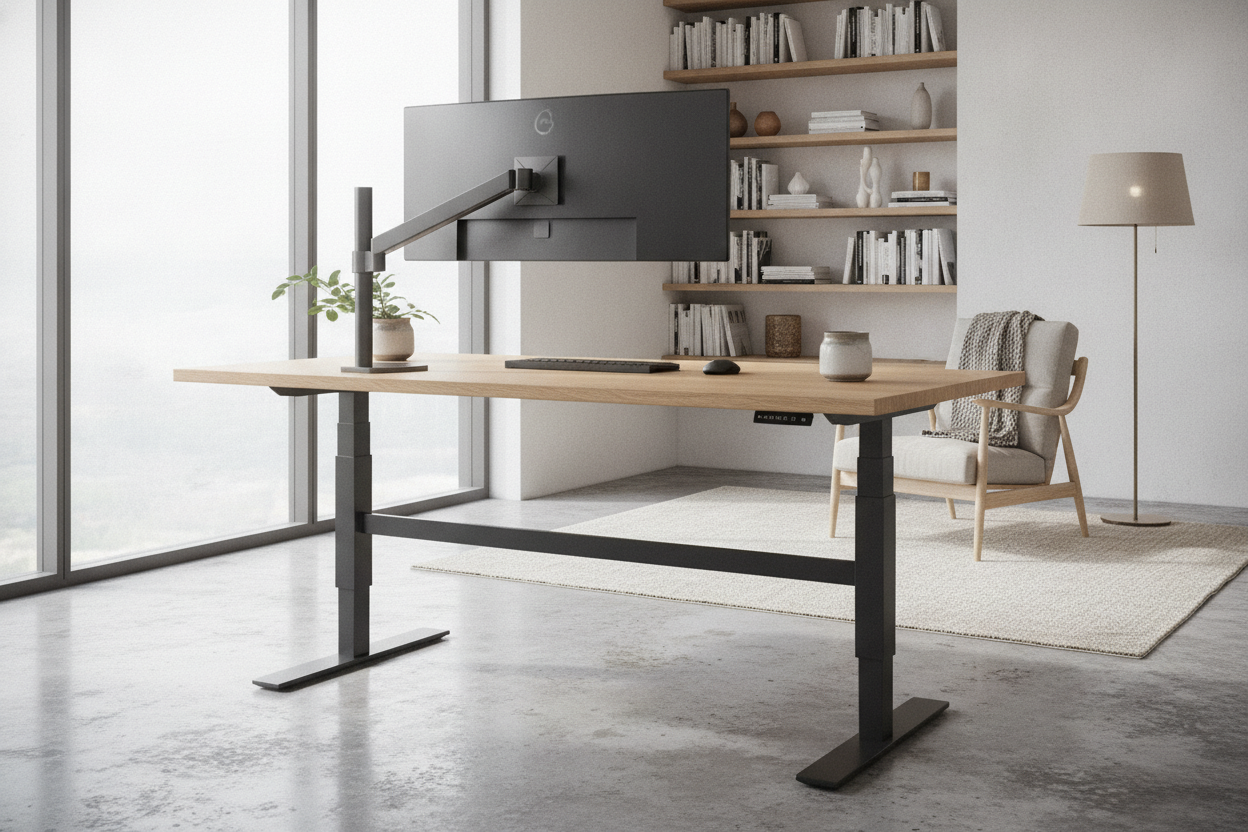
I spent three weeks convinced my apartment was sinking. Every time I hit the 'Enter' key on my mechanical keyboard, my 32-inch monitor would shimmy like it was at a dive bar at 2 AM. I tried shimming the legs with folded cardboard, I bought a thick rug, and I even considered calling a contractor to check the floor joists. Then I realized the truth: my desk was just a giant tuning fork.
If you have a standing desk, you know the heartbreak. You spend $600 on a sleek motorized frame only to find that at 42 inches high, the thing has the structural integrity of a wet noodle. Before you list your setup on Marketplace out of pure spite, you need to look into a desk stabilizer. It is the single most underrated piece of hardware for anyone who actually types for a living.
Quick Takeaways
- Monitor shake is usually caused by lateral sway, not uneven floors.
- A desk stabilizer bar creates a rigid connection that two-leg frames lack.
- Wider desks (over 60 inches) are significantly more prone to the 'standing wobble.'
- Most aftermarket bars can be installed in under 20 minutes without losing legroom.
The Maddening Reality of the 'Standing Wobble'
We have been sold a lie that two legs are enough to support a workstation. When you are sitting at a traditional writing computer desk, you have four points of contact and a low center of gravity. It feels like a tank. But the moment you take a two-leg frame and extend those telescoping steel tubes to standing height, physics turns against you.
Every keystroke sends a tiny vibration up the legs. Without a cross-support, that energy has nowhere to go but into your monitor arm. I have seen people blame their VESA mounts or their carpet, but 90% of the time, it is just the frame oscillating. It is a microscopic sway that feels like a massive distraction when you are trying to focus on a spreadsheet.
What Actually Is a Desk Stabilizer?
A standing desk stabilizer bar is essentially a piece of structural insurance. It is usually a steel crossbeam that connects the two vertical columns of your desk. By creating a 'U' or 'H' shape, it prevents the legs from bowing outward or shifting side-to-side. This is often called lateral stability, and it is the first thing budget desk manufacturers cut to save on shipping costs.
If you are rocking a massive 71 W height adjustable standing desk, the problem is amplified. A surface that wide acts like a lever; even a small amount of force on the edge of the desk creates a huge amount of torque on the legs. Adding a desk support bar stops that lever action cold. It turns a shaky piece of office furniture into a legitimate architectural structure.
Crossbars vs. Wedges: Finding the Right Fix
Not all stabilizers are created equal. You will see 'corner wedges' or 'L-brackets' marketed as a fix, but they only help with front-to-back tilt. If your monitor is swaying left-to-right, you need a full-width standing desk stabilizer. I prefer the telescoping bars that bolt directly into the leg columns. They are stiffer than the ones that just screw into the underside of the desktop, which can still allow the legs to flex independently.
Installation: Will It Ruin Your Legroom?
The biggest concern I hear is: 'Am I going to bash my shins on this thing?' If you buy a poorly designed bar that sits right in the middle of the frame, yes, you will. The trick is to find a stabilizer that sits high up, near the underside of the desktop, or one that is offset toward the back of the frame. You want it out of the 'knee zone' when you are sitting down.
If you are upgrading an adjustable height standing desk with electric lift system, be careful with your drill. Most of these desks have a control box and motor cables tucked under the center. Always map out your cable management before you start bolting on extra steel. I once accidentally pinched a motor cable between a stabilizer and the frame, and the sound it made was something I never want to hear again.
The Final Verdict on Wobble-Free Working
Is it annoying that you have to buy an extra part to make your desk work the way it should have out of the box? Absolutely. But for about fifty bucks, a desk stabilizer is the difference between a workstation that feels like a toy and one that feels professional. You don't need a new desk; you just need to finish the one you have.
Personal Experience: My DIY Disaster
Before I bought a proper steel desk support bar, I tried to fix my wobble with a heavy-duty tension rod I found in the laundry aisle. I thought if I jammed it between the legs, it would create enough friction to stop the sway. It worked for about an hour until I bumped the desk, the rod shot out like a projectile, and nearly took out my PC tower. Buy the real hardware. Your shins and your hardware will thank you.
FAQ
Does every standing desk need a stabilizer?
Not necessarily. High-end four-leg desks or those with massive 'C-frame' feet are usually stable enough. But if you have a budget two-leg desk and you're over 5'10", you'll likely notice the shake.
Will a stabilizer bar make my desk harder to move?
It adds about 5 to 10 pounds of steel, so it makes the desk heavier to lift, but it actually makes it easier to slide across the floor because the legs won't flex or 'walk' as you push it.
Can I install a stabilizer on a glass-top desk?
Only if the stabilizer attaches to the metal legs. Never try to screw or bolt a stabilizer into a glass surface. Most aftermarket bars are designed to clamp or bolt onto the metal frame anyway.

Dejar un comentario
Este sitio está protegido por hCaptcha y se aplican la Política de privacidad de hCaptcha y los Términos del servicio.