










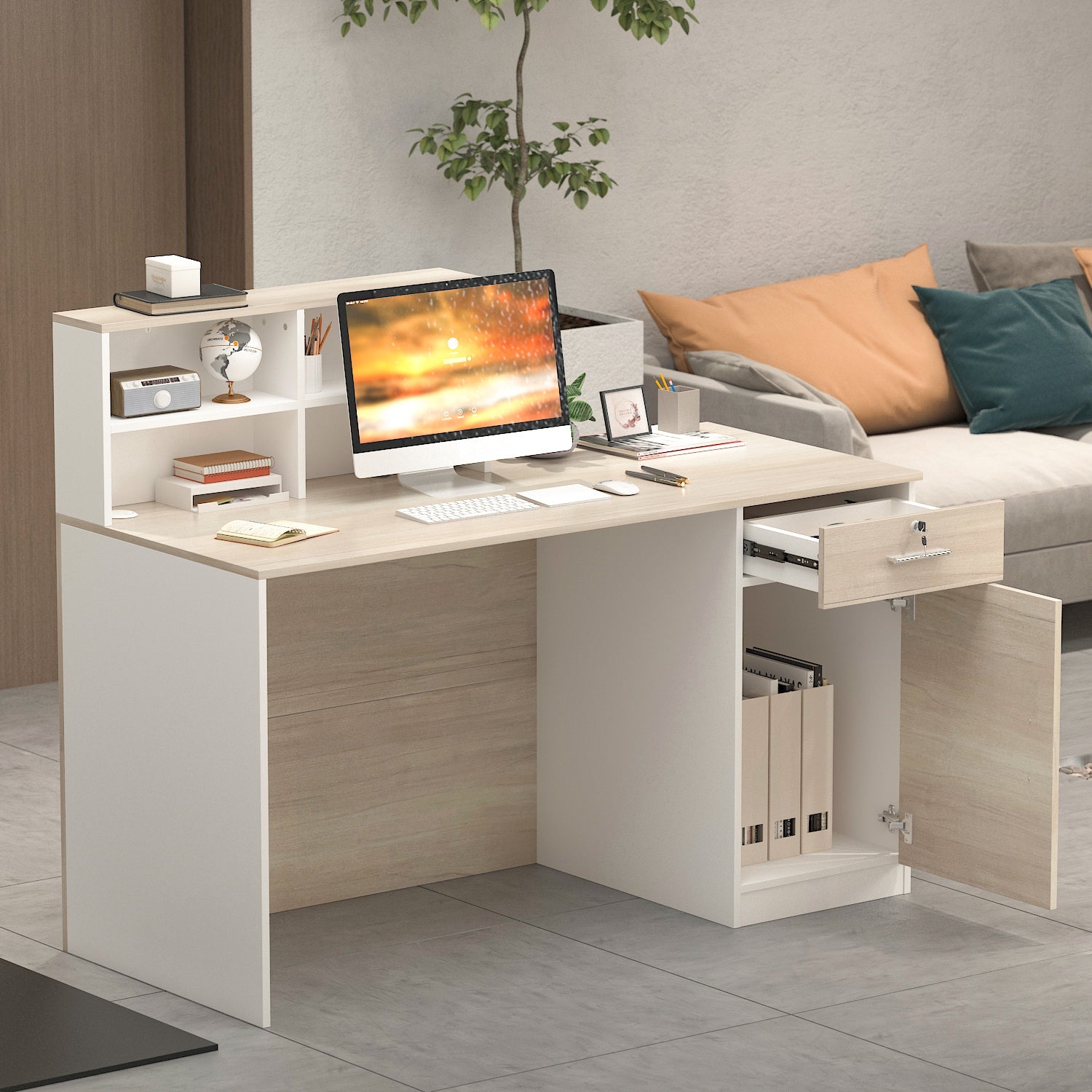

Workstation organization begins with establishing a balanced relationship between viewing height, desk surface area, and accessible storage. Standard computer screens rarely rest at a comfortable visual level when set directly on a flat tabletop. Introducing an adjustable computer monitor stand allows users to fine-tune display positioning to meet natural sightlines without requiring awkward leaning or sustained head tilts. Beyond visual alignment, an elevated platform fundamentally restructures desk real estate by creating functional vertical layers where peripherals, stationery, and connectivity hubs can reside.
Choosing the proper elevation accessory requires evaluating the physical footprint of your desk, the dimensions and base format of your display, and the specific daily tasks you conduct. Whether configuring a compact writing table or an expansive corner workstation, matching the structural style of your stand to your furniture layout ensures long-term stability and clean desktop flow.
Core Mechanical Formats for Desktop Monitor Elevation
Modern display supports utilize distinct engineering formats to provide vertical movement. Understanding these structural categories helps clarify which model suits your equipment and desktop space.
Platform Risers with Stepped or Telescoping Legs
Platform risers consist of a solid surface supported by corner or side legs that adjust through modular stacking blocks, push-button pins, or threaded screw mechanisms. An adjustable height monitor riser of this style provides a broad, flat deck that supports original manufacturer monitor stands regardless of whether they have square, round, or wide V-shaped bases.
Because the platform spans the width between its legs, this style creates a dedicated storage tunnel directly underneath. Users who frequently slide full-sized keyboards, graphic tablets, or laptops out of sight when shifting to analog writing tasks benefit significantly from this wide-span geometry. A height adjustable monitor riser with stepped legs also maintains high lateral stability against minor desk vibrations.
Central Post and Telescoping Column Stands
A monitor telescoping stand replaces the monitor's original base with a centralized vertical steel or aluminum column anchored to a heavy, low-profile desktop plate. Displays attach to the post using standard rear mounting patterns, allowing users to slide the screen up or down the central axis.
This monitor stand that raises and lowers along a post typically includes tilt, swivel, and rotational adjustments, making it convenient for switching between landscape and portrait orientations. Because the column occupies minimal surface area near the rear edge of the desk, it preserves expansive tabletop space directly in front of and beneath the screen.
Dimensional Sizing Categories and Desk Surface Zoning
Selecting an adjustable desktop monitor stand involves balancing screen dimensions with available desktop depth. If a desk is shallow, a bulky stand can push the screen uncomfortably close to the user, compromising viewing comfort and crowding keyboard placement.
- Compact Single-Screen Risers: Tailored for secondary screens or smaller personal computers on narrow desks, these risers maintain a modest footprint while lifting screens above compact accessory trays.
- Wide Multi-Monitor Platforms: Designed to span wide executive or gaming desks, these dual-screen bridges accommodate side-by-side monitors or an ultrawide display while keeping the under-bridge zone clear for soundbars or charging docks.
- Tall Vertical Posts: A tall monitor riser column provides extended vertical travel, which is particularly beneficial for taller users or dual-screen stacked configurations where one display sits directly above another.
For setups where screens are exceptionally large or desktop depth is constrained, reviewing that monitor stand guide can provide additional perspective on balancing screen proportions with room boundaries.
Material Composition, Load Dynamics, and Stability
The structural integrity of adjustable monitor stands depends on material pairing and joint design. Because display hardware represents a substantial investment, selecting sturdy components prevents unwanted wobbling, sagging, or tipping.
Engineered wood and medium-density fiberboard (MDF) platforms offer warm, furniture-grade aesthetics that integrate naturally with traditional desks and modern woodgrain finishes. When paired with reinforced steel legs, an adjustable pc monitor stand crafted from high-density composite board handles heavy displays without mid-span deflection.
All-metal steel and aluminum units provide slim visual profiles and high rigid strength. Perforated metal platforms offer the added benefit of passive airflow ventilation, which is ideal if you plan to rest a running laptop, mini PC, or docking station directly on or beneath the riser shelf. Tempered glass platforms introduce an airy, light-reflective look that visually expands compact tabletops, though they require careful attention to clean cable management since cords remain visible beneath the transparent deck.
Under-Riser Storage Dynamics and Cable Routing Architecture
An often-overlooked advantage of an adjustable height computer monitor stand is its capacity to transform vertical clearance into organized utility. By lifting the display, you create a primary storage zone that removes visual clutter from the central desk area.
To maximize this lower cavity, evaluate what equipment you need to stow on a daily basis:
- Input Devices: Confirm that the internal distance between riser legs allows your specific keyboard and mouse to slide completely under the deck at the end of the day.
- Docking Stations and USB Hubs: Positioning connectivity docks beneath the platform keeps peripheral cables gathered neatly along the back perimeter.
- Desk Trays and Organizers: Low-profile drawers or modular organizers can be slotted under wide risers to hold notebooks, pens, and external hard drives.
For extensive office setups needing coordinated storage, pairing your desk riser with comprehensive adjustable collection pieces creates visual harmony and flexible organization across the entire room. Alternatively, choosing an integrated desk unit such as a computer monitor stand product provides built-in multi-tier shelving, integrated power connections, and dedicated cable channels in a single cohesive workstation.
Assembly, Surface Protection, and Room Layout Integration
Proper installation and positioning ensure your monitor height adjustable stand operates securely without marking or denting your furniture surfaces. During assembly, verify that all mechanical fasteners, leg locking collars, or column thumb screws are tightened evenly to eliminate micro-shifts during daily use.
To safeguard your desktop finish, look for stands equipped with non-slip silicone, rubber, or high-density foam pads beneath the base feet. These protective cushions dampen vibrations from typing and keep the stand firmly anchored when adjusting screen tilt or sliding items into the under-shelf cavity.
When positioning the stand within your room layout, align the screen perpendicular to nearby windows whenever possible to minimize harsh glare and backlight contrast. In my view, taking a few minutes to align the stand’s wood tone or metal finish with surrounding shelving and file cabinets makes the entire home office feel cohesive, purposeful, and thoroughly organized.


Dejar un comentario
Este sitio está protegido por hCaptcha y se aplican la Política de privacidad de hCaptcha y los Términos del servicio.