











Creating an ergonomic, flexible home office starts with understanding how height adjustment changes the way you interact with your work area. Adding an adjustable stand for desk surfaces allows you to shift between sitting and standing postures throughout the workday. However, workspace planners often face a foundational decision: whether to place a modular riser onto an existing workstation or invest in a dedicated sit-stand desk frame. Choosing between these elevation systems requires evaluating surface footprint, mechanical lift formats, peripheral weight distribution, and surrounding room storage.
Understanding Adjustable Stand for Desk Formats: Converters vs. Full Adjustable Desks
When upgrading an office layout, the primary choice lies between a tabletop riser and a standalone frame. A tabletop stand up desk or table top standing desk converter sits directly on top of your current workstation. This approach preserves existing furniture, such as classic wooden tables or modular units found in a broader computer desk collection, while granting the vertical flexibility needed for standing work.
Conversely, a dedicated electric adjustable desk or rising computer desk replaces the traditional base entirely with motorized legs. While a tabletop converter requires sufficient existing depth to rest securely, a full frame provides an expansive, unified work surface without secondary tiers. Deciding between a converter and a full desk depends on whether your priority is preserving existing furniture or establishing a seamless, continuous desktop platform.
Mechanical Elevation Styles: Gas Spring Risers, Scissor Lifts, and Motorized Frames
Height-adjustable mechanisms fall into distinct mechanical categories, each offering specific functional attributes for daily use. Evaluating how each system operates helps determine the right fit for your daily routine:
- Pneumatic and Gas Spring Risers: Frequently used in a tabletop adjustable desk, gas-assisted cylinders counterbalance the weight of your equipment, allowing smooth manual lifting and lowering with a simple release lever.
- X-Frame Scissor Lifts: These tabletop systems elevate straight up and down along a vertical axis, minimizing the forward projection that can encroach on tight office walkways.
- Motorized Lift Columns: Built into an up and down desk or standing table adjustable height, dual or single motors provide push-button travel, allowing predictable transitions across fine height increments.
- Manual Crank Mechanisms: A non-electric alternative for a desk adjustable frame, offering dependable elevation control without the need for nearby electrical wall outlets.
For additional styling perspectives on surface risers, exploring our dedicated standing desk guide provides practical visual inspiration for varied desktop layouts.
Dimensional Tiers: Selecting the Right Footprint for Your Workspace
Surface geometry determines how comfortably your equipment fits when transitioning between levels. Compact risers cater to lightweight laptop setups, while an elevated desk with dual-tier shelving separates screen height from keyboard positioning to encourage natural wrist and neck alignment.
If your workflow relies on multiple displays, large audio monitors, or writing space alongside computing gear, a large standing desk platform offers the wide expanse needed to prevent overcrowding. For high-capacity multi-screen arrangements, selecting a spacious option like a height adjustable standing product ensures ample surface area for equipment without sacrificing primary desktop writing zones. When configuring a standing pc desk or adjustable standing desk, measuring both the base depth and the upper platform clearance prevents the unit from overhanging the supporting table edges.
Surface Zoning, Weight Distribution, and Cable Travel Management
Maintaining stability across vertical travel requires thoughtful surface organization. Dynamic workstations demand balanced weight placement so that the lifting mechanism moves effortlessly without tilting or straining.
Key considerations for stabilizing your dynamic workstation include:
- Center of Gravity: Position heavy monitor arms and multi-display mounts centrally along the rear support beam rather than concentrating mass at the outer corners.
- Separated Typing Zones: Utilize dropped keyboard trays on tabletop risers to keep your wrists neutral while keeping the primary screen at eye level.
- Dynamic Cable Slack: Ensure all display cords, power cables, and peripheral wires possess adequate length to accommodate full extension to maximum height without tension.
- Cord Bundling Channels: Route wiring through flexible vertebrae tracks or cable spines to prevent snagging during downward transitions.
For streamlined motor operation and integrated memory positioning, a dedicated unit such as an adjustable height standing product helps establish consistent sitting and standing thresholds for daily productivity.
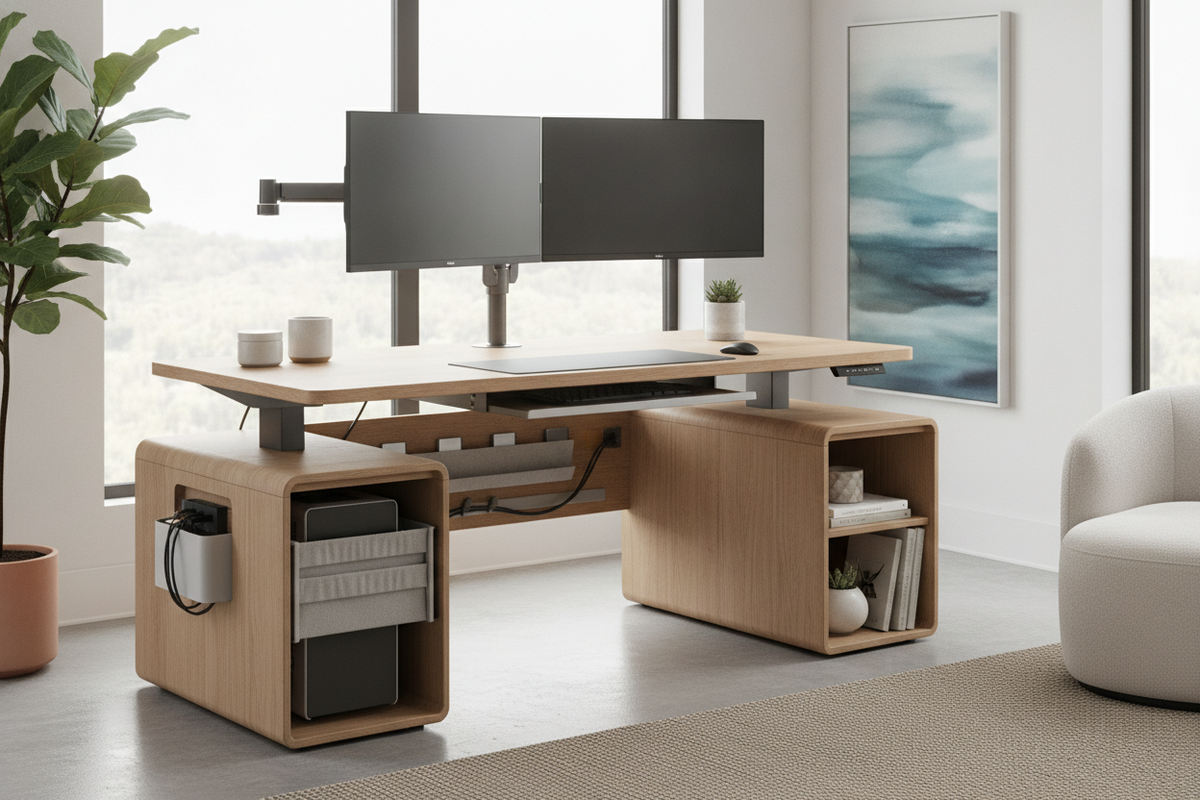
Integrating Storage Furniture with Dynamic Height Workstations
Because dynamic desks prioritize vertical movement, integrated drawers are often minimized to maintain mechanical clearance. Maintaining an organized, professional home office therefore relies on coordinating modular storage around your height-adjustable centerpiece.
Pairing your workstation with low-profile mobile pedestals allows filing units to slide underneath the surface during seated modes without blocking motorized travel paths. Alternatively, credenzas and accent sideboards placed along adjacent walls provide deep concealed storage for paperwork, technology peripherals, and reference materials. For those who appreciate concealed work zones, reviewing our computer desk guide highlights methods for blending structured office equipment into broader residential interior decor. By harmonizing an adjustable desk stand with intentional surrounding storage, you achieve an ergonomic, adaptable workspace that remains visually balanced and clutter-free.


Dejar un comentario
Este sitio está protegido por hCaptcha y se aplican la Política de privacidad de hCaptcha y los Términos del servicio.