










Finding an adjustable standing desk that comfortably accommodates a petite stature requires looking closely at lower-bound frame travel, working reach, and surface proportions. While many height-adjustable workstations prioritize standard adult proportions, individuals with shorter torsos or shorter lower legs often encounter desks that sit slightly too high in their lowest seated position. Evaluating a vari table through a specialized ergonomic lens helps ensure you maintain a relaxed posture without hunching shoulders, straining wrists, or suspending your feet above the floor.
Evaluating Vari Table Height Dynamics for Petite Statures
For individuals with shorter proportions, the most critical dimension on any sit-stand workstation is not its peak standing height, but its lowest seated clearance. Conventional static office furniture is frequently engineered around taller baselines, which can cause shorter individuals to elevate their shoulders or rest their forearms at an awkward upward angle. When exploring adjustable frames, you must determine whether the lower travel limit allows your elbows to rest naturally at a relaxed angle while typing and writing.
In addition to the physical travel range of the motorized columns, the overall thickness of the working surface plays an important role in overall ergonomic posture. A solid laminate, engineered wood, or hardwood surface adds nominal vertical height above the lifting columns. When mapping out your workstation alignment, factoring in the combined elevation of the base feet, lifting columns, motor housing, and attached tabletop ensures you get an accurate representation of the actual working plane in everyday use.
Understanding your personal resting elbow height while seated in a supportive task chair provides a reliable baseline before selecting a frame. If the lowest setting of a desk exceeds this personal measurement, you will likely need supplementary ergonomic accessories to bridge the gap and achieve comfortable forearm alignment.
Key Ergonomic Adaptation Strategies for Shorter Users
If your chosen desk setup rests slightly above your natural resting elbow height, practical workstation adjustments can bridge the ergonomic gap smoothly and maintain daily comfort:
- Ergonomic Footrests: Elevating your task chair allows your forearms to align parallel with the tabletop, while a stable, angled footrest provides necessary underfoot support to relieve pressure behind the thighs and lower back.
- Undermount Keyboard Trays: Installing an articulating keyboard platform lowers the typing and mousing surface below the primary desktop level, accommodating lower seated arm positions without modifying the desk frame.
- Calibrated Monitor Positioning: Utilizing adjustable monitor arms prevents the screen from sitting too high, ensuring your neutral gaze aligns naturally with the upper third of the display whether seated or standing.
- Supportive Armrests: Choosing an office chair with fully adjustable armrests that drop low enough to clear the table apron allows you to sit closer to your keyboard without straining your upper back.
Vari Table Models, Tabletop Sizing, and Spatial Footprints
Selecting among diverse varidesk models involves balancing usable working space with physical room dimensions and personal reach envelopes. Workstations are available across a spectrum of varidesk sizes, from compact rectangular profiles suited for tight bedroom alcoves to broad continuous surfaces capable of supporting complex multi-screen workflows.
When assessing a varidesk table top, consider the comfort of its beveled or rounded edge profiles during extended typing sessions. Sharp edges can cause localized pressure along the forearms, whereas contoured edge profiles distribute contact pressure more evenly. Compact desk profiles help preserve valuable floor space in dedicated home offices or multi-use rooms. When organizing your layout around adjustable furniture, reviewing a desk sizes guide provides valuable spatial clearance benchmarks for chair movement, opening doorways, and surrounding walkway flow.
For smaller rooms, selecting a narrower depth surface ensures that all desktop accessories remain within easy reach without requiring you to bend forward or overextend your arms while seated.
Frame Stability, Equipment Weight, and Long-Term Durability
The structural balance of an adjustable desk depends on its engineering, base footprint, and overall load distribution. Total vari desk weight contributes directly to stability, anchoring the workstation to minimize sway when extended to standing positions. Substantial steel legs, dual-crossbeam supports, and broad leveling feet help absorb key strike vibrations and monitor wobble during active daily work.
When configuring computer equipment, center heavy items such as desktop towers, heavy ultrawide displays, and multi-monitor arms directly over the primary frame supports. Balancing weight across the desktop ensures smooth motorized transitions, minimizes motor strain, and promotes quiet mechanical operation over daily lifting cycles.
Uneven flooring can also impact stability. Utilizing built-in adjustable leveling glides on the base of the frame ensures that the workstation remains level and wobble-free, which is especially important when the desk is raised to its highest standing heights.
Alternative Workstation Configurations and Storage Pairing
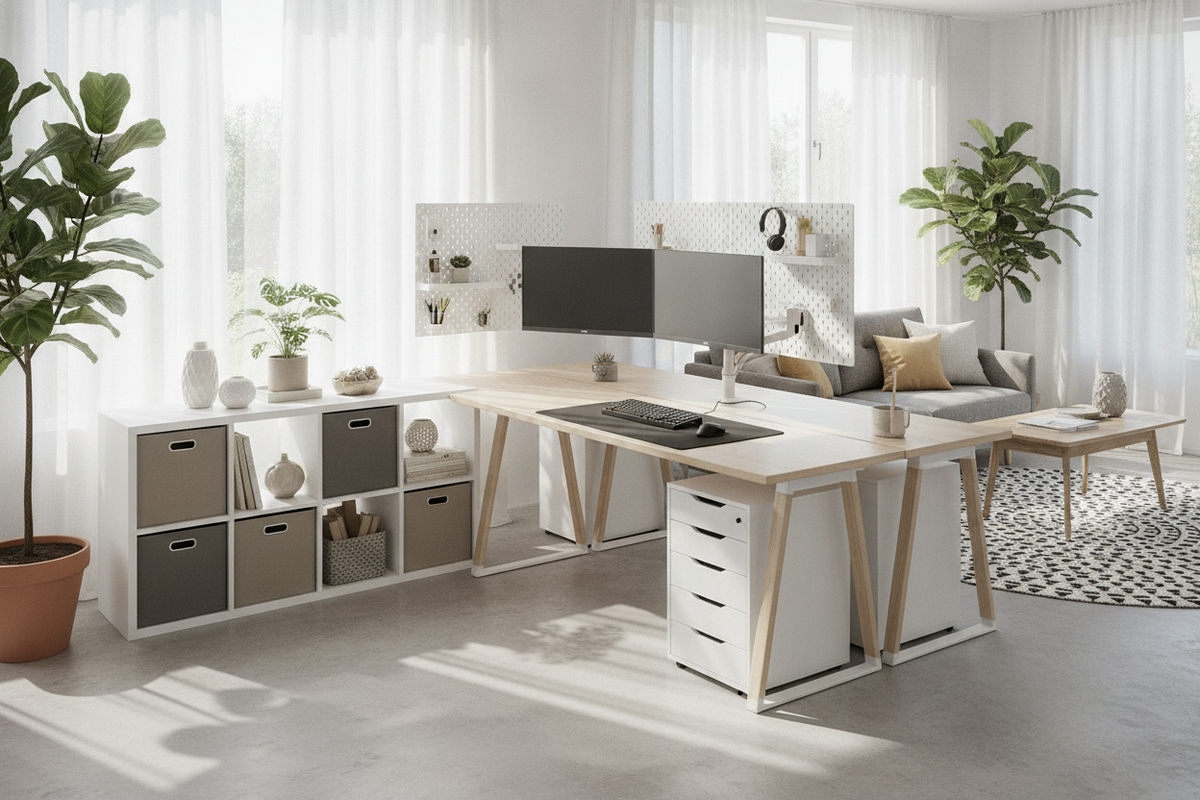
Creating a truly functional workspace often requires combining an adjustable main work surface with complementary modular storage solutions. When evaluating overall budgeting and functional value against general varidesk com price considerations, pairing a minimalist motorized table with secondary organizational pieces often yields the best balance of ergonomics and storage capacity.
Because sit-stand desks intentionally omit integrated under-desk drawers to maintain essential knee clearance across height ranges, pairing your setup with mobile filing pedestals or low side credenzas keeps essential supplies within reach. In flexible rooms that require multi-purpose utility, combining an ergonomic workstation with tailored accent furniture, such as a desk product, offers dedicated personal organization while maintaining a unified interior aesthetic throughout your living space.
By thoughtfully balancing frame elevation ranges, supportive accessories, and surrounding storage furniture, petite users can create an ergonomic workstation that supports healthy seated and standing postures throughout the entire working day.


Dejar un comentario
Este sitio está protegido por hCaptcha y se aplican la Política de privacidad de hCaptcha y los Términos del servicio.