










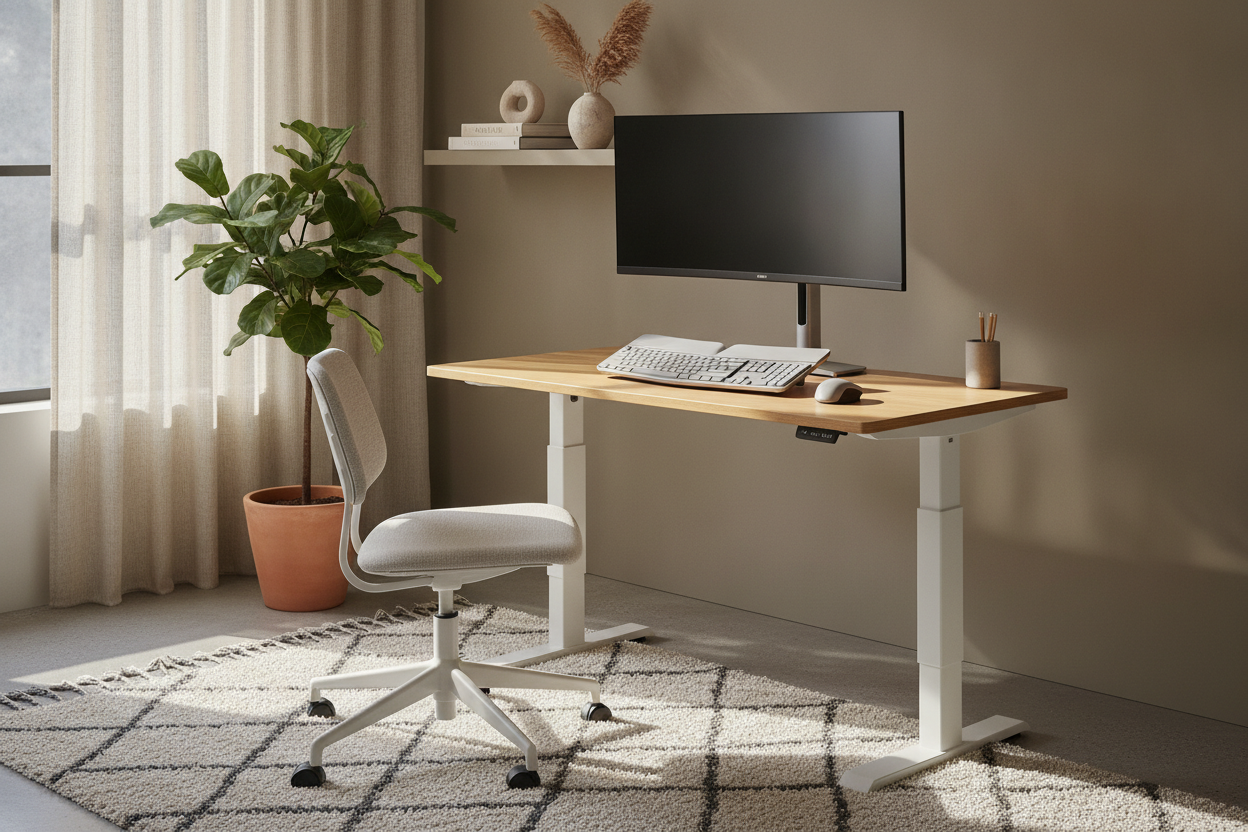
I remember the day I finally admitted my motorized desk was a mistake. I spent $600 on a frame that weighed 140 pounds and took three hours of sweating over an Allen wrench to build, only to realize I hated being stuck in my spare bedroom all day. It felt like I’d anchored myself to a dark corner of the house just for the sake of 'ergonomics.' One afternoon, I wanted to work by the window in the living room, but that desk wasn't moving unless I hired a professional crew.
- Portability: You can move your setup from the office to the dining table in thirty seconds.
- Zero Assembly: Most desktop converters come ready to go right out of the box.
- Cost: You get the health benefits without the mortgage-payment price tag.
- Stability: Modern risers are surprisingly heavy-duty and don't shake while you type.
The Heavy, Expensive Problem With Full Motorized Desks
The dream of the motorized desk is great until you actually have to live with it. These things are massive. If you’re debating between the Vari Sit-Stand Desk vs. a Budget Standing Motorized Desk, you quickly realize that even the 'budget' options are a massive commitment. They are difficult to assemble, nearly impossible to move once they’re built, and if the motor dies, you’re left with a very heavy, very expensive table stuck at one height.
I found myself resenting my dedicated office space. I wanted the flexibility to follow the sunlight around my apartment or clear my 'desk' away entirely when guests came over. A full-sized frame doesn't allow for that. It’s a piece of furniture that dictates how your room functions, rather than the other way around. I needed something that adapted to my life, not a slab of MDF that owned my floor plan.
Enter the Desktop Converter (My Flexible Fix)
Switching to a sit stand computer stand was the best audible I’ve called in my home office setup. Instead of replacing my furniture, I just added a desktop sit stand desk on top of what I already owned. It turned my simple writing computer desk into a high-functioning sit and stand computer workstation without the permanent bulk.
The beauty of a sit stand computer workstation is that it’s modular. If I want to work from the kitchen island to be closer to the coffee, I just pick up the computer standing station and move. It provides the exact same height benefits as a full motorized unit but keeps my floor space open and my furniture choices flexible. My desktop sit stand workstation handles my dual-monitor setup easily, and when I’m done, I can actually tuck it away if I really need the table for a dinner party. It’s about having an ergonomic office on your own terms.
What to Look for in a Desktop Workstation
Don't just buy the cheapest sit to stand computer workstation you find on a flash sale. I made that mistake and ended up with a plastic tray that vibrated every time I hit the backspace key. You want a base made of heavy-gauge steel. If the converter doesn't weigh at least 30 pounds itself, it’s probably going to wobble. Look for a keyboard tray that sits lower than the monitor level to keep your wrists neutral and prevent that annoying 'claw hand' fatigue by 3 PM.
Don't Skimp on the Lifting Mechanism
Cheap models use basic tension springs that feel like they’re trying to launch your monitors into orbit when you release the lock. Spend the extra twenty bucks for a gas-spring lift. It’s the same tech used in office chairs and car hatchbacks. It makes transitioning your workstation smooth and silent, which is vital if you’re trying to stand up mid-meeting without sounding like a garage door opening in the background.
Measuring Your Existing Table Space
Before you hit buy, measure the depth of your current table. Many people forget that these converters have a 'footprint.' If the base of your riser is 24 inches deep but your table is only 20 inches, you’re looking at a tipped-over monitor disaster. Ensure there is at least a two-inch buffer on all sides of the base for maximum stability. Also, check the weight capacity; those 32-inch monitors are heavier than they look.
Is a Riser Actually Right for Your Setup?
I’ll be honest: a converter isn't for everyone. If you have a massive three-monitor setup or you need a sprawling surface for drawing and physical files, a desktop riser might feel a bit cramped. In those cases, you really are better off committing to a full-sized Ergonomic Home Office Sit Stand Up Desk. It gives you more real estate and a cleaner, more integrated look if you never plan on moving your workspace.
But for the hybrid worker who bounces between rooms or lives in a smaller apartment, the portability of a riser wins every time. I don't miss my 150-pound motorized behemoth. I like knowing that my office can exist wherever I happen to be sitting—or standing—that day. It’s the ultimate hack for someone who values their space as much as their spine.
FAQ
Will a desktop converter scratch my table?
Most come with padded foam or rubber feet. However, I always stick a few extra heavy-duty felt pads on the bottom just to be safe, especially if you're placing it on a finished wood surface.
Can it hold two monitors?
Usually, yes. Most mid-range models handle up to 35 pounds, which is plenty for two 27-inch screens. Just make sure the top platform is wide enough so the monitor bases don't hang off the edge.
Is it hard to lift once the monitors are on it?
With a gas-spring mechanism, it’s effortless. The tension does the heavy lifting for you, so you aren't actually straining your back. If it feels heavy, you can usually adjust the tension with a small dial or screw.


Dejar un comentario
Este sitio está protegido por hCaptcha y se aplican la Política de privacidad de hCaptcha y los Términos del servicio.