










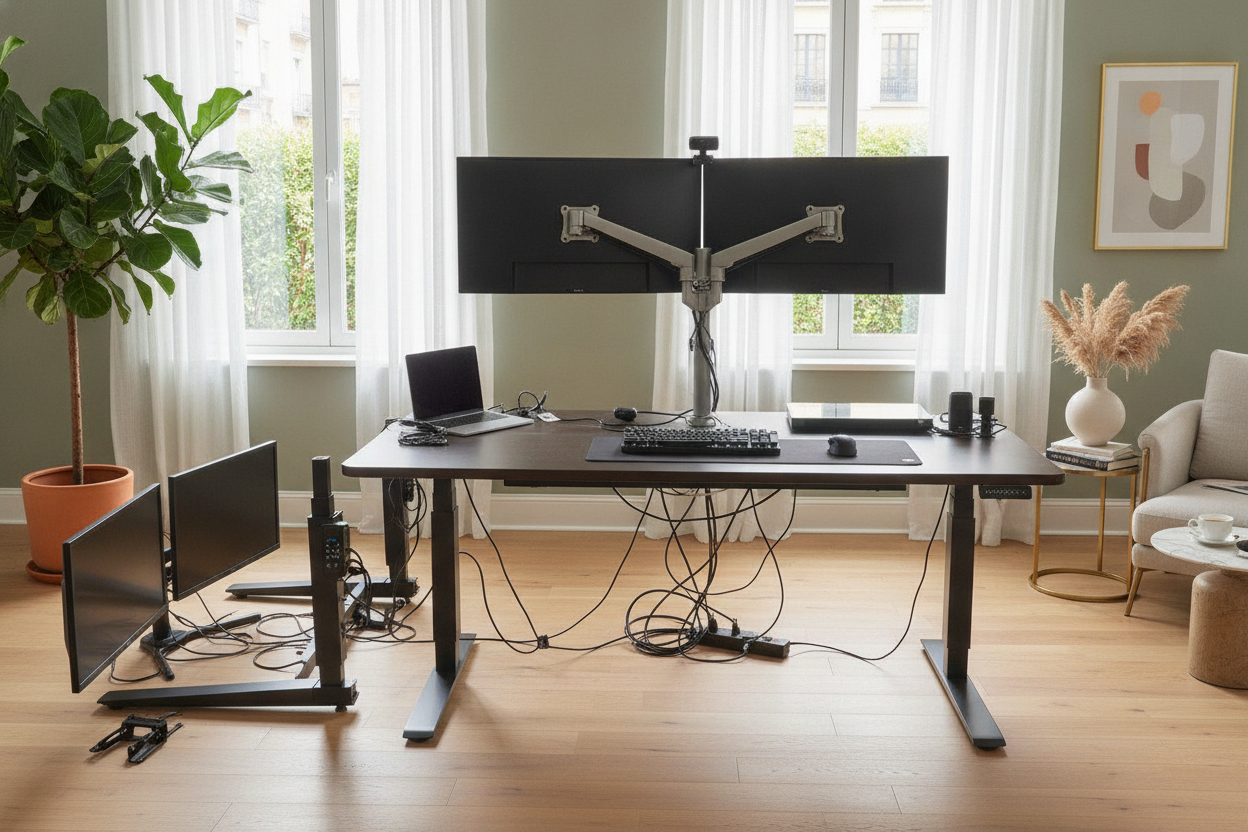
I remember the moment clearly: I was mid-Zoom call, frantically typing a note, and my two 27-inch monitors started swaying like palm trees in a hurricane. I had just upgraded to a budget motorized standing desk I found on a flash sale, thinking a motor is a motor. I was wrong. My coffee was sloshing, my webcam looked like it was filming during an earthquake, and I realized I had made a massive mistake in prioritizing price over physics.
We have all been there, staring at forty-seven browser tabs of electric lift desks trying to figure out why one costs $200 and another costs $800. They look identical in photos, right? But after living through a wobbly disaster, I can tell you that the specs you ignore—like motor count and frame depth—are the ones that actually keep your expensive screens from crashing to the floor.
Quick Takeaways
- Weight capacity ratings often refer to static weight, not lifting power.
- Single-motor systems are prone to uneven wear and jerky movements.
- Desk depth is the secret weapon against front-to-back monitor wobble.
- Dual monitors require a dual-motor frame for long-term reliability.
The Day My Setup Almost Tipped Over
I thought I was being smart. I bought a basic electric work desk with a thin particle-board top and a single-motor frame. It looked sleek enough in my 10x10 spare room. For the first week, it was fine while I sat. Then, I hit the 'up' button to stand for my afternoon slump. At 45 inches high, the center of gravity shifted, and the weight of my dual monitors on their heavy clamp-on arm turned the whole thing into a pendulum.
Every keystroke sent a vibration through the legs that amplified by the time it reached my screens. It was nauseating. I had to type like I was touching hot coals just to keep the monitors still. Cheap electric desks often use thin-walled steel for the legs, which flexes under the leverage of a heavy desktop adjustable standing desk setup. I learned the hard way: if your desk feels like a Jenga tower at standing height, it is only a matter of time before a motor burns out or a screw strips.
The Big Lie About Weight Capacity on Electric Lift Desks
Most manufacturers will slap a '150 lbs capacity' sticker on their lifting computer desk and call it a day. What they do not tell you is that this is usually the static load—what it can hold while sitting still. The dynamic load, or what the motor can actually lift without sounding like a dying blender, is often much lower. When I loaded my gear onto that first desk, the motor groaned and whined every time I moved it.
If you are coming from a traditional writing computer desk, you are used to a rock-solid four-legged base. Transitioning to a two-legged power standing desk means you are trading that structural stability for convenience. When you add heavy dual monitors, a boom arm, and maybe a desktop tower, you are asking those two legs to do a lot of heavy lifting. If the motor struggles, it moves in tiny, jerky increments that rattle your hardware and shorten the lifespan of the electronics.
If You Have Huge Monitors, You Need a Large Electric Desk
Stability is not just about the strength of the steel; it is about the footprint. Most cheap desks are 24 inches deep, which is fine for a laptop but a nightmare for heavy screens. When your monitors are mounted on an arm, they usually sit slightly behind the center point of the desk. This creates an unbalanced load that pulls the desk backward. I eventually upgraded to a super sized standing desk with electric lift with a 30-inch depth, and the difference was night and day.
That extra six inches of depth spreads the base of the feet further apart. It anchors the whole ergonomic electric desk against that annoying front-to-back rocking. If you are running a multi-monitor setup, do not even look at anything under 30 inches deep. You need that surface area to distribute the weight of your mounts and to keep your eyes at a comfortable distance from the screens anyway.
Single vs. Dual Motors: Don't Cheap Out Here
The heart of a standing sitting desk electric system is the motor. Single-motor desks use a hexagonal rod to transfer power from one leg to the other. It is a mechanical failure point waiting to happen. If that rod slips or the legs get slightly out of sync, your desk will tilt, jamming the telescoping legs and potentially burning out the motor. I have seen it happen, and it is a nightmare to fix.
A high-quality adjustable height standing desk with electric lift uses dual motors—one hidden in each leg. This allows the desk to lift more weight faster and, more importantly, much more quietly. Dual motors handle asymmetrical weight much better, which is crucial since most of us do not perfectly center our heavy gear. Plus, having memory presets is a must; you do not want to hold the button down for twenty seconds while your monitors shake every time you change positions.
How I Finally Built a Stable Ergonomic Electric Desk
My current setup is finally rock-solid. I ditched the bargain-bin frame for a heavy-duty dual-motor base with thick, three-stage legs. I also realized that my cable nest was contributing to the problem. Every time the desk moved, a caught power strip cord would tug on the frame, adding unnecessary tension. Once I properly hid the cords on my electric standing desk, the movement became smooth and silent.
The takeaway? Do not let the price tag be your only guide. If you have a heavy setup, you are better off saving for another month to get a desk with a higher weight rating and a deeper footprint. Your monitors (and your morning coffee) will thank you.
FAQ
Is a single motor enough for a laptop setup?
Yes, if you are only using a laptop and maybe one lightweight monitor, a single-motor desk is usually fine. The problems start when you add heavy mounting arms and multiple screens that create off-center tension.
Why does my desk wobble more when it is high?
It is simple physics. The higher the desk goes, the less overlap there is between the telescoping segments of the legs. This makes the frame less rigid. Higher-end desks use thicker steel and tighter tolerances to minimize this.
How much weight capacity do I actually need?
Aim for a desk rated for at least 50% more than your gear weighs. If your setup is 50 lbs, look for a desk rated for 200 lbs. This ensures the motor is not working at its absolute limit, which extends its life and keeps the movement smooth.


Dejar un comentario
Este sitio está protegido por hCaptcha y se aplican la Política de privacidad de hCaptcha y los Términos del servicio.