










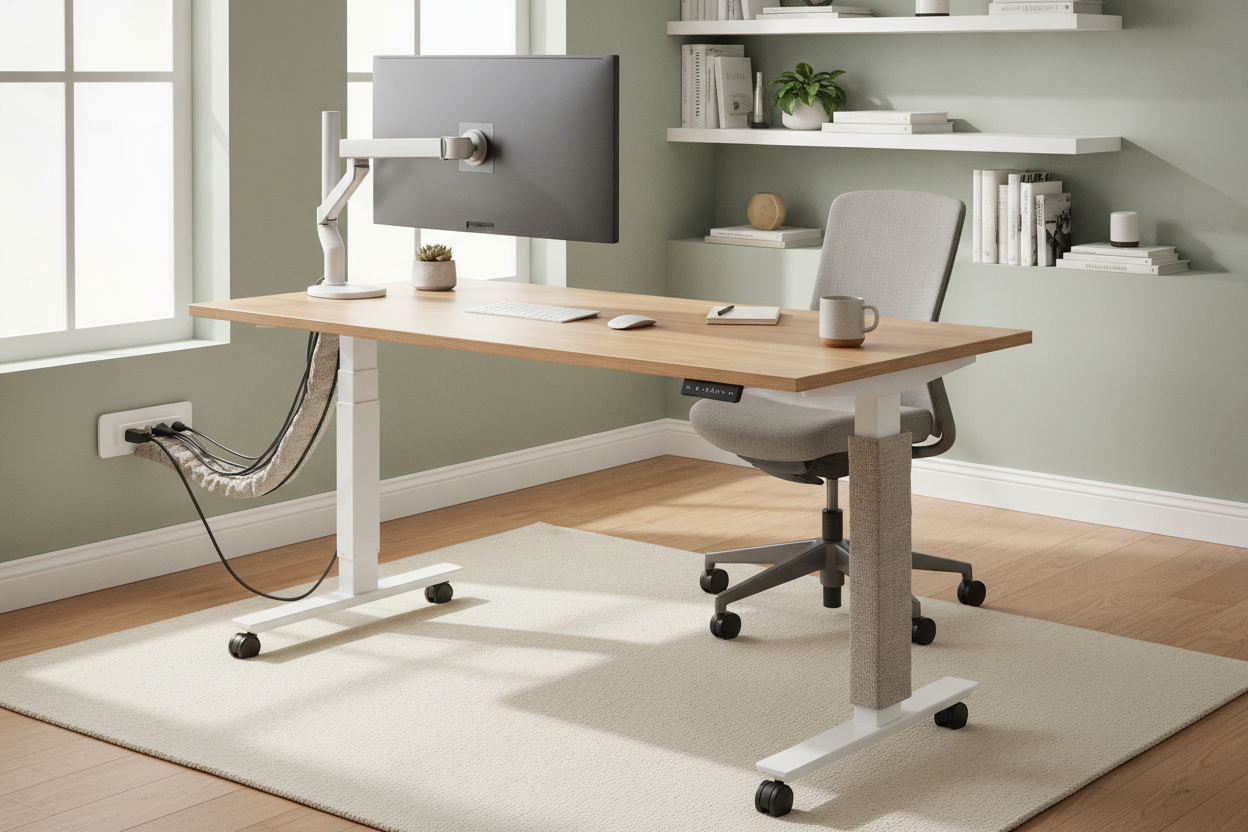
I have a chronic focus problem. I need to move my workspace three times a day just to keep my brain from turning into mush. I spent weeks hunting for the perfect standing desk with wheels because I wanted to be by the window for my morning coffee and tucked into a quiet corner for my afternoon deep work. But the moment I plugged in my new sit stand desk on wheels, the dream died. I wasn't a nomadic productivity god; I was just a guy with a massive, black power cord trailing behind me like a sad tail.
- Mount a heavy-duty surge protector directly to the desk frame to keep everything self-contained.
- Use a coiled extension cord to provide enough slack for movement without creating a tripping hazard.
- Invest in rubber locking casters to prevent the 'skating' effect on hardwood floors.
- Organize cables with 3M adhesive clips before you start rolling to avoid snags.
The Unspoken Problem With Roaming Workstations
The aesthetic fantasy of a stand up desk with wheels is a clean, minimalist slab of wood floating in a sun-drenched loft. The reality is much messier. When you buy a desk on wheels adjustable for height, you aren't just moving a piece of furniture; you are moving a motorized appliance. That motor needs juice. Most people realize too late that their wheeled standing desk is effectively on a leash, tethered to a single wall outlet.
My first week with a desk on wheels adjustable height was a disaster. I’d roll the desk toward the window, forget about the cord, and feel that sickening jolt as the plug ripped out of the socket. Or worse, I’d roll back and the casters would crunch right over my expensive MacBook charger. It turns out that making a desk mobile is easy, but making it safely mobile requires a level of cable management most people aren't prepared for. You have to account for the vertical travel of the desk and the horizontal travel across the room simultaneously.
Battery Packs vs. Extension Cords: My Failed Tests
I initially thought I could solve this by going 'off-grid.' I bought a $200 portable power station and strapped it to the underside of my adjustable standing desk on wheels. It looked like a science experiment gone wrong. The battery was heavy enough to make the desk lean, and it only lasted about four hours before the dual motors and my external monitor drained it dry. It was a total bust. If you are looking at a DIY Ikea desk on wheels hack, most guides completely ignore the fact that batteries are a massive hassle for high-draw setups.
Then I tried a standard 12-foot power strip. I used heavy-duty Velcro to stick it to the leg of my adjustable computer desk on wheels. It stayed for exactly two days before the weight of the cords pulled the adhesive off, leaving a sticky mess on my frame. I realized that if I wanted a truly functional mobile setup, I had to stop treating the power cord like an afterthought and start treating it like a part of the desk's anatomy. You can't just have things dangling when you're moving a 100-pound piece of furniture across a rug.
My 3-Step Strategy for Taming the Power Cable
The breakthrough came when I stopped trying to hide the cord and started managing its path. First, I installed a steel under-desk cable tray. Do not buy the cheap mesh ones; they sag. You need a solid tray that can hold a heavy 6-outlet surge protector. This ensures that every single device—your monitor, your laptop, and the desk motor itself—plugs into one central spot on the desk. This reduces your 'tail' to a single cable. It makes your standing table with wheels feel like one self-contained unit rather than a web of wires.
Second, I swapped the standard power strip cord for a 15-foot 14-gauge coiled extension cord. This is the secret sauce for an adjustable height standing desk with wheels. The coiled cord acts like an old-school telephone wire; it stretches when I move the desk across the room and retracts when I’m close to the outlet. No more loose loops for the casters to run over. Finally, I used 3M VHB adhesive clips to route the main cable down the back of the desk leg, leaving just enough slack for the desk to reach its maximum standing height without tension.
Electric vs. Manual: Which Is Actually Better for Rolling?
If you are frequently room-hopping, you have to ask yourself if an electric standing desk on wheels is worth the cable drama. A manual pneumatic desk is significantly lighter and doesn't require a power source for the lift, which makes it the ultimate 'roaming' option. However, if you have a heavy setup with dual monitors and a desktop PC, you’re going to want the muscle of an adjustable height standing desk. Cranking a manual desk with 50 pounds of gear on it is a workout you didn't ask for.
An electric standing desk with wheels is a superior experience for long-term ergonomics, provided you have the right casters. Most desks come with cheap plastic wheels that feel like they belong on a grocery cart. I swapped mine for 3-inch polyurethane 'rollerblade' style wheels. They glide over carpet and don't leave scuff marks on my hardwood. If you’re going electric, the weight of the motors actually helps stabilize the desk while you’re rolling, making it feel less top-heavy and prone to tipping than a lighter manual version.
The Final Setup (And My Uncluttered Floors)
Now, my workspace is exactly what I wanted it to be. My small adjustable desk on wheels can travel from my bedroom to the living room in about ten seconds, and I don't have to spend another ten minutes untangling cords. Everything is tucked into the tray, and that single coiled cord is the only hint that the desk is even plugged in. It’s a clean, professional look that doesn't make my living room look like a server room.
If you don't actually plan on moving your desk, save yourself the $50 on casters and the $30 on a cable tray and just get a solid, stationary writing computer desk. But if you’re like me and your productivity depends on a change of scenery, taking the time to cable-manage your mobile desk is the difference between a workspace you love and a workspace you trip over every single morning.
Can I add wheels to any standing desk?
Usually, yes. Most standing desk frames use standard M8 threaded inserts for the leveling feet. You can buy a set of M8 casters and simply screw them in. Just make sure the casters are rated for the weight of your desk plus your equipment.
Do wheels make the desk more wobbly?
A little bit. You are adding 3 to 4 inches of height and a narrower point of contact with the floor. To minimize wobble, use high-quality locking casters and keep the desk at a lower height when you are doing heavy typing.
Is a small adjustable table on wheels sturdy enough for a monitor arm?
It depends on the base. Look for a 'T-frame' or 'C-frame' made of heavy steel. If the base is too light, the weight of a monitor arm can make a small adjustable desk on wheels tip forward. Always check the weight capacity before mounting expensive gear.


Dejar un comentario
Este sitio está protegido por hCaptcha y se aplican la Política de privacidad de hCaptcha y los Términos del servicio.