










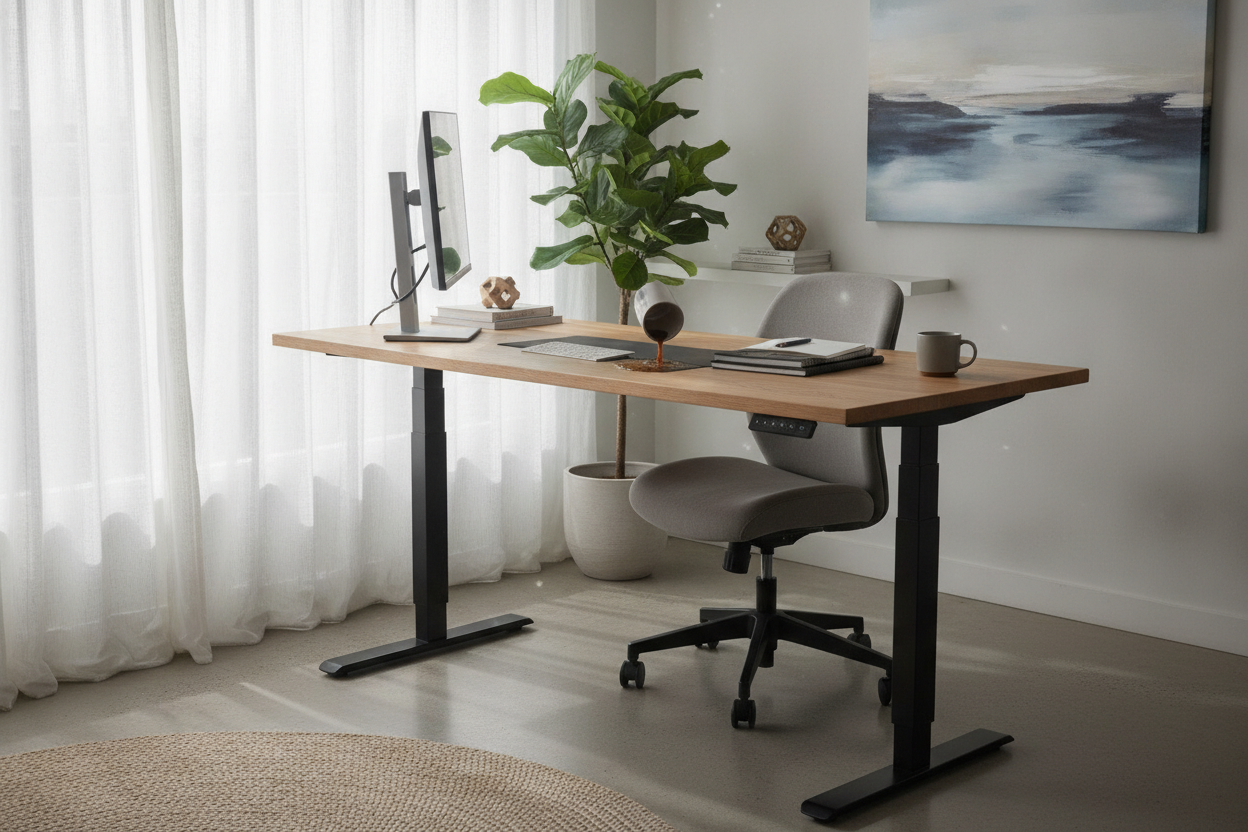
I was sitting there at 8:00 AM, holding a ceramic mug filled to the brim with dark roast. I hit the '2' preset on my motor standing desk, expecting a graceful ascent to my standing height. Instead, the frame kicked off with a violent lurch that sent a literal wave of caffeine across my desk pad and straight into my mechanical keyboard. It was the ultimate WFH betrayal.
We spend so much time obsessing over the wood finish or the desktop size that we forget the most important part: the movement. If your desk moves like an old freight elevator, you aren't going to use it. You'll just leave it at one height and regret the $400 you spent on a motorized frame.
Quick Takeaways
- Soft-start and soft-stop technology is the difference between a smooth glide and a jerky mess.
- Dual motors offer better synchronization and weight handling than single-motor hex rod systems.
- Improper weight distribution can make even a high-end motor stutter.
- Check the decibel rating; loud motors usually vibrate more, leading to more spills.
The Tragedy of the 'Jolting' Workspace
There is a specific kind of frustration that comes from a desk that doesn't know how to start moving gently. When you transition from a traditional writing computer desk to an adjustable one, you expect a certain level of sophistication. Instead, many budget frames use cheap controllers that deliver 100% power to the motor the millisecond you touch the button.
That instant torque is what causes the 'jolt.' It’s not just about your coffee, either. Over time, that repetitive jarring is terrible for your monitor arms and any spinning hard drives you might have tucked away. A desk should feel like a piece of precision machinery, not a carnival ride.
The 'Spill Test': How Smooth Should the Lift Actually Be?
In my years of testing these things, the 'Spill Test' is my gold standard. I fill a glass with water, place it right in the center, and cycle the height. High-end motors for standing desk setups use 'soft-start' tech. This is a programmed ramp-up in voltage that eases the gears into motion over about half a second.
If you’ve read my review of the Radlove desk, you know that noise and vibration are usually linked. A motor that whines or grinds is usually a motor that is struggling with friction. That friction translates to micro-stutters in the legs, which is why your water glass looks like that scene from Jurassic Park every time you change positions.
Single vs. Dual: The Unsexy Secret to a Stable Glide
Most people don't look under the hood. A single-motor desk usually has one motor on one leg and a long 'hex rod' that stretches across the frame to turn the gears on the other side. It’s a mechanical compromise. The rod can flex, the gears can slip, and one side often ends up a fraction of a millimeter higher than the other. That’s a recipe for a jerky desk motors experience.
Dual motors are the way to go. You have a dedicated motor in each leg, synchronized by a control box. This setup provides much more torque and a significantly smoother lift because the power is applied directly where the weight is. It feels more like an elevator and less like a hand-cranked jack.
Does a Heavy Monitor Setup Make the Jitters Worse?
Weight distribution is the silent killer of a standing desk with motor performance. If you have two 27-inch monitors clamped to the back left corner, you’re asking the motor on that side to do significantly more work. Cheap motors will drag under that uneven load, causing the desk to tilt slightly as it rises, which leads to—you guessed it—more coffee on your lap.
When I tested a massive 71-inch adjustable desk, I realized that the wider the desk, the more these balance issues are magnified. If you’re running a heavy rig, you cannot skimp on the motor quality. You need something that can detect the load and compensate without stuttering.
3 Red Flags You're Buying a Jerky Motor Adjustable Desk
Before you hit 'buy' on that suspiciously cheap motor adjustable desk, look for these red flags. First, if the listing doesn't explicitly mention 'soft start' or 'soft stop,' it probably doesn't have it. Second, check the weight capacity. If it's under 150 lbs, it’s likely using a weak, single-motor system that will struggle with a basic office setup.
Finally, look at the warranty. A company that only offers 1 year on the electronics knows those motors are going to burn out or get noisy fast. I learned this the hard way when my last lift mechanism failed after only six months of moderate use. If they don't trust the motor for five years, neither should you.
My Current Setup (That Actually Protects My Mugs)
These days, I’m much pickier. I won't use a desk that doesn't have a sophisticated control box. My current desk with an electric lift system has spoiled me. It has four memory presets and a glide so smooth I can leave a spoon resting in my mug without hearing a single clink against the ceramic.
It’s a bit more of an investment upfront, but when you consider the cost of a ruined keyboard (or the soul-crushing feeling of cleaning up coffee at 8:05 AM), it pays for itself. Buy the better motor. Your morning self will thank you.
FAQ
Can I upgrade the motor on my current desk?
Usually, no. The motors are integrated into the leg columns and the control box is programmed for specific gear ratios. You're better off replacing the entire frame.
Why does my desk shake more when it's at full height?
That’s usually a stability issue with the leg stages, not the motor. As the legs extend, there is less overlap between the segments, which allows for more wobble.
Are dual motors louder than single motors?
Actually, they're often quieter. Because two motors are sharing the load, neither has to work as hard, which usually results in a lower-pitched, smoother hum rather than a high-pitched whine.



Dejar un comentario
Este sitio está protegido por hCaptcha y se aplican la Política de privacidad de hCaptcha y los Términos del servicio.