










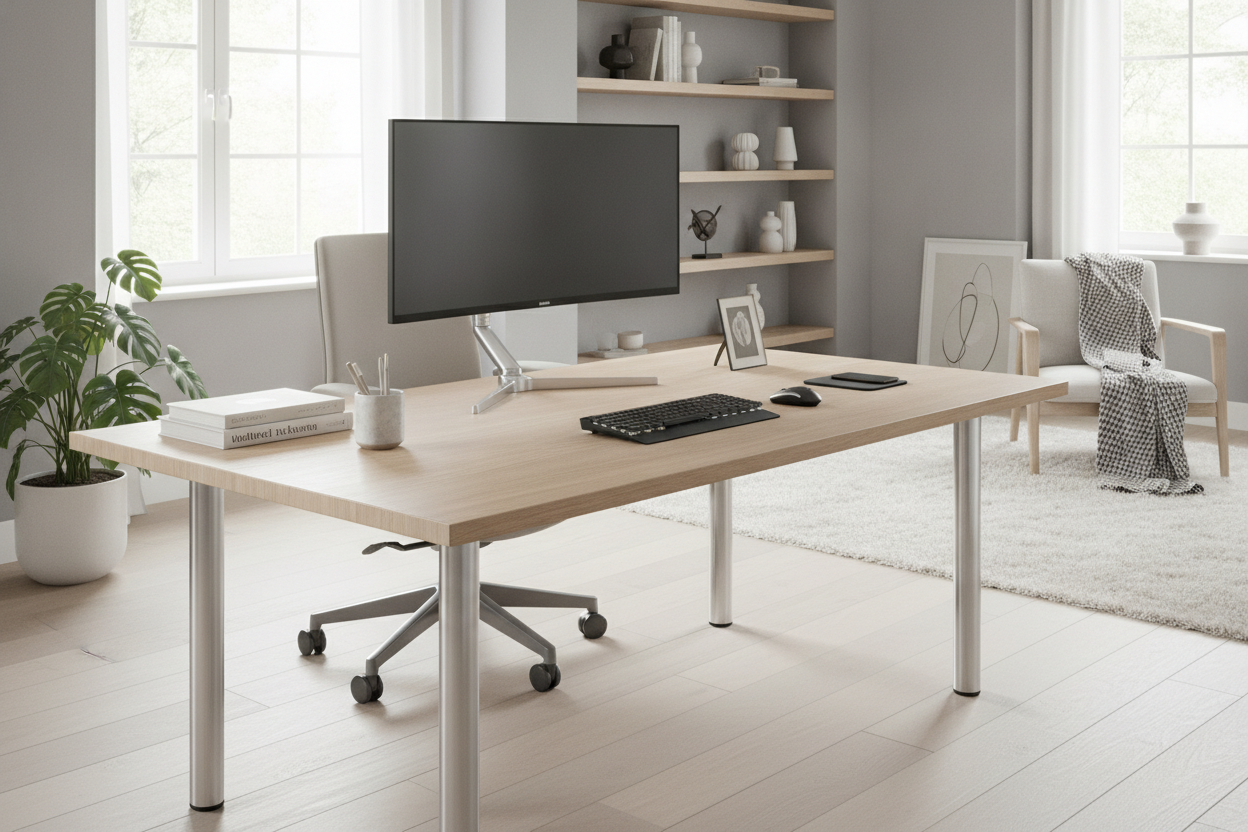
I spent three years wondering why my upper back felt like a bag of crushed gravel by 3:00 PM every Tuesday. I blamed my chair, my monitor height, and even my pillow. It turns out the culprit was the very thing holding up my coffee: my desk. Most mass-market furniture is built to a rigid, 'average' standard that assumes everyone is about five-foot-eight. If you have long legs or a long torso, that standard height is a recipe for a permanent hunch.
I finally stopped the suffering when I discovered desk height spacers. These little pieces of hardware are the simplest way to customize a workspace without spending $600 on a motorized frame. By adding just two or three inches of clearance, I stopped hitting my knees on the desk apron and finally brought my keyboard up to a level that didn't require me to turtle-neck all day.
Quick Takeaways
- Standard desk heights (28-30 inches) are often too low for anyone over 5'9'.
- Spacers provide a cheap way to add 2-4 inches of ergonomic clearance.
- Metal furniture legs or 'standoffs' are the most stable DIY option.
- Stability is key; always use non-slip pads or mechanical fasteners.
Standard Desks Are Built for Average Heights (Which Means They Hurt)
Walk into any big-box furniture store and measure the desks. You will find that almost every single one sits between 28 and 30 inches off the floor. This isn't because 29 inches is some magical ergonomic peak; it's because it's the easiest height to manufacture for the widest possible demographic. It's the 'one size fits none' of the furniture world.
If you are tall, or even just slightly above average, finding a writing computer desk that doesn't feel like a preschool toy is a genuine challenge. You end up slouching to reach the keys, or your chair is set so low to accommodate your legs that your elbows are at a sharp, painful angle. This 'computer hunch' isn't just an aesthetic issue—it leads to real-deal thoracic outlet issues and chronic neck strain. I realized I was spending eight hours a day compressed like an accordion just to fit into a piece of furniture that cost me eighty bucks.
Enter Desk Height Spacers: The $15 Posture Fix
The solution isn't always a brand-new desk. If you like your current tabletop but hate the height, you need spacers. These are essentially small risers that sit between your desk legs (or drawer units) and the tabletop itself. You can find them as plastic blocks, but I prefer the heavy-duty metal furniture legs often sold as 'cabinet feet.'
These spacers come in various heights, usually ranging from two to four inches. They are the ultimate budget hack because they allow you to keep the storage you already have while fixing the ergonomic failure of the original design. I've tried the cheap plastic bed-riser style, and frankly, they look terrible in a grown-up office. Stainless steel cylinders or matte black aluminum standoffs look intentional, like you bought a high-end designer piece rather than a DIY fix from a hardware store.
How I Hacked My Setup Using IKEA Desk Standoffs
The most popular way to use these is with the classic 'Alex drawer' setup. You’ve seen it on every productivity YouTuber’s channel: two drawer units and a long countertop. The problem is that the drawers alone are only 27.5 inches tall. Add a standard top, and you’re still under 29 inches. By using ikea desk standoffs—specifically the 2-inch or 4-inch Capita legs—you can create a 'floating' tabletop effect that looks incredible and saves your back.
When I built mine, I didn't want to drill into my expensive walnut top. I used four stainless steel standoffs and secured them to the top of the drawer units first. Then, I applied heavy-duty silicone non-slip pads to the top of the spacers. The weight of the wooden top keeps everything in place, and it gave me that extra clearance I needed for my ergonomic chair arms to slide under the desk. This is the guide to custom setups I wish I had read before I spent years staring at my lap while typing.
Will Adding Spacers Make My Desk Wobbly?
This is the first thing everyone asks. If you just stack loose blocks under a desk, yes, it will wobble every time you type. The trick is surface area. If you're using small, thin spacers, you absolutely have to bolt them down. I made the mistake of using skinny 1-inch pegs once, and my monitors shook like there was an earthquake every time I hit the backspace key.
To keep things rock-solid, look for spacers with a wide mounting plate. If you have a heavy solid-wood top, the weight alone will do a lot of the work for you, but I still recommend a bit of adhesive or a single screw per leg. Also, check the weight capacity. Most small furniture legs are rated for about 50 lbs each, which is plenty for a desk, but if you're rocking a triple-monitor mount and a heavy PC tower, do the math first. Nobody wants their setup collapsing because they used flimsy plastic spacers.
When You Should Just Buy a Real Adjustable Desk
Look, I love a good hardware hack, but spacers are a static solution. They fix the height for sitting, but they don't turn a regular desk into a standing one. If you find yourself wanting to switch positions throughout the day, or if you need to raise your desk by more than four inches, spacers aren't the answer. Adding six inches of spacers to a standard desk creates a center-of-gravity nightmare that I wouldn't trust with a laptop, let alone a full rig.
If you're at that point, it is time to invest in a proper adjustable height standing desk. A motorized frame gives you the precision that spacers can't—you can dial it in to the exact millimeter. But if you just need that two-inch boost to make your favorite vintage desk finally fit your frame, a set of $15 standoffs is the smartest upgrade you'll ever make for your body.
FAQ
Do I have to drill holes in my desk to use spacers?
Not necessarily. If your tabletop is heavy (like solid wood or thick MDF), you can often get away with using high-friction rubber pads between the spacer and the top. However, for maximum stability, screwing them into the base is always better.
Can I use spacers on a desk with four legs instead of drawers?
It's much harder. Spacers work best between a flat surface (like a drawer unit) and the top. If your desk has four thin legs, you're better off buying replacement legs that are longer rather than trying to 'extend' the existing ones.
What is the ideal height for a desk?
For most people, your elbows should be at a 90-degree angle with your feet flat on the floor. For someone 6'0', that usually means a desk height of about 30-31 inches, which is why those 2-inch spacers make such a massive difference.

Dejar un comentario
Este sitio está protegido por hCaptcha y se aplican la Política de privacidad de hCaptcha y los Términos del servicio.