










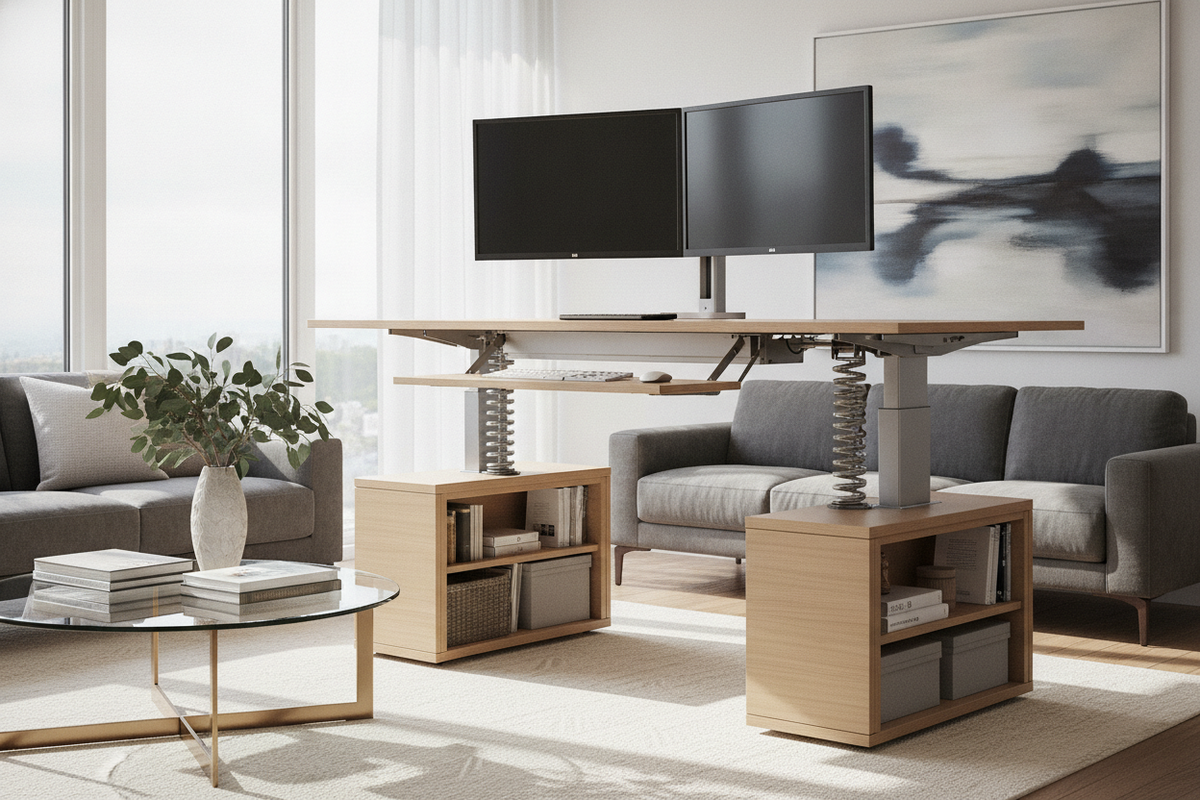
Upgrading a conventional workstation into an active sit-to-stand environment does not always require replacing your existing furniture. A 48 standing desk converter serves as an expansive retrofit solution, engineered specifically for professionals who manage intensive multi-screen configurations, analog paperwork, and specialized peripherals on a single surface.
Architectural Overview of the 48 Standing Desk Converter
Defining the 48-Inch Converter Tier for Multi-Monitor Workspaces
Workstation risers generally span compact laptop platforms up to expansive executive tiers. Selecting a 48" standing desk converter places your setup in the widest category of desktop risers. This spatial footprint easily accommodates dual standard displays or an ultrawide screen alongside a docked notebook without visual crowding. For a broader perspective on selecting styles and structural profiles, consult our detailed standing desk converter guide.
Dual-Tier Geometry: Upper Display Deck vs Lower Keyboard Platform
An effective 48 standing desk converter relies on a dual-tier structural design. The top surface acts as the primary visual plane, keeping monitors at natural eye level to avoid neck strain. Below it, a recessed lower deck positions the keyboard and mouse closer to the primary desk plane, facilitating relaxed forearm resting angles in both seated and standing modes.
Surface Architecture and Reach Envelopes
Primary Display Zone: Balancing Dual Screens and Laptop Integration
The top tier of a 48 standing desk converter gives users the lateral width needed to orient two screens side-by-side in a slight inward curve. This curvature maintains equal focal distances across displays. Users can also dock a laptop beside a central monitor, organizing daily tools without sacrificing surface space.
Secondary Task Zones: Document Trays, Peripherals, and Neutral Reach
Beyond screen placement, the generous lateral span establishes dedicated secondary zones. The outer edges provide resting space for writing pads, desktop organizers, audio interfaces, or lighting mounts. Keeping high-frequency items within an easy radial reach helps maintain an efficient workflow and minimizes unnecessary stretching throughout the day.
Keyboard Tier Ergonomics: Wrist Clearance and Drop-Down Angles
The lower platform on a 48 standing desk converter must provide ample clearance for full-sized keyboards and large mousepads. A wide drop-down deck allows the hands to rest naturally without hitting the structural brackets of the upper tier. Rounded front bevels further enhance wrist comfort during long typing sessions.
Lifting Mechanisms and Kinetic Clearance Envelopes
Pneumatic Gas Springs vs Manual Counterbalance Systems
Smooth kinetic movement is essential when elevating loaded multi-monitor platforms. Pneumatic gas spring mechanisms counterbalance the weight of equipment, enabling smooth, controlled elevation with light hand lever engagement. In contrast, mechanical ratcheting or spring systems require steady manual guidance to reach desired heights securely.
Vertical Lift Trajectories: X-Lift Stability vs Straight-Up Rise Dynamics
Converters follow specific kinetic tracks during adjustment. Traditional X-frame designs shift slightly forward as they rise, which can alter focal distance and change front-edge balance. Modern vertical scissor mechanisms elevate straight upward within the base footprint, preventing the unit from protruding into the walking path of smaller home offices.
Weight Distribution and Base Desk Structural Load Considerations
Placing an extra-wide converter loaded with monitors onto existing furniture requires an awareness of total surface load. When planning a workstation, compare converter requirements against standard full-frame options such as an adjustable standing desk product to evaluate which base solution best matches your equipment demands.
Base Furniture Compatibility and Room Archetype Layouts
Evaluating Primary Desk Depth and Edge Overhang Risks
Before installing a 48 standing desk converter, verify that your foundation desk provides adequate depth. The converter base feet must rest entirely on the primary desk surface without overhang to prevent tipping. For broad surfaces, exploring a dedicated wide standing desk product can provide a stable, purpose-built alternative.
Executive Office and Credenza Integration Strategies
Solid wood executive desks, traditional credenzas, and built-in cabinetry often possess distinctive finishes worth preserving. A 48" standing desk converter preserves the visual character and storage capacity of these classic pieces while adding ergonomic flexibility. To explore how height-adjustable setups complement existing decor, review our standing desk guide.
Corner and L-Shaped Workstation Positioning
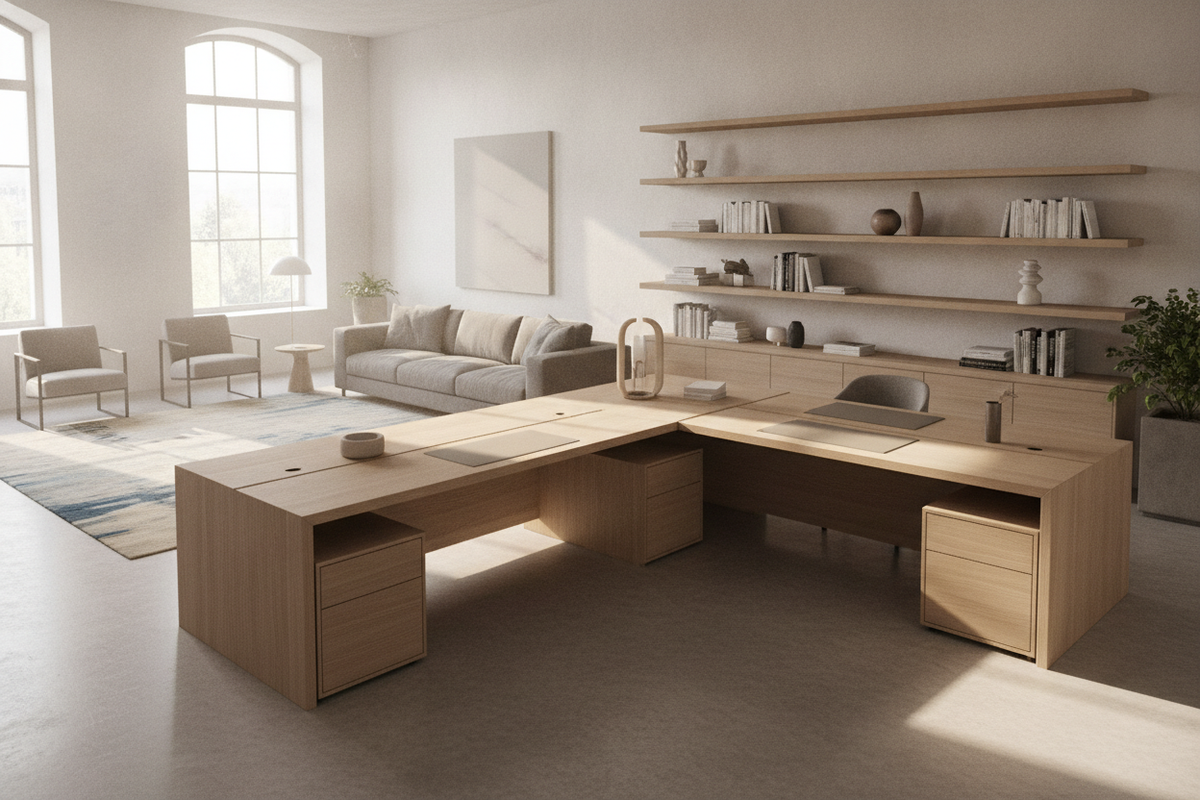
In L-shaped or corner workspaces, placing a wide converter requires strategic alignment. Positioning the unit directly at the 90-degree inner junction can result in rear bracket interference against walls. Instead, align the converter along the primary open wing to maintain unobstructed lift pathways and clear cable transitions.
Material Selection, Structural Rigidity, and Cable Management
Engineered Wood Tops, Steel Frame Gauges, and Vibration Damping
Minimizing monitor wobble is critical for wide converters. High-density engineered wood tops paired with heavy-gauge steel framing create a rigid assembly that resists surface flex. Non-slip silicone or rubber footpads beneath the base dampen typing vibrations and protect the primary desk finish from scuffs.
Dynamic Cable Routing Across Sit-to-Stand Articulation Paths
Transitioning between sitting and standing heights creates dynamic slack requirements for power and display cables. Utilize flexible wire wraps, adhesive clips, and under-deck routing channels to bundle wires along the moving hinges, ensuring cords do not catch or disconnect during vertical adjustment.
Storage Harmony and Desk Perimeter Optimization
Under-Desk Clearance and Mobile Pedestal Storage Positioning
Because a desktop converter occupies upper surface area without altering lower structural components, under-desk legroom remains completely clear. This configuration leaves ample room beneath the main table for mobile filing pedestals, CPU holders, or modular drawer units.
Flanking Credenzas, Lateral File Cabinets, and Wall-Mounted Bookcases
Pairing your 48 standing desk converter with surrounding office cabinetry maintains an organized workspace. Storing paperwork and secondary equipment in flanking lateral file cabinets or within a dedicated wide-format standing desk product ecosystem keeps the active desktop clutter-free, functional, and visually balanced.

Leave a comment
This site is protected by hCaptcha and the hCaptcha Privacy Policy and Terms of Service apply.