










Merging professional functionality with domestic comfort is one of the most nuanced challenges in modern interior design. The goal is not merely to shove a desk into a corner, but to curate a space that fosters productivity without disrupting the visual harmony of your living area. If you are struggling to balance ergonomics with aesthetics, you are not alone. This guide breaks down exactly how to select and style a workstation home setup that acts as a sophisticated focal point rather than a cluttered eyesore.
Key Features to Look For
- Ergonomic Integrity: Look for adjustable heights and lumbar support that doesn't sacrifice the chair's silhouette.
- Material Durability: Prioritize hardwoods (oak, walnut) or high-grade laminates over particle board for longevity.
- Scale and Proportion: Ensure the desk depth (minimum 24 inches) accommodates monitors without overwhelming the room.
- Cable Management: Integrated grommets or hidden channels are essential for maintaining visual calm.
- Lighting Capability: The surface should not produce glare when paired with task lighting.
Mastering Space Planning and Layout
The placement of your furniture dictates the flow of the room. In my design practice, I often see work stations at home pushed against a wall, leaving the user staring at blank paint. Instead, consider the "command position." If space permits, float the desk in the room or position it perpendicular to a window. This allows for natural light to wash over the workspace without causing direct glare on your screen, while also keeping the room's sightlines open.
Visual Weight and Balance
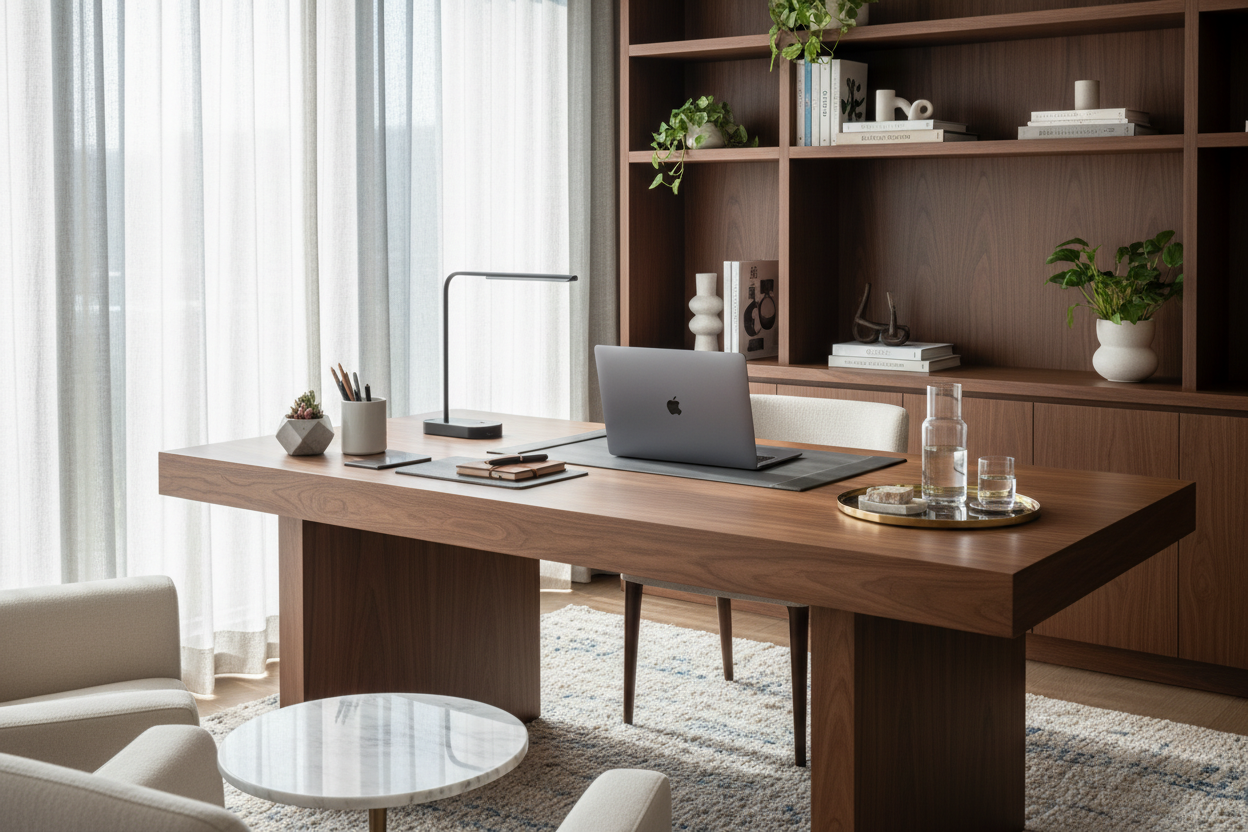
In smaller apartments or multi-use rooms, opt for a desk with "leggy" silhouettes or glass tops. These designs have less visual weight, allowing the eye to travel through the piece, making the room feel larger. Conversely, for a dedicated study, a pedestal desk in solid wood anchors the space and signals a serious work mode.
Choosing the Right Material
The tactile experience of your furniture is just as important as the look. When selecting a home working station, the material dictates both the maintenance required and the atmosphere created.
Solid Wood vs. Veneer
Solid wood, such as walnut or white oak, offers warmth and can be refinished over time. It develops a patina that tells a story. However, high-quality architectural veneers are often more stable in fluctuating humidity and allow for intricate grain matching that solid wood cannot achieve. Avoid low-pressure laminates (LPL) if you want a luxury finish; they often feel cold and plasticky to the touch.
The Ergonomic Aesthetic
Comfort does not require sacrificing style. The era of bulky, ugly office chairs is over. Look for task chairs upholstered in performance velvet or full-grain leather that conceal their mechanisms. The mechanism under the seat should be slim-profile. When integrating technology, use monitor arms to clear desk real estate. This negative space is crucial for mental clarity and prevents the setup from looking cluttered.
Lessons from My Own Projects
I learned a hard lesson early in my career regarding "apron height"—the vertical strip of wood directly under the desktop surface. I sourced a stunning, mid-century modern vintage desk for a client's workstation home refresh. It looked incredible in the showroom.
However, once we installed it, we realized the apron was too deep (about 5 inches). My client, who was tall, couldn't cross his legs, and his ergonomic chair arms kept banging into the wood, chipping the finish within a week. It was a functional disaster despite being aesthetically perfect. Now, I always carry a tape measure to check the "knee clearance" specifically (aim for 25 inches or more from floor to apron bottom) and test the chair arm height against the desk edge before purchasing. It’s these unpolished, practical details that save you from daily annoyance.
Conclusion
Creating a refined workspace is about intentionality. By selecting materials that age gracefully and respecting the architectural flow of your room, you elevate your daily grind into a ritual. Invest in pieces that serve your body and delight your eye, and your home office will become your favorite room in the house.
Frequently Asked Questions
How deep should a home workstation be for two monitors?
For a dual-monitor setup, aim for a desk depth of at least 30 inches. This ensures you can maintain the proper viewing distance (about an arm's length away) to reduce eye strain, while still having room for a keyboard and notepad.
What is the best lighting temperature for a home office?
Aim for a color temperature between 3500K and 4000K (Cool White). This mimics natural daylight and boosts concentration. Avoid warm 2700K bulbs, which are better suited for living rooms and can induce drowsiness during work hours.
How do I protect a wood desk from scratches and heat?
If you prefer not to cover the wood with a large mat, invest in a custom-cut glass top or high-quality leather blotter. For a more natural approach, use a hard-wax oil finish which allows you to spot-repair scratches without stripping the entire piece.

Leave a comment
This site is protected by hCaptcha and the hCaptcha Privacy Policy and Terms of Service apply.