










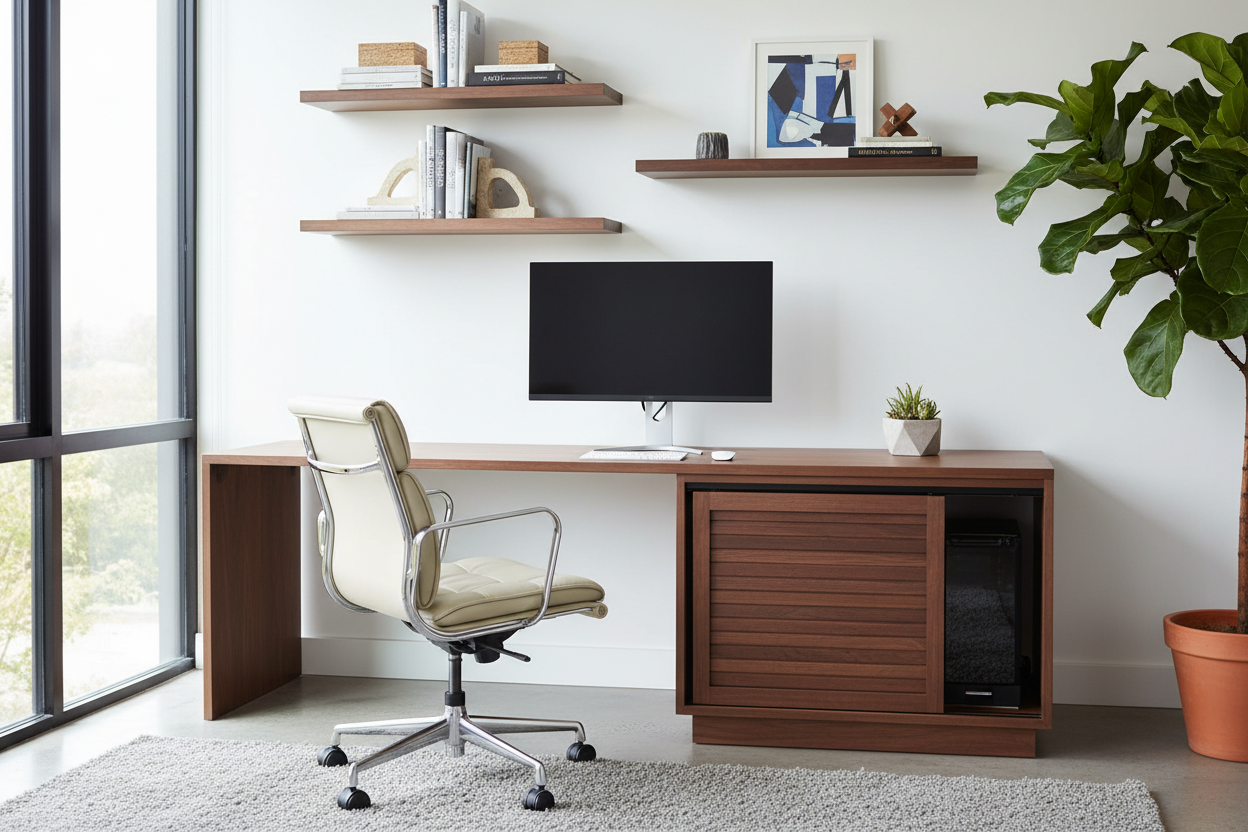
We spend countless hours selecting the perfect textiles, wood finishes, and lighting to create a cohesive home narrative, only to have the visual flow interrupted by a bulky, plastic tower and a nest of cables. As designers, the challenge isn't just about hiding the technology; it's about integrating it seamlessly into the room's architecture. The right cabinet of computer does more than conceal hardware—it preserves the integrity of your interior design while ensuring your workstation remains fully functional.
Key Features to Look For
- Thermal Management: Does the piece feature active ventilation slots or mesh backing to prevent overheating?
- Cable Routing: Look for integrated grommets and hidden channels to manage peripherals cleanly.
- Internal Dimensions: Verify the clearance for the CPU tower, specifically accounting for rear plug depth.
- Material Density: Solid woods dampen fan vibration better than thin veneers or hollow-core composites.
- Accessibility: Hinges should open 180 degrees to allow easy maintenance of the hardware.
Elevating Aesthetics with PC Cabinet Furniture
When selecting pc cabinet furniture, treat it as you would a sideboard or a credenza. The goal is to minimize the "office" aesthetic. Look for pieces that utilize architectural details like fluted glass doors or rattan inserts. These materials are excellent for a computer cabinet because they obscure the visual clutter of the hardware while allowing remote control signals and airflow to pass through. A heavy, solid door might look sleek, but it often turns the cabinet into an oven.
Material Selection and Durability
The distinction between a high-end computer cabinet furniture piece and a budget option usually lies in the joinery and finish. For a cabinet for desktop computer setups, I always recommend hardwoods like walnut or white oak. Apart from the visual warmth, these materials are robust enough to withstand the heat cycles generated by high-performance machines without warping over time. If you are looking to shop computer cabinet options that are painted, ensure the finish is catalyzed lacquer, which resists the inevitable scratches from sliding equipment in and out.
Ergonomics and Internal Layout
A common oversight when designing a cabinet in computer spaces is the peripheral layout. The cpu cabinet furniture must accommodate not just the tower, but the workflow. If the cabinet includes a pull-out keyboard tray, check the hardware mechanism. It should lock firmly in the extended position to prevent sliding while typing. Furthermore, a computer desktop cabinet should have adjustable shelving. Towers vary in height, and having a fixed shelf often results in wasted vertical space that could otherwise house routers or external drives.
My Personal Take on Cabinet of Computer Integration
I learned a hard lesson early in my career regarding computer cabinet acoustics. I once designed a stunning custom white oak built-in for a client who was an audio engineer. It looked perfect, but the moment he turned on his workstation, the entire unit acted like a giant speaker box, amplifying the low-frequency hum of the cooling fans. It was unbearable.
Since then, I never skip vibration dampening. It’s a detail you won’t see in a catalog, but it’s vital. I now insist on placing thick industrial felt pads or rubber isolation feet under the tower inside the cabinet. Additionally, I avoid completely enclosed backs. I prefer to leave a 2-inch gap from the wall or use a perforated metal back panel. It prevents that stale heat buildup and makes swapping out cables significantly less frustrating than trying to blindly navigate a dark, enclosed box.
Conclusion
Integrating technology into your home doesn't require sacrificing style. By prioritizing ventilation, material quality, and acoustic management, you can find a storage solution that complements your decor rather than disrupting it. Whether you choose a bespoke piece or a retail find, the right cabinet turns a workspace into a curated part of your home.
Frequently Asked Questions
How much ventilation space does a computer cabinet need?
Ideally, you need at least 2 to 3 inches of clearance on all sides of the tower, specifically the rear and top. Without this, hot air recirculates, throttling performance. If the furniture is enclosed, consider installing a silent USB exhaust fan.
Can I fit a gaming PC into a standard cabinet?
Standard cabinets are often too shallow for gaming rigs, which can exceed 20 inches in depth due to large graphics cards. Always measure the depth of your tower plus an extra 2 inches for the cable connectors at the back before purchasing.
Where is the best place to shop for high-quality computer cabinets?
While big-box stores offer basic utility, look for specialized office furniture retailers or custom millwork shops for pieces that balance airflow with high-end aesthetics. Vintage armoires can also be retrofitted if you are handy with a hole saw for cable management.


Leave a comment
This site is protected by hCaptcha and the hCaptcha Privacy Policy and Terms of Service apply.