










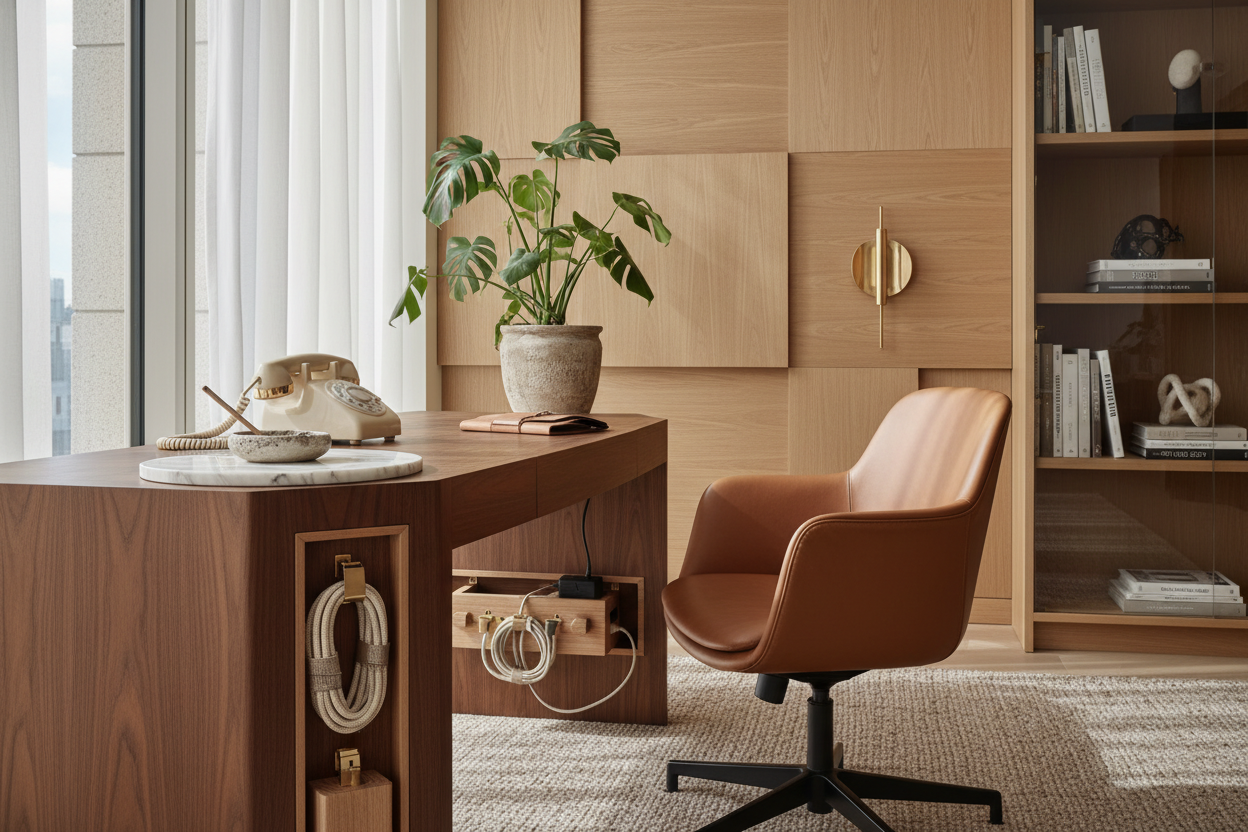
We often obsess over the silhouette of an executive chair or the grain of a walnut desk, yet the communication hardware—the literal lifeline of the business—frequently becomes an aesthetic afterthought. It sits there, a tangle of wires and plastic, disrupting the visual flow of a carefully curated room. Whether you are setting up a sophisticated VoIP system or simply need a dedicated space to jot down a client's home office phone no, integrating this technology requires a delicate balance of ergonomics and style. A well-designed communication zone doesn't just look better; it streamlines your workflow and elevates the professional atmosphere of your sanctuary.
Key Design Features to Look For
Before purchasing a side table or reorganizing your primary workspace for your phone setup, prioritize these design elements to ensure functionality meets form:
- Surface Material: Opt for matte or textured finishes (leather, wood veneer) over high-gloss lacquer to minimize visible fingerprints from frequent handling.
- Cable Management: Look for furniture with integrated grommets or hidden channels to conceal power and Ethernet cords.
- Ergonomic Reach: The device should sit within the "primary reach zone" (approx. 15-18 inches from the user) to prevent shoulder strain.
- Acoustic Properties: Incorporate soft materials (felt desk pads, upholstered partitions) nearby to dampen echo during calls.
Mastering the Layout: The "Reach Zone"
In interior design, we talk about flow, but in a workspace, we must talk about kinetics. Placing your communication device requires precise spatial planning. If you are right-handed, the phone should ideally sit to your left, freeing your dominant hand for writing down a home office phone number or typing.
For executive suites, I often recommend a dedicated "credenza setup" behind the main desk. This keeps the primary work surface clutter-free while ensuring the phone is just a swivel away. This separation creates a psychological boundary between deep work (screen time) and communication tasks.
Material Selection and Visual Weight
The phone itself is usually utilitarian in appearance. To counteract this, the furniture supporting it must carry significant visual weight. A flimsy metal stand will make the technology look temporary and cheap. Instead, anchor the device with substantial materials.
Solid Wood vs. Veneer
For a communication station, solid wood offers durability against the constant friction of receivers being lifted and replaced. However, a high-quality engineered veneer can offer better resistance to heat if you are using charging bases. The key is to match the undertones of your existing furniture—ensure the warm oak of your phone stand communicates with the walnut of your desk rather than clashing with it.
Acoustics and Ambient Styling
A luxury home office appeals to all senses, including sound. Hard surfaces bounce voice frequencies, making calls sound hollow. Design your phone station with acoustic absorption in mind. Placing the phone on a leather desk blotter or having an upholstered pinboard immediately behind the unit absorbs the reverb. This doesn't just improve call quality; it adds a layer of tactile luxury to the space.
My Personal Take on home office phone no Logistics
I learned the hard way that "sleek" does not always equal "functional." In a project for a tech consultant in Seattle, we designed a stunning, floating glass shelf specifically for his communication hub. It looked architectural and weightless. However, within a week, he called me frustrated.
The issue wasn't the look; it was the vibration. Every time the phone rang, the glass amplified the vibration into a jarring rattle that resonated through the wall mount. Furthermore, the glass showed every single smudge from where he rested his hand to dial a home office telephone number. We had to swap it out for a leather-wrapped floating shelf. The leather absorbed the vibration of the ring and hid the oils from his hands. It was a tactile lesson I haven't forgotten: always put a "soft" barrier between vibrating tech and hard architecture.
Conclusion
Your communication station should be more than a utility; it should be a deliberate design moment. By managing the cords, selecting forgiving materials, and positioning your hardware for ergonomic ease, you transform a cluttered necessity into a refined asset. Elevate your workspace, and let the design speak as clearly as you do.
Frequently Asked Questions
How do I hide the cords for a desk phone in the middle of the room?
If your desk floats in the center of the room, use a floor outlet hidden under a rug, running the cord up a hollow desk leg. Alternatively, use a "cable spine" that mimics the vertebrae of a spine to guide wires neatly from the floor to the desktop.
What is the ideal height for a side table holding a phone?
The surface should be roughly 28 to 30 inches high, aligning with standard desk height. This ensures that when you reach for the receiver, your forearm remains parallel to the floor, maintaining ergonomic integrity.
How can I style the area around the phone without crowding it?
Use the "tray method." Place the phone, a notepad, and a pen cup on a decorative tray. This corrals the items into a single visual unit, reducing the appearance of clutter while keeping essential home office phone number lists handy.


Leave a comment
This site is protected by hCaptcha and the hCaptcha Privacy Policy and Terms of Service apply.