










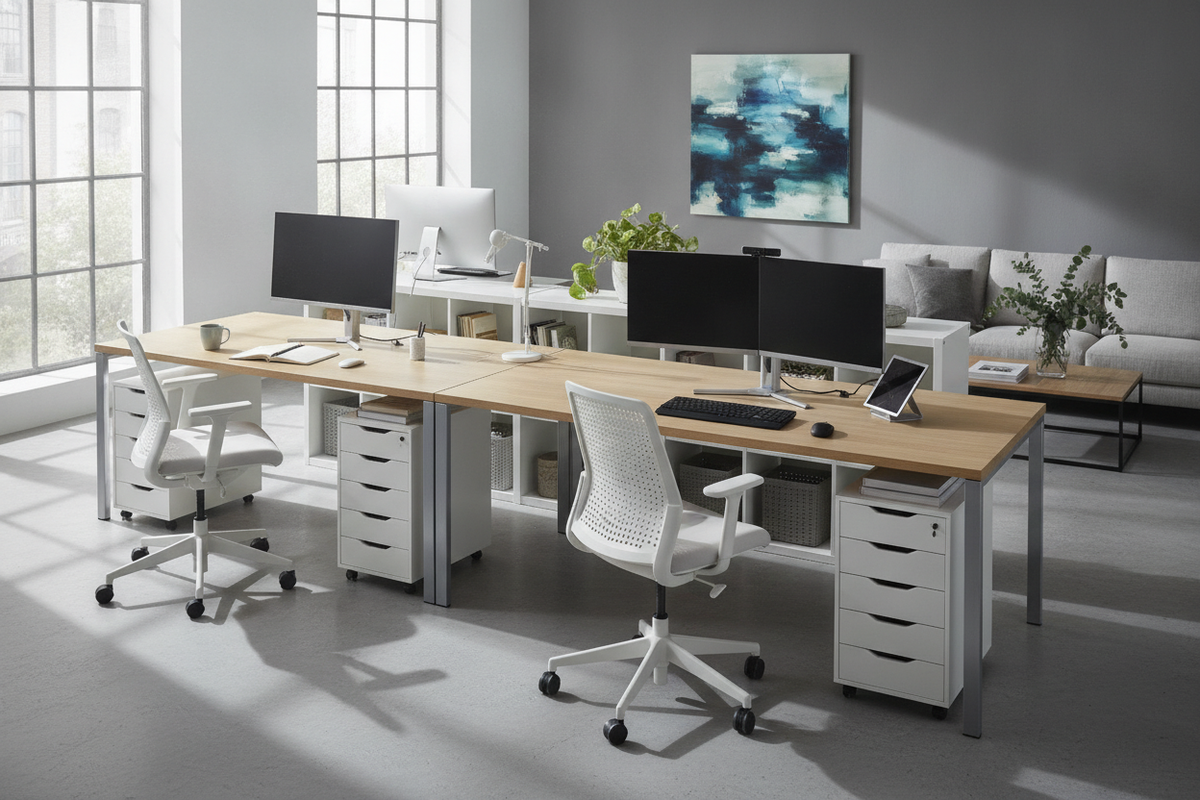
Extended modular workspaces have become a defining fixture in modern interior architecture and home office design. By combining separate components—such as wide surface tops, modular drawer units, and independent support legs—it is possible to assemble an expansive workstation tailored precisely to personal workflow demands. The appeal of a long desk IKEA layout lies in its adaptable footprint, offering uninterrupted surface area for multi-monitor arrays, creative materials, and shared work areas.
However, planning an extended modular desk involves more than laying a wide work surface across two perimeter pedestals. As spans widen, structural mechanics such as surface deflection, weight distribution, and leg positioning require deliberate attention. Designing an expansive setup that remains level, functional, and visually balanced demands a cohesive approach to support placement, foundation choices, and workspace zoning.
Span Stability: Managing Middle Deflection Across Extended Tops
The primary engineering challenge in an extended desktop layout is structural sag, formally known as middle span deflection. When an unsupported horizontal board spans a wide distance between two outer points, gravity and distributed surface weight naturally pull downward on the center. Over time, placing desktop hardware, heavy monitor mounts, or dense desk pads directly over an unbraced central span can cause visible bowing and compromise surface integrity.
To maintain a planar, stable work surface across extended spans, intermediate reinforcement is essential. A straightforward solution is installing an adjustable center support leg set slightly recessed from the front edge. Positioned toward the rear third of the surface depth, this center leg provides crucial upward resistance against downward hardware loads while preserving clearance for knee movement and task chair swiveling. Alternatively, metal stiffening channels or structural aprons secured to the underside of the tabletop can resist flexion without introducing a vertical leg post into the center footwell.
Base Configurations: Balancing Drawer Units, Trestles, and Standard Legs
Foundational base components dictate both the aesthetic weight and physical utility of an extended workstation. Modular storage pedestals—commonly integrated as drawer units at the outer edges—provide exceptional lateral stability and concealed storage for paperwork, office accessories, and tech peripherals. When paired with a continuous desktop, drawer units create a grounded, built-in presence that suits dedicated home offices.
For those evaluating multi-user arrangements or balanced storage foundations, consulting a dedicated ikea desk guide can clarify how alternating pedestals with open leg sets creates distinct ergonomic zones. In contrast to solid drawer blocks, open trestle bases and cylindrical metal legs introduce negative space beneath the top, producing a lighter visual profile suitable for compact or multi-purpose rooms. When designing a long configuration, pairing a drawer unit on one side with slender post legs or a trestle on the opposite end strikes an effective balance between accessible storage volume and open, uncluttered floor space.
Workstation Zoning: Multi-Monitor Workflows Versus Dual-User Setups
A long desktop presents significant surface real estate, but without intentional spatial planning, wide tables can quickly devolve into disorganized catch-alls. Defining functional zones across the span ensures each section of the desk serves an intentional ergonomic purpose.
For single-operator power setups requiring panoramic multi-monitor workflows, the central span should be dedicated to primary input devices and visual displays. Flanking segments can then be assigned as secondary zones: one side reserved for analog task work, sketching, or literature review, and the other housing secondary computing hardware, desktop audio components, or stationary accessories. This arrangement minimizes unnecessary posture adjustments while keeping peripherals within comfortable reach.
In shared or co-working home offices, an extended desk can be configured as a dual-station workspace. In this layout, central space serves as the operational boundary. Placing a shared storage cabinet or a supportive structural leg directly in the center establishes clear separation between users. This organizational division ensures both individuals maintain independent seated zones, distinct cable pathways, and sufficient clearance for arm movement without encroaching on each other's work area.
Surface Materials and Aesthetic Cohesion
The choice of surface material strongly influences both long-term durability and the surrounding room aesthetic. Extended desktops are commonly crafted from engineered composite cores finished with high-pressure laminate, thick wood veneers, or solid butcher-block timber. Each material interacts differently with ambient humidity, mechanical fasteners, and daily contact wear.
High-pressure laminates offer resilient, low-maintenance finishes that resist moisture rings, ink marks, and surface scuffs. However, laminate surfaces can appear visually industrial if left unsoftened by complementary textures. In contrast, wood-veneer and natural timber countertops introduce rich organic warmth, textural depth, and structural rigidity. When selecting natural finishes, exploring an informative ikea desk guide helps align species selection, grain patterns, and matte protective finishes with the broader architectural tone of your interior.
Room Circulation, Wall Placement, and Cable Organization
Integrating a long desk into a residential floor plan requires careful consideration of spatial circulation. An elongated workstation creates a continuous horizontal plane that can dominate a room if set along an awkward path of travel. Ideally, long desks should be positioned parallel to unbroken wall runs or aligned against window walls where natural illumination distributes evenly across the entire surface.
Ensure adequate clearance behind the desk edge to accommodate fully extended chair bases and fluid movement through the room. Crowding an extended table into a narrow corridor hampers ergonomics and makes accessing rear storage units frustrating. In my experience, giving an extended desk generous perimeter breathing room transforms it from an overbearing slab into an architectural focal point.
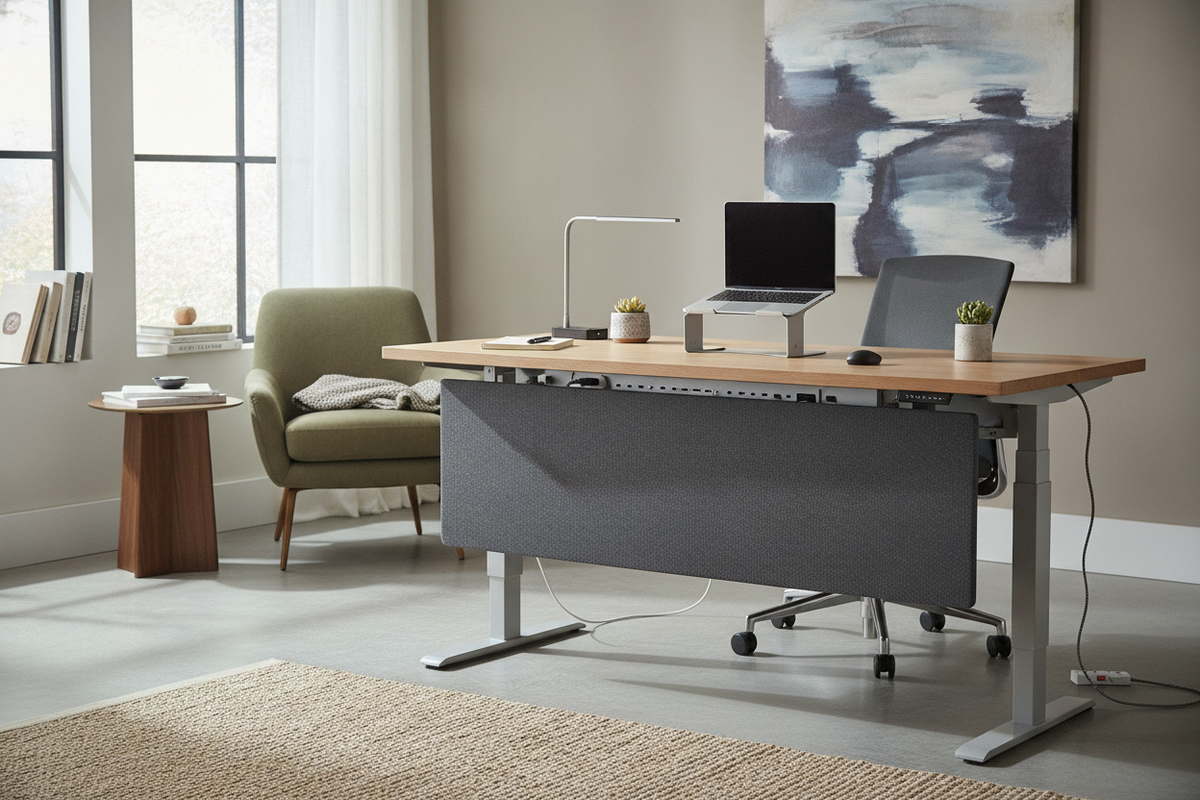
Finally, wide modular desk setups generate extensive cable runs. Power distribution strips, display cables, and peripheral wires should be managed systematically along the underside of the desktop rather than left dangling across the floor. Under-desk wire raceways, hook-and-loop fasteners, and recessed grommet holes keep cords organized along the structural frame. For additional inspiration on styling clean desktop lines and concealed wiring, reviewing a dedicated desk ikea guide offers practical advice for maintaining a refined, clutter-free workstation environment.

Leave a comment
This site is protected by hCaptcha and the hCaptcha Privacy Policy and Terms of Service apply.