










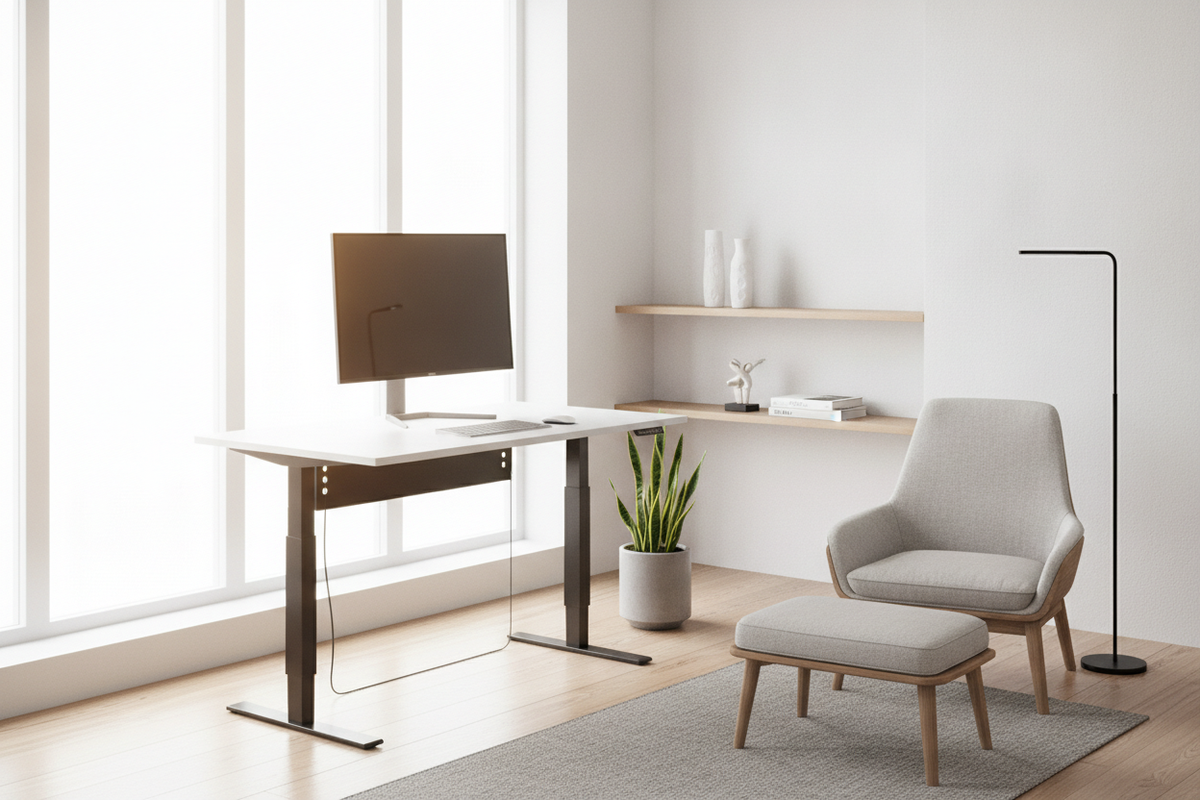
The Core Philosophy of a Minimalist Standing Desk
A minimalist workspace is defined less by stark emptiness and more by deliberate restraint. When selecting a workstation, integrating height adjustability introduces mechanical elements that can easily overwhelm a room if not chosen with architectural care. Motors, crossbeams, wiring harnesses, and telescoping legs inherently carry structural weight. The objective of a well-conceived sit-stand station is to preserve visual lightness while supporting movement throughout the workday.
Achieving this equilibrium requires evaluating how the frame interacts with ambient light, floor finishes, and nearby furnishings. Rather than allowing motorized columns to dominate the room, a disciplined design treats the desk as an open horizon. Browsing an intentional standing desk resource helps clarify how streamlined lifting columns and refined tabletop profiles quietly support daily task flow without imposing industrial bulk onto residential interiors.
Visual Lightness vs. Mechanical Substance
Traditional motorized workstations often prioritize raw utility over decorative cohesion, featuring pronounced feet, thick crossbars, and prominent control interfaces. A minimalist interpretation rethinks these elements from the ground up. In minimalist interior design, negative space is an active design element. When a desk top appears to float effortlessly on slim, chamfered, or powder-coated posts, the entire room feels larger and less encumbered.
Look for bases where the electronic control handset mounts flush beneath the perimeter edge rather than protruding forward. Touch-sensitive interfaces or recessed toggle switches preserve straight front sightlines while maintaining quick access to height adjustments. By concealing structural brackets beneath the desktop plane, the workstation retains the airy profile of an elegant writing table while offering full vertical articulation.
Intentional Surface Curation over Excess Area
An oversized desktop often invites unnecessary accumulation. Expansive surface areas tend to collect idle papers, redundant accessories, and miscellaneous desktop items that distract focus. Minimalist surface design favors proportional discipline: provide sufficient space for primary digital tools while resisting the urge to spread outward unchecked.
When planning your work surface, delineate active contact zones from passive perimeter space. A central clear zone dedicated solely to input devices, a compact notebook, and your primary monitor yields an immediate sense of calm. By treating the surface as a dynamic work plane rather than a long-term holding area, you maintain both visual clarity and physical ease throughout sit-stand transitions.
Proportion and Footprint Categories for Minimalist Workstations
Scale dictates how comfortably a desk integrates into residential architecture. A piece that fits comfortably within a wide executive study may disrupt circulation in an open-plan apartment. Reviewing a thoughtful standing desk guide reinforces how proportional planning creates balanced spatial flow across varied floor plans.
Compact Profiles for Multi-Use Living Spaces
When placing a workstation within a bedroom corner, living room alcove, or transitional hallway, compact desktop dimensions help preserve primary walkways. Narrower footprints keep the perimeter clear, allowing the desk to recede into the background when not in use. In these shared environments, a standing desk with a slender leg profile ensures the piece feels like residential furniture rather than office equipment.
Mid-Scale Tops for Dedicated Home Offices
In a private home office, a mid-scale surface offers extra lateral breadth without dominating the room. This scale accommodates secondary peripherals, reference literature, or dual-monitor setups on low-profile mounting arms. Selecting a balanced footprint allows you to center the desk in the room or float it opposite an open doorway, establishing an inviting focal point that emphasizes architectural balance.
Depth Ratios: Balancing Sightlines with Reach Zones
Surface depth plays an essential role in ergonomic comfort and spatial proportion. A shallow top keeps hardware within easy reach and maintains narrow wall profiles, which is beneficial in compact rooms. Conversely, deeper tops provide generous focal distance for large screens. Striking the right balance depends on your peripheral needs and your preference for open floor area versus deep surface real estate.
Surface Materials and Frame Architecture
Material harmony bridges mechanical workstations and surrounding home furnishings. Standard commercial laminates can look sterile in residential environments. Opting for surfaces that reflect organic textures or matte finishes softens technical machinery and grounds the overall decor scheme.
Monochromatic Tops vs. Warm Natural Wood Finishes
Monochromatic surfaces in soft white, graphite, or warm greige provide seamless visual continuity against neutral walls. These finishes reflect diffuse daylight, lending an expansive quality to smaller rooms. They serve as quiet backdrops for technology, minimizing visual contrast across the tabletop.
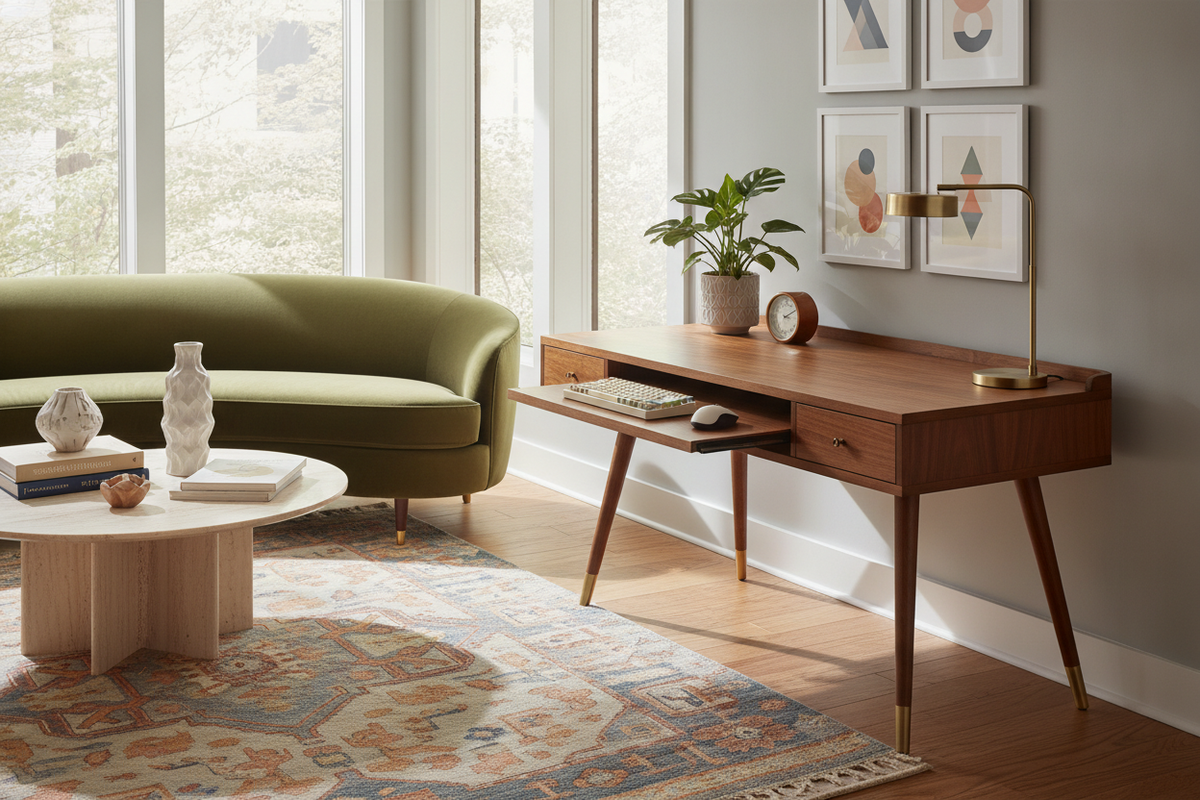
For rooms enriched with woven textiles, stoneware, or hardwood flooring, incorporating timber textures adds warmth. Considering a thoughtfully styled minimalist desk product demonstrates how natural woodgrain balances contemporary lines with organic tactility. The subtle grain patterns diffuse light gently, preventing eye strain and lending character to an otherwise austere workspace.
Streamlined Lifting Columns and Discreet Base Footings
The lower architecture of a standing desk determines its visual presence from across the room. Telescoping leg stages with clean rectangular or gently rounded geometries create a cohesive profile. Avoid frames with exposed motor housings, external gear drives, or visible bracket flanges.
Footings should feature beveled edges and low-profile floor runners. A slim foot profile slides easily across sightlines without breaking visual continuity with your baseboards or flooring. Coordinated powder coatings in neutral tones unify the hardware with existing shelf brackets, metal accents, or window frames in the space.
Concealed Cable Management and Peripheral Routing
Exposed wiring quickly undermines minimalist design. In an adjustable desk, cable management is doubly challenging because lines must flex smoothly through the entire vertical range without snagging or dropping into view. Integrating dedicated management hardware keeps cords out of sight whether sitting or standing.
Under-Desk Power Distribution and Drop Trays
The foundation of clean cable routing is consolidating all plugs beneath the desktop surface. Affixing a surge-protected power bar to the underside of the desk allows monitor leads, laptop docks, and chargers to terminate in a single hidden location. Only one master power cord and one data cable then need to transition from the moving surface to the floor outlet.
Suspended wire trays or fabric management troughs conceal excess cords and bulky power supplies beneath the surface. Consulting a specialized desk minimalist guide provides further ideas for managing peripheral connections, magnetic organizers, and under-desk docks to keep the desktop clear of clutter.
Vertical Articulation Routing for Dynamic Sit-Stand Travel
Managing the line between the floating desk frame and the fixed wall receptacle requires careful routing. Free-hanging cords inevitably drape, catch on nearby furniture, and create visual distraction. Utilizing an articulated cable spine or an expanding spiral sleeve gathers the primary lines into a single vertical conduit.
Anchor the vertical spine alongside the inner flank of the lifting column. This configuration aligns cord movement with the structural frame, turning an irregular web of wires into an orderly, architectural detail. By matching the conduit color to the metal leg finish, the pathway blends seamlessly into the desk's structure.
Integrating Purposeful Storage Without Breaking Clean Lines
True minimalism does not mean discarding necessary work tools; it means storing them thoughtfully out of sight. A standing desk devoid of integrated storage can easily collect daily detritus on top. Incorporating streamlined storage solutions keeps essential supplies readily accessible while maintaining a clean, open surface.
Under-Mounted Slim Drawers for Daily Essentials
Shallow under-desk drawers provide practical storage for writing instruments, digital styluses, memory cards, and notebooks without compromising legroom. When mounted flush beneath the front edge, these slim compartments preserve the table's streamlined profile from every viewing angle.
Selecting drawers with push-to-open hardware eliminates external handles, keeping the front facade smooth and uninterrupted. This hidden storage accommodates daily essentials close at hand, allowing the desktop to remain completely free of auxiliary caddies and organizer trays.
Companion Credenzas and Mobile Pedestals
When project files, desktop peripherals, or secondary hardware demand substantial storage, separating utility from the main desk frame is often the most elegant solution. An integrated workstation like a minimalist desk product illustrates how dedicated cabinetry and clean surfaces work together to organize files while keeping primary workspaces clear.
Alternatively, pairing a freestanding sit-stand desk with a low credenza or mobile pedestal against an adjacent wall establishes distinct zones for movement and storage. This separation allows the standing desk to retain its open silhouette while closed cabinetry conceals larger archives, printers, and project bins.
Room Flow, Lighting, and Complementary Decor Layouts
An adjustable workstation should complement the broader interior architecture. Because standing desks alternate between low and high elevations, consider how the piece interacts with sightlines, window treatments, and vertical wall art in both positions.
Maintaining Perimeter Clearance in Open-Concept Rooms
In multi-functional rooms, allow generous perimeter clearance around the desk to ensure easy movement. When elevated to standing height, a workstation can block light pathways or interrupt views across the room if placed carelessly against a partition wall. Orienting the desk perpendicular to exterior windows lets natural light graze the work surface without creating screen glare.
Floating the desk slightly away from walls also prevents cords, monitor brackets, or desktop edges from rubbing against plaster during elevation changes. This subtle clearance emphasizes the desk's sculptural presence while protecting surrounding surfaces.
Selecting Minimalist Task Lighting and Seating
Complete the workspace with carefully considered lighting and seating. Task lighting should feature slender cantilevered stems, matte powder-coated finishes, or clamp-mounted designs that occupy little to no desktop area. Linear LED bars mounted atop monitor screens provide balanced illumination across your task zone without adding visual clutter.
When selecting a companion chair, prioritize streamlined silhouettes over heavy office seating. Chairs featuring breathable mesh backs, tailored wool upholstery, and discreet mechanical levers integrate naturally alongside residential furnishings. The resulting arrangement honors the principles of minimalist design: refined form, intentional simplicity, and quiet daily function.


Leave a comment
This site is protected by hCaptcha and the hCaptcha Privacy Policy and Terms of Service apply.