










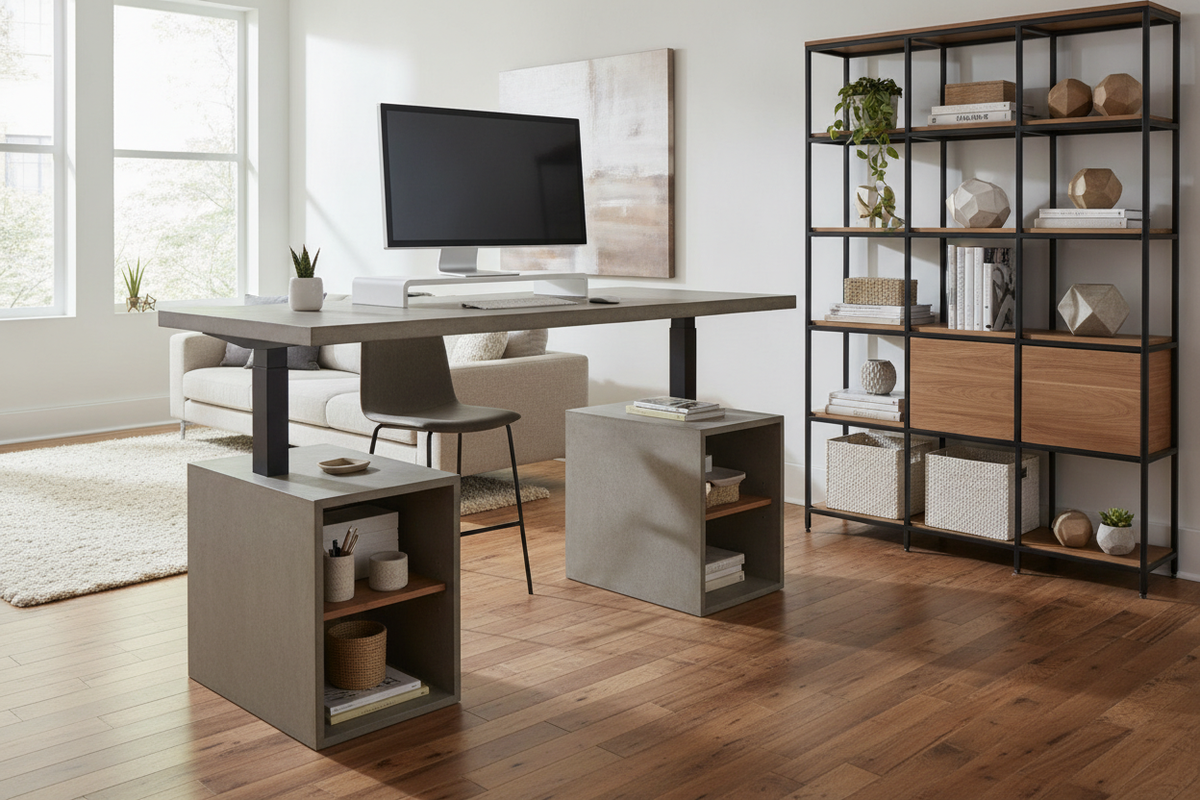
Understanding the Non Adjustable Standing Desk
While dynamic electric risers dominate many contemporary workplace discussions, the traditional stationary workstation remains an appealing choice for intentional workspaces. A non adjustable standing desk approaches upright work from a posture of structural simplicity. Rather than integrating telescoping columns, control boxes, and motorized actuators, a fixed-height desk relies on permanent joinery and balanced architecture to establish an elevated surface.
Choosing a dedicated stationary surface shifts the design focus from motorized utility to enduring spatial presence. For shoppers exploring foundational options across a broader standing desk resource, understanding how fixed frames perform helps clarify whether dynamic lifting mechanisms are truly necessary for everyday work habits.
Structural Rigidity and Zero-Motor Simplicity
The primary engineering asset of a stationary tall desk is absolute mechanical simplicity. Height-adjustable frames incorporate moving joints between leg stages, which can introduce subtle micro-wobbles when extended to standing heights. In contrast, fixed workstations utilize solid posts, welded joints, or reinforced aprons that stay firm under typing pressure and peripheral weight. Without electrical components, there are no wires running to wall outlets purely for desktop movement, and there is zero risk of mechanical motor failure over extended years of ownership.
Aesthetic Harmony in Modern Interiors
Motorized desks frequently exhibit an industrial, utilitarian silhouette characterized by exposed lifting columns and heavy base feet. A fixed standing workstation can adopt the design language of classic architectural consoles, drafting counters, and library tables. Whether fashioned from warm timber veneers or streamlined steel tubing, a stationary silhouette blends naturally into living rooms, studio corners, and open-plan lofts. Exploring visual coordination strategies in our standing desk guide demonstrates how clean furniture legs and cohesive finishes bring refined poise to an office setup.
Ergonomic Alignment: Sizing a Fixed-Height Workstation
Because a fixed workstation cannot be retuned with the touch of a button, accurate ergonomic evaluation before selecting a design is essential. The desk must coordinate with your natural stance to avoid shoulder fatigue or wrist strain.
Calibrating Elbow Clearance and Typing Stance
To identify your target fixed elevation, stand in a neutral posture with your shoulders relaxed and elbows bent at approximately ninety degrees. The vertical distance from the floor to the underside of your forearms represents your optimal working level. When measuring, account for the shoes or supportive anti-fatigue mat you plan to use during daily sessions, as footwear cushioning can alter floor-to-elbow clearance. In my own studio workspace, I have found that pairing a fixed standing counter with a specific mat thickness ensures typing hands rest comfortably parallel to the desktop without hunching.
Desktop Depth and Visual Focal Distance
Stationary standing desks vary widely in depth, from slender console profiles suited for laptop use to deeper surfaces built for heavy displays. Ensure the desktop depth accommodates your monitor display stand while maintaining a relaxed focal length that prevents neck extension. If a surface is too shallow, displays sit uncomfortably close to the typing area; if too deep, reaching accessories across the back edge can disrupt spinal balance.
Room Planning and Spatial Footprint
Elevated furniture occupies visual volume differently than low-profile seating desks. Because a fixed standing desk stands tall continuously, its placement influences spatial flow and sightlines across a room.
Traffic Clearance in Dedicated Offices vs. Open Spaces
Positioning a tall, stationary workstation requires thoughtful walkway clearance. Unlike traditional tables that tuck beneath window sills or visual sightlines, a standing desk commands attention. Placing a stationary desk against an accent wall or within an alcove preserves natural sightlines and prevents the workstation from feeling obtrusive. Reviewing layout considerations in our standing desk guide can help you avoid awkward traffic bottlenecks around high-profile home office furniture.
Accommodating Tall Drafting Stools and Footrests
Working at a non adjustable standing desk does not require remaining on your feet all day. Many professionals pair their fixed setup with an elevated drafting stool or counter-height task chair. When planning this configuration, examine the clearance between the stool seat and the underside of the desk apron. Desks with built-in lower foot rails or integrated stretchers offer convenient foot placement, helping you shift weight naturally between standing and seated working modes.
Storage Architecture and Organization
One major advantage of a non adjustable standing desk is its capacity to integrate substantial, traditional cabinetry. Motorized workstations must carefully limit under-desk drawer modules to prevent weight imbalance and lifting strain, whereas fixed structures easily carry full-scale cabinetry suites.
Integrated Drawers, Hutch Modules, and Cabinets
Stationary designs often feature deep utility drawers, overhead hutches, or open cubbies that keep reference materials within easy reach. While shoppers who desire motorized movement might inspect an adjustable standing desk product with dedicated cabinetry, stationary desks allow for even more expansive storage options because there are no dynamic lifting limits to consider. You can anchor heavy document trays, stationary caddies, and books directly into the furniture profile.
Cable Management on Stationary Frames
Cable management is markedly simpler on a stationary desk. Dynamic desks require articulated cable spines and slack wiring so cords do not detach during elevation changes. A fixed desk allows you to bundle power cables, dock wiring, and display cables flush against rear modesty panels or behind table legs using simple clips, keeping wires completely concealed from view.
Materials, Joinery, and Assembly Durability
The durability of a tall, stationary desk rests entirely on its joinery and materials. Because the tabletop sits higher from the floor, leverage forces exerted when leaning or writing require solid engineering.
Crossbar Support and Lateral Sway Prevention
When reviewing potential desks, look for reinforced structural elements such as lower H-stretchers, rear modesty boards, or steel corner brackets. These components prevent lateral sway, ensuring the surface remains grounded under daily keyboard work. High-grade laminate tops, solid wood construction, and powder-coated steel posts all contribute to a dependable, vibration-free platform.
Assembly Process and Leveling Solutions
Uneven floors are the most common source of table instability. Quality stationary workstations include threaded leveling feet on each leg base. Taking the time during assembly to dial in each foot eliminates slight floor variations, ensuring the work surface sits dead level without rocking.
Evaluating Fixed vs. Dynamic Workstations: The Final Choice
Deciding between a fixed-height standing surface and a multi-height lifting frame ultimately depends on your work routine. If multiple individuals share the desk, or if you regularly switch between standard seated heights and upright positions throughout the day, an adjustable standing desk product offers versatile height recalibration and multipurpose utility.
However, if you want a dedicated standing counter, prefer the architectural appeal of traditional furniture joinery, or prioritize complete mechanical silence and stability, a non adjustable standing desk provides an elegant, long-lasting foundation for productive daily work.


Leave a comment
This site is protected by hCaptcha and the hCaptcha Privacy Policy and Terms of Service apply.