










There is a specific kind of visual noise that kills creativity faster than anything else: a cluttered surface. As a designer, I see this constantly. You invest in a beautiful workspace, but within a week, the surface is buried under peripherals, files, and cables. The solution isn't just a bigger table; it is a structural change to how you organize. This is where the desk with cabinet becomes the anchor of a functional home office.
Key Features to Look For
Before you commit to a purchase, use this checklist to ensure the piece meets professional standards. These are the factors that determine longevity and usability:
- Joinery Quality: Look for dovetail or mortise-and-tenon joints in the cabinet drawers rather than staples or glue.
- Hardware Durability: Soft-close hinges and full-extension drawer slides are non-negotiable for a premium feel.
- Ergonomic Clearance: Ensure the cabinet placement does not encroach on your legroom (knee clearance should be at least 24-28 inches wide).
- Cable Management: A true computer cabinet workstation must have integrated grommets or pass-throughs behind the storage unit.
Balancing Visual Weight and Layout
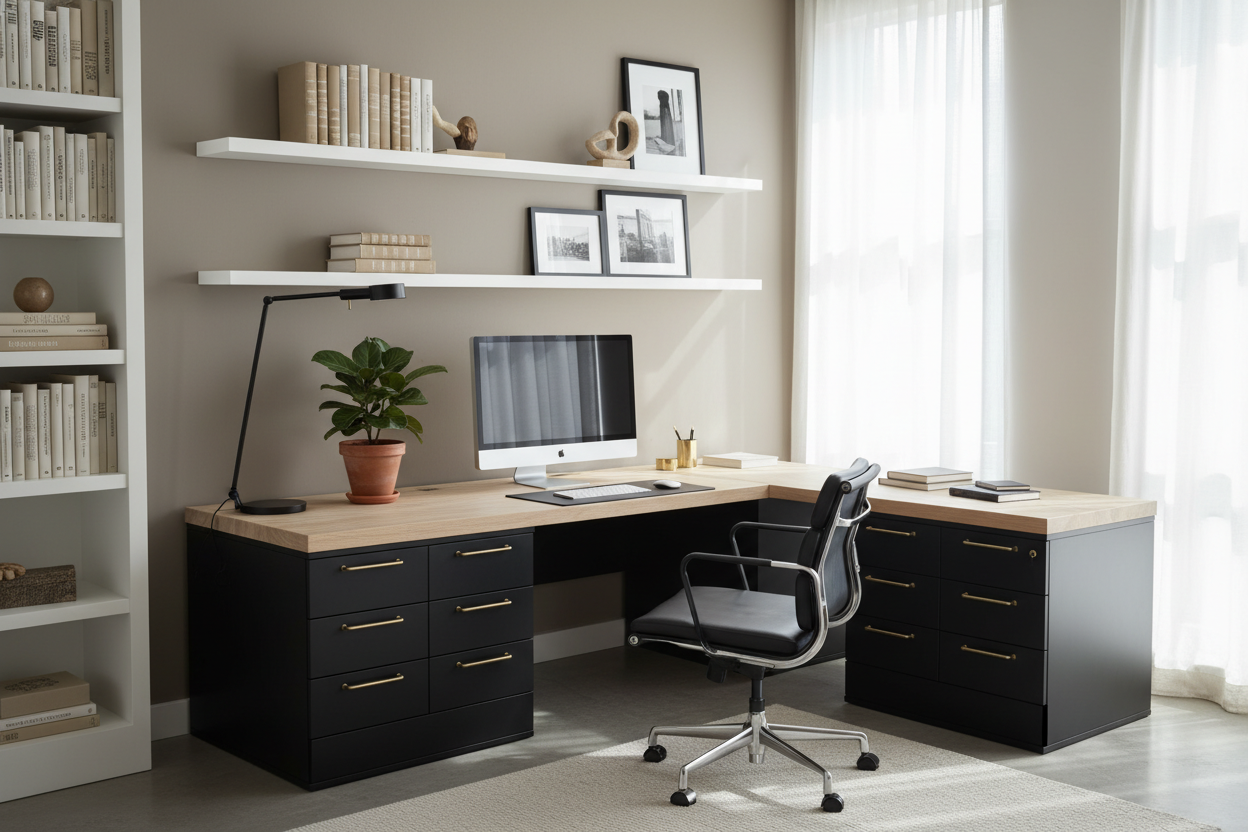
When you introduce a computer desk and cabinet into a room, you are adding significant "visual weight." Unlike a parson's desk or a glass table, a desk with integrated storage feels heavy. To keep the room from feeling cramped, I advise clients to position the cabinet side against the wall, rather than floating it in the center of the room, unless the back panel is fully finished.
The Silhouette and Materiality
The choice of material dictates the vibe. A solid walnut computer desk with storage cabinet exudes mid-century warmth and gravity. However, if your room is small, consider a dual-tone finish—perhaps a white lacquer cabinet body with a wood top. This breaks up the mass and keeps the silhouette feeling lighter.
Ergonomics: The Hidden Factor
Many homeowners make the mistake of prioritizing storage volume over sitting mechanics. A computer desk cabinet configuration must allow you to sit centered in front of your monitor without twisting your spine to avoid hitting the drawers. If you are right-handed, I generally recommend a configuration where the cabinet stack is on the right, allowing for easy reach without disrupting your workflow.
Storage vs. Stashing
There is a difference between a functional computer desk with cabinet and a unit that just encourages hoarding. Look for a computer cabinet workstation that offers varied storage: a shallow top drawer for writing implements, and a deep bottom cabinet for vertical CPU storage or hanging files. If you are using a tower PC, ensure the cabinet has ventilation slots; enclosed heat kills electronics.
Lessons from My Own Projects
I want to share a specific realization from a project I worked on in a pre-war apartment last year. We ordered a stunning, custom oak desk with cabinet storage for a client. It looked perfect on the floor plan.
However, once installed, we realized the cabinet door swing was the issue. The door opened toward the user's chair, meaning every time the client needed a file, she had to roll her chair back three feet to clear the door's radius. It was a friction point that ruined the flow. Since then, I always check the "swing radius" or opt for sliding doors or open shelving on the interior side of the desk. It is these small, unpolished details—like the sound of a drawer slamming or a handle that catches your belt loops—that define your daily satisfaction with the furniture.
Conclusion
Selecting the right workstation is about more than dimensions; it is about respecting your workflow. A well-chosen desk doesn't just hold your computer; it hides the chaos so you can focus on the work. Choose quality hardware, mind the swing radius, and ensure the aesthetic complements your room's architecture.
Frequently Asked Questions
What is the ideal depth for a computer desk with a cabinet?
For a comfortable setup that accommodates a monitor and keyboard, aim for a depth of at least 24 to 30 inches. If the cabinet is deep, ensure the drawers fully extend so you aren't losing items in the back.
Can I place a computer tower inside the cabinet?
Yes, but only if the computer desk with storage cabinet is designed for it. Look for an open back or mesh ventilation. If the cabinet is sealed wood, your computer will overheat rapidly.
How do I match a heavy desk with light decor?
Use the "60-30-10" rule. Let the desk be the 30% secondary color. Balance the heavy look of a desk with cabinet storage by placing a large mirror or light artwork on the wall above it to draw the eye upward.

Leave a comment
This site is protected by hCaptcha and the hCaptcha Privacy Policy and Terms of Service apply.