










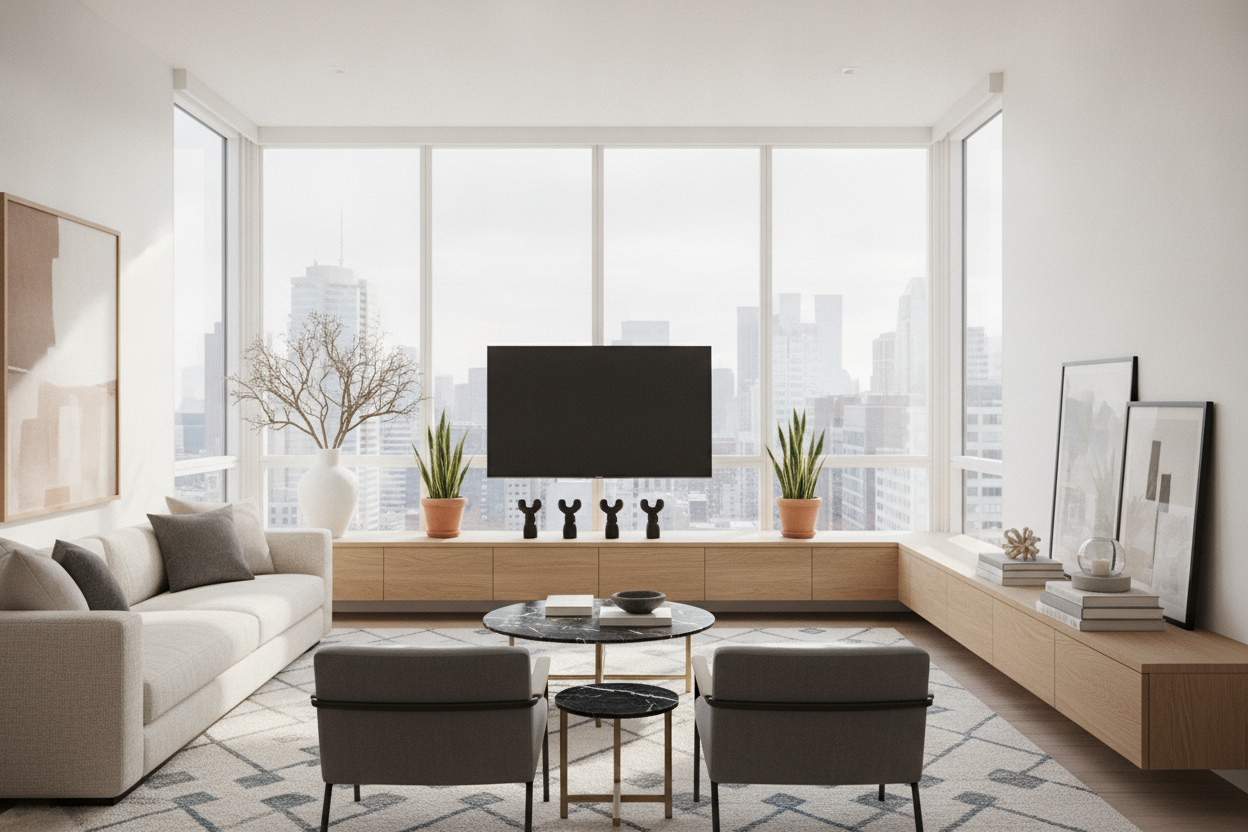
I remember the day my 85-inch console finally arrived. I had spent weeks measuring my wall, convinced that I needed maximum length to anchor the room. But when it was finally assembled, I realized I hadn't bought a piece of furniture—I’d bought a high-end runway for my cat. Staring at a tv console long enough to host a small aircraft is a specific kind of design paralysis. If you don't style it right, it looks less like a curated home and more like a retail display that's waiting for a shipment.
- Slide the Screen: Asymmetry is your best friend on a long unit.
- The 3-Zone Rule: Mentally divide the surface into three distinct sections.
- Counterweight: Use heavy objects to balance the 'black hole' of the TV.
- Cable Clips: Essential for managing 80+ inches of wiring.
The 'Runway Effect' and Why Giant Consoles Are Intimidating
Most people panic when they realize they have six or seven feet of surface area to fill. The common reaction is to either leave the ends cold and empty or pepper the whole thing with tiny candles, coasters, and random knick-knacks. It is one of those modern long TV console mistakes that makes an expensive piece of furniture look like a clearance aisle at a craft store.
When you have that much horizontal real estate, the eye needs a place to rest. If you scatter small items everywhere, the visual 'noise' becomes exhausting. You want 'clusters,' not a continuous line of stuff. Think of it as creating little islands of interest rather than a highway of clutter.
Stop Centering Your Screen (Seriously)
Centering your TV on an extra long unit is the fastest way to make your living room look like a waiting room. It’s symmetrical, sure, but it’s also incredibly boring. I always tell people to slide the screen to the left or right third of the console. This feels counterintuitive, but it works.
If you are working with something like a 78-inch 4-drawer media console, pushing the TV to one side creates a deliberate styling zone on the other. This gives you a massive, uninterrupted space to play with height and texture without the TV cutting everything in half. It looks intentional and architectural, rather than just 'functional.'
The 'Rule of Thirds' for Extra Long Media Consoles
When you have a media console long enough to span nearly your entire wall, you have to break it down. I mentally divide the unit into three zones. Zone one is your tech—the TV and maybe a soundbar. Zone two is your 'vertical' zone, where you add height with a tall lamp, a branch in a vase, or a piece of leaning art. Zone three is your 'low-profile' zone, usually reserved for stacks of books or a decorative tray.
If your piece is particularly bulky, choosing a console with glass doors can help. The glass breaks up the solid mass of the wood or MDF, allowing the eye to see 'into' the piece rather than just 'at' it. It adds a layer of depth that keeps the unit from feeling like a heavy block of lead in the middle of your room.
Balancing the 'Black Hole' of Your Flat Screen
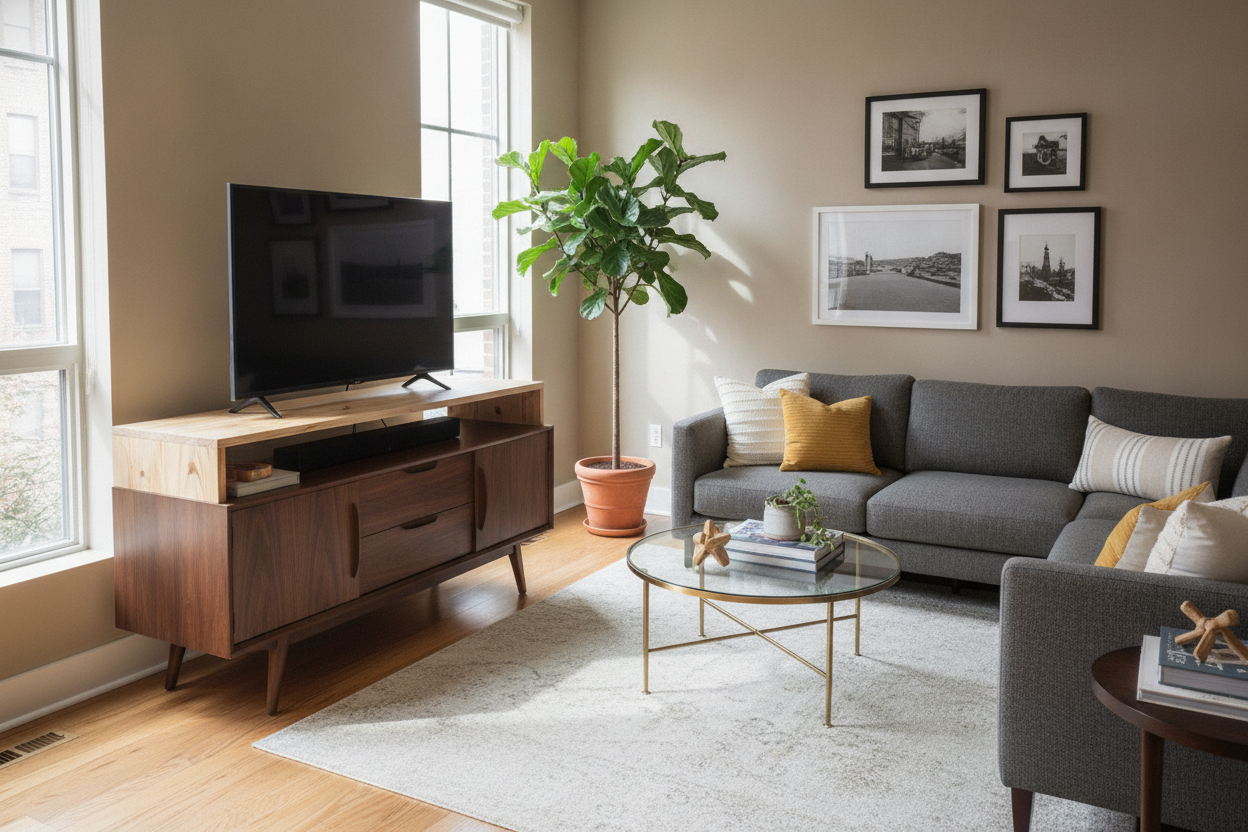
A television is a giant, matte-black void when it is turned off. If you have it pushed to one side of your extra long media consoles, you need something with significant visual weight on the other side to keep the whole thing from looking like it’s tipping over. A tiny succulent isn't going to cut it.
I suggest using chunky book and media storage solutions or oversized art books to create that necessary counterweight. Stack them horizontally to create a pedestal for a smaller object, or line them up vertically between heavy bookends. You need something that can hold its own against the 55-inch black rectangle nearby.
The Cord Management Reality of an Oversized Unit
Let’s talk about the nightmare of cables. When your devices are spread across 80 inches, a standard 3-foot power cord isn't going to reach the outlet. I’ve made the mistake of letting a black cable drape diagonally across the back of a light-colored wall, and it ruined the entire look. It was all I could see.
Buy a 10-foot, heavy-duty power strip and mount it to the underside or back of the console using command strips. Use adhesive cord clips to route every single wire along the frame of the furniture. If you can see a cord, you haven't finished the job. In a long setup, cable management isn't just a 'nice to have'—it is the difference between a professional-looking space and a dorm room.
My Honest Take on the Length Dilemma
I once bought a 90-inch solid mango wood console that was so heavy it required three people and a specialized dolly just to get it into my apartment. I loved the look, but I didn't account for the scale of my TV. My 50-inch screen looked like a postage stamp on a billboard. I ended up having to buy a massive, 3-foot tall ceramic vase just to fill the 'dead air' on the left side. It was a $200 'fix' for a problem I created by over-buying. My advice? Make sure your console is at least 12 inches wider than your TV, but don't go so big that you have to buy a whole new set of decor just to hide the surface.
FAQ
How much wider should a console be than the TV?
Aim for at least 6 to 10 inches of overhang on each side. If the TV is the exact same width as the console, it looks top-heavy and unstable. A little breathing room on the ends is essential.
Can I put two smaller consoles side-by-side?
You can, but the seam will always haunt you. If you go this route, try to find units with flat edges and no decorative molding so they sit flush. Use a large tray or a long runner to bridge the gap and hide the join.
What is the best height for a long console?
For extra long units, lower is almost always better. A 'long and low' profile looks modern and expensive. If a 7-foot console is also 30 inches high, it starts to look like a kitchen island instead of a media center.

Leave a comment
This site is protected by hCaptcha and the hCaptcha Privacy Policy and Terms of Service apply.