










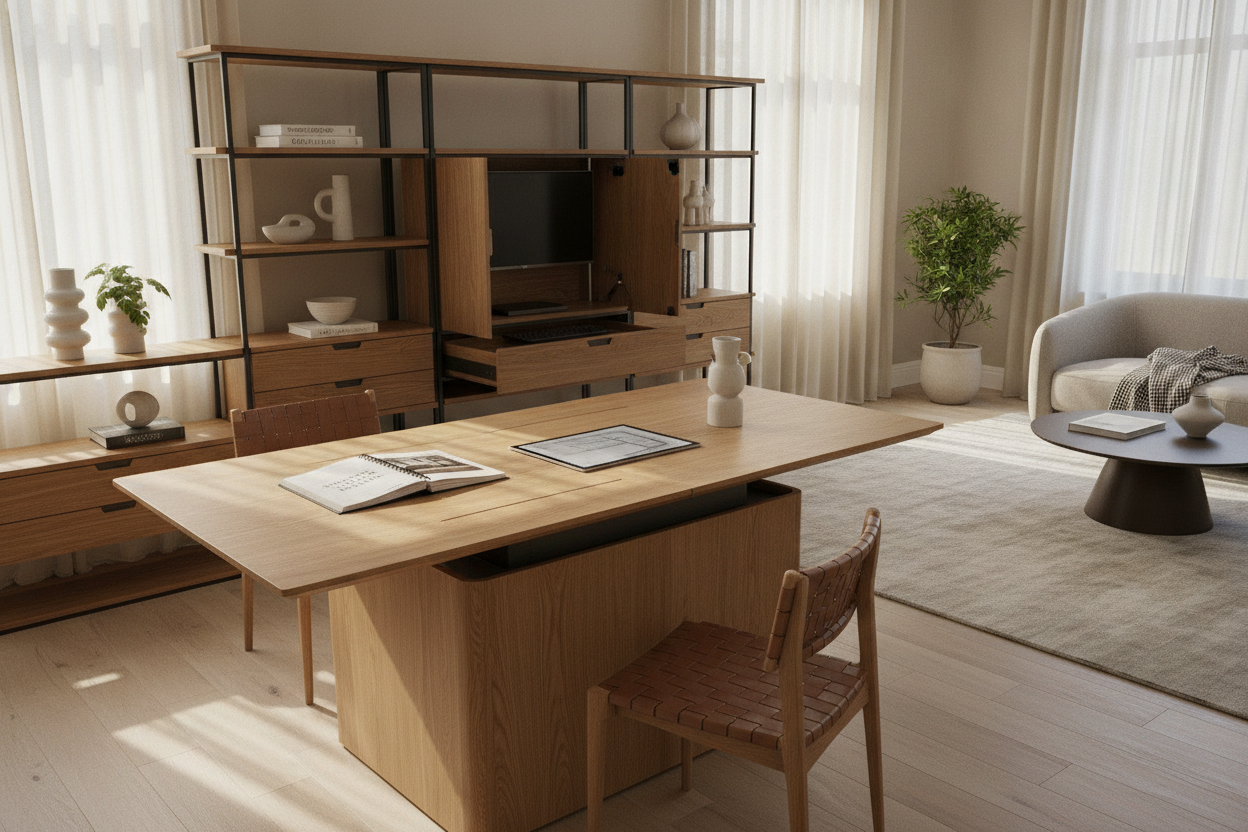
Evaluating Table to Desk Formats: How Multi-Functional Surfaces Transform Modern Spaces
Modern living environments frequently demand that a single zone serve multiple domestic roles throughout the week. A convertible table to desk configuration bridges the gap between focused productivity during the day and communal dining or leisure in the evening. Instead of dedicating scarce square footage to separate single-purpose furniture pieces, home planners increasingly look toward dynamic structural frameworks that shift footprint and utility seamlessly.
Choosing a dual-purpose surface requires a clear understanding of daily conversion habits. For an in-depth look at designer perspectives on convertible units, our comprehensive transforming desk guide explores the practical balance between adaptability and daily durability. When properly integrated, a transitional work surface maintains an uncluttered aesthetic while keeping your workspace flexible.
Conversion Mechanisms and Structural Balance: Telescoping Rails vs. Drop-Leaf Systems
The mechanical core of any transforming table dictates its stability, ease of adjustment, and long-term reliability. Homeowners generally encounter two primary mechanical designs:
- Telescoping Slide Tracks: These assemblies utilize metal or reinforced composite channels that pull outward from a compact console or central hub. Removable leaf panels slot into the frame, allowing the user to select multiple distinct lengths. High-quality slide channels minimize horizontal wobble and provide steady center support across wide spans.
- Drop-Leaf and Folding Hinges: Drop-leaf tables rely on perimeter hinges and support brackets beneath the main surface. Raising or lowering side panels allows quick shifts between narrow desk profiles and expanded communal tables without requiring external leaf storage.
When selecting a mechanical style, inspect the locking mechanisms beneath the surface. Secure latches and rigid alignment pins prevent micro-shifting while typing or writing, ensuring your work platform feels as solid as a stationary desk.
Spatial Clearance and Dimensional Tiers for Dual-Purpose Workspaces
Proper spatial planning ensures that a convertible table to desk operates without impeding daily household traffic. Room layouts must accommodate both the closed working mode and the fully extended entertaining mode:
- Compact Mode (Console or Small Workstation): Suitable for everyday laptop use and focused tasks. Position this footprint against a wall or open divider to preserve surrounding circulation.
- Intermediate Mode (Standard Desk or Intimate Dining): Provides expanded depth for multiple monitors, paperwork, or seated collaboration.
- Fully Extended Mode (Large Dining or Group Project Table): Requires generous clearance around all sides to allow chairs to slide out freely without hitting adjoining walls or storage units.
Always maintain clear perimeter walkways around the furniture boundary so occupants can navigate the room smoothly, even when the surface is operating at maximum capacity.
Ergonomic Alignment and Surface Depths: Dining Geometry vs. Dedicated Desk Posture
One of the central design challenges of a dual-purpose surface lies in reconciling standard dining heights with optimal office ergonomics. Traditional dining tables are often constructed slightly higher than typical computer desks, which can impact forearm resting angles and posture during long work sessions.
To maintain ergonomic comfort while working:
- Pair the table with an adjustable task chair that accommodates slight height variations.
- Use a supportive footrest if you raise your chair to match a taller tabletop edge.
- Incorporate an external keyboard tray or portable wrist rest to keep your elbows near a comfortable resting angle.
- Ensure that the underside apron or frame rail allows sufficient knee clearance and thigh room when seated close to the surface.
Managing Tech and Daily Clutter: Dynamic Cable Routing and Peripheral Storage
Transitioning from a productive workday to an evening dinner requires a clear strategy for managing cables, power strips, and hardware. Because a convertible table changes dimensions, traditional stationary cable ties can restrict movement or cause tension during expansion.
Consider these practical cable organization methods:
- Flexible Cable Spines and Sleeves: Use segmented cable tracks that flex and stretch alongside telescoping table rails.
- Undermount Wire Baskets: Install low-profile wire management trays under the fixed core of the table to hold power strips and power bricks off the floor.
- Docking Stations: Implement a single-cable docking station or hub for your laptop so peripheral cords stay neatly bundled while your computer can be disconnected in moments.
Leaf and Accessory Organization: Pairing Credenzas, Sideboards, and Modular Storage
Telescoping convertible systems often feature separate extension panels that must be stored when the table operates in compact mode. Leaving extra leaves stacked against a wall creates visual clutter and risks surface damage.
Pairing your convertible table with complementary storage furniture resolves this issue while expanding functional utility:
- Matching Sideboards and Buffets: Choose credenzas with dedicated internal slots or vertical compartments designed to house extension panels safely.
- Mobile Filing Carts: Keep work files, office supplies, and laptop accessories in a rolling storage pedestal that easily glides into a closet or room corner before dinner.
- Multi-Compartment Cabinets: Use nearby cabinetry to segregate tableware on upper shelves and office supplies in lower drawers, keeping both functions distinctly organized within the same room.
Decision Framework: Is a Transforming Table to Desk Right for Your Layout?
Before purchasing a convertible table to desk unit, evaluate your lifestyle and room constraints against these practical criteria:
- Frequency of Conversion: If you transition the surface multiple times per week, prioritize lightweight leaves and effortless track systems over complex multi-step assemblies.
- Dedicated Technology Needs: Users with heavy multi-monitor desktop setups may find stationary desks more practical, whereas laptop and lightweight tablet workflows excel on convertible surfaces.
- Available Peripheral Storage: Ensure your room has space for a cabinet or closet to house unused leaves, extra seating, and work peripherals.
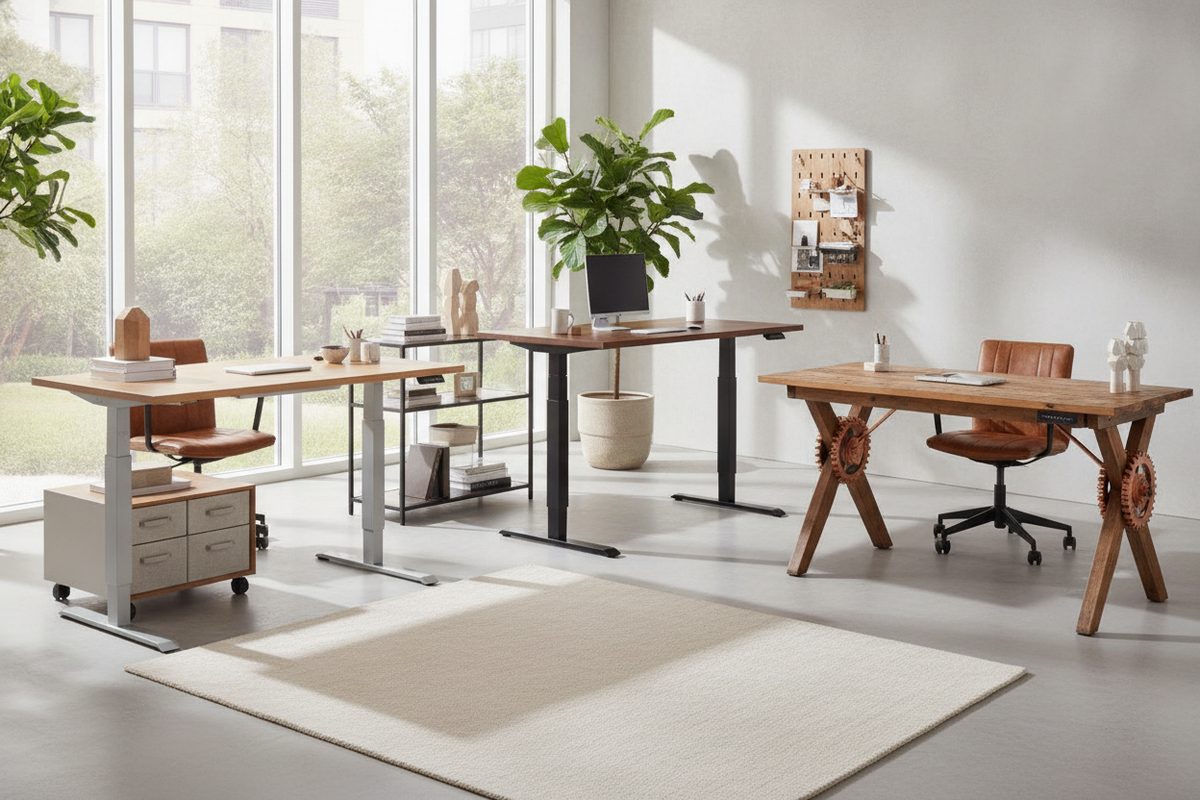
For additional comparative guidance on space-conscious work surfaces, explore our desk worth review guide to assess whether specialized compact furniture fits your home layout goals.

Leave a comment
This site is protected by hCaptcha and the hCaptcha Privacy Policy and Terms of Service apply.