










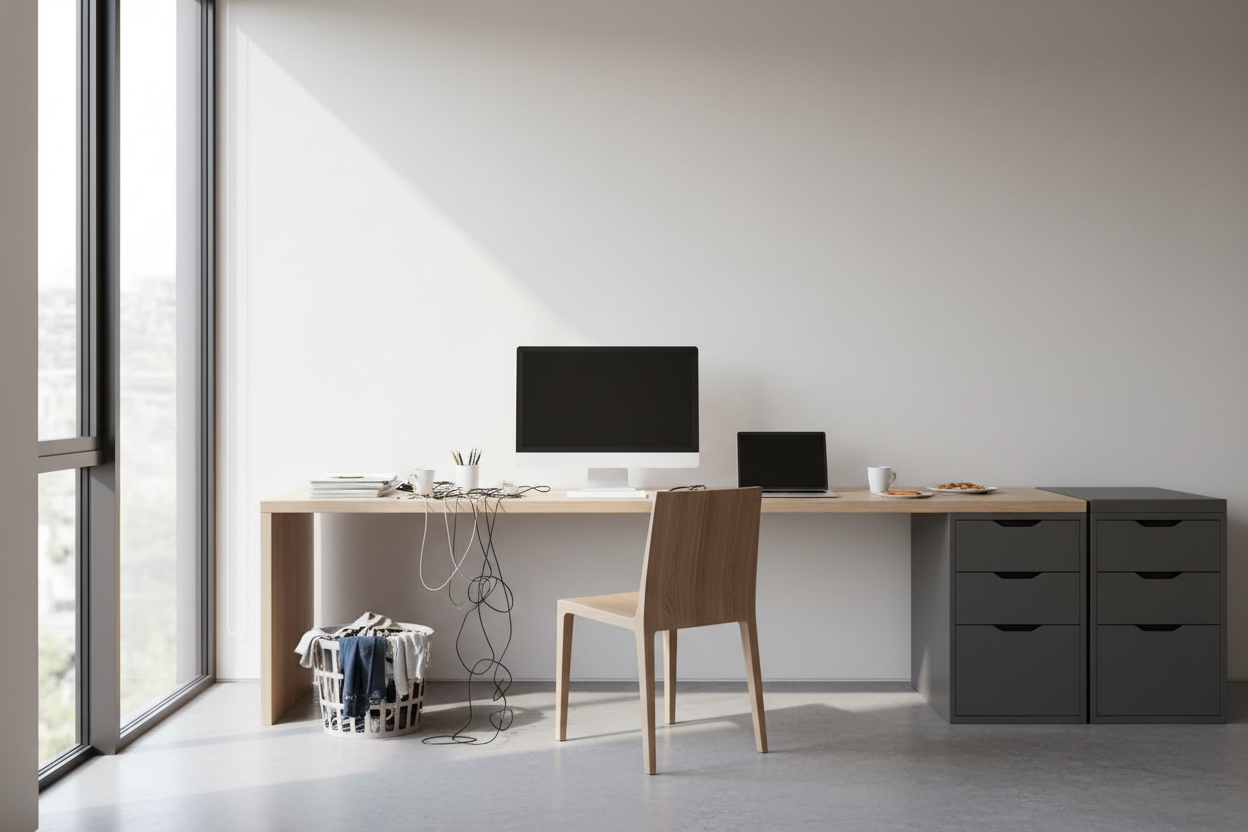
We have all attempted to work from a dining table or a makeshift corner, only to find our focus fractured by household distractions and physical discomfort. Designing a dedicated home office requires more than just shoving a desk against a wall; it demands a strategic approach to flow, lighting, and tactile comfort. When I consult with clients, the goal is never just to create a place to work—it is to curate an environment that actively supports your cognitive load while maintaining the visual integrity of your home.
Key Features for a High-Performance Workspace
- Ergonomics First: Prioritize a chair with lumbar support and adjustable seat depth over purely sculptural pieces.
- Material Durability: Choose work surfaces like hardwoods or high-pressure laminates that resist heat from electronics and coffee rings.
- Lighting Layers: Ensure a mix of ambient overhead light and focused task lighting (3000K-4000K color temperature).
- Acoustic Control: Incorporate soft furnishings like rugs or drapery to dampen echo and reduce video call feedback.
Space Planning: The Command Position
The most frequent error I see in residential workspace design is the "wall-facing" orientation. While it seems logical to push furniture to the perimeter to save space, facing a blank wall can feel stifling and subconscious anxiety-inducing.
Establishing Visual Command
Whenever dimensions allow, I advocate for the "command position." Position your desk so you have a view of the room's entry point, with a solid wall behind you. This layout, rooted in both design psychology and Feng Shui, provides a sense of security and authority. If you must face a wall, soften the view with a pinboard upholstered in linen or a large-scale piece of art to provide a visual break for your eyes.
Choosing the Right Material: Tactile vs. Practical
The surface you touch for eight hours a day defines your experience. While glass and metal desks offer a sleek, modern silhouette, they can be unforgiving.
Solid Wood vs. Veneer
For a luxury aesthetic that ages well, solid walnut or white oak are premier choices. They offer warmth and can be refinished if scratched. However, keep in mind that solid wood reacts to humidity. For a more stable, budget-friendly option that mimics the look, high-quality wood veneers over MDF are excellent, though they lack the repairability of solid timber. Avoid low-grade particle board; the edges will inevitably peel with daily friction.
Lighting the Space
Lighting is not merely functional; it is architectural. Relying solely on a ceiling can light creates harsh shadows that strain the eyes during screen work.
Layering for Depth
Start with ambient light, then add a dedicated task lamp with an articulating arm. The goal is to illuminate the work surface without creating glare on your monitor. I often suggest matte-finish brass or powder-coated steel fixtures to add a metallic texture that contrasts with wooden furniture.
Lessons from My Own Projects
I want to share a specific failure from my early days of designing my own workspace to save you the trouble. I was obsessed with the "invisible" look and bought a high-end, tempered glass desk. It looked incredible in photos—airy, chic, and modern.
The reality? It was a nightmare to work on. The glass was perpetually cold on my forearms, which became distracting during long drafting sessions in the winter. Furthermore, optical mice struggle to track on glass, forcing me to use a mousepad that ruined the "clean" aesthetic I was chasing. Finally, the fingerprint smudges were relentless; I was cleaning it three times a day. Now, I always steer clients toward materials with warmth and texture, like leather-topped desks or honed wood, which are far more forgiving and comfortable for daily use.
Conclusion
Your workspace should be a reflection of how you want to feel while you work: organized, capable, and inspired. By investing in the right layout and materials, you transform a simple room into a productivity engine. Assess your current setup, move that desk away from the wall, and observe how the energy in the room shifts.
Frequently Asked Questions
How much space do I actually need behind my desk?
For a comfortable workflow, aim for at least 42 to 48 inches of clearance between the edge of your desk and the wall or bookshelf behind you. This allows you to slide your chair back freely without hitting obstructions.
Can I use a dining chair for my home office?
For short durations, yes. However, dining chairs lack the lumbar support, seat depth adjustment, and casters required for long-term health. If you dislike the look of "office chairs," look for mid-century modern executive chairs that conceal ergonomic features within upholstered silhouettes.
What is the best way to hide cords in a floating desk setup?
Cable management is essential for visual peace. Use vertebrae cable spines that attach from the underside of the desk to the floor. Additionally, mount a surge protector directly to the underside of the desktop so only one single cord needs to run to the wall outlet.

Leave a comment
This site is protected by hCaptcha and the hCaptcha Privacy Policy and Terms of Service apply.