










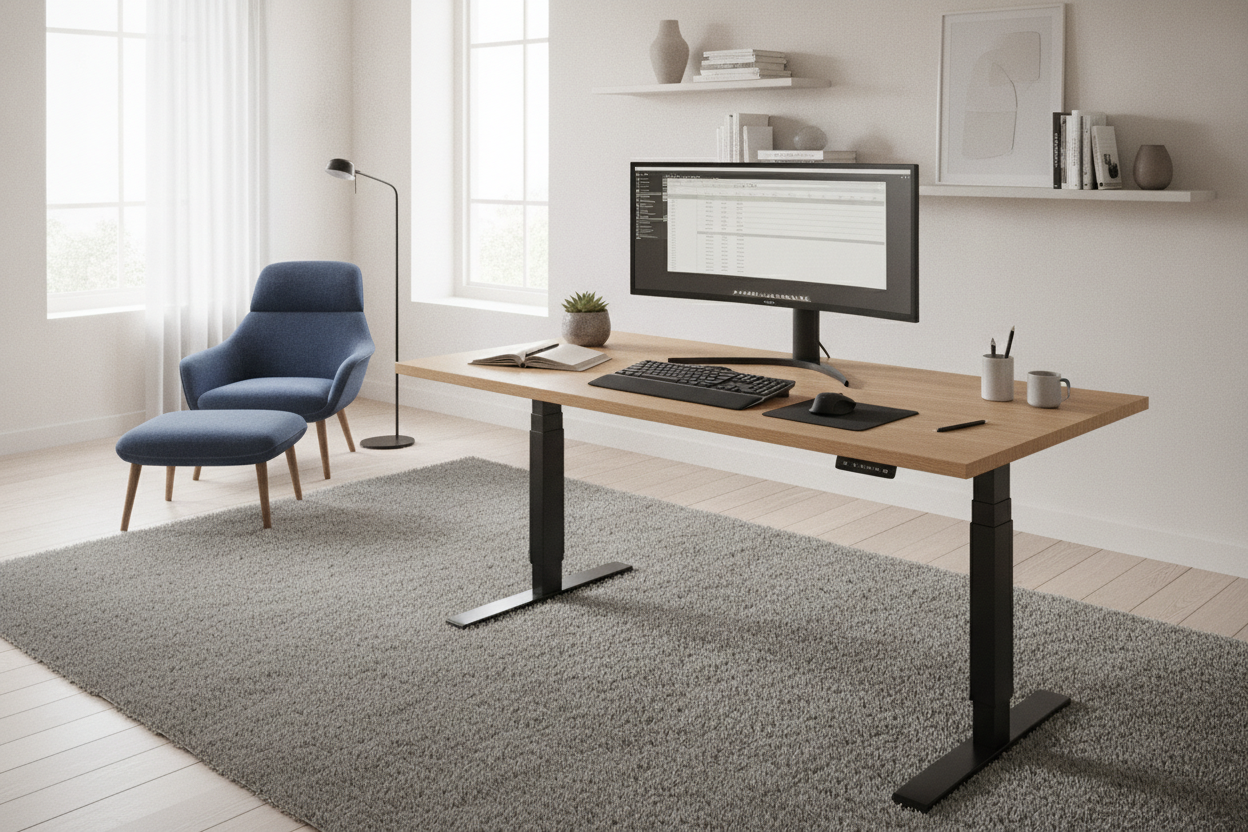
I spent three years staring at a monitor that vibrated every time I typed a capital letter. It wasn't the monitor's fault, and it wasn't my keyboard's fault. It was my desk. I’d fallen for the 'minimalist aesthetic' trap, buying a thin-legged table that looked great in photos but felt like a bridge made of toothpicks during a storm. Eventually, I gave up on the 'lifestyle' look and bought a zenith standing desk.
Quick Takeaways
- Stability is the only feature that matters when you're standing; if the desk wobbles, you won't use it.
- Commercial-grade bases like the Zenith are significantly heavier and more rigid than entry-level consumer models.
- Assembly requires serious floor space and ideally a second pair of hands to flip the finished unit.
- Pairing a high-end base with a custom top is the best way to avoid the 'corporate office' look.
The Pretty Desk Trap (And Why My Screens Kept Shaking)
My old standard writing computer desk was beautiful. It had those tapered oak legs and a slim profile that made my small office feel airy. But beauty has a weight limit. As soon as I added a dual-monitor mount and a heavy mechanical keyboard, the physics stopped working in my favor.
Every time I hit the 'Enter' key, my screens would shimmy for three seconds. It sounds minor, but after eight hours, it’s like a low-grade fever for your eyes. I realized that most desks are designed for laptops and a coffee cup, not a 'power user' setup. If you’re serious about a standing setup, you have to stop looking at the top and start looking at the frame geometry. A frame that isn't rock-solid at 45 inches is just an expensive oscillating fan for your monitors.
Enter the Zenith Sit Stand Desk: Unboxing the Beast
When the zenith sit stand desk arrived, the delivery driver looked like he wanted to quit. The frame alone comes in a box that feels like it’s packed with solid iron bars. Unboxing it in a 10x10 room was a challenge. I had to move my rug, clear the floor, and basically stage a construction site.
The assembly isn't complex—it's just heavy. You’re dealing with thick gauge steel and heavy-duty bolts. My biggest mistake was trying to rush the leg alignment. I ended up having to backtrack because I didn't leave enough clearance for the telescopic center bar. It took me about 90 minutes of focused work, most of it spent on my knees with an Allen wrench. Pro tip: don't tighten any bolts until the entire frame is squared up, or you'll be fighting the alignment for hours.
Let's Talk About the Zenith Bases Standing Desk Tech
What makes the zenith bases standing desk different? It’s the sheer mass of the columns. Most budget desks use two-stage legs that get thinner as they go up. The Zenith uses a three-stage inverted design that keeps the thickest part of the leg at the bottom, lowering the center of gravity and providing a more stable foundation.
Then there are the motors. While cheap desks use a single motor and a hex drive rod that eventually starts to squeak or slip, the Zenith uses dual motors tucked into the top of each leg. They move at a consistent 1.5 inches per second, even when I have my heavy PC tower, two monitors, and a full liter of water on top. It’s the kind of hardware designed for 24/7 call centers, which is exactly why it works so well in a home office that sees 50 hours of use a week. You aren't just paying for the lift; you're paying for the peace of mind that it won't burn out in two years.
The Max-Height Wobble Test: Did It Survive?
The 'Max-Height Wobble Test' is the moment of truth for any sit-stand setup. I’m 6'1", so I usually have my desk set to about 46 inches. At that height, most desks are basically on stilts. I put the Zenith up to its full extension and went to town on my keyboard.
The result? Total silence. No monitor shake. No rattling pencil cup. I even tried leaning my full weight on the front edge while reading a long document—a habit that usually makes cheaper desks tilt forward—and it didn't budge. The heavy steel feet are long enough to provide a massive 'footprint' that resists that front-to-back rocking motion that plagues most T-frame desks. It’s the first time I’ve felt comfortable enough to actually focus on deep work while standing.
How to Make a Commercial Frame Look Good at Home
The downside of a commercial base is that it looks, well, commercial. It’s a big hunk of powder-coated steel. To keep my office from looking like a DMV branch, I spent time looking at designer ideas for standing desk layouts. I decided to source a 1.5-inch thick butcher block top and finished it with a dark walnut stain.
The contrast between the industrial black metal and the warm, grainy wood makes the desk feel like a piece of furniture rather than a piece of equipment. I also added a heavy-duty felt desk mat and some cable management trays to the underside of the Zenith frame. Nothing ruins the look of a high-end desk faster than a 'spaghetti mess' of power strips hanging down. By hiding the tech, the industrial base actually looks quite modern and intentional.
The Verdict: Is Sourcing Your Own Base Worth the Hassle?
Sourcing your own base and top is a labor of love. It’s more expensive and significantly more work than buying a pre-packaged deal. If you aren't the type who enjoys spending a Saturday afternoon with a power drill and a level, you’ll probably regret the DIY route. It's a lot of heavy lifting for a result that looks similar to a store-bought desk to the untrained eye.
For those people, I usually recommend an all-in-one sit stand up desk with memory preset. It gives you the same ergonomic benefits without the assembly-induced sweat. But if you’re like me—a heavy-typer who is driven to madness by a vibrating monitor—the Zenith is the only way to go. It’s the unsexy, heavy, over-engineered solution to a problem that most people don't realize they have until their screens start dancing.
Is the Zenith base loud?
Not at all. It’s a low, smooth hum. It’s much quieter than the entry-level desks you’d find at a big-box retailer. You could definitely adjust it during a Zoom call without anyone noticing the noise.
Can I use any desktop with a Zenith frame?
Mostly, yes. As long as the top is between 48 and 80 inches wide and you’re comfortable drilling your own pilot holes. I’d recommend a solid wood or high-quality MDF top; anything too thin might flex under the weight of the frame.
Does it have a collision sensor?
Yes, the Zenith motors have a built-in sensor. If it hits your chair arm or a filing cabinet on the way down, it stops and reverses automatically, which is a lifesaver for your gear (and your shins).


Leave a comment
This site is protected by hCaptcha and the hCaptcha Privacy Policy and Terms of Service apply.