










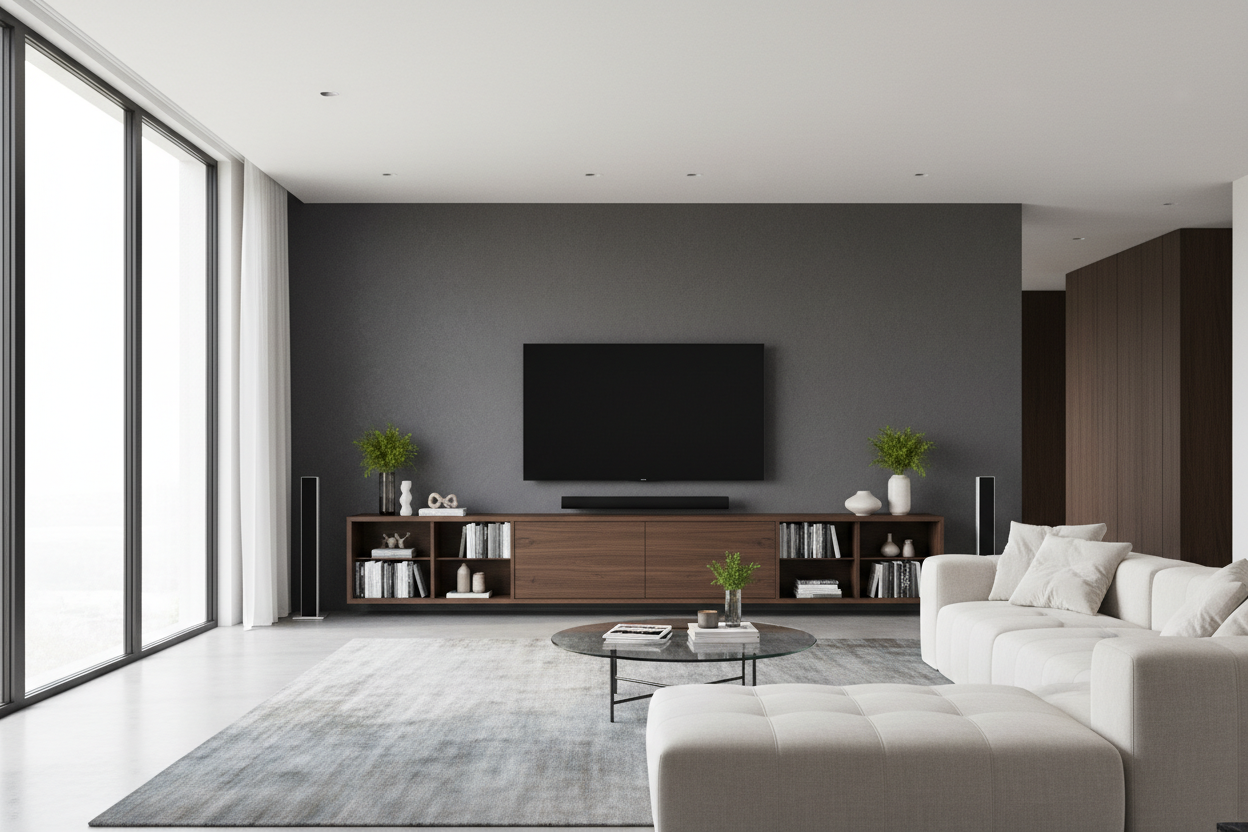
I remember the delivery guy leaning that massive box against my hallway wall. I’d just dropped a month's rent on a 77-inch OLED, and as I peeled back the cardboard, I realized the screen was thinner than my smartphone. I was genuinely terrified that my existing furniture would buckle under the weight or, worse, that the whole thing would just tip over if I breathed on it too hard. Finding a tv stand for 77 inch tv wasn't just about aesthetics; it was about protecting a very expensive, very fragile glass slab.
Quick Takeaways
- Aim for a console at least 80 inches wide to avoid the 'overhang' look.
- Keep the height under 24 inches to save your neck from strain.
- Check weight capacities; these screens are heavy despite being paper-thin.
- Prioritize ventilation if you're hiding a gaming console or receiver inside.
That Razor-Thin Screen Actually Scared Me
Looking at a 77-inch OLED is like looking at a credit card made of magic. It’s stunning, but the lack of bulk makes it feel incredibly precarious. Most people assume if a stand is sturdy enough for a 65-inch, it’ll handle the jump to 77. It usually won't. The center of gravity is different, and the sheer width means any slight wobble in the floor is amplified at the top of the screen.
I spent three days obsessing over tv stand for 77 oled specs because I didn't want to wake up to the sound of shattering glass. You need a base that is deep enough to accommodate the wide, heavy feet many of these sets use. I’ve seen cheap particle board bow under the concentrated weight of a 77-inch screen, and that is a heart attack I don't need in my living room.
The 80-Inch Rule You Can't Ignore
Here is the physical math most people ignore: a 77-inch TV is actually about 68 inches wide horizontally. If you put that on a 70-inch console, you have barely an inch of clearance on each side. It looks cramped, cheap, and top-heavy. When shopping for TV stands, you need to look at options that hit the 80 to 86-inch mark to give the room breathing space.
The best tv stands for 77 inch tv screens are the ones that make the TV look like part of a curated layout, not a giant black rectangle that swallowed a tiny table. Having 6-9 inches of space on either end allows you to place a small lamp or a couple of books, which anchors the 77 inch tv stand in the room. If you go too small, the TV ends up looking like a 'head on a swivel'—visually unstable and totally out of proportion.
Why I Gave Up on Finding Wall Studs
I tried to mount my screen. I really did. But my 1940s house has studs that are apparently placed at random intervals by someone who hated right angles. Centering the TV on the wall meant the mount would only hit one stud, and I wasn't about to trust my OLED to drywall anchors and a prayer. This is why a 77 inch tv stand with mount built-in or a heavy-duty floor console is a much less stressful alternative.
A stand for 77 inch tv provides a literal foundation. I eventually opted for a solid wood 77 inch tv console because it gave me the flexibility to move the setup three inches to the left when I realized it wasn't perfectly aligned with my couch. You can't do that with a wall mount without patching and painting. For me, the tv stand 77 inch tv approach is the only way to maintain my sanity.
The Low-Profile Requirement for Giant Screens
A 77-inch screen is nearly 40 inches tall including the bezel. If you put that on a standard 30-inch high buffet, the middle of the screen is sitting five feet off the ground. You’ll be visiting a chiropractor within a month. You need a media console for 77 inch tv layouts that sits low—ideally 18 to 22 inches off the floor. This keeps the center of the screen at eye level while you're seated.
If you're worried about the screen dominating the room when it's off, you could look into a hidden TV mechanism, but for most of us, a sleek, low-slung tv console 77 inch long is the ergonomic winner. Don't be tempted by those 'tall' entertainment centers; they are designed for 40-inch screens from 2005. For a tv stand 77, lower is always better.
Hiding the Wires Without Baking Your Gear
Big screens usually mean big accessories. I have a receiver that runs hotter than a pizza oven and a PS5 that needs constant airflow. An entertainment center for 77 inch tv needs more than just a single cable hole in the back. Look for slatted doors that allow IR signals through and, more importantly, let heat escape.
I once bought a gorgeous entertainment center 77 inch tv cabinet that was completely enclosed. Within an hour of gaming, my receiver shut down because it was literally cooking itself. Now, I only recommend a tv console for 77 inch tv that features proper ventilation. If the back panel is solid, don't be afraid to take a hole saw to it. It’s better to have a slightly modified back panel than a fried motherboard. Keeping your tv stand for 77 tv organized and cool is the final step in a setup that actually lasts.
FAQ
Can I use a 70-inch stand for a 77-inch TV?
Technically yes, if the feet fit, but it will look terrible. The TV will hang over the edges, making the room feel smaller and the setup look precarious. Aim for at least 80 inches.
How high should a tv stand for 77 inch tv be?
Look for something between 18 and 24 inches tall. Anything higher will force you to look upward, which causes neck strain during long movies.
What is the difference between a tv console and an entertainment center?
A console is typically a single low piece of furniture. An entertainment center is often larger, sometimes with side towers or bridges. For a 77-inch screen, a long console usually looks cleaner and more modern.

Leave a comment
This site is protected by hCaptcha and the hCaptcha Privacy Policy and Terms of Service apply.