










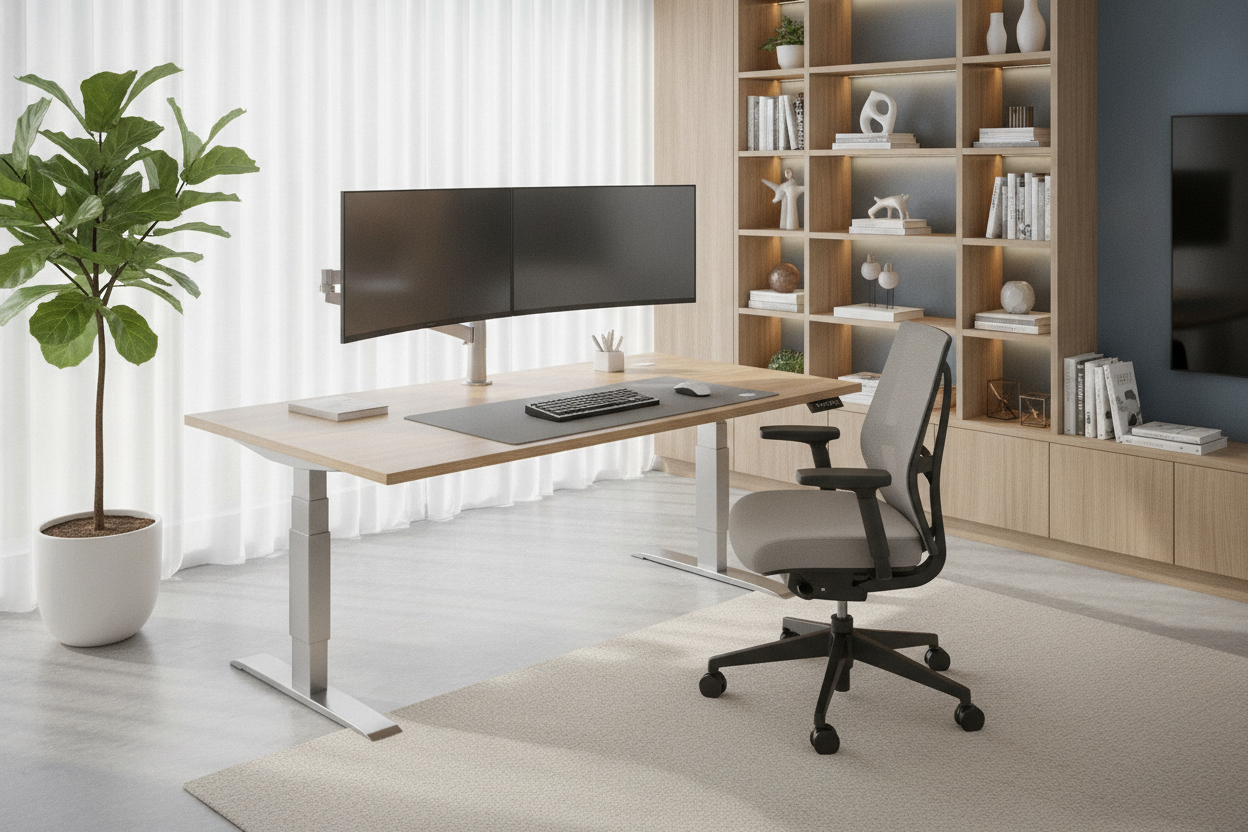
I spent three years hunching over a coffee table before I finally invested in an automatic desk. I thought the motor was the luxury part. I figured as long as it moved, I’d be standing half the day and my lower back would finally stop screaming at me. I was wrong.
What actually happened was that I became a victim of the 'hold and guess' routine. Without memory buttons, my expensive motorized sit stand desk became a glorified shelf because I was too lazy to spend 15 seconds finding the right height every time I wanted to move.
Quick Takeaways
- Manual up/down buttons lead to 'decision fatigue' and poor ergonomics.
- Memory presets ensure you hit your exact ergonomic height every single time.
- A 4-button controller is the gold standard for shared spaces or treadmill setups.
- The price difference for a 'smart' controller is usually less than $50—well worth the investment.
The 'Hold and Guess' Routine Was Ruining My Posture
When you buy a basic automatic adjustable desk, you get two buttons: Up and Down. It sounds simple, but in practice, it’s a nightmare. Every morning, I’d stand up, hold the button, and watch the desk rise. Is this high enough? Maybe. Let me try typing. No, that’s too high. Now I’m shrugging my shoulders. Let me tap it down a few times. Now it’s too low and my wrists are angled weirdly.
Eventually, I just stopped moving it. It was easier to leave it at a seated height than to go through the thirty-second ritual of micro-adjustments. When you use a standard writing computer desk, you know exactly what you’re getting. It’s static. But an automatic standing desk without presets gives you the illusion of health while actually encouraging you to stay stuck in one position because the transition is such a chore.
Why an Electric Desk Lift Needs a 'Brain'
An electric desk lift isn't truly automatic if you have to do all the mental labor. We talk a lot about 'friction' in productivity. If there is even a tiny bit of friction between you and a good habit—like standing up while you work—you probably won't do it. Holding a button for 12 seconds while staring at a blank wall is just enough friction to keep you in your chair.
A motorized height adjustable desk with a memory controller removes that barrier. You press '2' and walk away to grab a coffee. When you come back, the desk is exactly where it needs to be. It turns the act of changing positions from a conscious task into a background process. If your desk doesn't have a 'brain' to remember your heights, you're just operating a very slow elevator.
Finding the Elusive Ergonomic Sweet Spot
Your ergonomic sweet spot is a precise science. For me, 28.4 inches is perfect for sitting, and 41.7 inches is the magic number for standing. If I’m off by even half an inch, I start to feel it in my neck. An automatic desk riser with a digital readout lets you find these numbers once and lock them in. This prevents the 'creeping height' issue where you slowly lower the desk over a week without realizing you're ruining your posture.
The Shared Home Office Struggle
If you share a powered sit stand desk with a partner, presets aren't just a luxury—they are a relationship saver. My spouse is six inches shorter than me. Before we got a desk with a memory controller, we spent half our day fixating on whether the desk was 'back to normal.' Now, Button 1 is my sit, Button 2 is my stand, and Button 3 and 4 belong to her. No more petty arguments about the pc table adjustable height being 'slightly off.'
Is the Controller Upgrade Actually Worth the Cash?
You’ll often see two versions of the same desk: one with basic buttons for $250 and one with a memory controller for $300. In the world of furniture, that $50 is the best money you will ever spend. I’ve tested the budget desk automatic lift models that skip the presets, and they almost always end up being used as static desks after the first month.
I usually recommend something like an ergonomic home office sit stand up desk because it hits that middle ground. It doesn't cost a thousand dollars, but it gives you that essential 4-button memory interface. If you’re spending hundreds on a motorized sit stand desk anyway, don't handicap it by saving $40 on the part you interact with most: the controller.
My Current Setup (And Why I Love It)
Right now, I’m using a 54-inch desk with memory presets that has four programmable slots. I use every single one of them. Slot 1 is for my standard task chair. Slot 2 is for standing. Slot 3 is slightly higher for when I put my under-desk treadmill in place. Slot 4 is actually a 'lounge' height for when I’m playing games with a controller and leaning back.
Having a self rising desk that knows my life makes me actually use the standing feature. I probably switch heights four or five times a day now, whereas before, I’d go weeks without touching the buttons. It’s the difference between a tool that works for you and a tool you have to work for.
FAQ
Can I upgrade my current automatic desk with a memory controller?
Usually, no. The controller and the control box (the 'brain' under the desk) are specifically paired. If your desk didn't come with presets, you'd likely have to replace the entire electronics kit, which is often more expensive than just buying a new desk.
How many presets do I actually need?
At a minimum, two. One for sitting and one for standing. However, if you use a walking pad or share the desk, look for a model with four presets. It gives you much more flexibility for different shoes or chair heights.
Are automatic desks louder than manual ones?
Generally, yes, because of the motor. But a high-quality electric office table should stay under 50 decibels—about the sound of a quiet refrigerator. If it sounds like a blender, it’s probably a cheap motor that won't last.

Leave a comment
This site is protected by hCaptcha and the hCaptcha Privacy Policy and Terms of Service apply.