










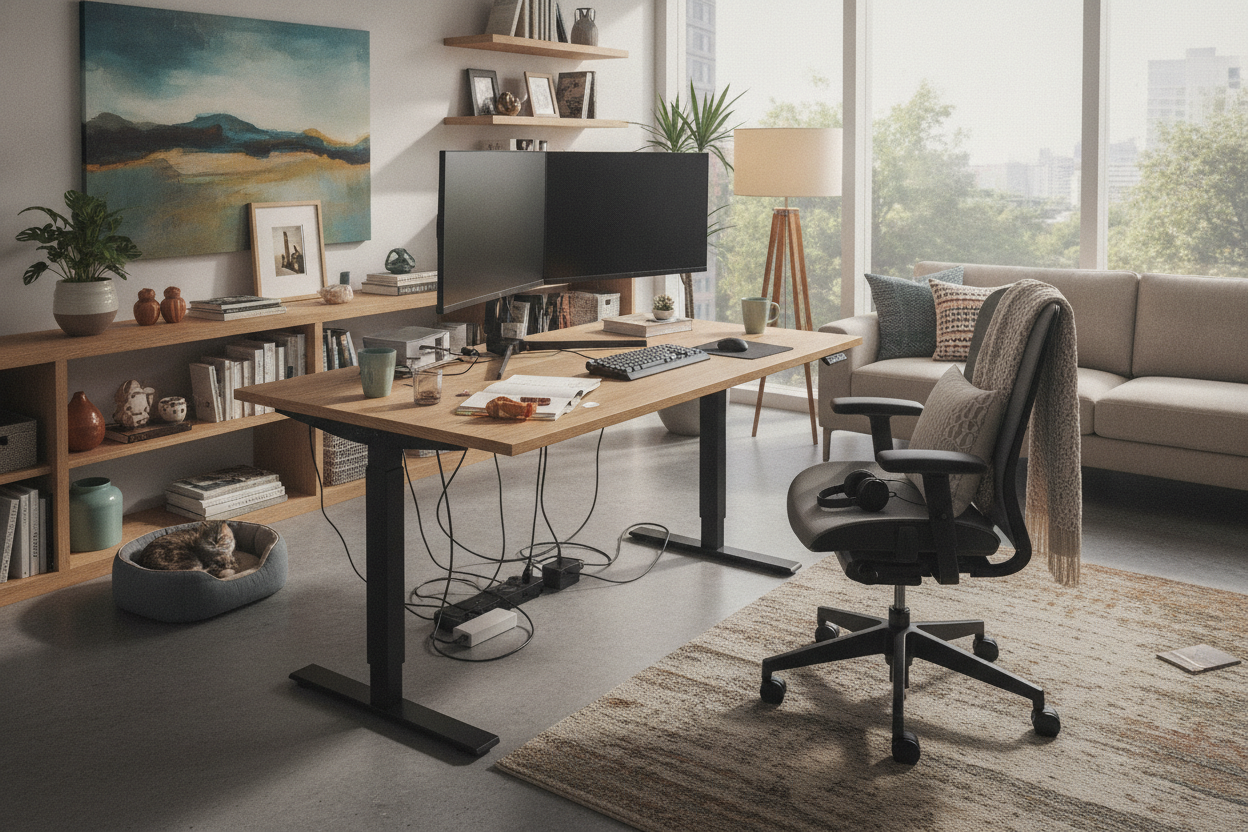
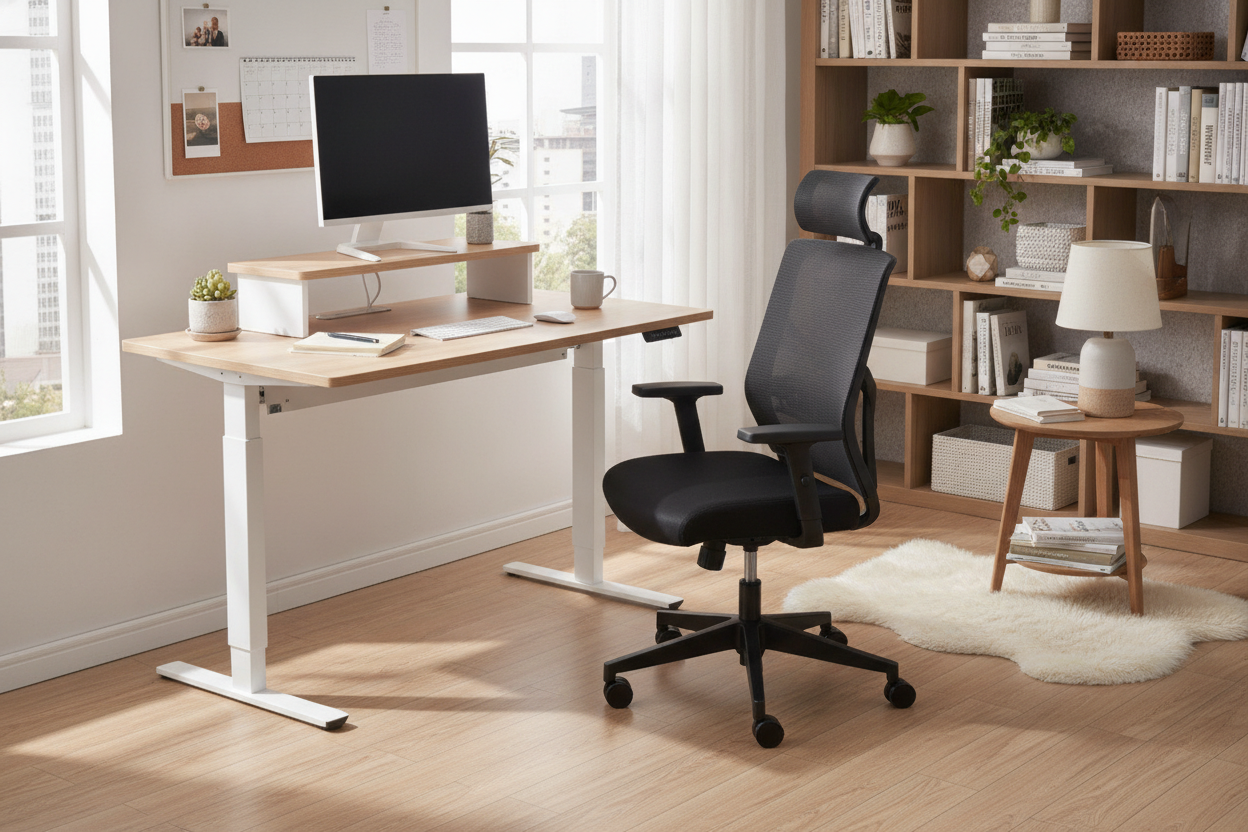
I remember the first time I fell for the propaganda. I was scrolling through Pinterest, looking at every standing desk image I could find, convinced my life was about to become a minimalist dream. I pictured myself standing gracefully at a slab of reclaimed wood, sipping a latte, with absolutely nothing on my desk except a single, thin laptop and a succulent.
Then the desk arrived. I hooked up my dual monitors, my mechanical keyboard, my mouse, my external hard drive, and my laptop dock. Suddenly, my workspace didn't look like a magazine spread; it looked like a server room exploded in a plywood factory. The truth is, those photos are a lie designed to sell you a vibe, not a functional workspace.
Quick Takeaways
- Marketing photos use 'ghost' cables or hide them behind desk legs using tape.
- Real setups require 'slack management' so you don't rip your computer off the desk when it rises.
- Monitor arms are the only way to reclaim the desk real estate lost to bulky plastic stands.
- Authentic inspiration is found on community forums, not in brand catalogs.
The Big Lie in Every Styled Standing Desk Image
Let's be honest: the people who style these photos don't actually work at these desks. They use a single 13-inch MacBook and a pair of designer headphones that aren't even plugged in. It's a fantasy. Whether you are looking at a high-end designer model or a budget standing motorized desk, the marketing teams use the exact same tricks.
They hide the power bricks. They use wireless peripherals that don't need charging. They omit the clutter of real life—the half-empty water bottles, the tangled charging cables, and the stack of mail you haven't opened. If you try to replicate that look with a full PC setup, you're going to end up frustrated because your reality involves about fifteen different copper wires.
What Those Beautiful Stand Up Desk Images Always Conveniently Hide
The biggest offender in those stand up desk images is the missing power strip. Every motorized desk needs to be plugged into a wall. Most of us also need to plug in a monitor, a lamp, and a computer. That is four thick cables right there. In a catalog, the desk is usually positioned in the middle of a white room with no visible outlets. In your house, it’s probably shoved against a wall with a 'spaghetti' pile of wires sitting on the baseboard.
They also hide the 'drop.' When a desk is at standing height, the distance to the floor increases. If your cables aren't long enough, they hang in mid-air like a tripwire. It looks messy, and it’s a genuine hazard for your ports.
How to Fix the 'Cable Spaghetti' Problem
The secret isn't getting rid of the stuff you need; it's mounting it to the underside of the desk. I spent $30 on a metal cable tray and it changed my life. You want all your power bricks and strips to move *with* the desk. If you have an Ergonomic Home Office Sit Stand Up Desk, you need to set it to its highest memory preset before you start zip-tying everything.
I made the mistake of cable-managing my desk while it was in the 'sit' position. I got everything looking tight and clean. Then, I hit the button to stand up, and I heard a sickening 'pop' as my expensive DisplayPort cable was yanked out of my monitor. Always leave a loop of slack near the floor for the main power cord, but keep everything else tucked up under the desktop.
Making Dual Monitors Actually Look Good
Two monitors are a productivity necessity, but they are a visual disaster. They take up half the surface area of a standard 60-inch desk. To get closer to that clean aesthetic, you have to ditch the factory stands. They are usually huge, plastic, and dust-magnets.
Get a gas-spring dual monitor arm. It lifts the screens off the desk, giving you back that space for your keyboard and mouse. It also allows you to align the screens perfectly, which stops the setup from looking lopsided. It’s the closest you’ll get to that 'floating' look you see in professional photography.
Where to Find Real-Life Setups That Still Look Amazing
If you want to see what a desk actually looks like in a home, stop looking at the manufacturer's website. Go to places like Reddit’s 'Workspaces' or 'Battlestations' subreddits. You’ll see how real people integrate an adjustable frame into a living room without it looking like a corporate cubicle. A traditional writing computer desk is much easier to photograph because it’s static, but with a little effort, a standing desk can look just as intentional.
My Personal Setup Disaster
I once tried to be a minimalist and bought a desk that was only 24 inches deep. It looked incredible in the photos. In practice? My 27-inch monitor was six inches from my face. I felt like I was staring at the sun. I ended up returning it and getting a 30-inch deep top. The lesson: never sacrifice ergonomics for a photo. You have to live in the space, not just look at it.
FAQ
Why do my cables look so messy compared to the photos?
Because the photos don't show the power strip. Mount a power strip to the underside of your desk with heavy-duty Command strips or screws, and plug everything in there. Only one cord should ever go to the wall.
Is a 48-inch desk too small for two monitors?
Yes. It will feel cramped, and the monitors will likely overhang the edges. If you have two screens, aim for at least 55 or 60 inches in width.
How do I hide the 'dangly' cord going to the wall?
Use a cable sleeve or a 'snake' cable organizer that attaches to the desk leg. It bundles the wires into one neat column that expands and contracts as the desk moves.


Leave a comment
This site is protected by hCaptcha and the hCaptcha Privacy Policy and Terms of Service apply.