










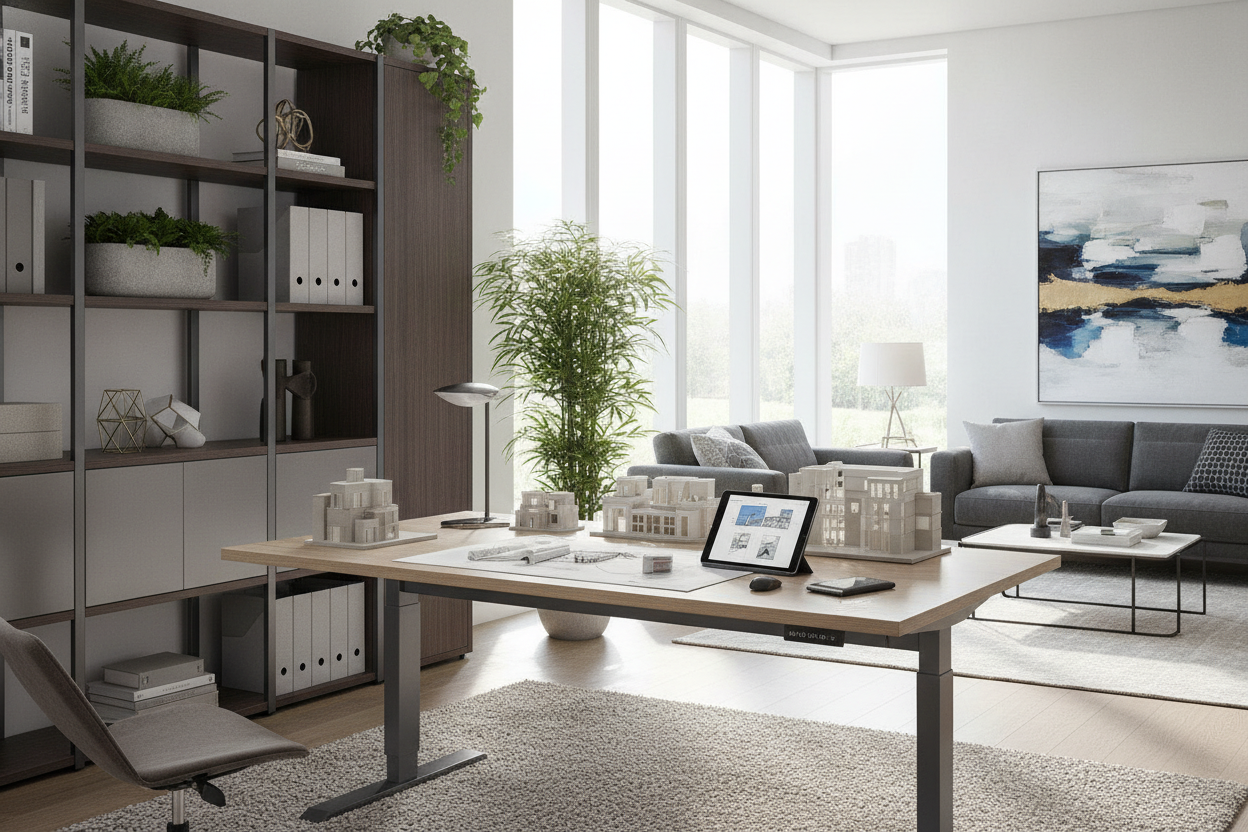
Introduction to Modern Electric Sit-Stand Desk Architecture
Modern office workstations have shifted decisively from static surfaces toward active, height-adjustable furniture platforms. Within this design category, electric sit-stand desks—popularized by specialized designers such as able desk co alongside contemporary ergonomic manufacturers—serve as the central anchor for modern task environments. When curating an ergonomic home work space, planning around a motorized desk requires evaluating mechanical architecture, weight distribution, surface dimensioning, and perimeter storage harmony.
A successful electric standing desk planning strategy looks beyond surface aesthetics. Because sit-stand desks introduce dynamic motion, their structural stability, motor synchronization, and clearance tolerances must maintain absolute integrity across both seated and standing heights. Understanding the core engineering behind these systems enables homeowners, designers, and facility coordinators to select configurations that deliver dependable stability and lasting utility.
Evaluating Frame Engineering: Dual Motors, Lifting Columns, and Base Stability
The foundation of any motorized desk lies in its underframe. The frame governs vertical travel speed, weight balancing, and lateral rigidity. A comprehensive review of height-adjustable mechanics reveals distinct differences in column staging, motor layouts, and foot architecture.
Telescoping Column Stages and Travel Range Planning
Electric standing desks rely on telescoping leg segments that expand and contract as internal drive spindles rotate. Workstation frames typically feature either two-stage or three-stage lifting columns:
- Two-Stage Telescoping Legs: These columns feature two nested steel sections. While suitable for average seated and standing heights, their overall travel span is narrower, which may limit usability for very short or tall operators.
- Three-Stage Telescoping Legs: Comprising three nested steel sections, these columns offer an expanded vertical stroke. They can descend lower to accommodate petite seated postures and elevate higher to support taller standing users, offering greater ergonomic flexibility across shared workstations.
Motor distribution also defines lifting quality. Single-motor systems rely on a shared hex rod to synchronize both legs, whereas dual-motor systems position an independent motor inside each column. Dual-motor architecture distributes lifting force more evenly, providing smoother height adjustments even when computer hardware, monitor arms, and accessories create an asymmetrical load on the desktop.
Underframe Crossbeams and Anti-Wobble Geometry
At standing height, any minor frame tolerance can amplify into noticeable monitor wobble during active typing. Structural stability depends on heavy-gauge steel crossbeams that span the width between lifting columns. Telescoping crossbeams accommodate variable tabletop widths while reinforcing horizontal rigidity.
Base foot design is equally essential. Long, steel feet equipped with adjustable floor glides ensure continuous contact with uneven flooring, preventing front-to-back rocking. Beveled foot profiles and secure top support plates transfer operational forces down through the columns into the floor, preserving a steady typing surface throughout daily tasks.
Tabletop Dimensioning and Surface Material Selection
Selecting the right desktop size is vital when configuring models from the able desk company or comparable contemporary desk builders. The tabletop must balance adequate hardware surface area with the room's overall footprint, maintaining appropriate sit stand desk dimensions for the task at hand.
- Compact Surfaces (48 inches wide by 24 to 28 inches deep): Ideal for secondary rooms, tight apartment corners, and single-laptop workflows where floor space is limited.
- Standard Workstation Surfaces (55 to 60 inches wide by 30 inches deep): The most versatile footprint for multi-monitor setups, providing ample room for dual screens, external input devices, and task lighting without crowding the surface.
- Expansive Executive Surfaces (70 to 72 inches wide by 30 to 36 inches deep): Designed for technical professionals and creatives who manage multiple displays, studio gear, and expansive project documentation simultaneously.
Depth is a critical ergonomic variable. A desktop depth of at least 28 to 30 inches ensures a comfortable visual focal distance from elevated monitors while leaving room for resting forearms naturally in front of keyboards. In terms of construction, high-density core materials finished with durable laminates, solid hardwoods, or seamless thermoformed surfaces withstand daily contact, equipment clamp pressure, and ambient moisture.
Spatial Clearance, Perimeter Flow, and Room Layout Archetypes
Because an electric desk moves vertically, spatial planning must account for three-dimensional clearance envelopes rather than static floor footprints alone. Consulting thoughtful office layout ideas for productive workflow helps position the desk to avoid wall collisions and walkway bottlenecks.
Wall Clearance and Dynamic Cable Slack Management
When positioning an adjustable desk against a perimeter wall, maintain a clearance gap of at least one to two inches behind the desktop edge. This buffer prevents the desk surface from rubbing against drywall, pinching monitor mount clamps, or grazing adjacent window sills as it travels.
Dynamic cable management is indispensable for electric desk configurations. Power cords, monitor leads, and peripheral lines must accommodate continuous vertical movement. Practical solutions include:
- Under-Desk Power Distribution: Mounting an all-in-one surge protector to the underside of the tabletop ensures that only a single heavy-duty power feed cord travels down to the wall outlet.
- Articulated Cable Spines: Using a segmented cable vertebrae conduit keeps loose wires neatly organized while expanding and contracting smoothly along with the desk's elevation changes.
- Under-Mounted Cable Trays: Wire mesh or steel cable baskets conceal power bricks and excess wire lengths beneath the surface, preventing dangling cords from catching on surrounding furniture.
Single-Wall, Corner, and Floating Floor Layouts
Room placement influences both natural lighting and office circulation. In single-wall layouts, placing the desk perpendicular to windows reduces screen glare while keeping the desk's vertical path clear of curtains or sills. Corner placements offer efficient use of square footage, provided the desk remains free of overlapping shelving units. In floating floor layouts, the desk sits in the center of the room facing the entrance, which requires floor-core power routing or low-profile floor cord covers to maintain safety and visual order.
Harmonizing Electric Desks with Modular Storage Furniture
One challenge of height-adjustable desks is the absence of integrated drawers. Addressing this requires thoughtful office desk storage integration. By pairing electric desks with freestanding FUFU&GAGA modular storage cabinets, credenzas, and mobile drawer units, you can maintain seamless organization without interfering with motorized movement.
When coordinating with comprehensive workplace infrastructure and ergonomic layout design principles, consider the following layout pairings:
- Low-Profile Mobile Pedestals: Compact rolling file cabinets can tuck beneath the desk during seated hours. Ensure the top of the mobile pedestal sits lower than the desk's lowest programmable height to prevent pinch points during descent.
- Adjacent Lateral Credenzas: Positioning an independent FUFU&GAGA credenza or low sideboard alongside or behind the desk creates an L-shaped workstation dynamic. The credenza provides dedicated storage for printers, reference materials, and files without touching the moving desk frame.
- Wall-Mounted Shelving with Vertical Clearance: When installing upper wall shelves above a sit-stand desk, calculate the maximum elevated height of your monitors to ensure monitors never strike the underside of the shelving.
Decision Matrix: Selecting the Ideal Electric Desk Configuration for Your Workflow
To choose the optimal desk architecture for your environment, align your spatial dimensions and daily equipment load with appropriate frame and storage combinations:
- Compact Single-Laptop Workstation: Pair a 48-by-24-inch surface with a sturdy two-stage frame, integrated cable basket, and an adjacent slim vertical bookcase to maximize floor utility in compact spaces.
- Dual-Monitor Professional Station: Select a 60-by-30-inch desktop on a dual-motor, three-stage frame. Complement it with an under-desk mobile filing pedestal and a flexible cable spine for smooth height adjustments.
- Creative & Executive Hub: Utilize a 72-by-30-inch surface on a high-capacity dual-motor base, paired with a matching FUFU&GAGA lateral storage cabinet positioned along the perimeter wall for high-density archiving.
By balancing frame stability, deliberate surface sizing, dynamic cable slack, and surrounding modular storage, you can establish an adaptable, dependable workstation that supports daily productivity across all elevation settings.

Dejar un comentario
Este sitio está protegido por hCaptcha y se aplican la Política de privacidad de hCaptcha y los Términos del servicio.