










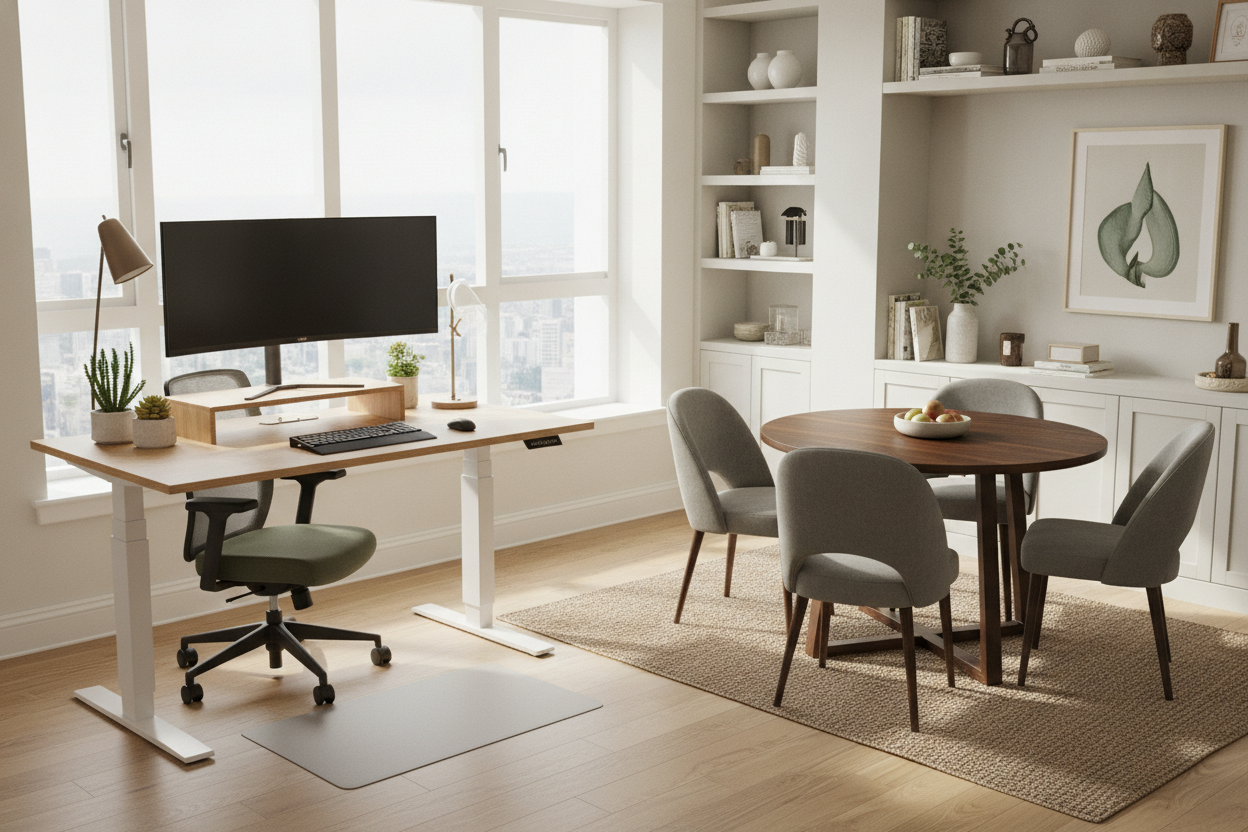
I spent the better part of a year hunched over a beautiful, walnut-veneered mid-century dining table. I thought I was winning at the WFH game because my setup looked like a spread in a design magazine rather than a cubicle. But by month three, I had a persistent twitch in my right shoulder and a neck that felt like it was made of dry kindling. I finally broke down, grabbed a tape measure, and realized the beautiful lie I was living.
The realization hit me hard: just because two pieces of furniture look similar doesn't mean they function the same for your spine. I was constantly asking are dining tables and desks the same height while ignoring the fact that my body was screaming for a literal inch of relief. Here is why that small measurement gap is actually a massive ergonomic trap.
- The Height Myth: Both usually sit at 29-30 inches, but that is often too high for ergonomic typing.
- The Apron Trap: Dining tables have structural supports that block your chair and your knees.
- The Reach Factor: Desks are shallower; dining tables are deep, forcing you to overextend for your monitor.
- The Solution: If you must use a table, you need an adjustable chair and a footrest to fix the angles.
The Short Answer (And Why My Shoulders Hate Me)
On paper, the difference is negligible. Most dining tables and desks hover between 28 and 30 inches from the floor. To a tape measure, they are identical. To your musculoskeletal system, they are worlds apart. The problem is that 30 inches is actually quite high for a work surface, even though it’s the industry standard for eating.
When you sit at a dining table, you are usually there to eat, socialize, or maybe do a quick puzzle. You lean forward. You rest your elbows on the table. But when you type, your shoulders need to be relaxed and your elbows should form a 90-degree angle. At 30 inches, most people—unless you are well over six feet tall—have to hike their shoulders up just to get their hands onto the keyboard. Do that for eight hours a day, five days a week, and you’ll understand why my physical therapist now knows my dog's name and my coffee order by heart.
Standard tables are designed for the clearance of a dining chair, which usually has a seat height of 18 inches. This leaves a 12-inch gap for your thighs. That works for a fork and knife, but it’s a disaster for a mouse and keyboard. You end up with your wrists angled upward, which is the fastest way to invite repetitive strain injuries into your life.
Desk Height vs Table Height: The Ergonomic Reality
The nuance of desk height vs table height comes down to the activity. Eating is a high-impact, short-duration movement. Typing is a low-impact, high-repetition movement. If your desk is even half an inch too high, your wrists will compensate by angling upward (extension). After a few hours, that tension radiates up your forearms and settles right between your shoulder blades.
I learned this the hard way when I bought a massive desk table for my home office. It was 30.5 inches tall, made of solid oak, and looked incredible. I thought the extra surface area for my three monitors was worth the height. It wasn't. Within weeks, the desk was just a very expensive place to store my mounting medical bills for neck strain. Most dedicated office desks are actually trending lower—closer to 28 inches—because furniture designers are finally realizing that we aren't all giants.
Furthermore, dining tables are often much deeper than desks. A standard desk is 24 to 30 inches deep, allowing you to keep your monitor at a healthy arm's length. A dining table can easily be 40 inches deep. If you push your monitor back to where it feels 'right' on a big table, you end up leaning forward to read small text, completely destroying your posture. You become a human shrimp, curved over a slab of wood, wondering why your lower back feels like it's 90 years old.
The 'Apron' Problem Nobody Warns You About
Standard dining tables feature an 'apron'—that vertical wooden frame right under the tabletop that keeps the legs stable. It looks sophisticated and provides structural integrity, but it is the secret enemy of ergonomics. That apron usually hangs down 2 to 4 inches below the table surface. If you have a proper office chair with armrests, those armrests will hit the apron long before you can pull your chair in close enough to the table.
This forces you to sit further back, which makes you reach further forward to hit your keys. It also means you can't cross your legs without banging your knees into a piece of kiln-dried hardwood. It’s a subtle design detail that makes using a dining table for work feel like trying to fit a square peg in a round hole. You either sacrifice your arm support or your proximity to your screen. Neither is a win.
When Can You Actually Use a Dining Table as a Desk?
You don't have to throw out your aesthetic goals just to save your spine. You can use a table for work, but you have to be incredibly picky about the silhouette. I recommend looking for modern dining tables that use a trestle or pedestal base instead of four corner legs with a deep apron. Thin, 'floating' tops are your best friend here because they maximize the space between your lap and the keyboard.
If you really want to bridge the gap, you might consider something more tech-forward. I've seen setups where a motorized dining table serves as a dinner spot at night and a customized ergonomic station during the day. The ability to drop the table to 27 inches for deep work and then raise it back to 30 for a dinner party is the ultimate small-space hack. It looks like a high-end furniture piece but moves like a piece of office gear.
Another factor is the edge of the table. Most dining tables have sharp, 90-degree edges. After an hour of work, those edges dig into your forearms, cutting off circulation. If you are dead set on the dining table life, look for 'bullnose' or rounded edges that won't leave red welts on your skin by lunchtime.
3 Ways to Fix Your Current Setup (Without Buying New Furniture)
If you're stuck with your current table and a mounting sense of dread, don't panic. You can fix the geometry without a trip to the furniture store. First, get a clamp-on keyboard tray. This single move drops your typing height by several inches, effectively turning your tall dining table into a low-profile desk. It's the cheapest way to save your wrists and it clears up your desk surface too.
Second, if the table is too high, raise your chair. Don't just settle for the height it’s at. Use a firm seat cushion to get your elbows to that 90-degree sweet spot. Third—and this is vital—if you raise your chair, your feet will probably dangle. Danging feet lead to restricted blood flow and hip pain. Use a stack of heavy books or a dedicated footrest. If your feet aren't flat and supported, your lower back will take the hit. It's all about the angles, not the furniture's name.
FAQ
Is 30 inches too high for a desk?
For most people under 6 feet tall, yes. 28 inches is usually the ergonomic sweet spot for typing. If you are on the shorter side, you might even prefer 26 or 27 inches to keep your shoulders relaxed.
Can I use a dining chair as a desk chair?
I wouldn't recommend it for more than an hour. Dining chairs lack lumbar support and the ability to tilt or adjust height, which are essential for spine health during long work sessions. Your back needs dynamic support, not a static wooden slat.
Why do my arms hurt when working at the kitchen table?
It's likely because the table is too high, causing you to shrug your shoulders and put pressure on the nerves in your wrists and forearms against the hard edge of the table. This can lead to numbness or 'pins and needles' over time.

Dejar un comentario
Este sitio está protegido por hCaptcha y se aplican la Política de privacidad de hCaptcha y los Términos del servicio.