










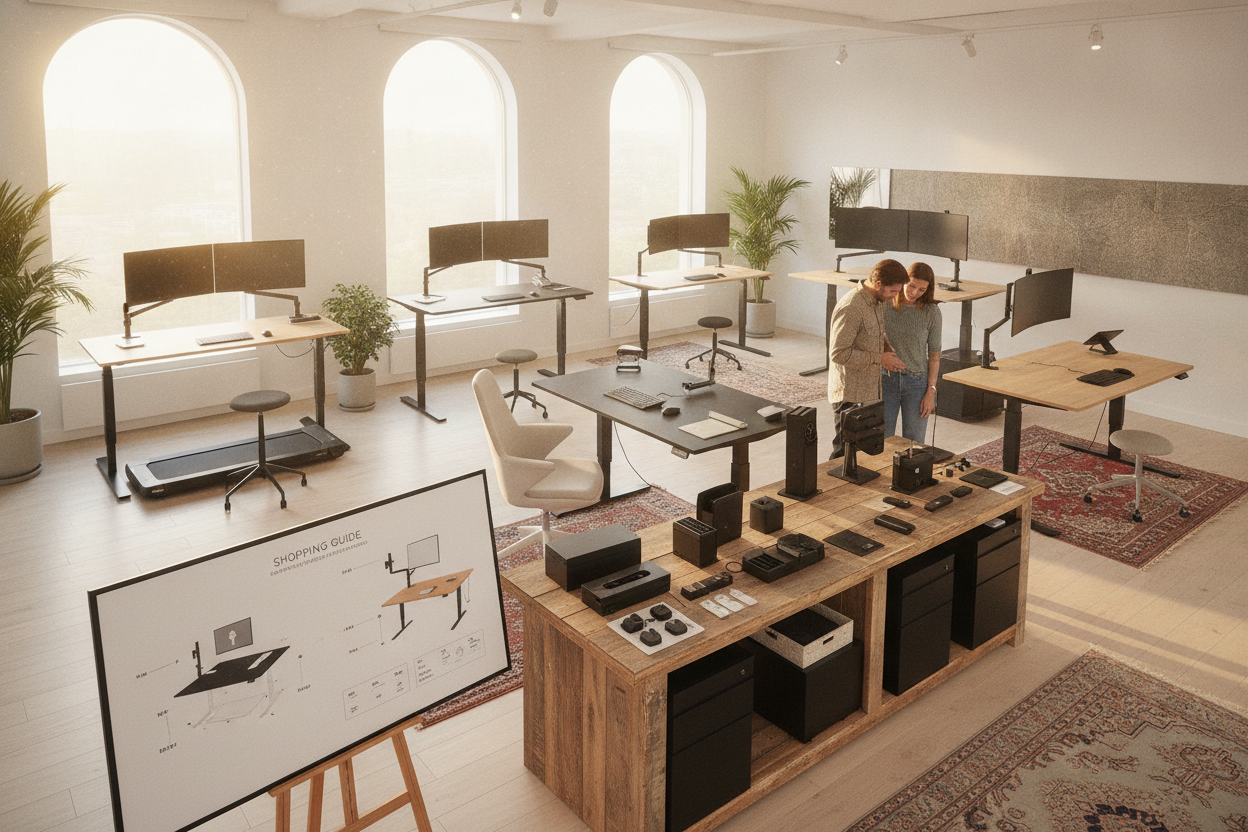
I spent four hours last Tuesday staring at a configurator for a single piece of office furniture. By the time I reached the 'cable management tray' options, I had 14 tabs open and a headache. Entering a specialized standing desk shop shouldn't feel like negotiating for a mid-sized sedan at a dealership, but that is exactly where the industry has landed.
I have built enough furniture to know that more options usually just mean more ways to inflate the price. You start looking for a simple surface and end up being asked if you want Bluetooth-enabled legs and carbon fiber grommet covers. It is exhausting.
Quick Takeaways
- Skip the Bluetooth apps; you will never use your phone to raise your desk after the first week.
- Always pay for the memory keypad—it is the only tech upgrade that actually matters.
- Prioritize a dual-motor system if you have more than one monitor.
- Invest in a sturdy frame over a 'designer' tabletop material like reclaimed wood that might warp.
Why Buying a Desk Suddenly Feels Like Buying a Car
The first time you walk into a digital standing desk store, the paradox of choice hits hard. You aren't just buying a place to put your laptop; you are choosing between single-stage or three-stage columns, T-frames or C-frames, and whether you want your cable holes at the corners or the center. It is a massive departure from the days of just picking out a standard writing computer desk and calling it a day.
Retailers do this because the margins on the base frame are thin. They want you to get lost in the customization. I have seen people spend $200 extra on 'premium' finishes that look identical to the standard laminate once you actually put a keyboard and a coffee mug on top of them. Don't fall for the 'pro' labeling on every minor tweak.
The 'Premium' Add-Ons You Can Completely Ignore
Let's talk about the features that exist solely to drain your wallet. First on my list: integrated Bluetooth. Some shops want an extra $50 to $100 for an app that tracks how long you've been standing. Trust me, your legs will tell you when they are tired. You don't need a push notification from your furniture.
Then there are the 'industrial' casters. Unless you are planning to wheel your entire workstation into a different room every morning, standard leveling glides are better. Casters add height and can make a desk feel less stable at full extension. I once paid $60 for a set of locking wheels only to realize I haven't moved that desk more than three inches in three years.
But Wait: Do You Actually Need a Memory Keypad?
If there is one place where you should actually spend the extra money, it is the controller. The basic 'up/down' buttons are a trap. You think you won't mind holding the button for 15 seconds every time you want to stand, but you will. It becomes a chore, and eventually, you just stop moving the desk entirely.
Getting an electric lift system with memory presets is the only way you'll actually switch between sitting and standing regularly. You want to be able to hit 'Position 2' and walk away to grab a glass of water while the desk does the work. It is the difference between a tool you use and a gimmick that collects dust.
Where You Should Actually Spend Your Money
Instead of the flashy tech, look at the bones of the desk. Dual motors are non-negotiable for me now. I once had a single-motor desk that sounded like a dying blender every time I tried to raise it with two monitors attached. It wobbled, it struggled, and it eventually burned out. Dual motors distribute the load and usually offer a much smoother, quieter transition.
If you are a power user with three screens, a heavy PC tower, and a literal library of books, don't skimp on the surface area. Spending your budget on a wider, sturdier frame like a 71-inch height adjustable standing desk is far better than buying a smaller desk with fancy tech add-ons. Stability at max height is the true mark of a quality desk, not how many USB ports are glued to the side.
Don't Forget About the Other Half of the Equation
I have seen people spend $1,200 on a top-tier standing frame and then sit in a $40 folding chair when they aren't standing. That is a recipe for a physical therapy appointment. An adjustable desk and chair combo needs to work in harmony. If your chair doesn't have proper lumbar support, you'll find yourself standing just to escape the pain, which isn't the point of ergonomic furniture.
Finally, think about how the whole setup looks in your home. You don't want your office to look like a sterile corporate cubicle. You can avoid that 'tech-bro' aesthetic by thoughtfully styling an office desk and chair set with textures and lighting that soften the heavy metal look of the standing frame. A nice lamp and a desk mat go a long way in making a motorized desk feel like actual furniture.
FAQ
Is a single motor enough for a laptop setup?
If you only have a laptop and maybe one light monitor, a single motor is fine. But if you plan on adding a monitor arm or a heavy desktop, the motor will wear out much faster than a dual-motor system.
Do I really need a cable management tray?
You need cable management, but you don't need the $80 branded tray from the desk shop. A $15 wire basket from a hardware store does the exact same job and stays hidden under the desk anyway.
Are bamboo tops better than laminate?
Bamboo is more eco-friendly and looks 'premium,' but it is also softer. If you drop a heavy stapler or a coffee mug, it will dent or scratch much easier than a high-quality laminate top. Choose based on how much you abuse your workspace.

Dejar un comentario
Este sitio está protegido por hCaptcha y se aplican la Política de privacidad de hCaptcha y los Términos del servicio.