










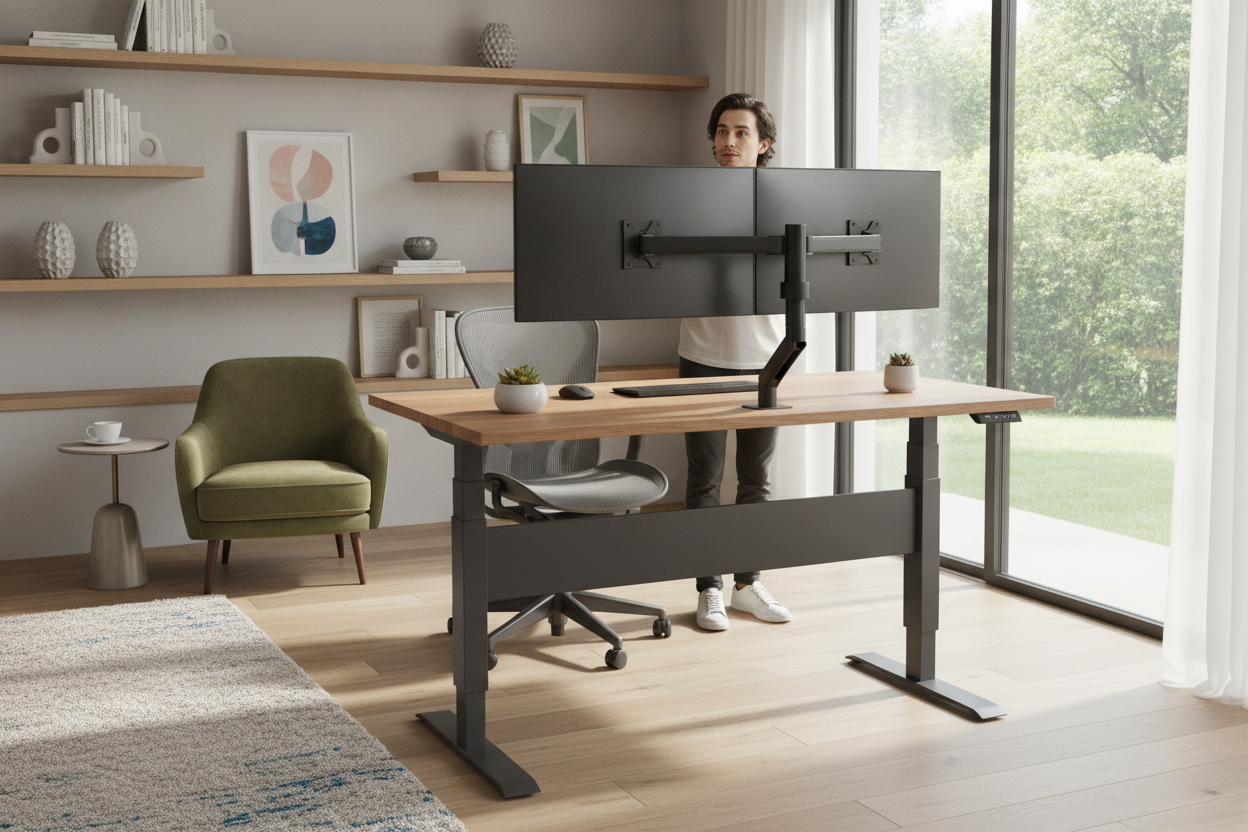
I once spent three hours cable-managing a triple-monitor setup, only to have the entire thing shudder like an old freight train the first time I hit the 'up' button. I’d cheaped out on the frame, thinking a dual motor standing desk was just marketing fluff designed to separate me from an extra hundred bucks. I was wrong. My desk didn't just struggle; it complained. Every morning started with a mechanical groan that made me wonder if today was the day my $3,000 worth of gear would end up in a heap on the floor.
If you've got more than a laptop and a coffee mug on your desk, you're playing a dangerous game with a single-motor setup. It’s the difference between a car that can barely make it up a hill and a truck designed for towing. After six months of watching my monitors wobble every time I typed, I finally admitted defeat and upgraded. Here is the reality of why those two little motors actually matter.
- Single motors use a physical hex rod to sync the legs, which is a common point of failure.
- Dual motors provide independent power to each leg, resulting in much higher weight capacities.
- A dual motor setup is significantly quieter and moves faster under heavy loads.
- Most single-motor desks start to 'struggle' once you cross the 100-pound threshold, regardless of their rating.
The Terrifying Whine of a Struggling Single Motor
When I first set up my home office, I went for the cheapest electric frame I could find. It had one motor tucked into the right leg and a long metal rod that connected it to the left leg. On day one, with nothing but a tabletop, it was fine. But then I added my 34-inch ultrawide monitor, a pair of heavy studio speakers, a monitor arm, and a desktop PC that weighs about 35 pounds on its own. The desk started moving at the speed of a tectonic plate.
The sound was the worst part. It wasn't a smooth hum; it was a high-pitched, grinding whine that signaled the motor was redlining just to lift my setup. I lived in constant fear that the internal gears would strip mid-lift, leaving me with a permanently slanted desk. I eventually traded my broken motor for a sturdier frame because the anxiety of a total collapse was ruining my focus. If your desk sounds like a dying blender, it’s not 'just how it sounds'—it’s a warning.
Single motors are often rated for 150 to 175 pounds in a laboratory setting, but they don't account for real-world friction or uneven weight distribution. When one side of your desk is heavier than the other, that single motor has to work overtime to push power through that tiny hex rod. It’s a recipe for a burnout that usually happens right after the warranty expires.
What Actually Changes When You Have a Dual Motor Desk Frame?
The biggest difference in a standing desk frame dual motor setup is the mechanics. Instead of one motor doing all the heavy lifting and 'sending' power to the other leg via a rod, you have a motor housed inside each leg. These motors are electronically synced by a control box. This means there is no physical rod to slip, bend, or rattle. When you hit the button, both legs move in perfect, powerful unison.
This architectural change fixes the two biggest complaints about standing desks: noise and speed. Because the workload is split 50/50, neither motor has to strain. I’ve written about my unfiltered thoughts on motor noise before, and the takeaway is always the same: dual motors produce a low-frequency purr rather than the shrill scream of a single motor. It’s the kind of quiet that won't wake up someone in the next room during an early morning deep-work session.
Stability is the other hidden benefit of a dual motor desk frame. Because each leg has its own power source, the frame can be built with thicker steel and heavier components. Single motor frames are often kept lightweight so the motor doesn't burn out just moving the frame itself. With dual motors, the manufacturers can beef up the gauge of the steel, which kills that annoying side-to-side wobble when the desk is at full height.
The Weight Capacity Reality Check
Let’s do some quick office math. A standard 60-inch solid wood tabletop usually weighs between 40 and 60 pounds. Add a dual-monitor mount (15 lbs), two monitors (20 lbs), a laptop dock, a keyboard, and a heavy desk mat. You’re already at 100 pounds before you even put your coffee down. Now, think about how often you lean your forearms on the desk while typing or stand up and push off the desk to stretch. You can easily add another 30 to 40 pounds of pressure in those moments.
A standing desk dual motor system is usually rated for 250 to 350 pounds. While you might think you'll never need that much, the 'overhead' is what matters. You want a motor that is operating at 30% of its capacity, not 90%. When a motor is pushed to its limit every day, the heat build-up eventually degrades the lubricants and the electronic components. If you’re a gear-heavy worker with a multi-monitor setup, dual motors are the only way to ensure your desk lasts five years instead of five months.
I’ve seen people try to save money by putting a heavy butcher block top on a single-motor frame. It’s a disaster waiting to happen. The uneven weight of the wood alone is enough to cause the hex rod to skip teeth in the gear housing. If you’re investing in a high-quality, heavy surface, you owe it to yourself to put it on a frame that can actually handle the load without breaking a sweat.
Is the Extra Cash for a Dual Motor Setup Actually Worth It?
If you are a minimalist who works on a single MacBook Air and nothing else, you might be able to get away with a single motor. But for the rest of us—the people with external displays, mounting arms, large speakers, and heavy PC towers—a dual motor electric standing desk is non-negotiable. It is the baseline for a professional-grade home office. You aren't just paying for more power; you’re paying for the peace of mind that your desk won't seize up in the middle of a Friday afternoon.
When you shop, look for frames that offer a high-quality control box with safety features like anti-collision sensors. A reliable electric standing desk with memory presets combined with dual motors allows you to transition from sitting to standing in about 6 to 8 seconds. That speed matters because if the transition takes 20 seconds and sounds like a construction site, you simply won't use the standing feature as often as you should.
In my experience, the 'buy once, cry once' rule applies perfectly here. Spending the extra $80 to $120 for a dual motor frame now saves you from the $300 replacement cost two years down the line when the single motor finally gives up the ghost. It’s the single most important upgrade you can make to your ergonomic setup.
How do I know if my desk is dual motor?
Look under the tabletop. If you see a motor housing on both the left and right legs, it's a dual motor. If you see one motor and a long metal rod (hex rod) stretching across to the other leg, it's a single motor system.
Are dual motor desks harder to assemble?
Actually, they are often easier. You don't have to fiddle with aligning a hex rod or tensioning a drive shaft. You just bolt the legs on and plug the two motor cables into the central control box. It’s much more 'plug and play.'
Is a dual motor desk louder?
No, it's usually much quieter. Because two motors are sharing the load, they don't have to spin at high RPMs or strain to move the weight. Most high-quality dual motor desks operate at under 50 decibels, which is about the volume of a quiet conversation.

Dejar un comentario
Este sitio está protegido por hCaptcha y se aplican la Política de privacidad de hCaptcha y los Términos del servicio.