










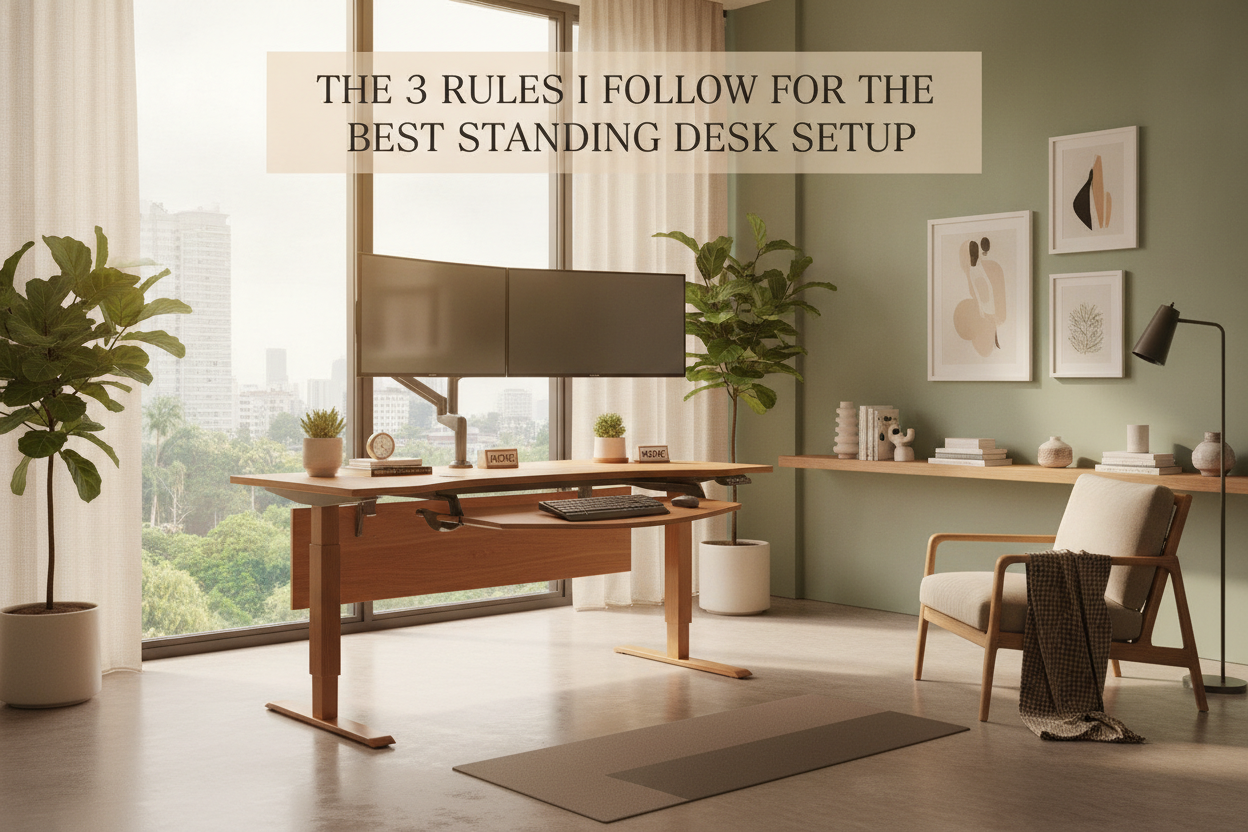
I remember staring at my first standing desk—a giant slab of particle board on gray metal legs—and realizing my living room looked like a DMV waiting area. I had all the ergonomic gear I was told I needed, but the vibe was totally off. It felt like I was working in a server room, not a home I actually liked living in.
Finding the best standing desk set up isn't just about avoiding back pain; it's about making sure your office doesn't become a visual eyesore that haunts you after 5 PM. I spent months swapping out monitor arms and hiding power strips to finally get a workspace that feels like a piece of furniture rather than a piece of tech equipment.
Quick Takeaways
- Hide every single cable or don't bother; visual clutter kills productivity.
- Invest in a dedicated monitor arm to save your neck and regain desk real estate.
- Layer your lighting with a monitor bar and a warm lamp to avoid the cubicle feel.
- Choose a desk frame that doesn't wobble when you're typing at full height.
Why Most Ergonomic Offices Look Terrible
The problem with most home offices is that they are built for efficiency, not aesthetics. We go to a big-box retailer, buy the gray plastic accessories, and wonder why our spare bedroom feels like a corporate cubicle. The truth is that big-name brands often fall short because they design for mass-market office buildings, not for someone who wants their desk to match their mid-century modern credenza.
You have to be intentional. If you just buy the first 'ergonomic' thing you see, you'll end up with a mess of black plastic and neon blue LEDs. A functional space should disappear into your home decor when you aren't using it, not scream for attention with its ugliness.
Rule 1: If I Can See Cables, The Setup Is Broken
Cable management is the hill I will die on. A standup desk setup involves a lot of moving parts, which means more opportunities for cords to dangle like spaghetti. If I can see a single power cord hanging from the back of your desk, the whole look is ruined. It’s not just about looks, either—loose cables are a snag hazard when the motor is running.
I use a heavy-duty steel cable tray bolted to the underside of the desktop. Everything—the power strip, the laptop bricks, the monitor cables—lives in that tray. From there, I use a single 'umbilical' sleeve to run one power cord down to the wall outlet. It makes the desk look like it’s floating, even when it’s at full standing height.
Rule 2: Don't Let Your Monitors Boss You Around
Most people just plop their monitor on the stand it came with and call it a day. This is a mistake. Those stands take up way too much space and rarely get the screen high enough to prevent the 'laptop hunch.' When you're standing, your eyes should be level with the top third of the screen. If you're looking down, you're just trading back pain for neck pain.
I switched to a gas-spring monitor arm that clamps to the back of the desk. This allows me to pull the screen closer when I'm sitting and push it back when I'm standing. It also frees up about two square feet of desk space that used to be occupied by a bulky plastic base. It’s the single most impactful change you can make for both your posture and your desk's footprint.
Rule 3: Harsh Overhead Lighting Ruined My Vibe
Nothing makes a home office feel more like a basement than a single overhead bulb. To get the best desk lighting setup, you need layers. I stopped using my ceiling fan light entirely and moved to a combination of a monitor light bar and a small, warm-toned desk lamp.
The light bar sits on top of my screen and illuminates my keyboard without reflecting off the glass. This reduces eye strain significantly. Then, I add a lamp with a 2700K bulb in the corner of the desk to give the room a soft, residential glow. It makes the transition from 'work mode' to 'relax mode' much easier when the lighting doesn't feel like a sterile hospital wing.
The Exact Gear Keeping My Setup Together
I've tested a dozen different configurations, and I’ve learned that the frame is everything. If the legs are flimsy, the whole desk will shake every time you type. I finally settled on a motorized frame with memory presets because I got tired of manually holding a button for twenty seconds every time I wanted to stand up. Being able to hit one button and walk away to grab coffee is a luxury I won't give up.
If you aren't the type to buy a separate top and frame, I usually point people toward a 54-inch electric lift desk. It’s the 'Goldilocks' size—large enough for two monitors and a coffee cup, but small enough to fit in a standard apartment nook. I personally prefer a solid wood top over the cheap 1-inch laminate stuff because it feels more substantial and doesn't vibrate as much when the motor is running.
Personal Experience: My $500 Mistake
A few years ago, I tried to save money by buying a hand-crank standing desk. I thought, 'I'll get a little arm workout while I work!' I was wrong. It took about 40 turns to get it to standing height. Because it was such a chore, I ended up never standing. I spent $500 on a standing desk that I only used as a sitting desk. Don't be like me. If you don't make it easy to switch heights, you won't do it. Spend the extra money on the motor; your back will thank you later.
FAQ
Do I need a special mat for standing?
Yes. Standing on a flat, hard floor for four hours will kill your heels. Get a high-density foam 'anti-fatigue' mat. It makes a massive difference in how long you can actually stay upright.
How wide should my desk be?
For most people, 48 to 54 inches is the sweet spot. Anything smaller feels cramped if you use two monitors. Anything larger than 60 inches starts to look like a dining table and can dominate a small room.
Are curved desks better?
Usually, no. They look cool in photos, but they make cable management a nightmare because you lose that straight back edge to clamp things onto. Stick to a rectangle unless you have a very specific corner use case.

Dejar un comentario
Este sitio está protegido por hCaptcha y se aplican la Política de privacidad de hCaptcha y los Términos del servicio.