










Understanding the Appeal of Warehouse Standing Desks
Motorized sit-to-stand workstations have transitioned from specialized corporate office installations into central features of modern home workspaces. Wholesale retail venues have played a notable role in this transition by offering heavy-duty adjustable desks directly to residential consumers. When researching options such as the Apex desk available through warehouse clubs, understanding the underlying design, mechanical architecture, and room integration requirements is essential for building a functional home office suite.
Warehouse-sourced electric desks appeal to shoppers seeking a balance between heavy-duty structural components and straightforward retail acquisition. Unlike basic manual risers or lightweight utility tables, these full-sized workstations feature motorized steel frames capable of raising multi-display computing setups smoothly throughout the workday. When assessing options, evaluating retail desk deals and long-term value requires looking past initial price points to examine structural design, tabletop geometry, and long-term spatial compatibility.
Key structural factors to evaluate when considering wholesale electric desks include:
- Desktop Construction: Continuous single-piece solid core surfaces offer superior structural integrity and smooth mouse tracking compared to multi-piece sectional boards that require center seams.
- Frame Geometry: Solid steel lifting columns with wide horizontal base feet create a low center of gravity that minimizes lateral sway during height transitions.
- Drive System Architecture: Dual-motor systems dedicated to individual leg columns generally offer balanced lifting power, quiet operation, and reliable synchronized height travel.
- Control Interface: Programmable memory keypads allow users to save preferred seated and standing elevation presets, encouraging regular posture shifts without constant manual adjustment.
Surface Sizing Tiers and Spatial Footprint Planning
Choosing the correct surface footprint is a foundational step in workstation planning. A desk that is too large can overwhelm room traffic paths, while a surface that is too small leaves monitors, writing pads, and input devices competing for usable surface area. Standing desks generally fall into distinct sizing categories, each suited to specific room zones and productivity demands.
To ensure proper physical comfort across both modes of use, verifying your ergonomic standing desk height alignment before finalizing furniture dimensions helps establish whether standard column travel ranges accommodate your natural seated elbow height and standing posture.
Compact Footprint Category
Compact workstations typically span modest widths and depths, making them well-suited for dual-purpose environments such as guest rooms, bedroom alcoves, or compact urban apartments. In these spaces, the desk must provide adequate depth for a laptop, single external display, keyboard, and mouse without projecting deep into walkway zones. Maintaining clear perimeter boundaries around the desk edges prevents the rising desktop from colliding with window sills, door casings, or adjacent side tables.
Mid-Size Executive Tier
Mid-sized formats represent the versatile center of home office workstations. These dimensions readily support dual monitor arms, compact desktop speakers, and dedicated writing pads while leaving ample clearance for task lamps and accessory organizers. When planning a layout around a mid-sized footprint, position the desk to allow natural movement around both sides, facilitating easy access to rear cable channels and under-desk power connections.
Extended Wide-Format Tier
Extended wide-format desks cater to power users running triple-monitor arrays, specialized creative hardware, large drawing surfaces, or combined computing and paperwork stations. Because wide desktops carry greater surface mass, verifying room proportions is crucial. Ensure there is sufficient wall width and unobstructed vertical space from floor level to full standing extension so the rising surface clears wall art, hanging shelving, and window drapery hardware.
Frame Mechanics, Weight Distribution, and Elevation Stability
The stability of an adjustable workstation depends heavily on the mechanical engineering of its under-frame assembly. When elevated to full standing height, any minor frame tolerance, loose fastener, or uneven floor contact becomes amplified at the desktop surface, leading to noticeable monitor wobble during typing.
A thorough understanding of sturdy standing desk frame mechanics enables buyers to identify robust structural components that maintain rigidity under load.
Lifting Column Geometry and Stages
Motorized desk legs utilize telescoping steel stages that nest inside one another. Two-stage columns provide adequate adjustment for average height ranges, whereas three-stage columns provide extended travel spans that accommodate both shorter seated positions and taller standing users. In three-stage assemblies, overlapping steel collar tolerances and precision glide pads damp mechanical vibration and minimize front-to-back deflection during movement.
Footplate Depth and Floor Contact
The base footplates distribute the total workstation weight across the flooring material. Extended footplate spans prevent forward tipping when heavy monitor arms are clamped along the rear desktop edge. Adjustable leveling glides situated beneath the footplates are indispensable for compensating for subfloor variations, transition strips between wood and tile, or dense carpet piles that could otherwise introduce frame tilt.
Surface Weight Balancing
Proper weight balancing preserves dual-motor longevity and ensures smooth vertical travel. Placing extreme, asymmetrical loads—such as a heavy computer tower perched on one corner—forces the drive mechanism on that side to work harder, which can lead to motor strain or leveling errors over time. Distribute heavy hardware symmetrically across the frame center line whenever feasible.
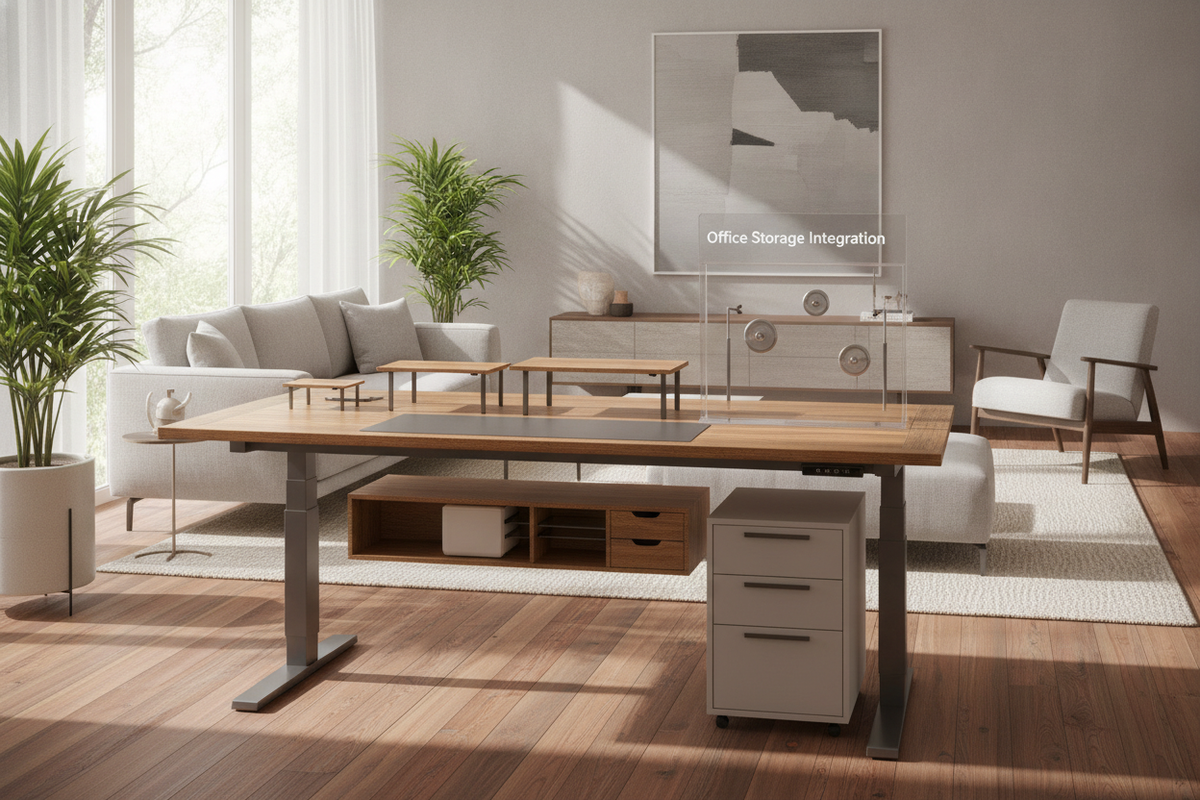
Solving the Storage Gap: Pairing Motorized Desks with Coordinated Cabinetry
One structural characteristic of open-frame electric standing desks is the absence of integrated drawers and cubbies. Because the desktop moves dynamically throughout the day, built-in under-desk cabinetry found in traditional executive desks cannot be permanently affixed without impeding motorized travel. Solving this storage gap requires intentional pairing with mobile, modular, and perimeter office furniture.
Mobile Under-Desk Pedestal Drawers
Mobile filing pedestals equipped with smooth-rolling casters provide convenient, accessible storage for daily office supplies, notebooks, and active project folders. When selecting a mobile pedestal to roll beneath an adjustable desk:
- Measure the total height of the mobile cabinet against the desk's lowest motorized seated setting to ensure positive clearance.
- Choose low-profile drawer units that leave adequate knee well width so your task chair can glide freely beneath the desktop.
- Select neutral finishes—such as matte white, deep black, or warm wood grain—that complement the desk frame and tabletop tone.
Adjacent Lateral Credenzas and Secondary Surfaces
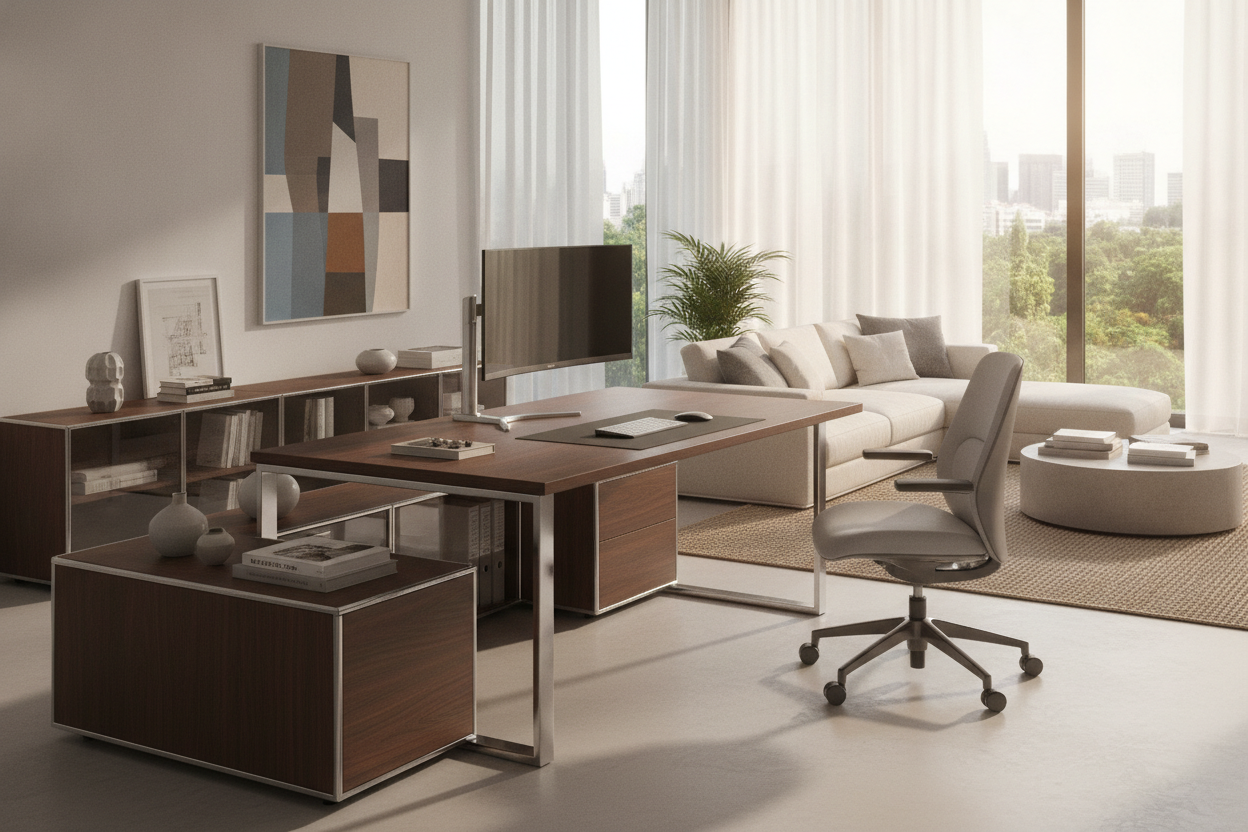
For extensive archiving, printer housing, and reference book storage, positioning an independent lateral credenza or low filing cabinet adjacent to the standing desk creates an efficient L-shaped functional zone. In this configuration, the adjustable desk remains unencumbered for vertical movement, while the stationary credenza provides a secondary anchor surface for heavy printers, scanners, and decorative accent lighting.
Vertical Wall Shelving and Overhead Clearance
Wall-mounted shelving units, bookcases, and modular hutches add valuable vertical storage without consuming floor footprint. When installing wall elements directly behind or beside a sit-to-stand desk, maintain a safety buffer between the highest standing elevation of your monitors and the underside of the lowest wall shelf. This prevents equipment damage during upward motorized travel.
Dynamic Cable Management and Peripheral Routing
Managing cables across an adjustable workstation involves distinct mechanical considerations compared to stationary desks. As the surface travels upward, cables connecting desktop hardware to stationary wall outlets experience tension. A well-engineered wire routing strategy prevents snagging, connector damage, and disconnected power during height transitions.
Calculating Service Loops and Cord Slack
The primary rule of sit-to-stand cable management is sizing cable slack for the highest possible operating elevation. Before securing wire runs, raise the desk to its maximum standing limit. Allow a gentle, unstrained service loop in the main power trunk so cables flex naturally without pulling tightly against wall receptacles or equipment ports.
Under-Desk Raceways and Power Distribution
To eliminate multiple cords dangling to the floor, mount a multi-outlet surge protector and a horizontal wire raceway tray directly beneath the desktop underside. By plugging all desktop peripherals—monitors, laptops, desktop lighting, and charging pads—into the under-frame power strip, only a single heavy-duty power cord needs to travel between the moving desk and the wall receptacle.
Articulated Cable Spines and Sleeve Organizers
Flexible cable spines, braided sleeves, and spiral wrap channels bundle loose wires into a tidy, unified vertical column. Articulated spine organizers anchor to the underside of the desk frame and rest on the floor plate, bending cleanly as the desk lowers and extending smoothly as the desk rises, shielding wiring from snagging on chair arms or mobile drawer handles.
Material Choices, Surface Durability, and Maintenance
Desktop surfaces in modern home offices undergo rigorous daily contact, including keyboard friction, warm beverage placements, writing pressure, and the concentrated clamping forces of monitor mounts. Selecting resilient surface materials and practicing routine maintenance ensures long-term appearance and performance.
Laminate Edge Treatments and Contours
High-pressure laminates and thermofused wood-grain veneers provide exceptional resistance against scratches, moisture absorption, and fading. Ergonomic front edge profiles—such as softly beveled or contoured center cutouts—reduce pressure against forearms during typing sessions, enhancing overall ergonomic comfort compared to sharp, square-edged desk perimeters.
Preventing Monitor Clamp Deflection
When attaching heavy dual or triple monitor arms via desktop C-clamps, the concentrated clamping force can indent softer composite cores. Using broad steel reinforcement plates on both the top and underside of the desk surface spreads clamping pressure over a wider footprint, protecting the laminate surface and enhancing overall display stability.
Routine Fastener and Alignment Checks
The continuous mechanical vibration of electric motors and everyday typing activity can gradually loosen structural bolts over extended periods. Implementing a simple annual maintenance routine preserves workstation integrity:
- Inspect and tighten all frame-to-top mounting screws and leg collar bolts using the appropriate hex key.
- Check floor leveling glides to verify that all four contact points rest firmly against the floor without rocking.
- Clean optical sensors and wipe down lifting column surfaces to remove dust buildup that could interfere with smooth telescoping action.
- Perform occasional control box recalibrations or reset sequences per manufacturer procedures if the desk indicates leveling discrepancies.
Comprehensive Workstation Evaluation Checklist
Before purchasing an adjustable desk through warehouse retail or specialized furniture collections, reviewing this comprehensive workstation checklist will confirm that the chosen configuration satisfies your spatial, structural, and storage requirements:
- Spatial Clearance: Verify that the room layout accommodates the selected desktop width and depth with at least several inches of perimeter breathing room away from adjacent walls, door swings, and window sills.
- Elevation Range Compatibility: Ensure the desk's minimum seated height matches your relaxed elbow posture when seated with feet flat, and that the maximum extension comfortably meets your standing eye line and typing position.
- Storage Pairing Plan: Identify whether mobile pedestals or adjacent lateral credenzas will house office supplies, confirming that under-desk drawer units clear lowest seated height settings.
- Power and Cord Architecture: Confirm proximity to grounded electrical wall receptacles and prepare an under-desk raceway to route all peripheral wiring into a single, flexible vertical drop.
- Surface Finish and Maintenance: Choose durable, scratch-resistant laminate surfaces suited to your daily workflow, backed by regular fastener and leveling inspections.

Dejar un comentario
Este sitio está protegido por hCaptcha y se aplican la Política de privacidad de hCaptcha y los Términos del servicio.