










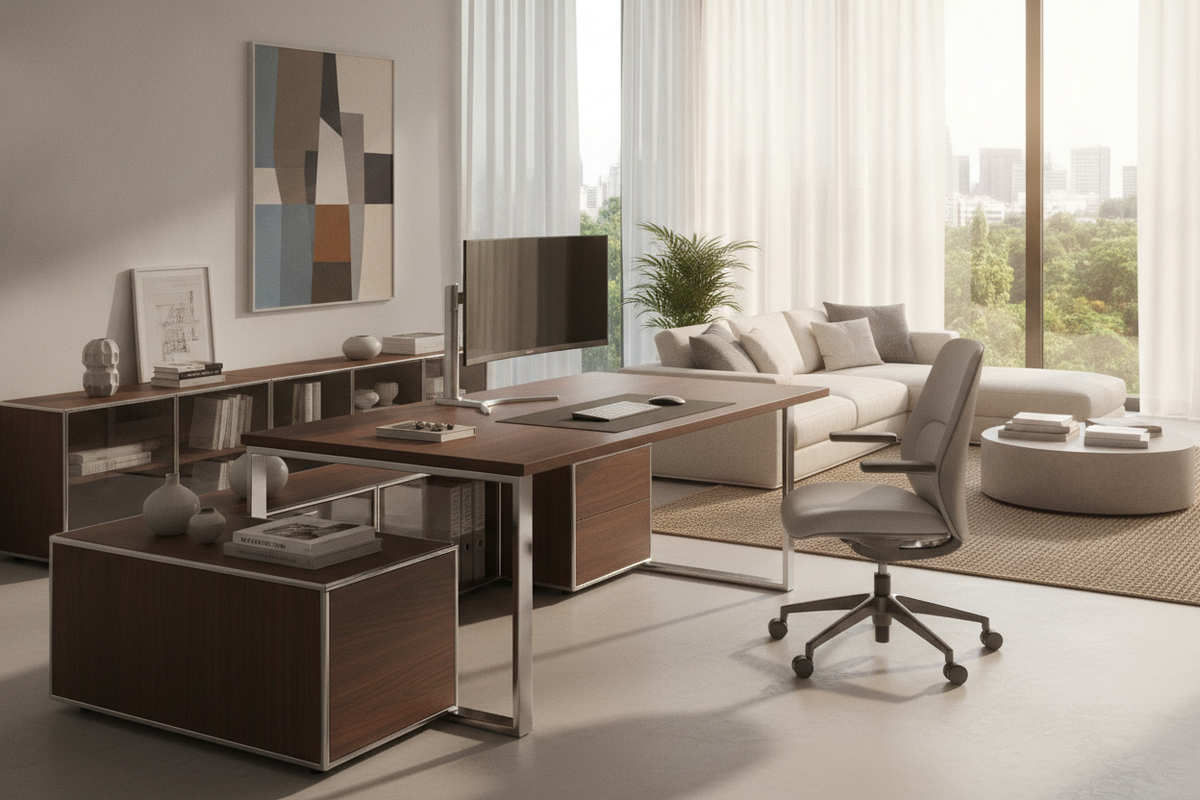
Anatomy of the Wide-Format Workstation: Spatial Sizing and Footprint Mechanics
Planning a modern executive workstation often requires moving beyond standard compact computer desks. An expansive apex desk format, characterized by broad widths and generous depths, introduces distinct spatial dynamics that influence how you interact with screens, peripherals, and surrounding storage furniture. When selecting a heavy-duty platform such as an apexdesk elite series desk, understanding the physical envelope of your room ensures a smooth balance between wide work surfaces and comfortable traffic pathways.
Deep vs. Shallow Surface Envelopes: Why 33-Inch Depth Changes Workflow
Standard modern office surfaces commonly measure between twenty-four and thirty inches deep. Expanding into a deeper surface profile fundamentally alters desktop zoning by establishing three distinct ergonomic tiers: primary active input, secondary peripheral support, and tertiary visual staging. In high-demand workflows featuring multi-panel displays or ultrawide monitors, added depth lets you push heavy display stands or heavy-gauge monitor arms back, creating natural focal distances that reduce visual fatigue without crowding keyboard trays or desk pads.
A spacious top, such as a height adjustable standing product, creates dedicated zones for note-taking, sketching tablets, and analog paperwork alongside primary keyboard placements. Rather than shuffling items during task transitions, users maintain continuous access to secondary tools across broad horizontal spans.
Room Clearance and Perimeter Planning for 71-Inch Widths
Integrating a wide desk into an office layout requires accounting for both static resting boundaries and active movement zones. When mapping room dimensions, consider these spatial clearances:
- Rear Clearance: Maintain at least three to four feet behind the desk edge to accommodate executive task chairs and full recline travel.
- Side Buffers: Leave at least twelve to eighteen inches of breathing room between desk sides and adjacent walls to prevent visual crowding and permit easy access to side controls.
- Walkway Circulation: Keep primary room pathways at a minimum width of thirty-six inches so household traffic flows freely around the workstation during full elevation cycles.
Motorized Elevation Mechanics and Heavy-Load Stability
Height-adjustable furniture demands rigorous engineering to maintain horizontal stability as the work surface rises. When managing multi-monitor arrays, audio gear, and solid core tops, structural mechanics must support smooth transitions without introducing noticeable deflection or monitor wobble during active typing.
Dual-Motor Lifting Architecture and Center-of-Gravity Distribution
Wide-span standing desks rely on dual-motor columns synchronized through a centralized controller to lift substantial payloads evenly. In systems like an adjustable height standing product, distributing lifting power across both legs helps counteract uneven weight loads created by off-center computer towers or heavy clamp-on monitor arms. Robust under-frame crossbars and wide steel foot assemblies expand the base contact area, anchoring the center of gravity and dampening resonant vibrations at standing heights.
Dynamic Cable Routing Across Wide Height Ranges
Motorized elevation introduces mechanical movement to all connected power and data lines. Without adequate slack management, rising desks can pull plugs from wall outlets, strain hardware ports, or pinch cables between crossbars and moving brackets. In our design planning reviews, we frequently observe that establishing a deliberate vertical cable spine makes a dramatic difference in both long-term equipment safety and visual tidiness.
For a detailed breakdown on organizing clean standing workstations, explore our standing desk guide. Essential strategies for managing wide-span power delivery include:
- Undermount Surge Strips: Mount heavy-duty power blocks directly to the underside of the desk frame so that peripheral power bricks move synchronously with the desktop.
- Flexible Cable Spines: Route single master power and network lines through an articulated vertical spine or flexible sleeve that expands and compresses smoothly during height adjustments.
- High-Travel Slack Loops: Secure dynamic cable slack beneath the center span to avoid snagging against nearby credenzas, trash bins, or base framing.
Desktop Surface Materials, Beveled Contours, and Multi-Monitor Staging
The tactile finish and physical edge profiling of a large desktop significantly impact daily comfort and hardware mounting reliability. High-performance workstations often feature contoured front cutouts, beveled edges, and moisture-resistant laminate surfaces designed to endure continuous professional use.
Ergonomic Reach Radii and Peripheral Staging
A gentle inward contour on the front edge of an apex standing desk allows the user to sit closer to the core work area, pulling peripheral controls within comfortable reach radii. Slanted or beveled front edges eliminate sharp pressure points against the forearms during extended typing sessions. For creative professionals setting up mixing consoles, audio hardware, or specialized control surfaces, consulting a pro desk guide provides practical inspiration for arranging heavy outboard equipment around central display monitors without compromising posture.
Mounting Heavy Display Arms and Accessory Clamps
Mounting multiple monitors via heavy-duty C-clamps concentrates substantial downward and rotational force onto small surface contact points. To protect laminated wood composites and ensure rigid monitor positioning:
- Reinforcement Plates: Position steel reinforcement plates between the clamp jaws and the desktop to distribute torsional stress across a broader surface area.
- Core Compatibility: Verify that the desktop core structure accommodates edge clamps without interfering with structural support channels or motorized control boxes beneath the surface.
- Grommet Pass-Throughs: Utilize integrated grommet holes for center-mounted dual-monitor poles to maintain balanced rear loading.
Integrating Modular Storage with Large-Format Standing Desks
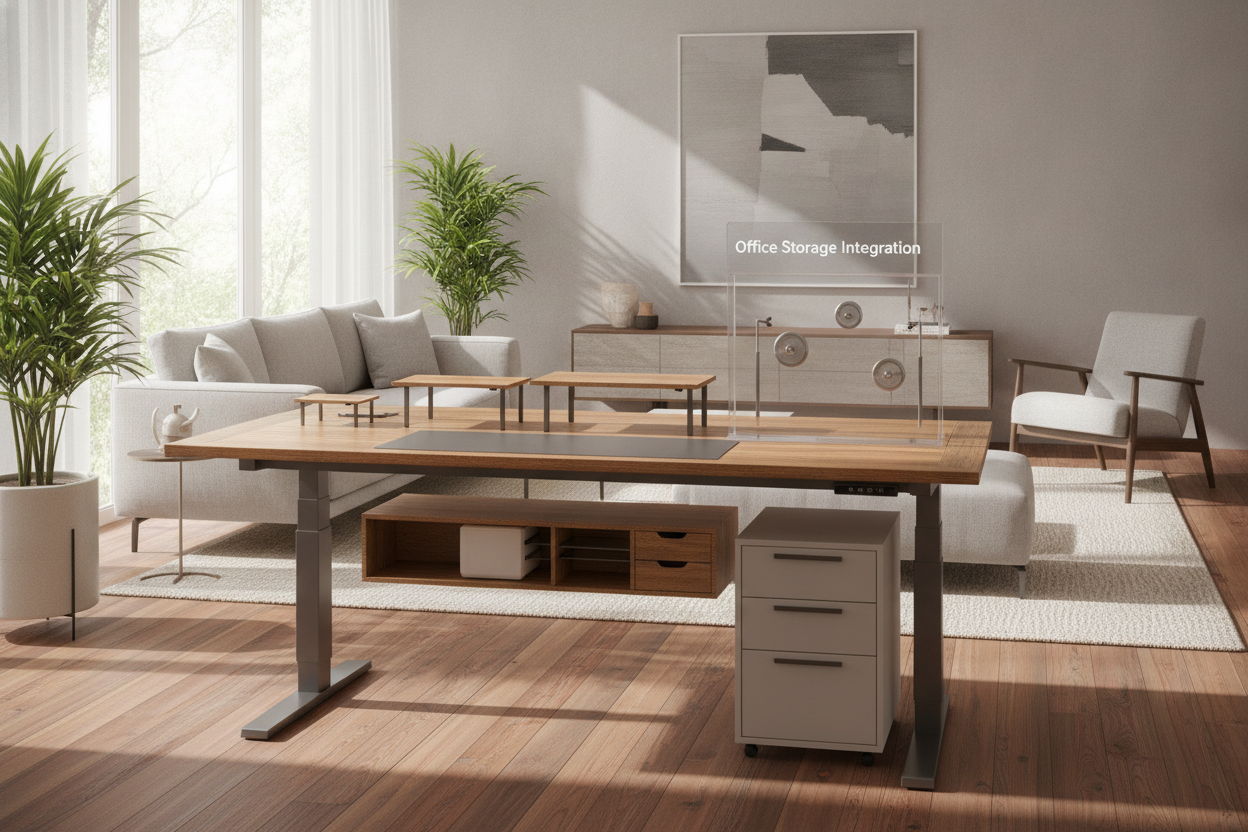
Open-frame motorized desks deliver exceptional ergonomic flexibility but lack built-in cabinetry and drawers. To preserve a clean, clutter-free work surface, you must pair the workstation with modular storage furniture that respects the desk's physical elevation envelope.
Under-Desk Mobile Pedestals vs. Independent Side Credenzas
Deciding between under-desk mobile drawer units and perimeter credenzas depends on your legroom preferences and minimum sit-height settings:
- Mobile Pedestals: Compact rolling file cabinets fit neatly under one side of a wide desk. Ensure the overall cabinet height remains several inches below your lowest seated desk height to prevent collision during downward adjustments.
- Independent Credenzas: Placing lateral credenzas or storage sideboards adjacent to the desk preserves full under-desk leg sweep while offering deep drawers for binders, archives, and bulk supplies.
Explore our curated adjustable collection to select modular cabinetry, low sideboards, and adaptable shelving units that coordinate harmoniously with wide-format desks.
Vertical Wall Shelving and Clearance Buffers
When positioning wide height-adjustable desks against walls, vertical wall shelving, floating ledges, and framed art require calculated clearance buffers. Always measure the apex desk at its highest operational point before anchoring wall accessories above the desk surface, ensuring an unobstructed vertical path that avoids accidental impact with raised monitors or desktop accessories.
Assembly Logistics, Daily Workflows, and Maintenance
Setting up and maintaining a wide-format motorized desk requires thoughtful planning, from initial floor assembly to daily postural transitions.
Two-Person Floor Assembly and Leveling Glides
Because high-capacity dual-motor frames and solid laminated tops carry substantial weight, assembling the frame upside down on a soft rug or protective blanket minimizes risk to finished surfaces. Once crossbars and motorized legs are fastened, two people should lift and rotate the entire assembly into an upright stance to avoid placing uneven lateral stress on the leg joints. Adjust the threaded leveling glides beneath each foot pad until the frame rests completely flat, eliminating floor rocking and maximizing stability across all elevation ranges.
Establishing Daily Sit-to-Stand Cadences
To maximize the ergonomic benefits of an apex desk, establish consistent sit-to-stand transitions throughout your working day. Program your desk's digital memory presets for exact seated and standing elbow heights, pair standing intervals with a supportive cushioned floor mat, and alternate postures regularly to maintain dynamic circulation, focus, and physical comfort.

Dejar un comentario
Este sitio está protegido por hCaptcha y se aplican la Política de privacidad de hCaptcha y los Términos del servicio.