










Evaluating Standing Workstations for Canadian Home Offices
Selecting the best standing desk in Canada requires balancing ergonomic flexibility with the distinct architectural realities of Canadian residential spaces. Whether furnishing a downtown loft in Toronto, a converted den in Vancouver, or a dedicated basement office in Calgary, the footprint and functional dynamics of a height-adjustable workstation determine how comfortably a room breathes throughout the day.
Dynamic desks serve as active furniture pieces, meaning their visual presence and spatial boundaries change depending on their operating height. When planning your office layout, integrating movement requires considering surrounding clearance paths, ambient natural lighting, and complementary storage. Reviewing practical aesthetic standing desk design tips can help you strike an effortless balance between modern ergonomics and cohesive interior decor.
Dimensional Sizing Tiers: Matching Workstation Footprints to Floor Plans
Workstation size determines both task efficiency and room flow. Rather than treating all standing frames as one-size-fits-all solutions, categorizing desks by dimensional tiers allows for intentional spatial planning.
Compact Workstations for Urban Condos and Nook Spaces
Urban apartments and secondary multi-purpose rooms benefit most from compact workstation footprints. Narrower profiles preserve open floor space, ensuring doorways, closet paths, and heating vents remain unobstructed. When selecting a compact standing desk, shallow surface depths still provide sufficient room for a laptop, single monitor riser, and notebook while maintaining comfortable seated and standing postures.
Standard Mid-Span Desks for Dedicated Task Environments
Standard mid-span workstations represent the most versatile dimensional tier for full-time remote professionals. These surfaces comfortably house dual monitors, an external keyboard tray or desk mat, docking stations, and tabletop task lighting. Opting for a 54-inch electric standing desk with memory presets creates an optimal balance, providing generous workspace without overwhelming mid-sized bedrooms or dedicated home studies.
Expansive Executive Desks for Multi-Monitor Architecture
Creative directors, software engineers, and multi-display power users frequently require broader spans to accommodate expansive hardware payloads, desktop audio monitors, and reference documents. High-capacity setups flourish when built on a super-sized 63-inch standing desk or a dedicated 71-inch wide height-adjustable desk. These expansive footprints distribute hardware weight across reinforced support rails while preserving dedicated zones for analog writing and digital workflows.
Lifting Mechanisms and Structural Base Architecture
The core value of an adjustable workstation lies in its lifting framework. A robust base provides stability at standing elevation, preventing micro-wobble during typing or handwriting tasks.
Telescoping Leg Profiles and Anti-Wobble Geometry
Frame stability is determined by column design, base foot length, and joint tolerances. Multi-stage telescoping leg profiles expand the overall travel stroke, allowing the desk to accommodate a broader range of user heights comfortably. Wide base feet combined with reinforced top support brackets ensure that structural rigidity remains consistent even when the desk extends toward its highest position.
Programmable Memory Controllers and Transition Mechanics
Smooth transitions encourage regular movement between sitting and standing intervals. Keypads equipped with digital readouts and multi-setting memory presets let users switch between personalized ergonomic heights with a single touch. Gentle acceleration and deceleration motor profiles prevent monitors from swaying and protect tabletop accessories from shifting during motion.
Surface Materials and Seasonal Resilience
Indoor environments in Canada experience substantial climate swings across the seasons, moving from humid summers to dry, heated winters. Desktop materials must withstand these continuous changes in ambient humidity without warping, delaminating, or losing structural flatness.
- High-Pressure Laminate (HPL): Offers dependable resistance against daily scratches, coffee spills, and surface wear, making it an exceptional low-maintenance option for busy workstations.
- Engineered Solid-Core Composites: Provide high structural density and uniform moisture resistance, maintaining dimensional integrity through winter heating cycles.
- Beveled Edge Profiles: Smooth contoured perimeters reduce pressure points on forearms during typing while preventing edge peeling over extended daily use.
Storage Architecture: Pairing Dynamic Desks with Modular Cabinetry
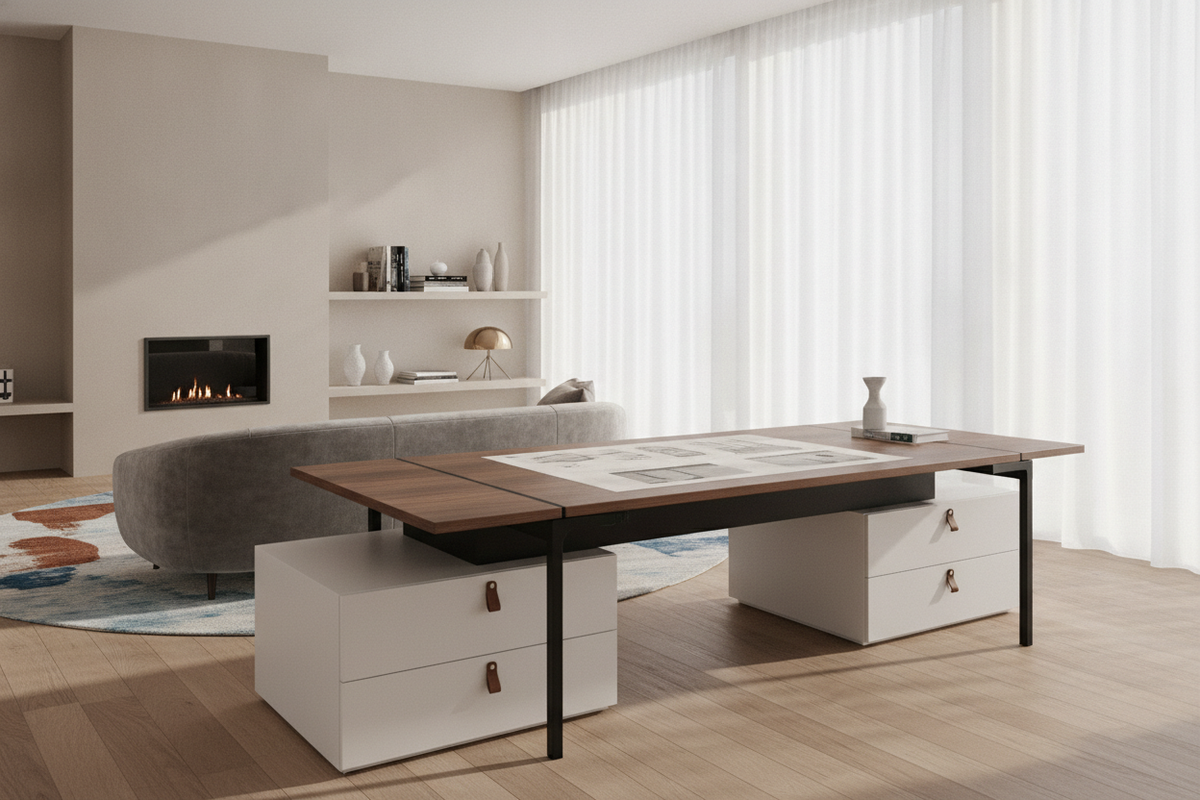
Because height-adjustable tops move continuously, traditional fixed under-desk drawers require thoughtful redesign. Incorporating coordinated storage ensures work essentials remain easily accessible regardless of the desktop's current elevation. Integrating clever designer ideas for standing desk layouts helps maintain a polished aesthetic while providing ample room for organization.
Low-Profile Mobile Pedestals and Under-Desk Clearance
Mobile drawer pedestals on smooth-rolling casters provide an ideal organizational companion for adjustable desks. When seated, the pedestal can tuck neatly beneath the desk surface without colliding with the frame’s crossbars or lowest travel setting. During standing sessions, the pedestal can be wheeled alongside the desk to serve as an extended auxiliary surface.
Dynamic Wire Routing and Cable Management Spines
Cable management requires special attention on dynamic desks due to the changing distance between the tabletop and wall outlets. Utilizing flexible articulated cable spines or under-desk wire trays prevents power cords from pulling taut or snagging against structural crossbars during elevation adjustments.
Decision Framework: Selecting the Best Standing Desk in Canada
To identify the ideal standing workstation configuration for your home office, work through this practical planning framework before finalizing your setup:
- Map Room Clearances: Measure available wall spans and verify that the desk’s upward travel path will not interfere with low windowsills, wall art, or wall-mounted shelving units.
- Calculate Equipment Payloads: Account for the combined weight of monitor arms, multi-screen displays, computer towers, and desktop accessories to ensure the frame operates smoothly.
- Coordinate Storage Ensembles: Pair your standing desk with matching low-profile file cabinets or side credenzas to keep the main worktop visually clean and clutter-free.
- Verify Cable Slack: Ensure power bars and monitor cables have enough length to travel freely from their lowest seated point to their highest standing height.


Dejar un comentario
Este sitio está protegido por hCaptcha y se aplican la Política de privacidad de hCaptcha y los Términos del servicio.