










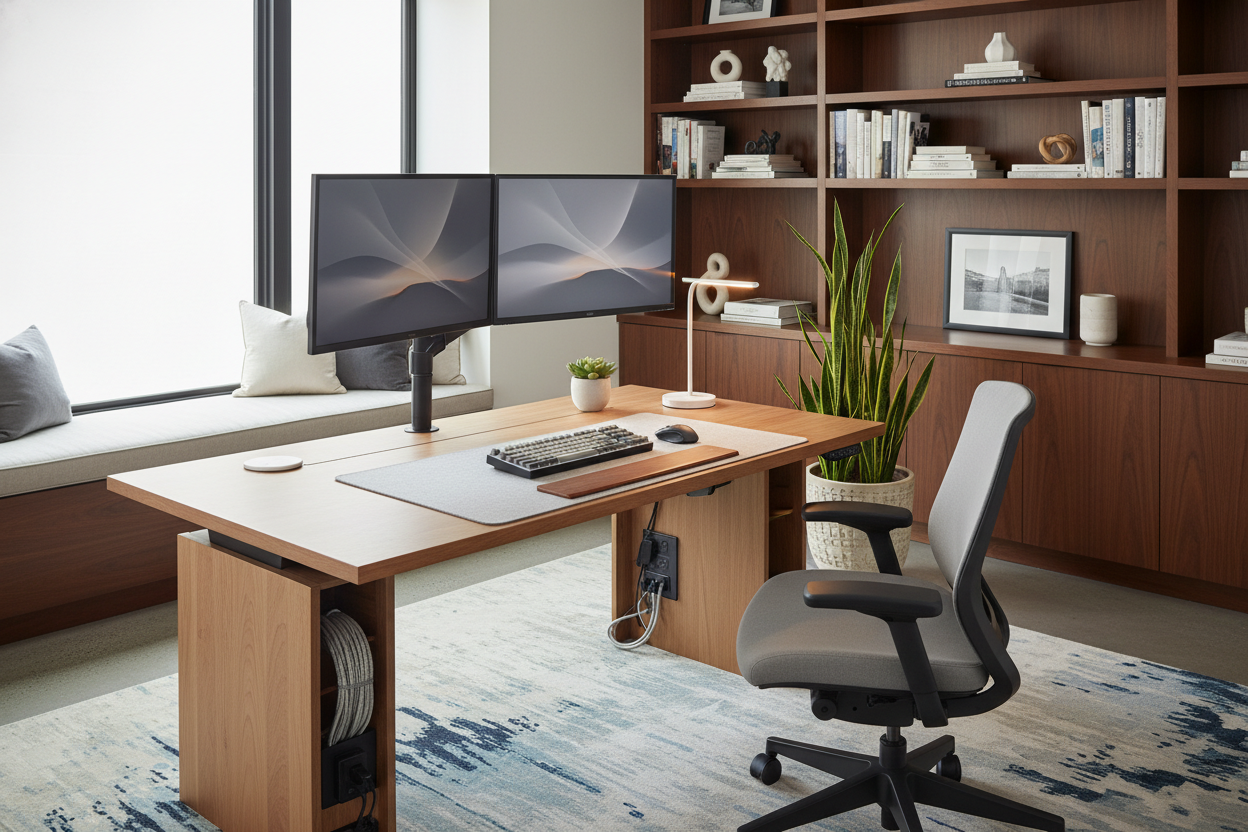
One of the most frequent challenges clients bring to me isn't just about ergonomics; it's about integration. They want the health benefits of movement, but they are terrified that a mechanical desk will turn their curated home office into something resembling a call center. The goal is to balance mechanical function with residential warmth. In this guide, we will explore standing desk setup ideas that respect your interior design aesthetic while optimizing your workflow.
Key Elements of a Polished Setup
- Visual Weight: Balancing the heavy metal legs of a sit-stand desk with warmer textures like wood or leather pads.
- Cable Management: Utilizing vertebrae spines and underslung trays to maintain a floating, clean silhouette.
- Lighting Layers: Combining task lighting (monitor bars) with ambient lighting (warm floor lamps) to reduce eye strain.
- Ergonomic Depth: Ensuring the desk surface is at least 30 inches deep to accommodate monitor arms without crowding.
- Acoustics: Adding soft materials (felt mats, curtains) to dampen the echo often caused by minimalist metal furniture.
Mastering the Layout and Flow
When planning your layout, avoid simply pushing the desk against a blank wall. In interior design, we often look for the "command position." If space permits, float the desk in the room facing the door. This instantly elevates the authority of the space. If you must face a wall, treat the vertical space above the desk as part of the vignette. Floating shelves or large-scale art can draw the eye up, balancing the visual heaviness of the desk's mechanical legs.
Material Selection: Beyond Basic Laminate
The surface you touch every day matters. While laminate is durable, it often lacks character. For a sophisticated standing desk set up ideas approach, I always recommend solid wood or high-grade veneer.
Walnut and Oak
Solid walnut offers a rich, dark tone that grounds a room, contrasting beautifully with black or gunmetal desk frames. White oak provides a Scandinavian, airy feel that pairs well with white or silver frames. Be mindful that solid wood requires humidity control to prevent warping over time.
The Matte Finish
Regardless of the material, opt for a matte or satin finish. High-gloss surfaces reflect overhead lighting and monitor glare, which creates visual noise and eye fatigue. A matte finish absorbs light, creating a softer, more luxurious focal point.
The Art of Concealment (Cable Management)
Nothing ruins a design faster than a cascade of black wires. With a height-adjustable desk, this is tricky because the cables need slack to move.
Do not rely on standard zip ties alone. Invest in a "cable spine" or "vertebrae." This articulated channel runs from the floor to the desk underside, housing your power strip cord and ethernet cable. It moves with the desk, looking like a deliberate mechanical feature rather than a messy afterthought. Mount a large power strip directly to the underside of the desk so only one cord goes to the wall.
Lighting and Accessories
To soften the industrial look of a standing desk, accessorize with intention. A large felt or leather desk mat anchors your keyboard and mouse, adding a tactile layer that breaks up the hard surface. For lighting, move away from harsh utilitarian lamps. Consider a monitor light bar for focused work, paired with a warm-toned table lamp with a linen shade to introduce texture and softness.
Lessons from My Own Projects
I learned the hard way about "monitor wobble" on a project last year. I specified a beautiful, single-leg pedestal standing desk for a client who loved minimalism. It looked stunning in photos. However, the moment they started typing vigorously at standing height, the monitor shook like a leaf. It ruined the experience.
My takeaway? Always prioritize a dual-motor, dual-leg frame with a crossbar if stability is your priority, especially on carpet. Also, I now insist on using a reinforcement plate between the monitor arm clamp and the desk surface. I once ruined a gorgeous walnut veneer because the clamp pressure left a permanent indentation after six months. That small $15 steel plate distributes the pressure and saves your investment.
Conclusion
Creating a workspace that supports your posture doesn't mean sacrificing your home's style. By focusing on rich materials, ruthless cable management, and proper lighting layers, you can build a setup that invites you to work. It is time to treat your desk not just as a tool, but as a centerpiece of your home design.
Frequently Asked Questions
How deep should a standing desk be for a dual monitor setup?
I recommend a minimum depth of 30 inches. This allows you to mount monitor arms while maintaining enough distance between your eyes and the screens, preventing cramping and visual fatigue.
What is the best way to hide wires on a glass standing desk?
Glass is unforgiving. Your best option is to run cables down the legs using adhesive clips tailored to the frame color. Alternatively, use a floor-mounted cable sleeve that groups wires into a single, neat column behind one leg.
Can I use a standing desk on thick carpet?
Yes, but stability can be an issue. Look for a desk frame with wide, heavy feet. If the wobble is noticeable, placing a rigid chair mat or a large area rug with a dense pile under the desk can provide a firmer foundation.

Dejar un comentario
Este sitio está protegido por hCaptcha y se aplican la Política de privacidad de hCaptcha y los Términos del servicio.